Edit Tables in Access 2016
In this lesson, you will learn how to create and rearrange fields in tables, how to ensure data is formatted correctly and consistently by setting validation.
Fix Windows problems, troubleshoot devices, understand AI, secure your accounts and get more from your technology with tested step-by-step guides.
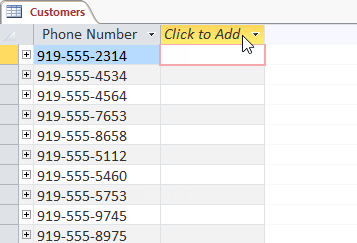
In this lesson, you will learn how to create and rearrange fields in tables, how to ensure data is formatted correctly and consistently by setting validation.

Read Word Documents is the focus of this article. Since the early days of the computer age, users have always liked computers talking to them.
2-Sided Printing is the focus of this article. The demand for two-sided printing is now much more popular.
Hlookup function basically also has the function syntax and features like VLOOKUP function, which is to help users find data in Excel table, with the.
Excel Functions is the focus of this article. To convert a unit of measurement into Excel, we will use the Convert function.
Calculate the Total Filtered Value is the focus of this article. Filter is a very useful and easy to use feature in Microsoft Excel.
Calculating percentages in Excel is a basic calculation, with a very simple and quick calculation when you don't need to enter any functions.
Footnote is a feature that inserts notes below the document page, allowing users to better understand certain words, without having to write directly into.

When you are asked by someone to check or edit a document on paper, you'll have to use a red pen to mark misspelled words and add comments to the side.
To convert Excel file to Google Sheets in the same format, users can download Excel file to Google Drive or Import Excel file into existing Google Sheets.
Save Excel File is the focus of this article. Whenever you create a new spreadsheet in Excel, you need to know how to save to access and edit later.
Cell in Excel 2016 is the focus of this article. Whenever you work with Excel, you will need to enter information - or content - into the cells.
Excel is a great useful spreadsheet program, but nothing is worse than creating a perfect spreadsheet and printing it on multiple sheets of paper that have.
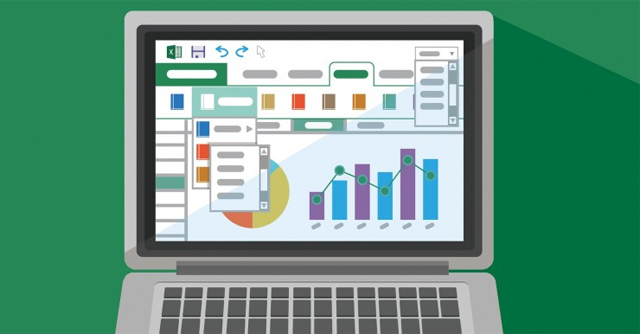
Drawing diagrams on Excel are basic and often done, when displaying data based on tables or comparing figures together.

Excel Chart Type is the focus of this article. You have a presentation about to come and really want to impress the boss.
By default the width of the column and the height of the row in Excel may not match the data you entered.

You can add multiple drawings to your document text, including arrows, captions / speech bubbles, squares, star shapes and chart shapes.

Drawings is the focus of this article. The Text Box text box can be useful in attracting readers' attention to specific texts.
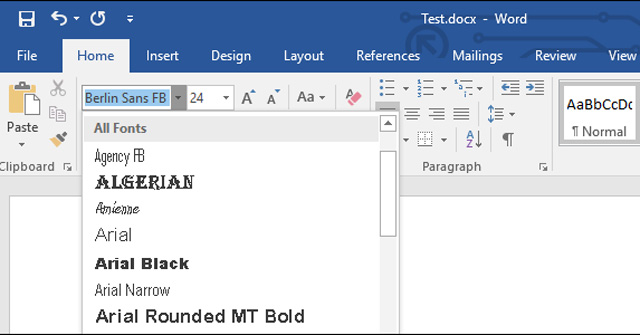
When you email someone a copy of a Word document or a PowerPoint presentation, if the receiving device does not have the font you are using, the recipient.
Delete pages in Word or delete blank pages in Word to help you delete redundant Word pages, no longer needed.