How to Block Ads, Pop-Ups, and Spam Notifications in Chrome
Use Chrome's built-in controls for pop-ups, intrusive ads, and site notifications, or add a verified blocker for wider filtering and troubleshooting.
Fix Windows problems, troubleshoot devices, understand AI, secure your accounts and get more from your technology with tested step-by-step guides.
Use Chrome's built-in controls for pop-ups, intrusive ads, and site notifications, or add a verified blocker for wider filtering and troubleshooting.
Remove in-game ads through official purchases, ad-free game subscriptions, or offline play, and understand why browser settings and risky blockers often do not help.

Compare X Premium+, ad-personalization controls, and maintained Chrome or Firefox content blockers, with current setup and troubleshooting steps.

Use Spotify Premium for ad-free music and offline downloads, compare plan types, fix ads on a paid account, and avoid risky VPN, proxy, converter, or modded-app shortcuts.
Enable Cốc Cốc's built-in ad blocker, adjust site exceptions and filter modes, and troubleshoot YouTube playback without installing a duplicate extension.

Turn on Cốc Cốc Mobile's built-in ad blocker on Android or iPhone, manage site exceptions, and fix ads or broken pages without adding another app.
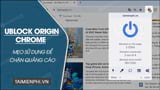
Install the official uBlock Origin Lite extension in Chrome, choose a filtering mode, allow trusted sites, and troubleshoot blocked page features safely.

Create a DouYu account with the official registration page, choose the correct country code, verify your phone, and understand when real-name checks may apply.

Compare OBS Studio and Streamlabs Desktop for setup, plugins, overlays, performance, platforms, recording, and paid features before choosing a streaming app.

Download OBS Studio safely, install it on Windows, macOS, or Linux, run the Auto-Configuration Wizard, and make a short test recording.
Improve Twitch discovery and viewer retention with a consistent schedule, clear titles and tags, better clips, useful analytics, collaborations, and reliable stream quality.
HAKUNA Live stopped accepting registrations in July 2024 and ended service in October 2024. Here is what former users and readers of older setup guides should know.

Garena's BOOYAH! livestream platform is no longer an active registration option. Learn what happened, why old app links are unsafe, and where to follow Free Fire now.

FBang's developer still lists the Vietnamese livestream project, but its old registration and app-download routes are not reliably available. Verify the service before sharing personal data.
FBang's old mobile and web livestream flows are not reliably available today. Check the developer's current service status before installing the app or sharing account details.

Install XSplit Broadcaster, build a scene, connect Facebook Live directly or with a secure RTMPS stream key, test audio and video, and end the broadcast safely.
Compare current mobile livestream options for social video, gaming, IRL broadcasts, audience discovery, screen sharing, RTMP output, moderation, and multistreaming.

Compare OBS Studio and Wirecast on price, operating systems, multistreaming, remote guests, ISO recording, plugins, production features, and hardware needs.

Check Google Workspace eligibility, enable Meet controls, record a meeting to Drive, create an internal view-only stream, or broadcast an eligible meeting to YouTube.
Diagnose OBS recordings that will not start or contain no microphone or desktop audio by checking sources, tracks, Windows permissions, output paths, drivers, and logs.