Table of Contents
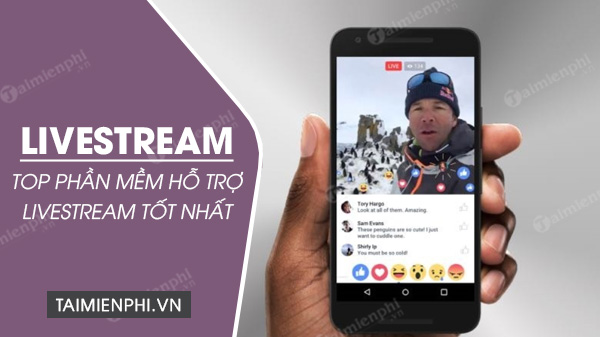
The right livestreaming app depends on whether you want an existing audience, gaming discovery, social chat, or production controls. Facebook, YouTube, Instagram, and TikTok are strongest when you already post there; Twitch, KICK, and Nimo TV focus more on live and gaming communities; BIGO LIVE emphasizes social rooms; Streamlabs Mobile and Live Now send a produced mobile stream to other platforms.
Quick comparison
| App or service | Best for | Important limitation |
|---|---|---|
| Facebook Live | Pages, groups, events, and existing Facebook communities | Account, follower, Page-access, and policy requirements apply |
| YouTube Live | Searchable archives, tutorials, events, and mixed mobile/desktop workflows | Mobile streaming has subscriber and verification requirements |
| Instagram Live | Followers, creators, guests, and informal vertical broadcasts | Limited production control compared with an encoder workflow |
| TikTok LIVE | Vertical creator interaction and TikTok-native discovery | Age, follower, region, and account-standing requirements vary |
| Twitch | Gaming, IRL, creative, music, and established live communities | Discovery is competitive; consistency and moderation matter |
| KICK | Gaming and IRL creators who want a live-first channel | Audience fit and moderation expectations should be checked carefully |
| Nimo TV | Game streams and regional esports communities | Content and creator support vary by country |
| BIGO LIVE | Social broadcasts, multi-guest rooms, and live chat | Virtual gifts and social discovery require privacy and spending controls |
| Streamlabs Mobile | Overlays, alerts, camera or screen streams to other destinations | Some advanced services require a subscription |
| Live Now | Mobile games, sports scoreboards, screen capture, and RTMP output | Destination eligibility still applies; some features are paid |
1. Facebook Live
Facebook Live works well for organizations, sellers, clubs, schools, local communities, and creators who already manage a profile, Page, group, or event. The mobile app can broadcast the camera directly, while Live Producer supports streaming software for more complex desktop productions.
Meta currently says an account must be at least 60 days old and a Page or professional-mode profile must have at least 100 followers; Page broadcasts also require appropriate access. Check the current Facebook Live requirements because availability can change.
Choose it when: the intended audience already follows a Page, belongs to a group, or expects event updates on Facebook.
2. YouTube Live
YouTube Live suits tutorials, gaming, interviews, classes, performances, and events that should remain discoverable after the broadcast. Creators can stream from the mobile app, a webcam, a console, or an encoder.
The screenshot below shows the discontinued standalone YouTube Gaming app. Gaming streams now live inside the regular YouTube app and website.
For mobile streaming, YouTube currently requires at least 50 subscribers, channel verification, no live restrictions in the previous 90 days, and live streaming enabled; first-time activation may take up to 24 hours. YouTube also sets a minimum live-streaming age. Review the official mobile Live guide before scheduling an event.
Choose it when: replay value, search, playlists, thumbnails, and a long-term video library matter.
3. Instagram Live
Instagram Live is a simple choice for creators and businesses whose audience already follows their posts, Reels, and Stories. Broadcasts are vertical and designed for direct follower interaction rather than multi-scene production.
In the Instagram app, open the camera creation interface and select Live. Use Practice or audience controls when available, add a moderator or guest, and save or share a replay if the current account options permit it. See Instagram's official Live instructions for the latest controls.
Choose it when: the stream is visual, conversational, and tied closely to an existing Instagram presence.
4. TikTok LIVE
TikTok LIVE supports vertical live interaction within TikTok's creator ecosystem. It is useful for demonstrations, Q&A, performances, shopping features where available, and community conversations.
TikTok currently requires creators to be at least 18 to go LIVE. It also applies local minimum-follower thresholds and account-standing rules. Gifts, subscriptions, commerce, and desktop streaming have separate eligibility and regional limits. Check TikTok's current LIVE help rather than relying on a universal follower number.
Choose it when: you already create TikTok videos and can adapt the content to a fast vertical format.
5. Twitch
Twitch is built around live channels, chat, raids, clips, categories, and creator communities. Although known for gaming, it also covers IRL, art, coding, music, talk shows, food, fitness, and co-working.
The Twitch mobile app can start IRL or mobile-game broadcasts from the device. More complex streams can use OBS Studio, Streamlabs, or other supported software. Twitch's Mobile Creator Mode guide explains the current Stream controls.
Choose it when: live chat and repeat community programming are central, not merely an add-on to short videos.
6. KICK
KICK is another live-first platform for gaming, IRL, and category-based streams. Its main mobile app supports viewing, while the separate KICK – Go Live app is designed for mobile broadcasting.
The current creator app supports phone cameras and screen-oriented workflows, with device and feature differences between iOS and Android. Read KICK's official mobile creator guide and its community rules before choosing it.
Choose it when: your intended community is active on KICK and you are comfortable building on a newer live ecosystem.
7. Nimo TV
Nimo TV remains available as a gaming and esports livestream service in supported regions. It offers mobile viewing and a creator download area for PC and mobile-game streaming.
Start from the official Nimo TV download page. Check whether the games, language, events, and creator program you need are active in your country; regional catalogs and payout options can differ.
Choose it when: your target audience follows games or esports communities that Nimo actively supports in your region.
8. BIGO LIVE
BIGO LIVE focuses on social broadcasts, game streams, multi-guest rooms, chat, and virtual gifting. It can be used to watch or broadcast from a phone, and its website also exposes live rooms.
Use the official BIGO LIVE download page, read the age and community rules, and set a spending limit before buying virtual currency. Treat direct messages from strangers cautiously and keep personal location details out of the frame.
Choose it when: multi-guest social interaction matters more than searchable long-form video.
9. Streamlabs Mobile
Streamlabs Mobile is a production app, not a single audience destination. It can send a phone camera or screen to supported platforms, add overlays and alerts, and handle mobile game or IRL broadcasts.
The app supports iOS and Android and lists destinations including Twitch, KICK, YouTube, TikTok, and Facebook. Some multistreaming, disconnect protection, themes, storage, or other services may require Streamlabs Ultra. Review the current Streamlabs Mobile features and renewal terms before paying.
Choose it when: you need a more produced mobile feed and already know which platform will host the audience.
10. Live Now
Live Now is another mobile production tool. It targets mobile games, screen recording, IRL, and sports broadcasts with overlays and scoreboards, and it can send to supported services through RTMP or RTMPS.
The official Live Now site lists iOS and Android versions, screen capture, multistreaming, landscape and vertical layouts, and sports-specific tools. Confirm which features require a subscription and whether the destination permits the content you plan to broadcast.
Choose it when: scoreboards, mobile screen capture, or custom RTMP output matter more than an in-app social feed.
Why five apps from the old list were removed or reclassified
The screenshots below are retained to explain the update, not as current recommendations.
Nonolive
The previous article described Nonolive as an active global creator app. A current official service and download route could not be verified reliably, so it is not recommended here.
Snapchat
Snapchat supports video sharing, Stories, calls, Spotlight, and selected live media experiences, but it is not a general-purpose public livestream platform where ordinary users open an ongoing channel. The older article overstated that function.
V Live
The standalone V Live fan platform ended service and its artist-community functions moved into the broader Weverse ecosystem. Do not install an old V Live APK.
MLiveU
The previous MLiveU listing could not be matched to a current authoritative app-store and developer route, so it has been removed rather than directing readers to an APK mirror.
YouTube Gaming
YouTube Gaming is no longer a separate app. Use YouTube Live in the standard YouTube app, YouTube Studio, a console, or an encoder.
How to choose safely
- Audience: choose where the intended viewers already spend time.
- Format: decide between vertical conversation, horizontal gaming, multi-guest rooms, or a produced RTMP stream.
- Eligibility: check age, followers, verification, region, and account standing before planning an event.
- Moderation: compare blocked words, moderators, follower-only chat, reporting, and emergency controls.
- Privacy: review camera, microphone, screen, contacts, location, and data-sharing permissions.
- Cost: separate optional subscriptions and virtual gifts from features needed to broadcast.
- Copyright: do not stream music, television, sports, films, or games you are not allowed to rebroadcast.
- Reliability: run a private or unlisted test and check upload speed, heat, battery, audio, and notifications.
For a desktop production workflow, compare Streamlabs Desktop and OBS Studio. Our guide to growing a Twitch channel covers scheduling and analytics, while the XSplit Facebook Live tutorial explains a Windows encoder setup.
Related Articles
 Instructions to Livestream Playing Games on Nonolive Using PC5 minutes read
 How to Livestream on Fbang Using a Phone or Computer5 minutes read
 How to Create and Insert Livestream Frames for Books8 minutes read
 YouTube Announces New Features, Enabling Users to Livestream Directly from the Computer Web Browser3 minutes read
 First Time Livestream from Mars, at 23:00 Today3 minutes read
 How to Livestream YouTube from Web Browser6 minutes read
Reader Comments 0
Sign in with email or Google to join the discussion.