Table of Contents
FBang registration cannot currently be confirmed as an active, reliable process. FTECH still has an official product page describing FBang, but the old fbang.vn registration portal and mobile-store routes used by this tutorial are not consistently available. Do not enter a phone number, password, OTP, identity document, or payment details until you can verify a current official app or HTTPS account page.

What can be verified
The developer's official FBang product page describes a Vietnamese livestream and entertainment project focused on esports and streamers. It points to an old HTTP website, but it does not provide a current secure registration form or current Google Play and App Store buttons.
That is not enough to prove the service has formally closed, but it is also not enough to treat the old setup guide as current. Account systems, app availability, payment features, and support policies can change without the marketing page being removed.
How to check before registering
- Start from FTECH's official website, not a search ad, social-media message, or APK mirror.
- Look for a current link to FBang with a valid HTTPS connection.
- If an app-store link is offered, confirm the developer name and follow it from the official page.
- Check the app's update date, privacy label, required permissions, age rating, reviews, and support contact.
- Read the current privacy policy and terms before providing a phone number or accepting payments, gifts, or creator agreements.
- Contact FTECH through the details on its official corporate site if no current registration route is published.
If these checks fail, do not work around the problem with a copied APK or an account offered by another person.
Do not use an unofficial APK or login page
- An archived FBang app may be incompatible with current Android or iOS security requirements.
- A lookalike page can steal phone numbers, passwords, and SMS codes.
- A modified app may request screen capture, accessibility, microphone, camera, contacts, or storage access for purposes unrelated to streaming.
- An old app may connect to servers that are no longer maintained.
- “Free diamonds,” paid accounts, and private registration invitations are not evidence of an official service.
Legacy desktop registration flow
The screenshots below document how the service previously worked. They are retained for historical reference, not as current instructions.
1. Users opened the former FBang website.
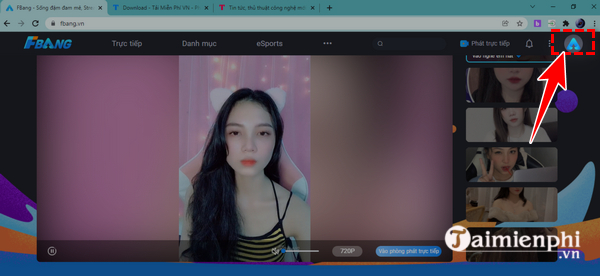
2. The profile menu offered a new-registration option.
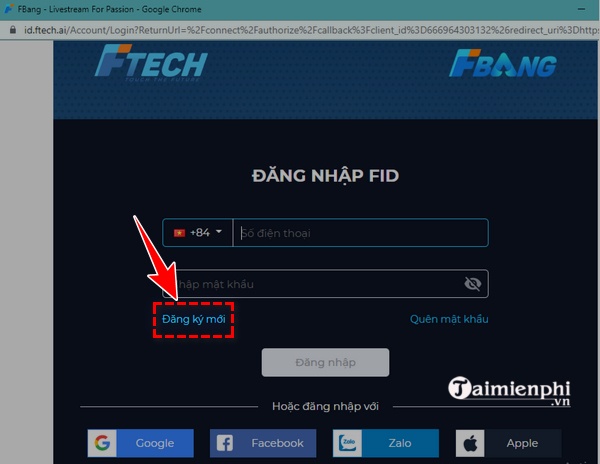
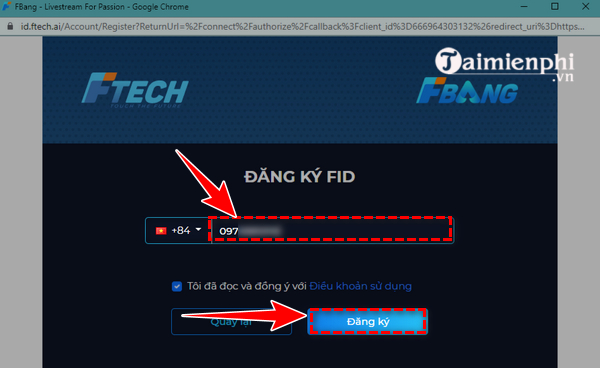
3. Registration began with a phone number.
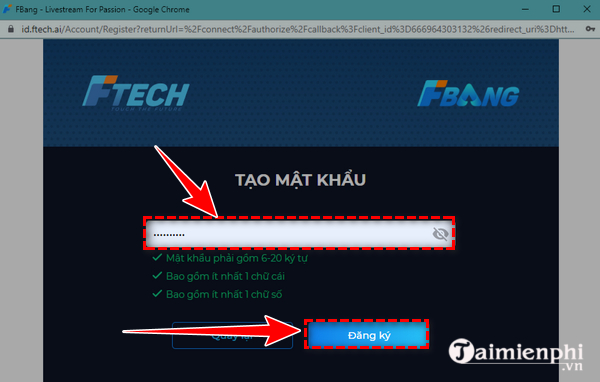
4. The user created a password. The old screen said 6–20 characters with at least one letter and one digit. A current form, if the service returns, may use different requirements; use a unique password longer than the stated minimum.
5. The user completed an anti-automation check.
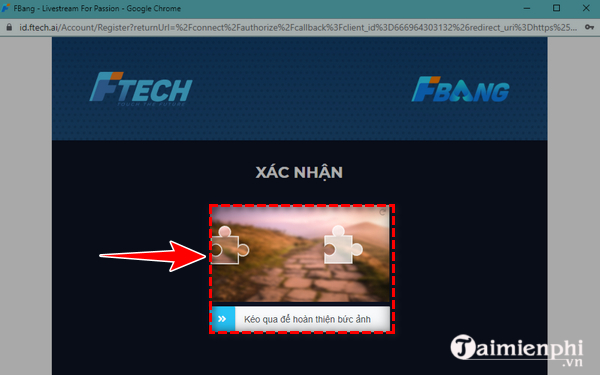
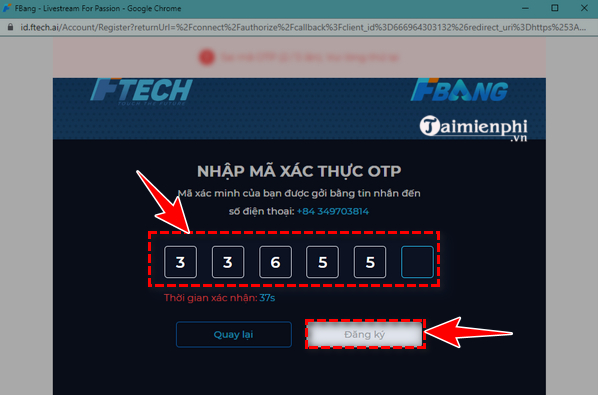
6. The phone received a one-time code. An OTP should be entered only on the verified official page and should never be sent to a person claiming to be support.
Legacy mobile app
FBang was previously offered for Android and iPhone, and its mobile registration used the same phone, password, challenge, and OTP sequence.
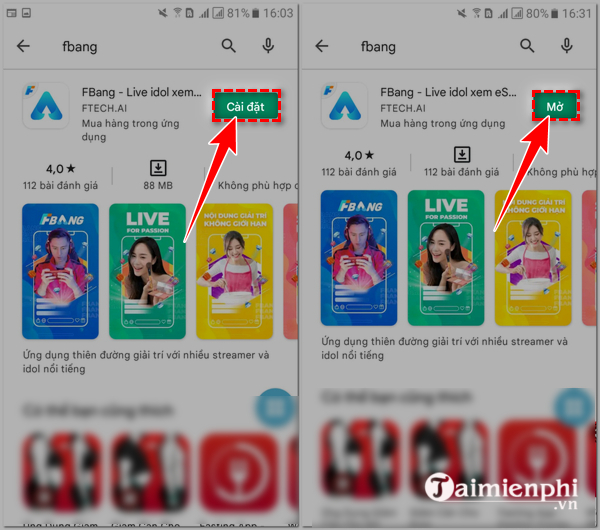
The original guide quoted an app size and direct download links. Those details are removed because app size varies by version and the old store routes are no longer a reliable source. Do not sideload an archived package simply because the official listing is absent.
If you already have an FBang account
- Do not reuse the FBang password on another site.
- If you reused it previously, change the password on every active account that shares it.
- Do not pay anyone to recover access or convert old diamonds.
- Review phone bills, payment records, and app-store subscriptions for unexpected charges.
- Ask the official developer how to access, correct, or delete account data if the service is still maintained.
Choose an active alternative
Use our list of livestreaming platforms to compare services with current app listings and support. If you need to broadcast from a computer to an established platform, our OBS Studio installation guide explains a safer setup.
Related Articles
 How to Livestream on Fbang Using a Phone or Computer5 minutes read
 How to Register ChatGPT, Register Chat GPT Easiest, Most Detailed3 minutes read
 Create an Apple ID, Register an Apple ID Account for Less Than 36 minutes read
 How to Create a VTC Account: Complete Guide6 minutes read
 Register Zalo, How to Create a Zalo Account on Your Computer4 minutes read
 How to Register a Shopee Account on a Computer6 minutes read
Reader Comments 0
Sign in with email or Google to join the discussion.