Table of Contents
To get more viewers on Twitch, make each stream easy to understand, easy to find, and worth returning to. Use a consistent schedule, choose an accurate category and tags, give the stream a specific promise, talk to viewers promptly, publish strong clips elsewhere, and review analytics after every few broadcasts. Avoid bought viewers and follow-for-follow schemes; they do not create an engaged audience and may violate platform rules.
Start with a clear channel promise
A viewer should be able to tell what they will get within a few seconds. “Playing games” is too broad; “beginner-ranked support coaching,” “no-hit attempts with run analysis,” or “building a watercolor portrait from sketch to finish” gives people a reason to stay.
- Choose one or two repeatable content formats.
- Write a short About description that identifies the topic and intended audience.
- Use a recognizable profile image, readable panels, and consistent scene design.
- Keep the stream title specific and truthful. Update it when the activity changes.
- Select the correct game or content category and add only relevant tags.
Twitch says tags appear alongside the thumbnail, title, and category, and viewers can use them when searching and filtering. Its official tags guide is the best place to check current limits and behavior.
Build a schedule you can actually keep
Consistency helps returning viewers know when to arrive, but more hours do not automatically mean more growth. Two focused streams each week can outperform a long, unpredictable schedule.
- Choose time slots that fit your real obligations and energy level.
- Add the schedule to your Twitch channel and include your time zone.
- Tell viewers what the next stream will contain before signing off.
- If you must cancel, update the schedule and community channels promptly.
- After several weeks, compare different time slots using channel analytics.
Do not change the time, category, length, topic, and promotion strategy all at once. Change one meaningful variable, collect several comparable streams, and then decide whether it helped.
Improve the first 10 minutes and viewer retention
Start with the promised content instead of waiting silently for people to arrive. Viewers who open a small channel during an empty countdown or an extended setup discussion have little reason to remain.
- Prepare the game, document, ingredients, instruments, or capture sources before going live.
- Briefly explain the goal and what has already happened.
- Speak even when the viewer count looks low; dashboard counts can lag.
- Welcome a first-time chatter without demanding a follow or personal details.
- Use open questions that are easy to answer, then respond to the answer.
- Acknowledge follows, subscriptions, or raids without letting alerts derail the content.
- Moderate harassment and spam quickly so legitimate viewers feel safe participating.
Use social media for useful highlights, not repeated links
Posting “I am live” everywhere rarely gives a stranger enough reason to click. Share a moment that works on its own: a concise tip, a surprising result, a funny failure, a before-and-after, or a short story with context.
- Trim dead time and add captions for viewers watching without sound.
- Put the most interesting moment near the beginning.
- Adapt the aspect ratio and length to each platform.
- Use a clear channel name or end card rather than covering the clip with calls to action.
- Link to the relevant Twitch channel or scheduled stream only when it fits the post.
- Do not upload copyrighted music, broadcasts, or other creators' clips without permission.
Twitch's Featured Clips tools and discovery analytics can help you identify which on-demand moments receive traffic. Cross-post selectively; one strong clip is more useful than ten nearly identical excerpts.
Collaborate without asking for a shortcut
Do not enter a popular streamer's chat to advertise your channel or ask for a shout-out. Build genuine peer relationships with creators whose size, topic, audience, and values overlap with yours.
- Participate in communities because you enjoy them, not as a transaction.
- Propose a concrete collaboration that benefits both audiences.
- Agree on format, date, moderation, audio setup, promotion, and clip ownership beforehand.
- Use raids to introduce your viewers to a compatible live channel at the end of a stream.
- Stay for the raid when possible and follow the receiving channel's rules.
Twitch's free Creator Camp includes current lessons on collaboration, raiding, event planning, engagement, accessibility, analytics, and branding.
Spend first on audio and reliability
A new camera or capture card cannot rescue a stream with distorted speech, constant buffering, or an unreadable layout. Improve the bottleneck viewers notice rather than buying an entire studio.
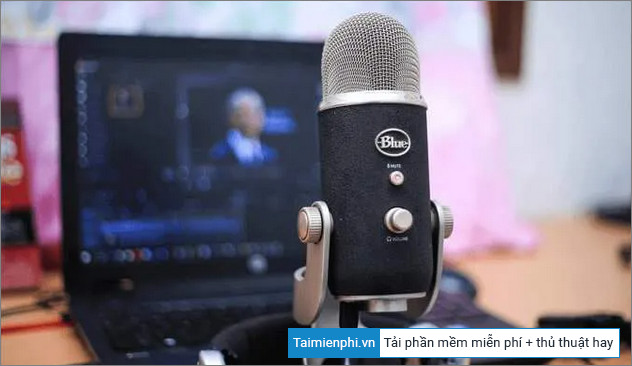
- Make speech clear and louder than background music.
- Use a wired connection when practical and leave upload-speed headroom.
- Choose a resolution, frame rate, bitrate, and encoder the computer can sustain.
- Reduce overlays, browser sources, filters, or camera resolution if rendering or encoding lags.
- Run a private recording or short test before an important event.
- Check the stream on a phone as well as a desktop display.
A webcam is optional for many formats. A capture card is needed only when the source device and workflow require it. Start with equipment you own, then upgrade based on a documented problem.
Turn livestreams into discoverable videos
Livestream discovery ends when the broadcast ends unless you create useful on-demand content. YouTube, Shorts, TikTok, Instagram, podcasts, newsletters, or a community server can introduce your work to people who were not online during the stream.
- Convert a tutorial stream into a focused answer with a searchable title.
- Turn a long challenge into a short narrative with a beginning, setback, and result.
- Publish clips that demonstrate the channel's personality or expertise.
- Add the Twitch schedule and channel link in the description, not as a misleading title.
- Batch editing after a stream to keep the workload sustainable.
A Twitch VOD and an edited YouTube video serve different purposes. Remove pauses, repeated explanations, alerts, and content that only made sense live.
Use analytics to decide what to repeat
Open Creator Dashboard > Analytics and review trends across several comparable streams. Twitch's Channel Analytics guide explains the available reports.
| Metric or signal | Question it can help answer |
|---|---|
| Average viewers | Did the stream hold a larger concurrent audience than similar broadcasts? |
| Unique viewers | Did more individual accounts encounter the stream? |
| Follows | Did viewers choose to return, and at what moments? |
| Chatters and chat activity | Did the format invite participation? |
| Discovery sources | Did traffic come from browse, search, recommendations, raids, clips, or an external site? |
| Category and tag performance | Which accurately labeled topics attracted and retained viewers? |
| Clip views | Which moments reached people after the live broadcast? |
Do not judge a strategy from one unusually good or bad night. Note the topic, schedule, length, collaboration, technical problems, and promotion source, then look for repeatable patterns.
A four-week growth experiment
- Week 1: define two stream formats, fix the schedule, and create a clean audio baseline.
- Week 2: improve titles, category, tags, and the first 10 minutes. Mark three clip moments per stream.
- Week 3: publish two edited clips and arrange one relevant peer collaboration or raid.
- Week 4: compare analytics, viewer feedback, technical health, and your own workload. Keep the strongest format and adjust one weak point.
What not to do
- Do not buy viewers, followers, chatters, or “engagement” packages.
- Do not use viewbots, account farms, or automatic tab-opening schemes.
- Do not spam links in other channels, communities, or unrelated social posts.
- Do not organize follow-for-follow exchanges; the number rarely turns into actual viewers.
- Do not run giveaways solely to inflate follows without clear rules and legal eligibility.
- Do not copy another creator's name, visuals, or format closely enough to confuse viewers.
- Do not chase every popular game if you have no angle or interest that can sustain the stream.
For production setup, use our guide to install OBS Studio. If you want integrated alerts and themes, compare Streamlabs Desktop and OBS Studio before changing software.
Related Articles
 Instructions for 'Plowing' Increase YouTube Views for Idols Right on4 minutes read
 15 Essential Tips and Tricks for Twitch You Should Know12 minutes read
 5 Top Twitch VOD Downloaders: Best Options Compared9 minutes read
 How to Access Twitch Recap 2025: Step-by-Step Guide3 minutes read
 Twitch Studio Has a Beta Version, Can Be Downloaded Now3 minutes read
 Twitch Hacked, 125GB of Data Including Source Code Shared on3 minutes read
Reader Comments 0
Sign in with email or Google to join the discussion.