Table of Contents
OuterTune was originally a fork of InnerTune, an open-source application that mirrors the functionality of YouTube Music but removes ads, data collection, and subscription keys.
One day, while browsing through a FOSS forum, a few people came across a post about a music streaming app that immediately caught their attention: OuterTune. After trying it out, they were amazed by how sleek it looked. Many even considered canceling their YouTube Music subscriptions.
What is OuterTune really?
A branch that develops beyond the original application
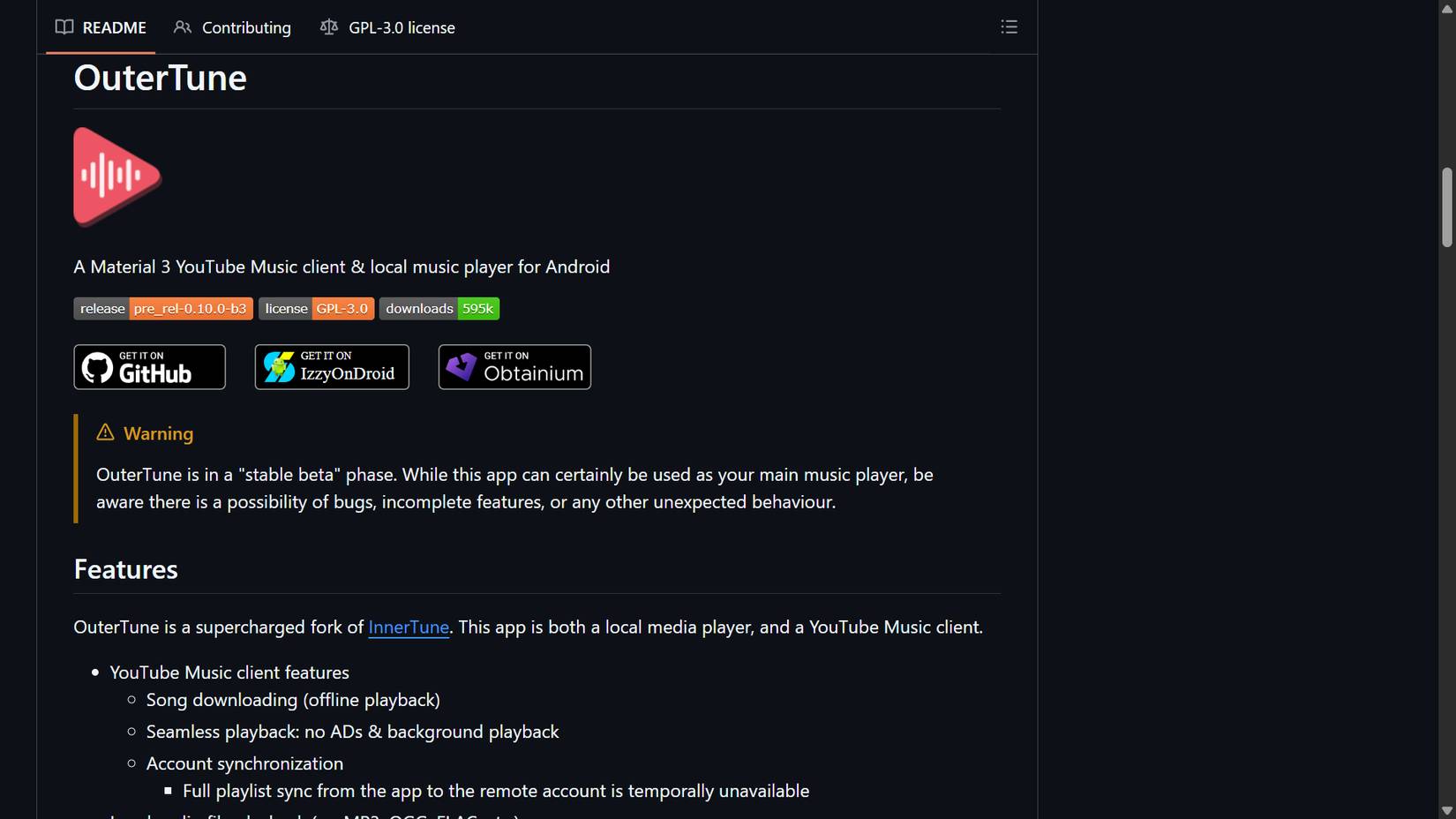
OuterTune was originally a fork of InnerTune, an open-source application that mirrored YouTube Music 's functionality but stripped out the ads, data collection, and subscription keys. OuterTune's developers have taken that foundation and expanded on it.
Unlike most 'mod' apps floating around shady APK sites, OuterTune is completely open source under the GPL-3.0 license. Its entire source codebase is public and regularly updated. You can verify it yourself through releases. It installs like any other Android app, but what it unlocks as soon as you open the app is where the magic begins.
Familiar interface, no junk software
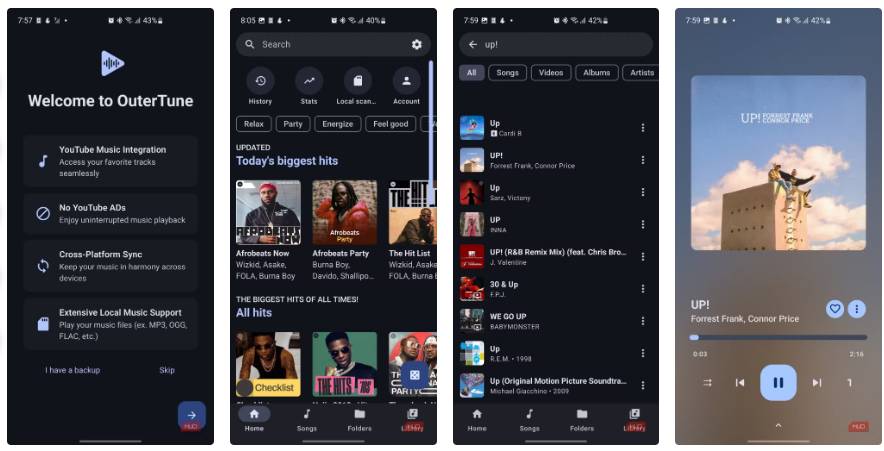
OuterTune should feel familiar if you've spent any time using YouTube Music. The app follows Google's Material 3 design, meaning colors change based on your wallpaper and the dark mode blends in naturally with your system interface. The app itself doesn't look like a crude "mod" project at all.
On the home screen, there's a search bar right at the top, followed by quick-access icons for History, Stats, Local Scanner , and Account . Scroll a little further, and you'll see horizontally scrolling wheels filled with themed music entries. Navigation is intuitive, handled primarily via the bottom bar, where you'll find tabs for Home, Songs, Folders , and Library .
Searching is also quick. Just type in a song or artist and results appear instantly, neatly organized with filter tabs for All, Songs, Videos, Albums, Artists , and more. Tap on any track and it starts playing immediately.
The music player screen is clean and familiar, with the standard play buttons, a three-dot menu for additional options like downloading for offline play, and a progress bar just below the album art. (A bonus is that if you tap the artwork, the lyrics will appear.)
Sound control and customization
Your music, your rules
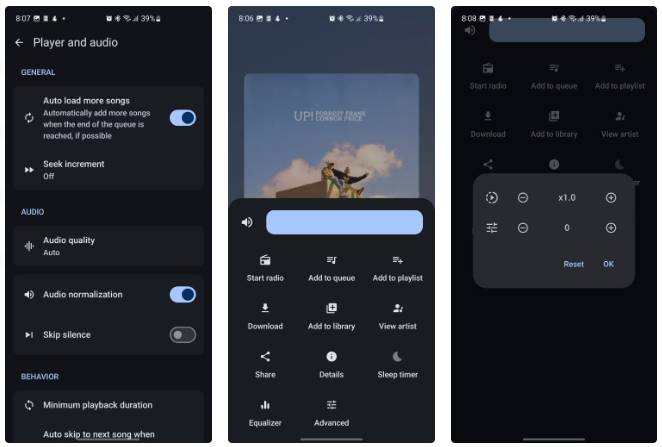
One of OuterTune's greatest strengths is its ability to control your listening experience. It goes beyond simply playing music, allowing you to shape the sound and feel of each track. This includes audio normalization, which automatically balances the volume between songs so you don't experience sudden volume spikes or drops, and skipping silent sections. This is especially useful when mixing your local files with streaming content.
OuterTune also gives you precise control over tempo and pitch. If you want to slow down a song to get a difficult lyric, study a guitar riff, or practice a line, you can do so easily without affecting the sound quality. You can also increase or decrease the pitch, which is great for shifting a song to a different key for singing or playing along.
Lyrics, images and personalization
Scroll, tap and view lyrics smoothly
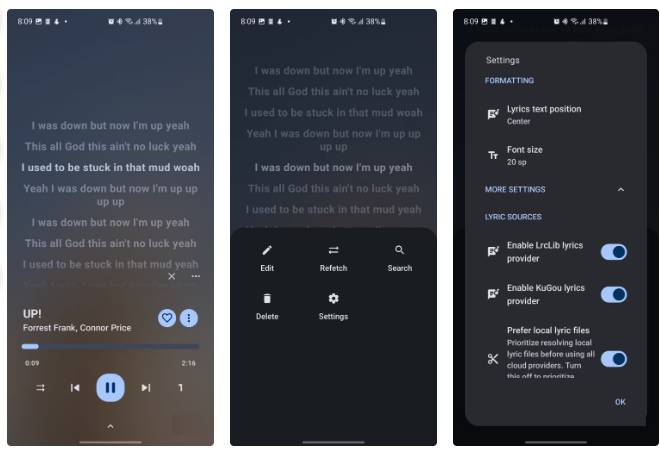
OuterTune supports synchronized lyrics in LRC format, complete with multi-line highlighting and karaoke-style so you can follow every word perfectly. What's more, you can edit lyrics directly in the app, search online, or delete any copied and pasted lyrics.
There is also many room for customization. You can adjust how the lyrics are displayed by changing the text position and font size, and you can even choose the lyrics source, whether it is online sources like LrcLib, KuGou, or your local lyrics file.
Queues, playlists, and radio-style playback
Make music your own
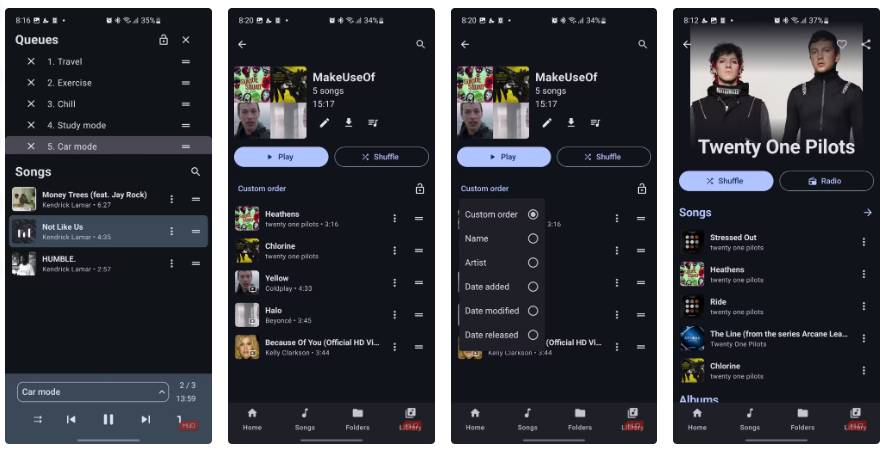
One of the features people really like about OuterTune is the multiple queues. This lets you keep more than one queue running, so you can switch between different listening modes (like 'study mode' or 'driving mode') without losing your place in either mode. You can swipe up on the player screen to reorder, rename, add to, or even lock a queue if you want to keep it.
Playlist management is equally flexible. You can mix local files with streamed tracks without any problems, and even sort your playlists by release date or modified date to keep things tidy. There's also a built-in radio mode where you can pick a song or artist to start with, and the app will automatically create a similar playlist, suggesting new tracks you might actually like.
Fair Trade-Offs
Nothing is free, but everything is worth it
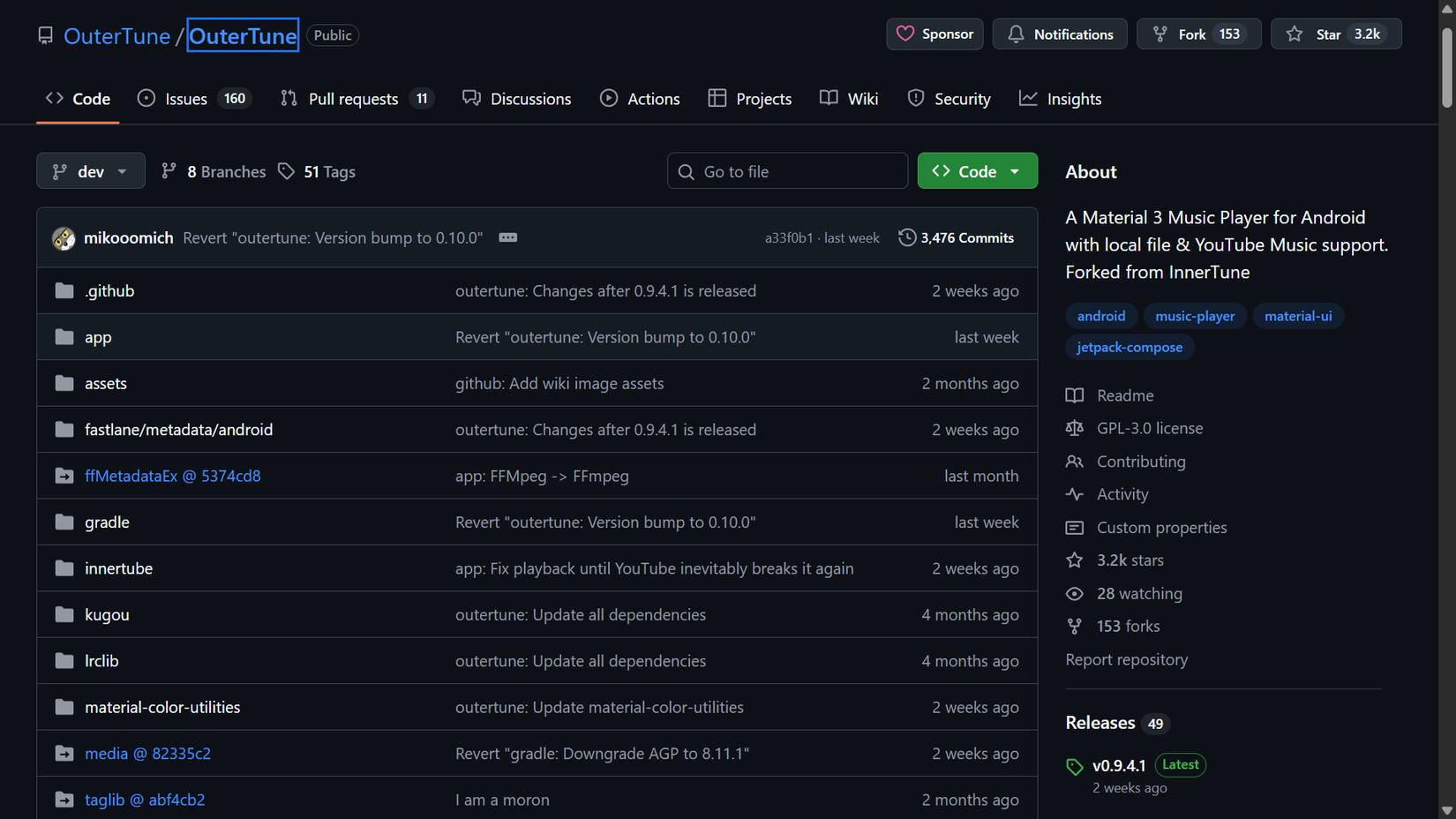
OuterTune is certainly a compelling app, but it does have a few caveats, most of which relate to its reliance on the YouTube Music backend. Because it relies on unofficial, reverse-engineered access to YouTube 's systems, any changes from Google could temporarily disrupt functionality. The developers have been fairly quick to respond with patches, but occasional outages are an inherent risk in this type of app architecture.
FAQ
What should you know about outertune?
In practical terms, outerTune was originally a fork of InnerTune, an open-source application that mirrors the functionality of YouTube Music but removes ads, data collection, and subscription keys.
Why does outertune matter?
The article highlights that unlike most 'mod' apps floating around shady APK sites, OuterTune is completely open source under the GPL-3.0 license.
What is the main takeaway?
The main takeaway is that the music player screen is clean and familiar, with the standard play buttons, a three-dot menu for additional options like downloading for offline play, and a progress bar just below the album art. (A bonus is that if.
Related Articles
 Why Is Echo the Best Open-source Music Player Currently Available8 minutes read
 5 Free Music Streaming Apps Better Than Spotify: Practical Guide7 minutes read
 Free Music Player App for Android Phones14 minutes read
 Hi-res Music Applications on the Phone6 minutes read
 Media Player Classic Was Officially Killed4 minutes read
 Experience Google Play Music Desktop Player on Your Computer7 minutes read
Reader Comments 0
Sign in with email or Google to join the discussion.