Table of Contents
Learn how to download and install gunbound legends.
Instructions on how to download Gunbound Legends King of Coordinates for PC
1. Step 1: Download the Gunbound Legends installer
To ensure safety and stability, please access the download link provided by TipsMake.com below directly.
Gunbound Legends: King of Coordinates
-
Find and click the Download button to download the PC version. The system will download a compressed file in .ZIP format (this is the integrated installer that helps minimize download errors).
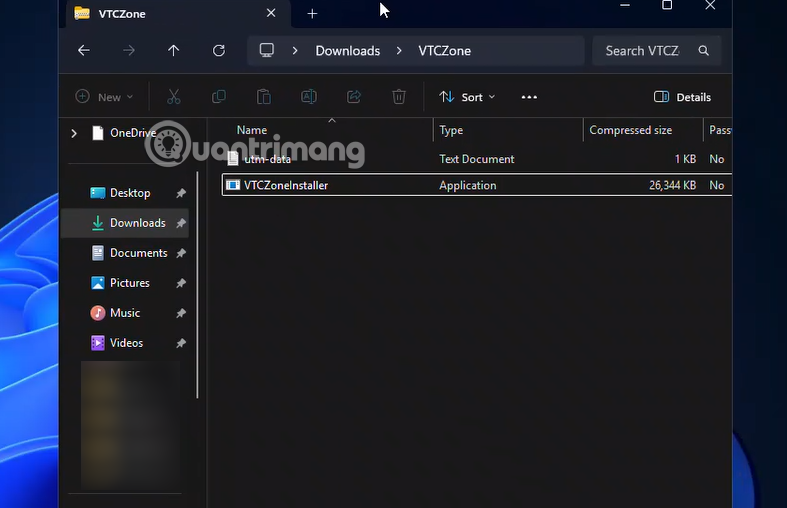
2. Step 2: Extract the installer
After the download is complete:
- Navigate to the folder containing the downloaded file.
- Right-click on the ZIP file and select Extract to. using WinRAR or 7-Zip.
- Open the extracted folder, and you will find the main system installation file.
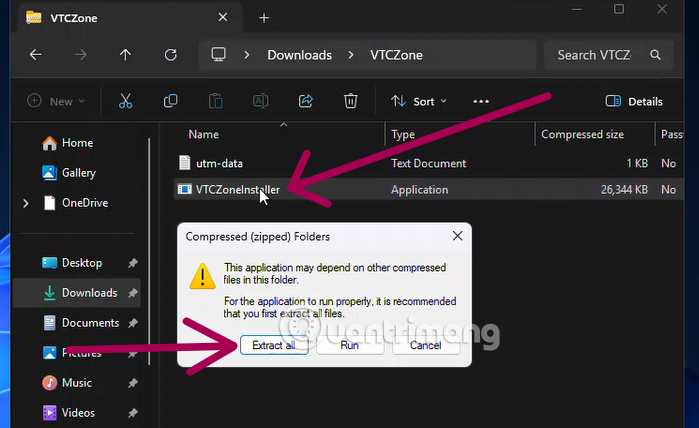
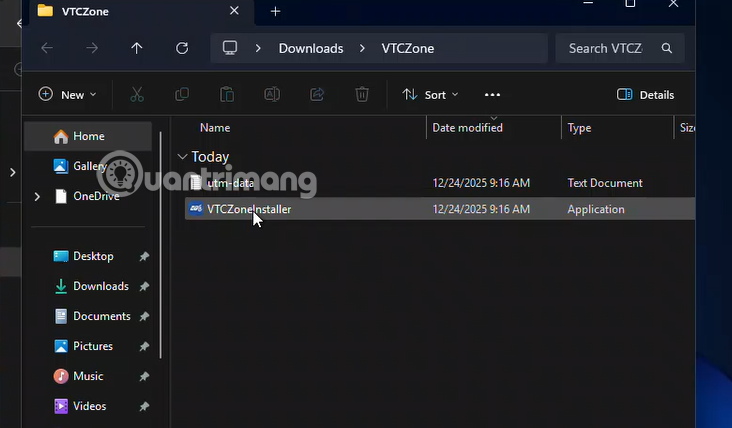
3. Step 3: Install VTC Zone (Official Gaming Portal)
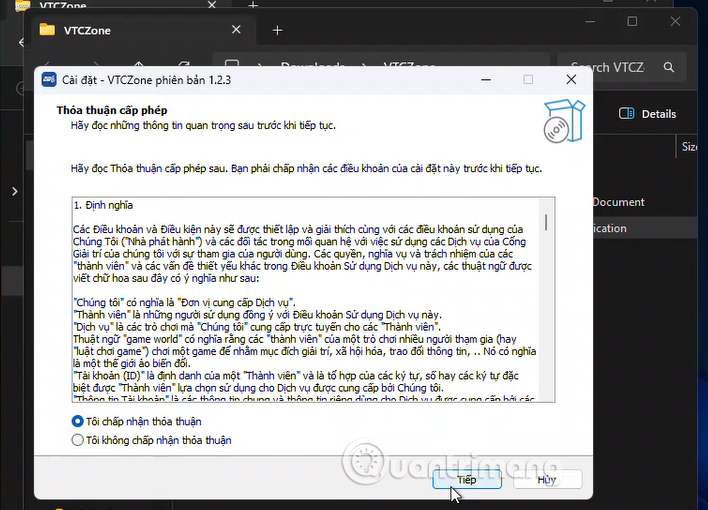
VTC Zone is a management application (Launcher) that helps you launch games and automatically update patches.
- Find the file named VTC Zone (usually an.exe file) in the extracted folder.
- Double-click to begin the installation process.
- Click Next and Finish to complete the installation of VTC Zone on your computer.
4. Step 4: Log in to VTC Zone

When the VTC Zone icon appears on the Desktop:
- Open the VTC Zone app.
- Log in using your Splay account. If you don't have one yet, click Register to create a new account in just 30 seconds.
5. Step 5: Select Gunbound Legends settings within VTC Zone
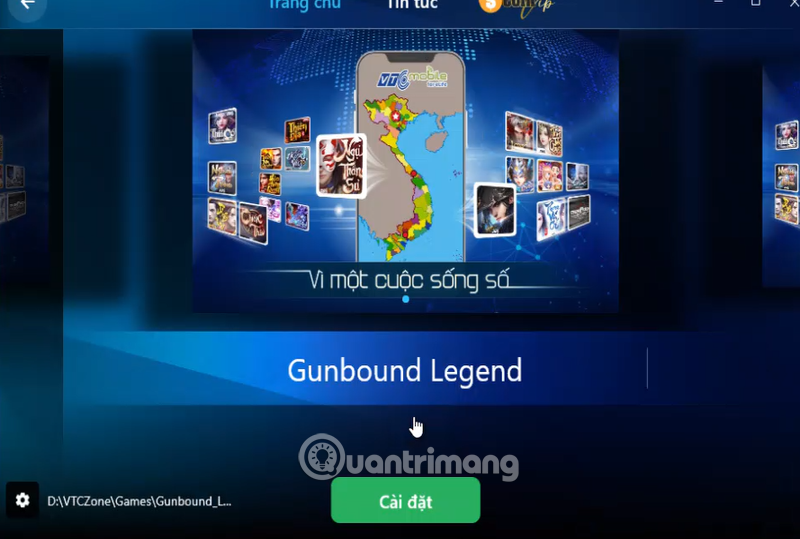
This is the final step to get "King of Coordinates" onto your device:
- On the main interface of VTC Zone, you will see a list of games. Look for the Gunbound Legends logo, or the game will suggest you install it.
- Click the Install (or Download) button directly on the game interface in VTC Zone.
- After the app has automatically downloaded and installed, the "Install" button will change to a " Play" button. Tap it and start the battle.
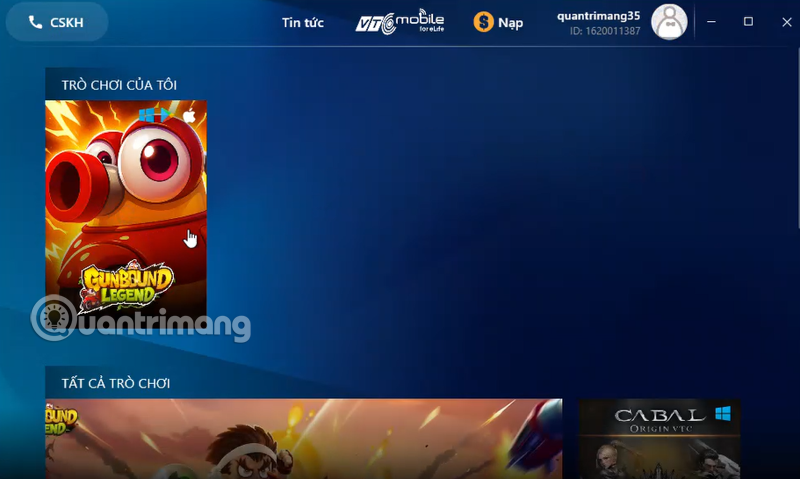
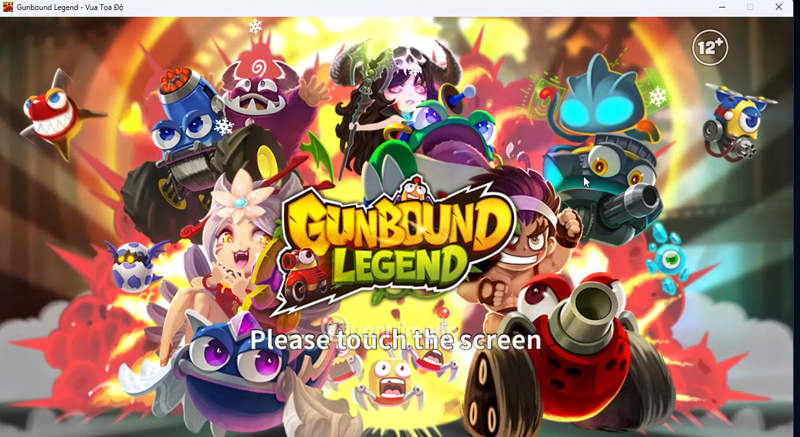
Key tips for successful installation
- Minimum system requirements: Windows 7/10/11, at least 2GB of RAM, and at least 1GB of free hard drive space.
- Administrator privileges: Always run the installation file with "Run as administrator" privileges to avoid system blocking errors.
- Disable your firewall/antivirus: Sometimes antivirus software will mistakenly identify old game files. Temporarily disable them or add Gunbound to your exclusion list for a smoother installation.
- Update DirectX: Make sure your computer has the latest version of DirectX installed to avoid graphical glitches in the game.
What makes Gunbound Legends so appealing to players?
1. The Super Classic Car System
In Gunbound Legends , you'll encounter the entire lineup of mobile vehicles that brought back childhood memories, such as the Trico with its three fireballs dealing massive damage, the Grub with its annoying bouncing projectiles, and the Boomer – challenging the limits of your wind-measuring skills. A special feature is the optimized stat system, ensuring fairness; no mobile vehicle is overpowered, everything depends on your aiming skills and shooting power.
2. Tactics for measuring wind and aligning map angles
Never underestimate the wind! In Gunbound, wind is the "soul" of the game. In the Legends version, weather effects like Thor, Force, Mirror, and Tornado are vividly recreated, requiring players to carefully calculate their moves before firing. A "Super High Shot" through a Force portal not only deals massive damage but is also a way to show off your skills against your opponents.
3. Avatar System
Beyond just aesthetics, the Avatar system in Gunbound Legends also provides important stats such as:
- Attack: Makes bullets hit harder.
- Defense: More resilient to enemy fire.
- Popularity: Increases the amount of gold and experience received after each match.
- Delay: Gives you an extra shot before your opponent.
4. Guild community and ranked arena
Join a Guild to compete with your brothers in fiery 2v2 and 4v4 battles. The ranking system, from Chicken, Wooden Hammer to Silver Dragon, will be your chance to etch your name on the legendary leaderboard.
Tips for beginners
If you're new or haven't played Mobile in a while, spend some time in Training mode to familiarize yourself with the power bar and angle calculation for each Mobile type. Don't forget to use support items like Dual, Teleport, or Blood wisely to turn the tide in critical situations.
Final Thoughts
Use this guide as a practical checklist for how to download and install gunbound legends. Work through the steps in order, verify each result, and adjust the options to match your needs.
FAQ
What do you need before following this How to Download and Install Gunbound Legends guide?
Review the required tools, accounts, settings, or materials mentioned in the article. Learn how to download and install gunbound legends.
What are the main steps for how to download and install gunbound legends?
Follow the sections in order, especially Instructions on how to download Gunbound Legends King of Coordinates for PC, 1. Step 1: Download the Gunbound Legends installer, 2. Step 2: Extract the installer. Complete each step before continuing and verify the result as you go.
What should you do if the process does not work as expected?
Recheck the prerequisites, update the relevant app or service, review the settings, and repeat the step that caused the issue. Use any troubleshooting notes included in the guide.
Related Articles
 New Gunbound iOS: How to Download New Gunbound on iOS4 minutes read
 How to Download and Install Crossfire Legends PC6 minutes read
 Instructions to Download and Install Mobile Legends on the Computer5 minutes read
 More Flexible and Efficient Way to Move in Apex Legends6 minutes read
 How to Download the Game King of Glory5 minutes read
 Play Apex Legends on PC: Complete Guide4 minutes read
Reader Comments 0
Sign in with email or Google to join the discussion.