Table of Contents
How to download and install Crossfire: Legends on PC (Windows)
Learn how to download and install crossfire legends pc with clear steps, practical tips, and troubleshooting guidance for a reliable result.
Advantages of playing Crossfire: Legends on PC
- Larger screen, better view of the map and enemies.
- Precise mouse and keyboard control, suitable for FPS games.
- Stable performance, minimizes overheating and battery drain.
- Easy to livestream, record videos, or play for extended periods.
Suitable Android emulators for playing Crossfire: Legends
Currently, the following Android emulators are considered to be well-compatible with CF Legends Mobile :
- BlueStacks : Popular, well-optimized for shooter games.
- LDPlayer : Lightweight, smooth, supports FPS key mapping.
- NoxPlayer : Easy to use, flexible control customization.
- MEmu Play : Stable performance on mid-range PCs
Note: It is recommended to use a 64-bit Android emulator for stable gameplay and to minimize errors.
Guide to installing Crossfire: Legends on PC using an emulator
Step 1: Install an Android emulator
- Access the homepage of your chosen emulator ( BlueStacks, LDPlayer, Nox, etc.).
- Download and install it like any other Windows software.
- Start the emulator after installation is complete.
Step 2: Log in to Google Play
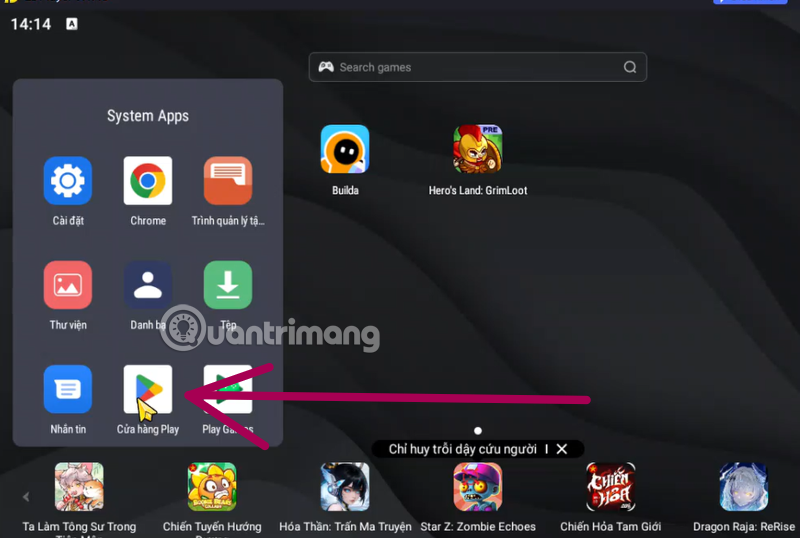
- Open the Google Play Store in the emulator.
- Log in with your Google account.
- Ensure the Play Store is functioning properly.
Step 3: Download Crossfire: Legends Mobile
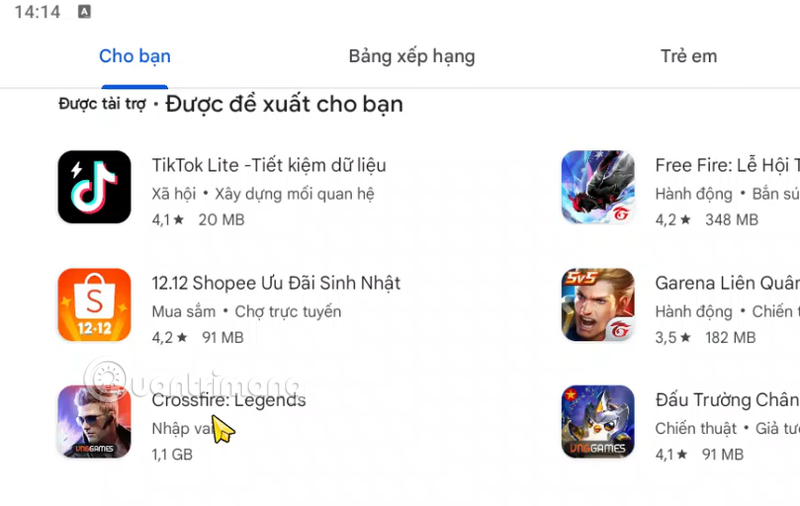
- Search for Crossfire: Legends in the app ranking list, or use the app search bar.
- Verify that the publisher is VNG / Tencent.
- Tap Install and wait for the download to finish.
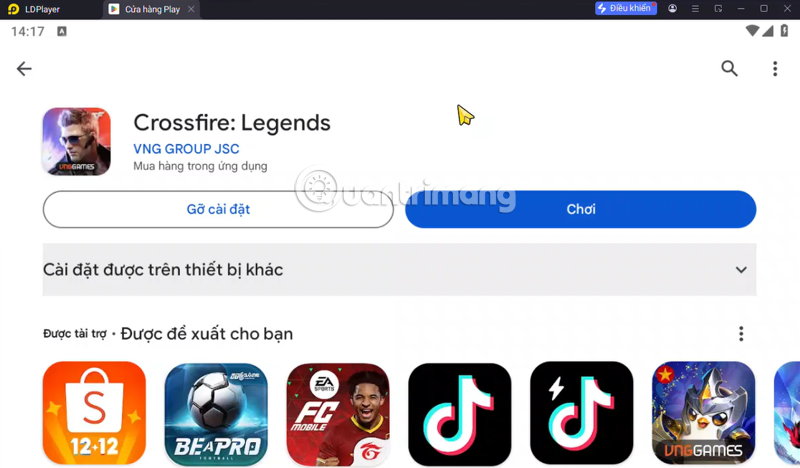
Step 4: Log in and set up controls
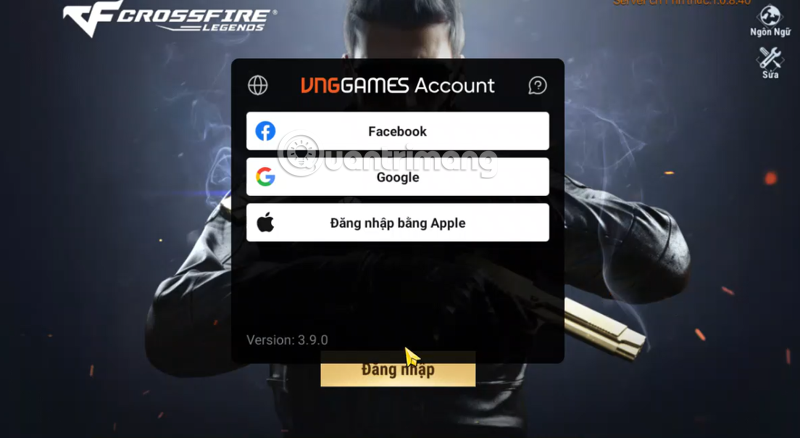
- Open the game Crossfire: Legends
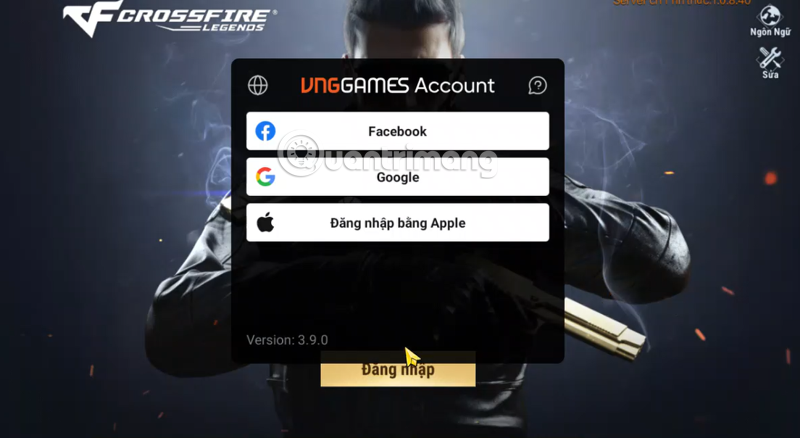
- Log in to the account you used to play on your phone (Facebook, Google, Apple, etc.).
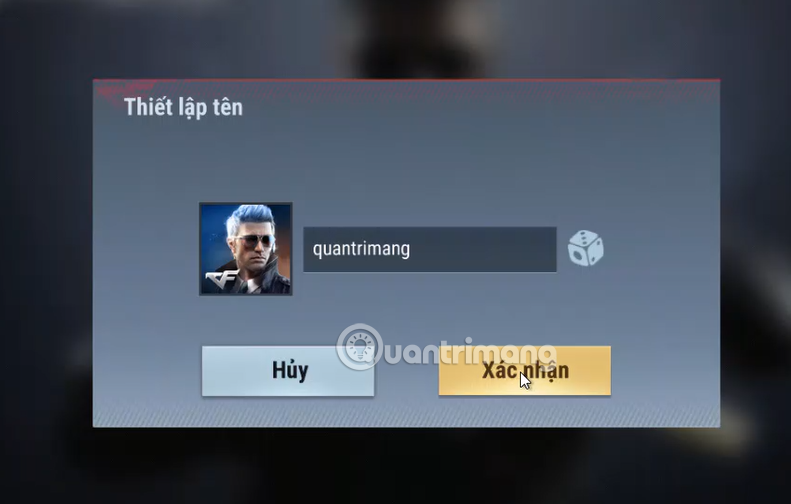
- Next, name your character, complete the tutorial, and start using it.
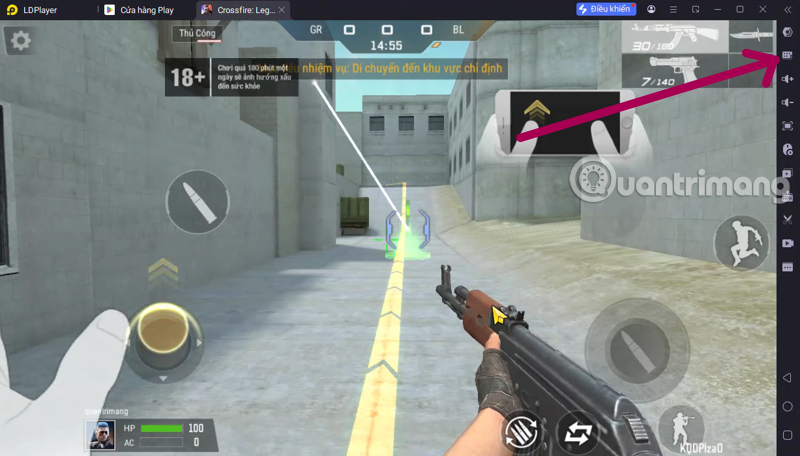
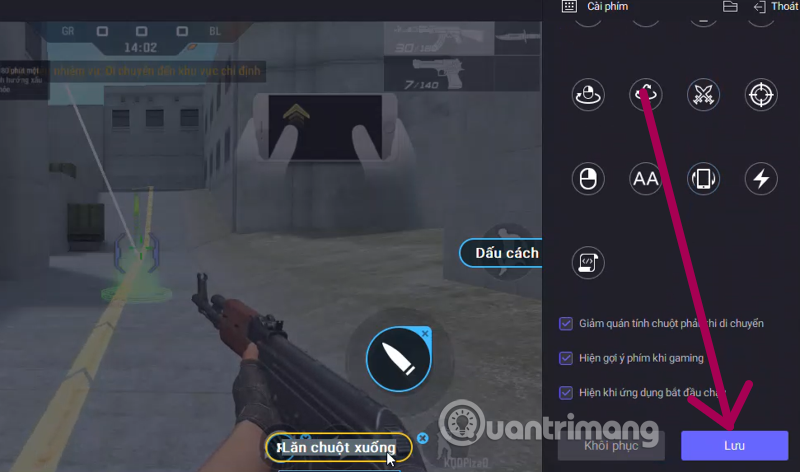
- Set up keymapping by selecting the second shortcut key editing icon from the top (mouse - keyboard) for movement, shooting, aiming, and reloading. Then select Save to use.
Recommended PC configuration for smooth gameplay
- CPU : Intel Core i3 or higher
- RAM : Minimum 8GB (16GB recommended)
- GPU : Graphics card that supports OpenGL 3.0+
- Hard drive : Minimum 10GB of free space.
- Operating system : Windows 10 / 11 (64-bit)
Some important notes when playing CF Legends on PC
- Do not use emulators, editing software, or cheats to avoid account suspension.
- Update your emulator and game regularly to avoid login errors.
- Some events may prioritize mobile, but most can still be played normally on PC.
- Giftcodes for Crossfire: Legends can still be redeemed when playing using an emulator.
Should you play Crossfire: Legends on PC?
If you're used to FPS games on PC, playing Crossfire: Legends using an emulator is a very worthwhile option . The experience offers more accurate shooting, stable frame rates, and significantly better control of combat compared to a touchscreen.
Final Thoughts
Use this guide as a practical checklist for how to download and install crossfire legends pc. Work through the steps in order, verify each result, and adjust the options to match your needs.
FAQ
What do you need before following this How to Download and Install Crossfire Legends PC guide?
Review the required tools, accounts, settings, or materials mentioned in the article. Learn how to download and install crossfire legends pc with clear steps, practical tips, and troubleshooting guidance for a reliable result.
What are the main steps for how to download and install crossfire legends pc?
Follow the sections in order, especially How to download and install Crossfire: Legends on PC (Windows), Advantages of playing Crossfire: Legends on PC, Suitable Android emulators for playing Crossfire: Legends. Complete each step before continuing and verify the result as you go.
What should you do if the process does not work as expected?
Recheck the prerequisites, update the relevant app or service, review the settings, and repeat the step that caused the issue. Use any troubleshooting notes included in the guide.
Related Articles
 Latest CF Legends Codes and How to Redeem Them: Explained9 minutes read
 A Comprehensive Collection of the Latest Crossfire Legends Mobile Game Codes6 minutes read
 How to Download and Install Gunbound Legends: King of Coordinates on PC8 minutes read
 Instructions to Download and Install Mobile Legends on the Computer5 minutes read
 More Flexible and Efficient Way to Move in Apex Legends6 minutes read
 Play Apex Legends on PC: Complete Guide4 minutes read
Reader Comments 0
Sign in with email or Google to join the discussion.