Table of Contents
This practical guide explains how to download garena delta force on PC. Follow the steps in order, review the requirements first, and use the troubleshooting notes when a setting or option does not work as expected.
Launching the PC version in late 2024 and expanding to mobile in 2025, Delta Force Garena quickly conquered the Southeast Asian FPS community with a smooth and balanced experience. However, the hardware of the official PC version of Delta Force is quite high, and not all laptops or PCs can meet it. And players will have another option to install and play Delta Force Garena on their computers according to the instructions below.
How to download and play Garena Delta Force on PC
Step 1: Download the Garena Delta Force version on PC from the link below, note that this is the version for Android emulator with LDPlayer, so you will play in mobile game style, but the controls can be customized like the real PC version.
Download Garena Delta Force on PC
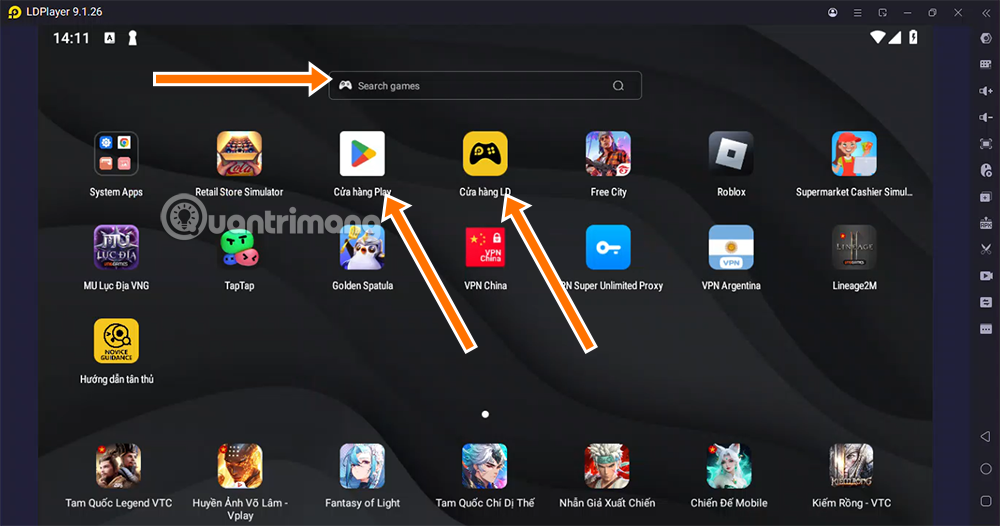
Once you have downloaded the Garena Delta Force installation file for PC from the link above, select the LDPlayer installation file to install Garena Delta Force PC. If you are not automatically taken to the Delta Force Installation interface, search for the game name in the Search Game bar, or select CHPlay or LD Store.
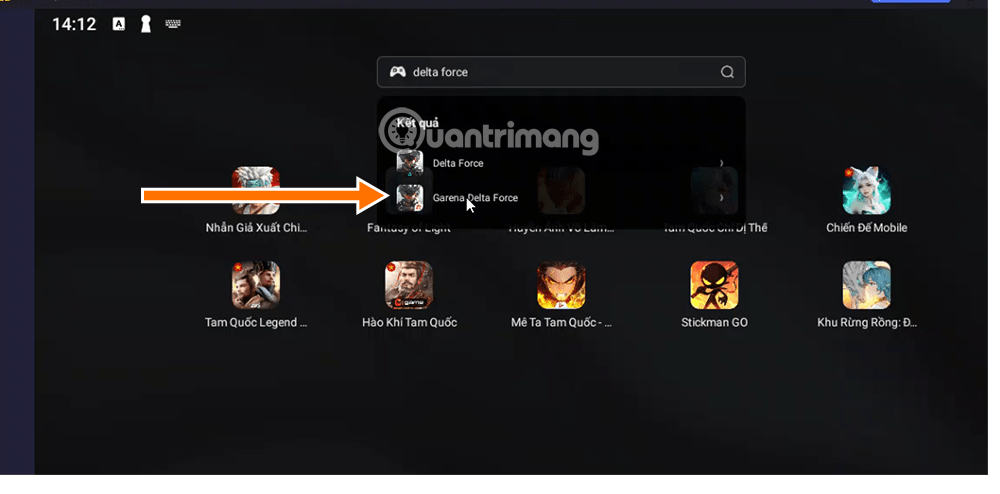
Step 2: Select search results as shown below.
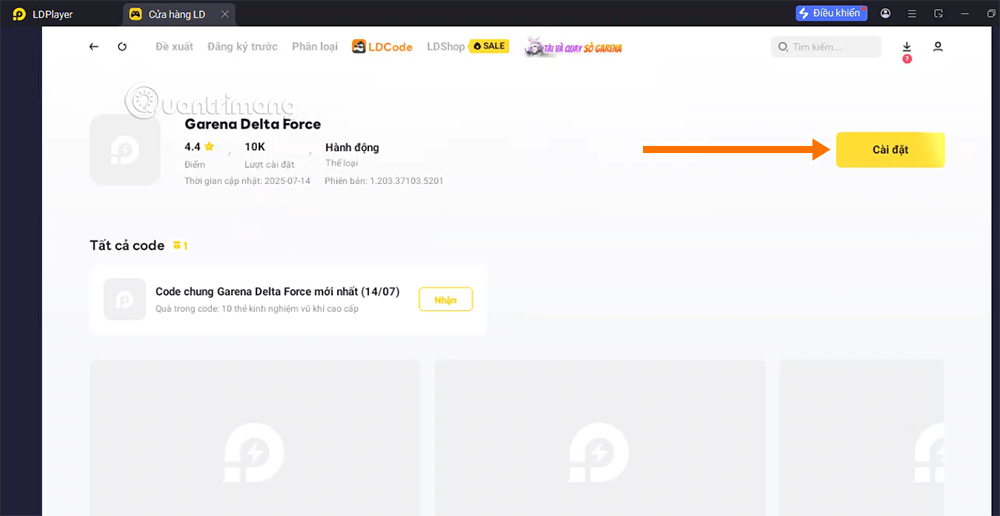
Step 3: Select Settings.
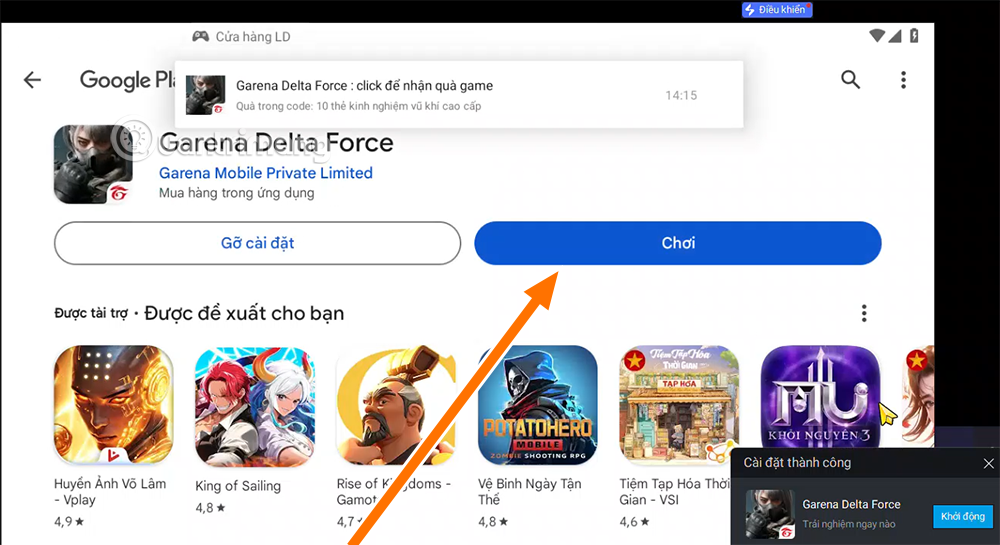
Step 4: Select Play after the game has downloaded and installed.
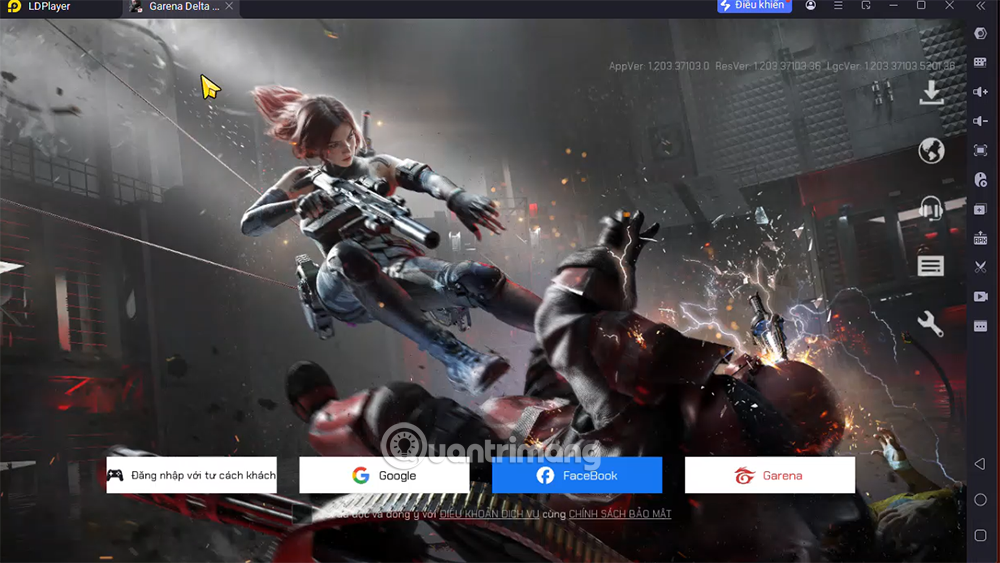
Step 5: Log in with your existing account.
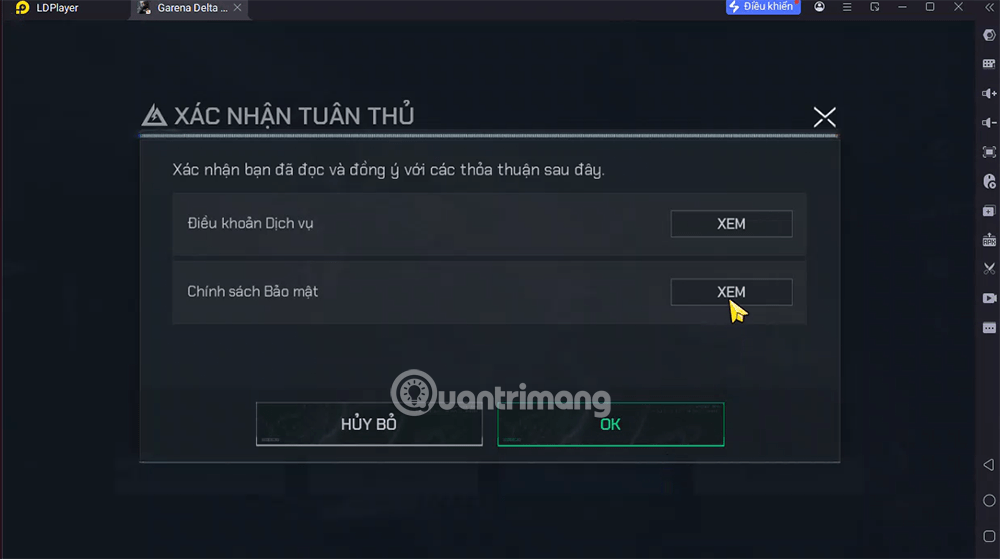
Step 6: Select OK to agree to the game's terms and privacy policy.
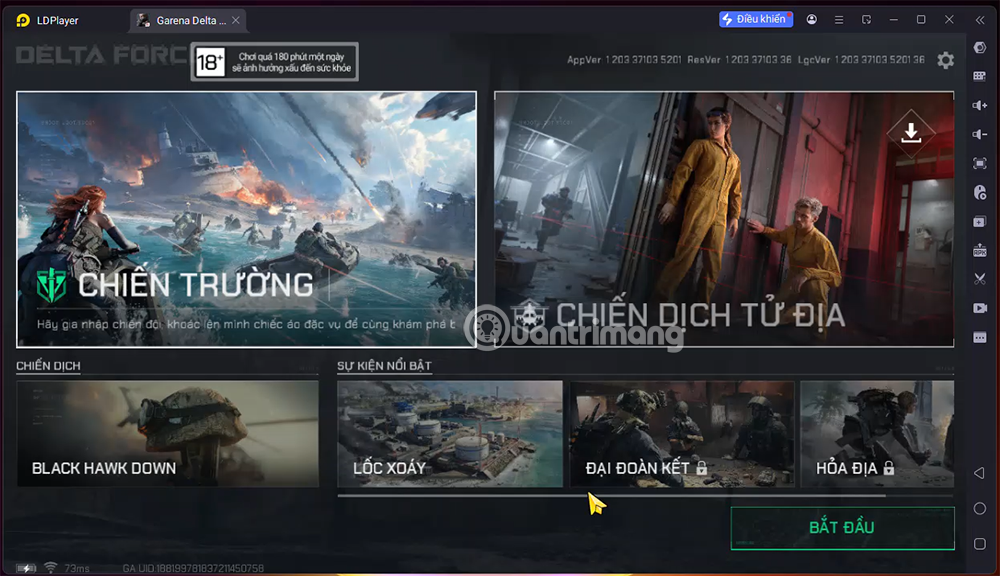
Step 7: The next step is to create a character name. After creating a character name, you will be taken to the main interface of the game. Choose the mode that suits your level for the initial experience.
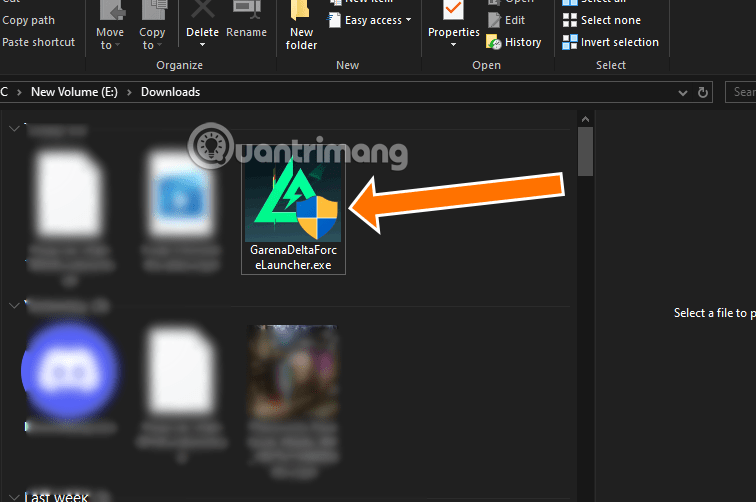
If your configuration is strong, then use the Delta Force PC version below. This is the official Delta Force Garena PC version for you to experience with top graphics.
Download Garena Delta Force PC
Supported platforms and configuration
Support Platform
- Computer (Windows, Garena Client): Download and install quickly via Garena Launcher, compatible with Windows 7 and above.
- Mobile (Android & iOS): Official version coming soon, allowing data synchronization between PC and phone.
- Console (PlayStation, Xbox – In Development): Garena is in testing, promising to launch in the last quarter of 2025.
Game configuration
| REQUEST | MINIMUM | RECOMMENDATION | 2K REQUIREMENTS | 4K REQUIRED |
|---|---|---|---|---|
| OPERATING SYSTEM | Windows 10 64-bit version 1909 (19H2) or later | Windows 10 64-bit version 1909 (19H2) or later | Windows 10 64-bit version 1909 (19H2) or later | Windows 10 64-bit version 1909 (19H2) or later |
| CPU | Intel Core i3-4150 AMD FX-6300 | Intel Core i5-6500 AMD Ryzen 5 1500X | Intel Core i7-8700K AMD Ryzen 5 5500 | Intel Core i9-12900K AMD Ryzen 7 7800X3D |
| MEMORY (RAM) | 8GB RAM | 16GB RAM | 16GB RAM | 32GB RAM |
| GRAPHICS CARD (GPU) | NVIDIA GeForce GTX 660 AMD HD7870 Intel ARC A380 | NVIDIA GeForce GTX 1060 AMD RX5500 XT Intel ARC A580 | NVIDIA GeForce RTX 3060 AMD RX5700 XT Intel ARC A770 | NVIDIA GeForce RTX 3080 AMD RX 6800XT |
| GRAPHICS MEMORY (VRAM) | 2GB | 5GB | 8GB | 10GB |
| STORAGE | 60GB free space (SSD recommended for optimal gaming experience) | |||
Highlights
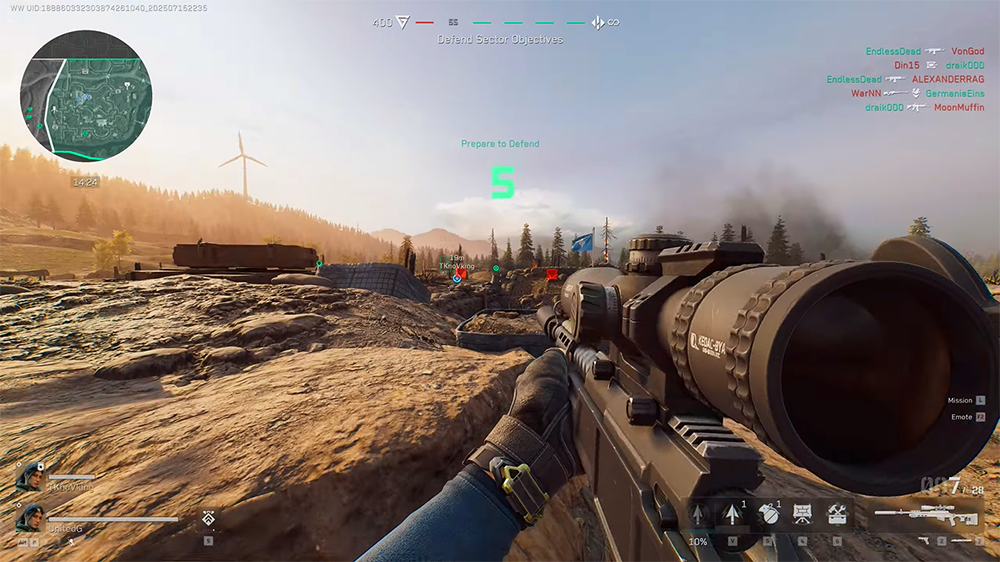
- Multidimensional Battlefield: Integrates land, water and air combat with a variety of vehicles such as tanks, helicopters, warships and UAVs.
- Realistic graphics: Using new generation engine, reproducing detailed effects of artillery shells, smoke and reflections.
- Team Style: Squad-based system coordinates four players, requiring flexible tactics and resource sharing.
- Game Balance: In-game economic model prioritizes rewards through skill, completely eliminating the 'pay-to-win' element.
- Smooth Cross‑play: PC and Mobile players can connect to the same server, keeping their personal progress and achievements intact.
Various game modes
| Regime | Describe | Number of players |
|---|---|---|
| Conflict Zone | 64-player (32 vs 32) match on a three-corridor map, combining land – water – air. | 64 |
| Extraction Mission | Teams of 3–5 gather supplies, rescue hostages, and retreat before time runs out. | 3–5 |
| PvE Raid | Cooperate against AI in dramatic missions, destroying enemy bases. | 4 |
| Story Campaign | Story-driven campaign inspired by historical events, solo or co-op experience. | 1–2 |
| Training Grounds | Map training area, weapon testing and practice shooting and grenade throwing skills. | Free |
| Last Soldier Standing | Survive alone, scavenge for equipment and fight until only one person remains. | 1 |
Character system & career classes
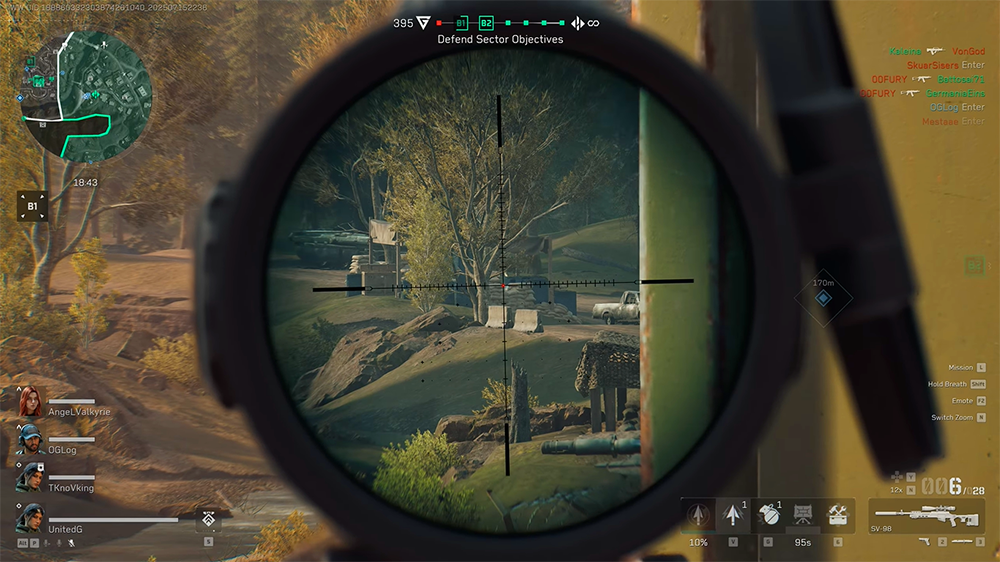
Players take on the role of 'Operators' of the IAG (International Assault Group) organization in 2035, divided into four main classes:
- Attacker: Flexible, uses mid-range assault rifles, has fast raid skills.
- Defender: Equipped with energy shield and machine gun, responsible for protecting the area and blocking the enemy's path.
- Saboteur: Specializes in laying mines, breaking locks, and hacking enemy equipment, suitable for the stealth role.
- Scout: Use drones, thermal binoculars, and smoke grenades to gather enemy information and support teammates in attacks.
Each class possesses a set of active and passive skills, along with a diverse system of weapons and accessories, allowing players to customize according to their personal style.
FAQ
How to download and play Garena Delta Force on PC?
Step 1: Download the Garena Delta Force version on PC from the link below, note that this is the version for Android emulator with LDPlayer, so you will play in mobile game style, but the controls can be customized like the real PC version.
What should you know about support Platform?
Computer (Windows, Garena Client): Download and install quickly via Garena Launcher, compatible with Windows 7 and above.
What should you know about highlights?
Multidimensional Battlefield: Integrates land, water and air combat with a variety of vehicles such as tanks, helicopters, warships and UAVs.
What should you know about character system & career classes?
Players take on the role of 'Operators' of the IAG (International Assault Group) organization in 2035, divided into four main classes:
Related Articles
 Rooted Delta Search on Chrome, Firefox and Explorer Browsers11 minutes read
 Download Garena Free City PC5 minutes read
 How to Installing and Playing the Empire Game on Garena6 minutes read
 How to Spin Gas Garena to Receive Items: Gold4 minutes read
 How to Check If Two Values Are Equal in Excel5 minutes read
 Instructions for Inserting Delta Symbols in Excel4 minutes read
Reader Comments 0
Sign in with email or Google to join the discussion.