Table of Contents
There is no single winner between Intel Arrow Lake desktop processors and AMD Ryzen 9000 for every buyer. Compare exact models in the games and applications you use, then include the motherboard, memory, cooling, and current local price. A manufacturer's selected chart cannot answer all of those questions.
Understand the comparisons being shown
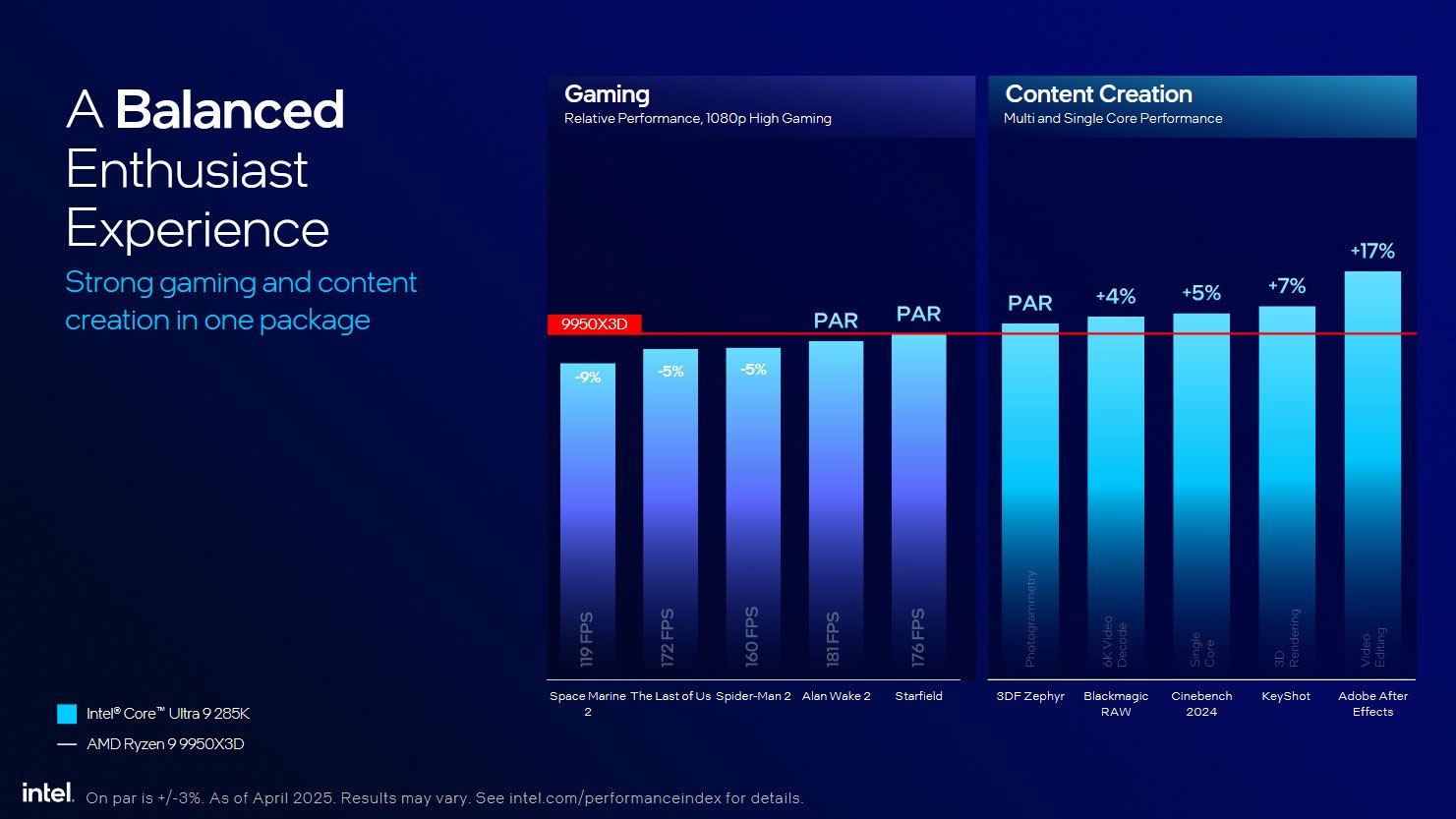
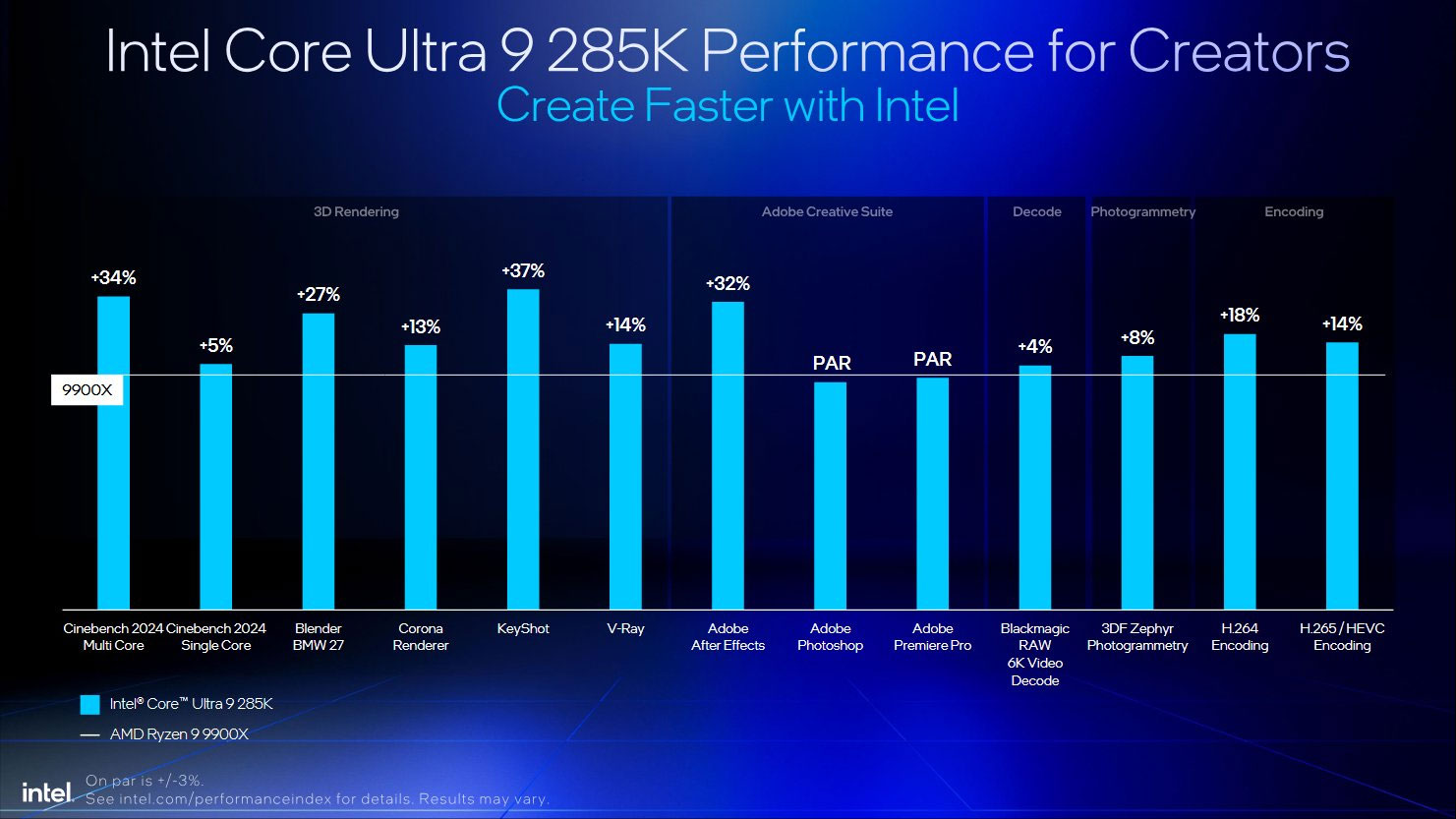
The original promotional comparisons paired Core Ultra 9, 7, and 5 models with different Ryzen 9, 7, and 5 processors. These tiers are product families, not a standardized performance match. X3D models are also distinct products, so do not substitute a result for a similarly named non-X3D CPU.
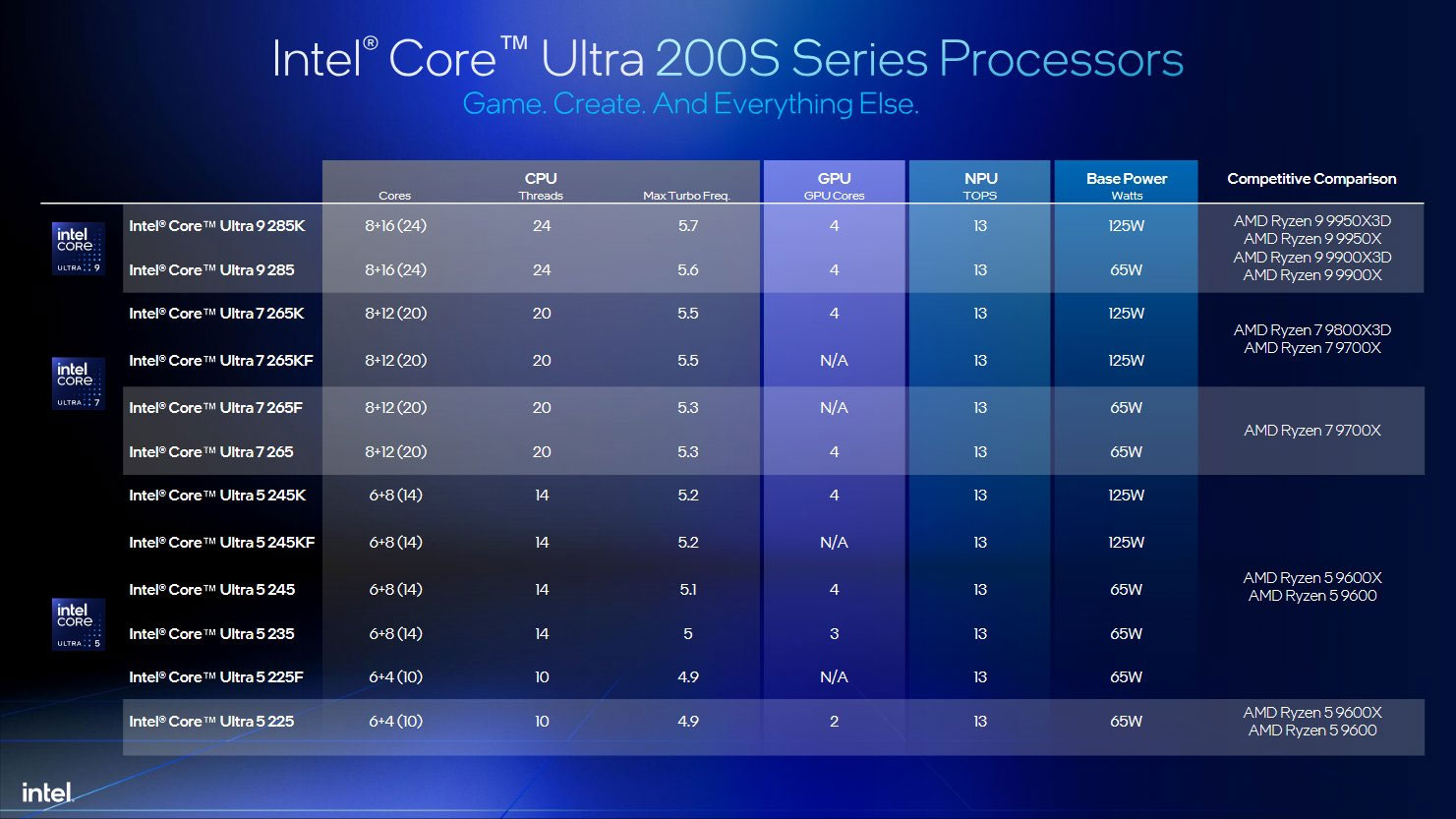
High-end: Core Ultra 9 285K and Ryzen 9 options
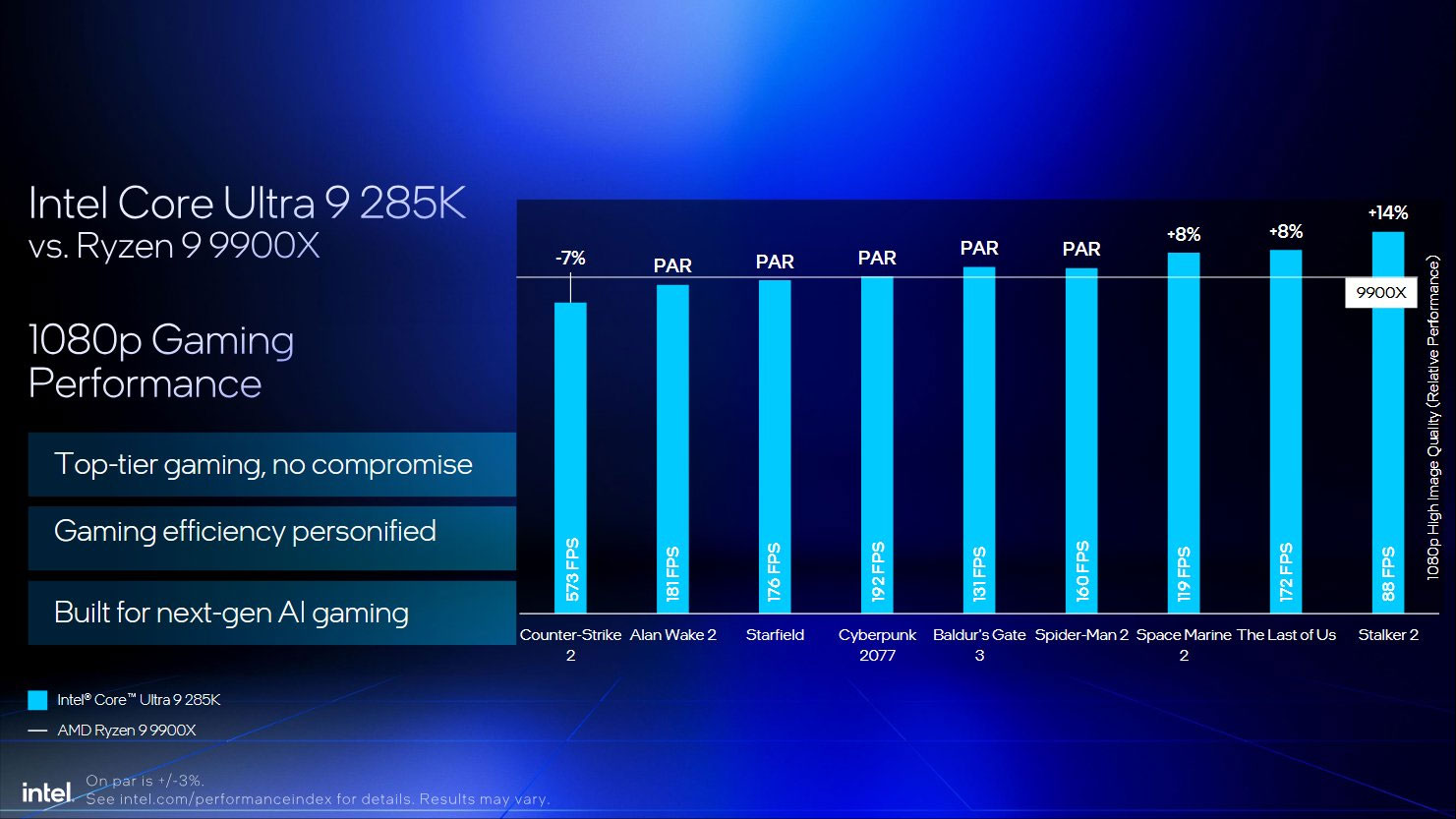
For a gaming-first system, compare a broad game set, average frame rate, and low-percentile frame times at your intended settings. For rendering, encoding, or other production work, compare those actual applications. A CPU can lead one workload and trail another.
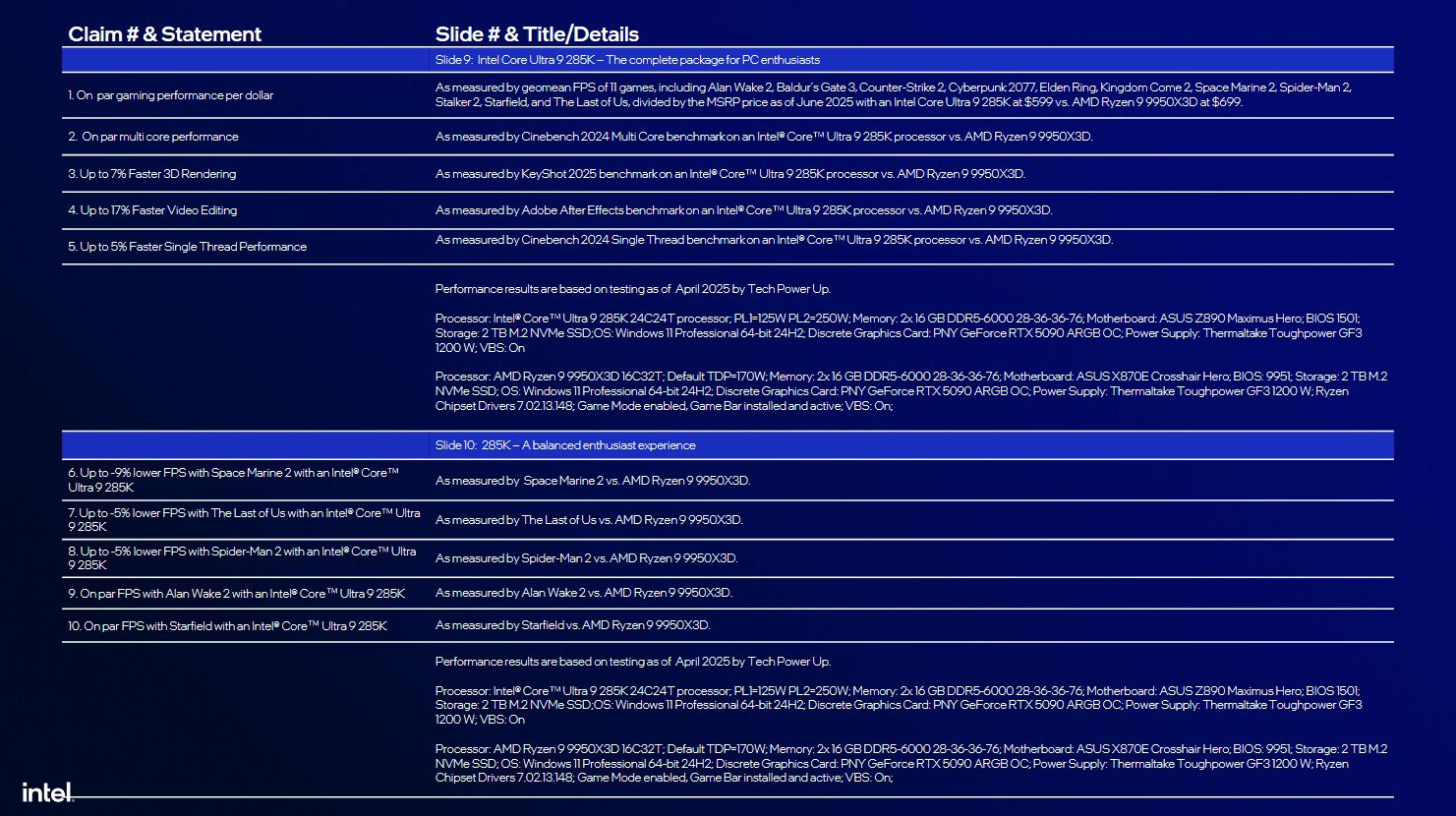
The following retained slides illustrate vendor comparisons. Read the configuration, software version, and test notes before interpreting any percentage; they are not current retail-price recommendations.
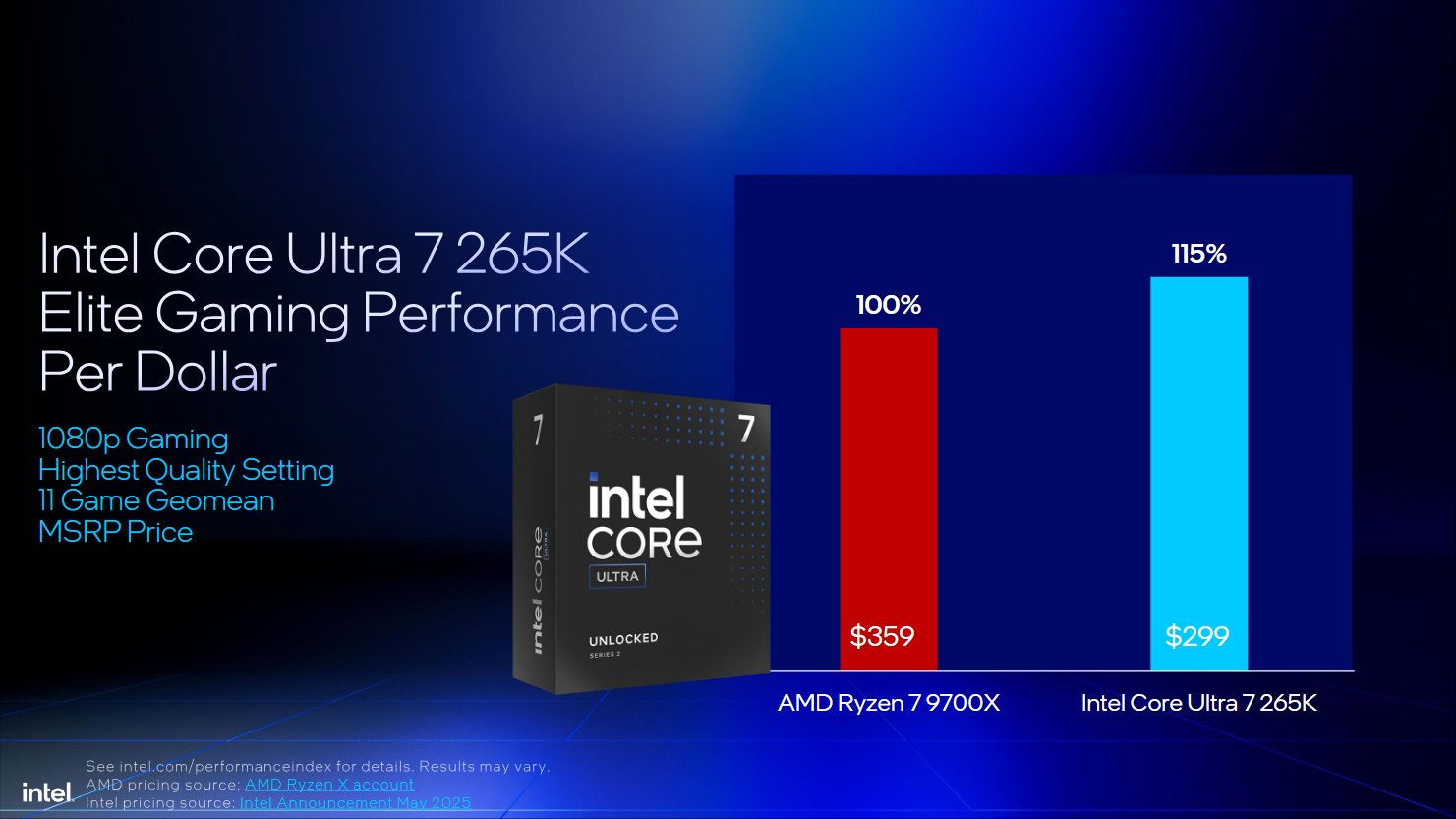
Midrange: Core Ultra 7 265K, Ryzen 7 9700X, and 9800X3D
Performance per dollar is useful only when the performance measure and prices are comparable. A rebate price for one processor and a launch list price for another can distort the result. Recalculate with prices you can actually pay, including any platform change.
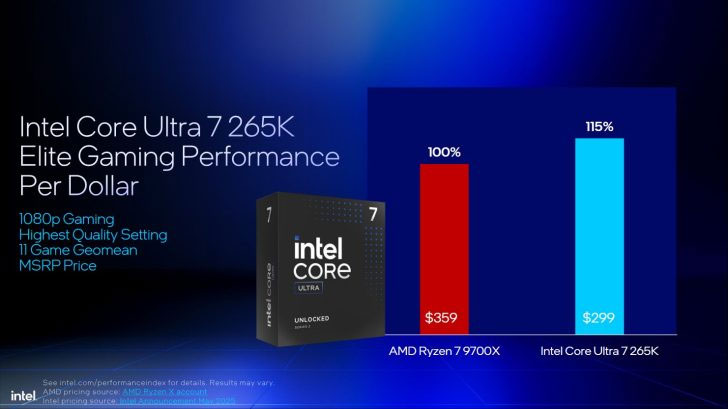
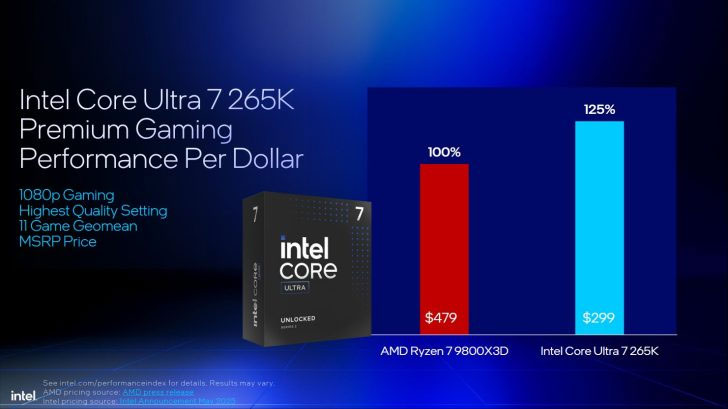
Do not treat “better value” as “faster.” A lower-priced processor can have a better price-to-performance ratio while still delivering fewer frames. Conversely, paying more may be justified when the workload benefits enough from the faster model.
Mainstream: Core Ultra 5 245K and Ryzen 5 9600X
Intel lists the 245K with 14 cores: six P-cores and eight E-cores. AMD lists the 9600X with six cores and 12 threads. Those different designs mean that comparing “14 versus six” does not by itself prove an application-performance advantage.
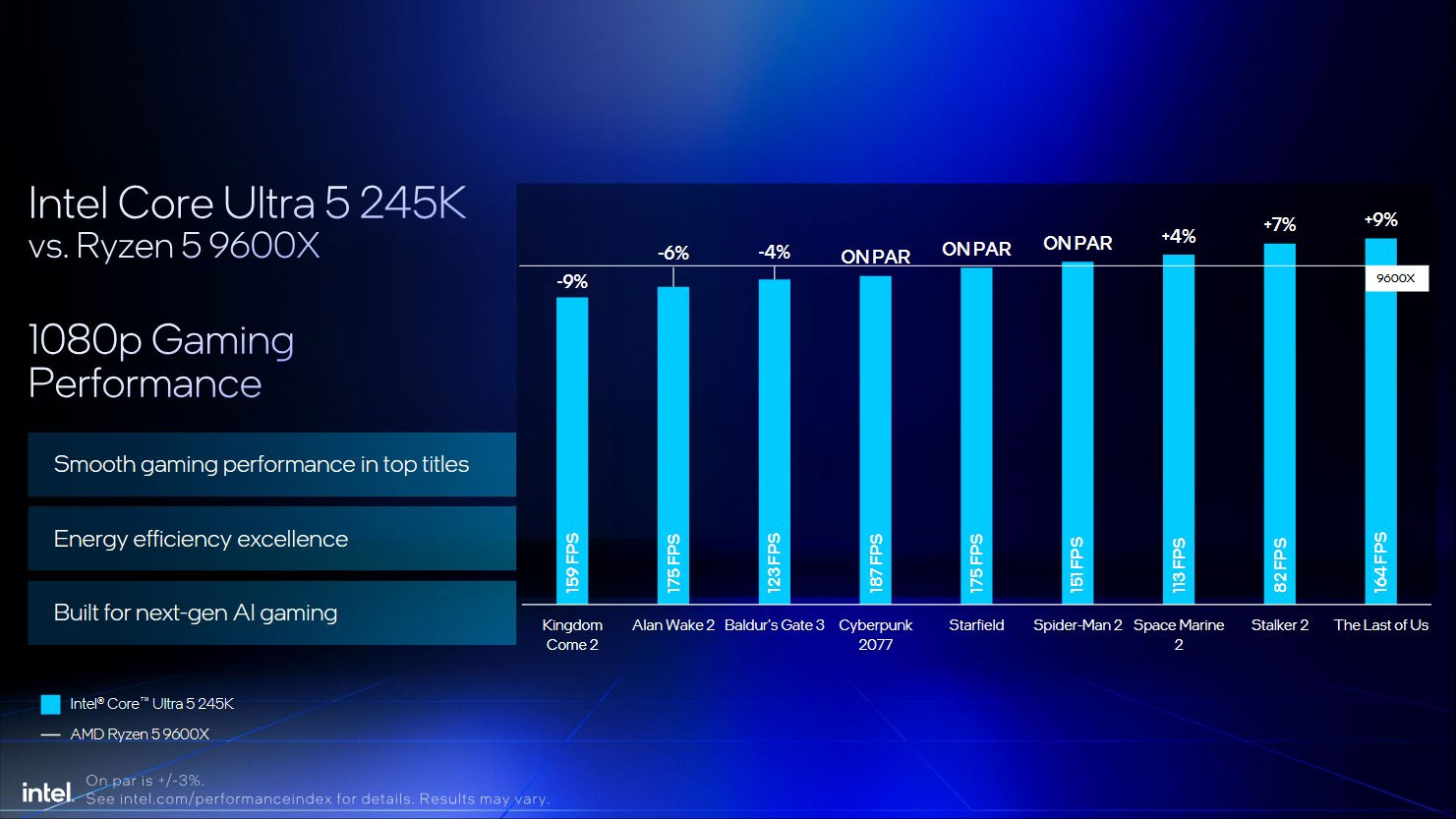
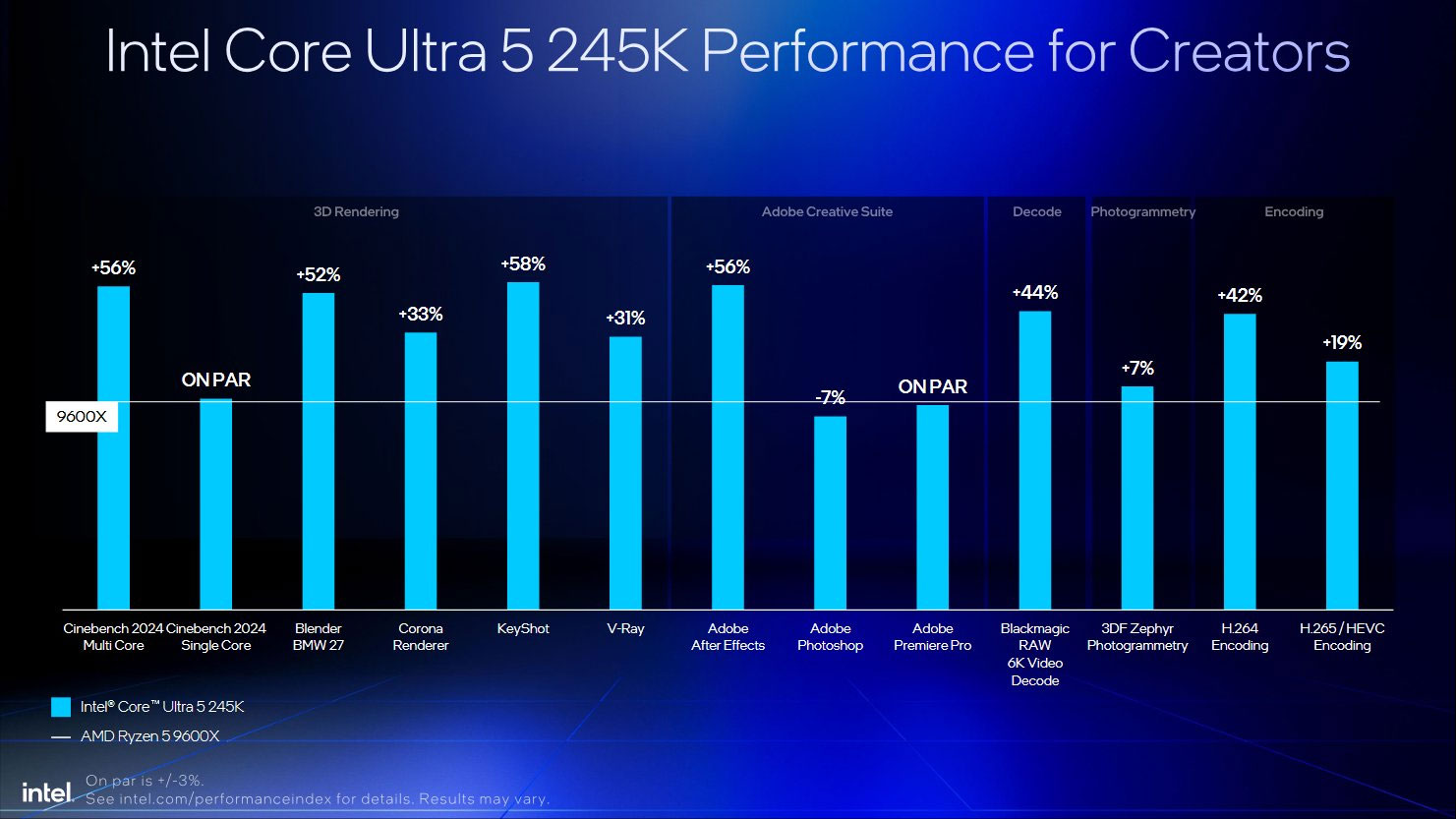
Check multicore application tests, single-thread behavior, power consumption, and cooling requirements. Include whether the exact SKU has integrated graphics if you need display output or a troubleshooting fallback.
Comparing with an older processor
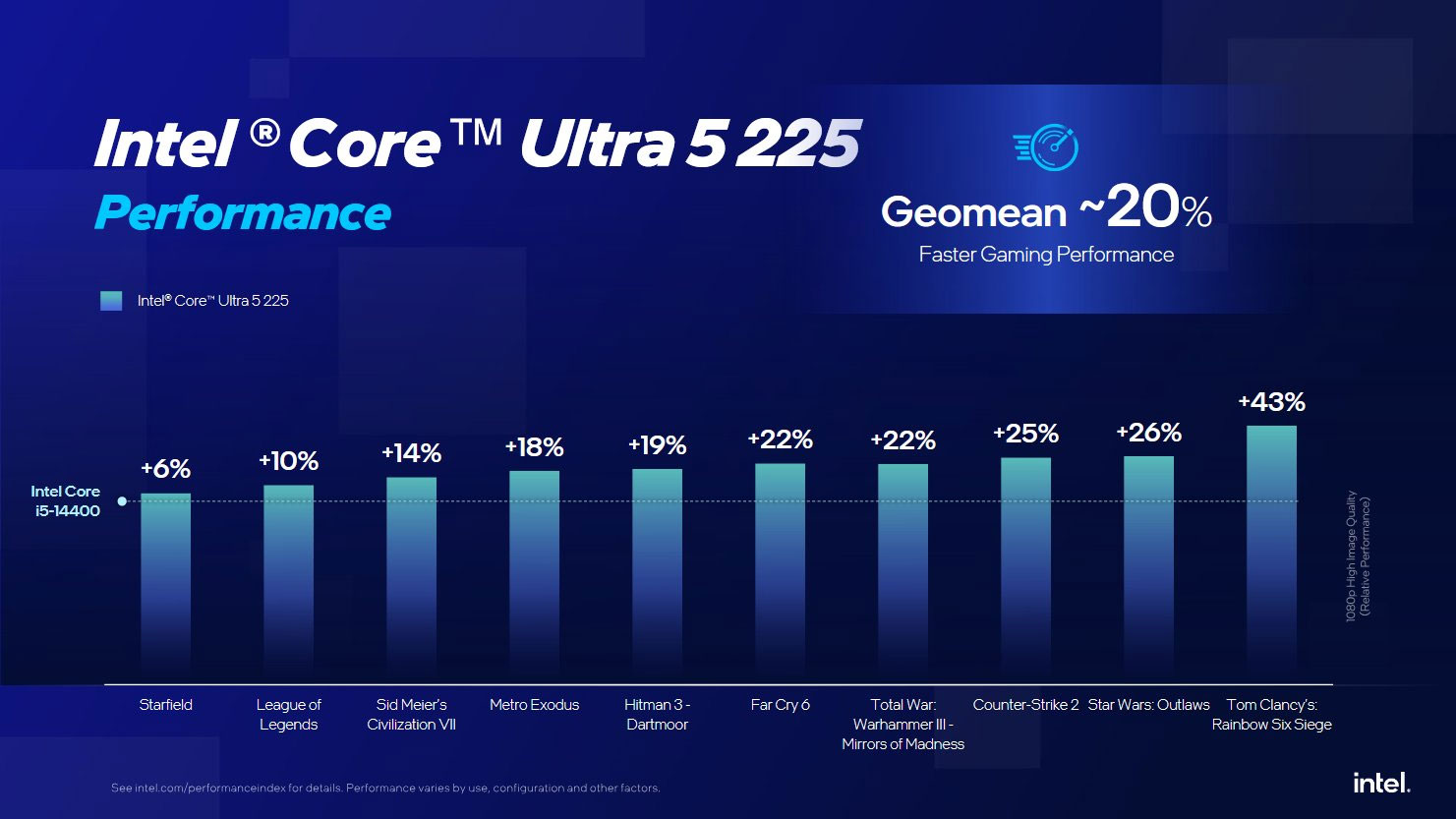
Moving from an older Core i5 to a new platform may improve some workloads, but include the cost of components that cannot be reused. The following older-generation comparisons should be read in their stated test context, not as a universal upgrade percentage.
A practical buying checklist
- List your main games and applications, target resolution, graphics settings, and GPU.
- Find results for the exact CPU models using comparable memory, power limits, firmware, operating system, and software versions.
- Look for a pattern across relevant tests rather than one favorable result. CPU benchmark resources can help locate comparisons, but check their dates and methods.
- Add the total platform price and check motherboard support, memory, and cooler compatibility.
- Compare sustained power, temperature, and noise as well as speed. See checking CPU temperatures when evaluating a system you own.
Without a consistent benchmark set and current total costs, a precise overall ranking would be misleading. Use the comparison that matches your workload rather than the product family with more models or the strongest marketing headline.
Related Articles
 Intel Panther Lake launched: CPU and GPU performance increased by up to 50%, competing directly with AMD and Nvidia
 Intel played big, released Comet Lake 10 core chip to 'weigh them' Ryzen 3000 of AMD?
 Top CPU gaming worth buying 2018
 Intel unveiled 10th generation Core i: codenamed Comet Lake-S, still 14nm but has hit the 10 core 20 thread on the popular PC line
 Can Intel reduce product prices before AMD Ryzen 3000 officially launches?
 Older CPUs for a budget PC: when these Intel and Ryzen chips make sense
Reader Comments 0
Sign in with email or Google to join the discussion.