Table of Contents
Explore amd ryzen master -- hardware support, including the key concepts, practical examples, important considerations, and useful guidance.
This is official AMD software that allows users to deeply integrate with the system, fine-tune clock speeds and voltages, and monitor CPU parameters in real time directly within the Windows interface. Whether you're a professional gamer needing high frame rates or a content creator needing to process 8K video, Ryzen Master is the all-purpose key you're looking for.
1. What is AMD Ryzen Master?
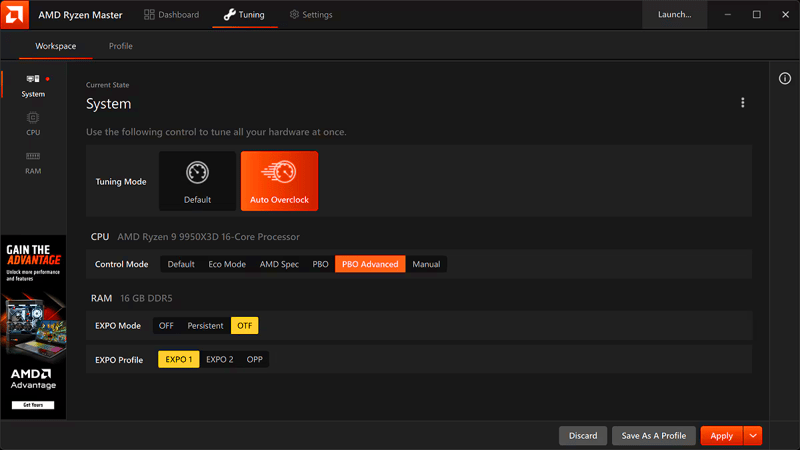
AMD Ryzen Master is an overclocking and management utility specifically designed for Ryzen processors (including the Threadripper series). Unlike the complicated process of restarting your computer and accessing the BIOS, Ryzen Master allows you to change technical parameters while your computer is running.
The standout feature of Ryzen Master is its intuitiveness . You don't need to be a hardware expert to use it. The software offers modes from basic to advanced, suitable for both beginners and seasoned overclockers.
2. Some core features
2.1. Core-Level Overclocking
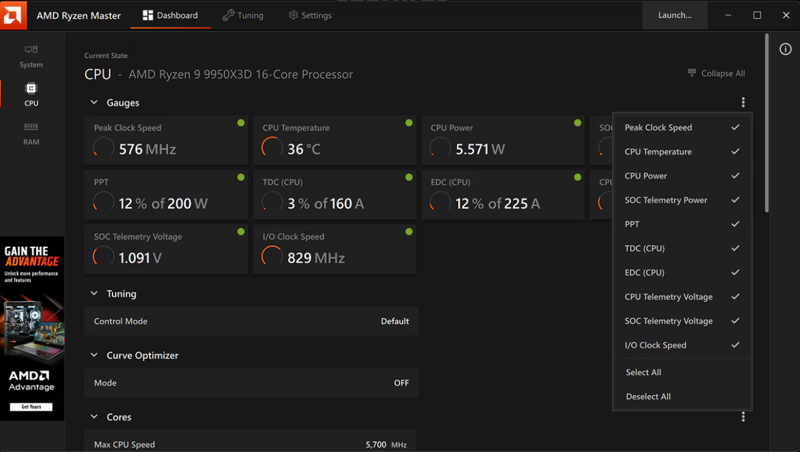
- Each Ryzen chip is made up of multiple cores. Ryzen Master allows you to adjust the clock speed for each core individually or all cores simultaneously. This helps you optimize performance for single-core applications (like gaming) or multi-core applications (like 3D rendering).
2.2. Precision Boost Overdrive (PBO) Mode
- This is the most appealing feature for users who don't want to delve too deeply into technical details. PBO automatically calculates the motherboard's temperature and power consumption limits to safely push the CPU clock speed to the highest possible level.
2.3. Advanced RAM optimization
- Beyond just CPUs, Ryzen Master also allows you to overclock DDR4 and DDR5 RAM. You can fine-tune latency settings to reduce system lag, resulting in significantly faster task response times.
2.4. Real-time system monitoring
The software provides an extremely detailed dashboard that displays:
- CPU temperature: Continuously updated to ensure the system doesn't overheat.
- Voltage: Controls power consumption.
- Clock speed graph: Monitors whether the cores are operating stably.
3. Instructions for downloading and installing
Installing Ryzen Master is very simple; however, you need to pay attention to a few steps to ensure the software runs as stably as possible:
- Access the official link: Click the download link above to go to the AMD homepage.
- Check for compatibility: Make sure you are using a Ryzen CPU and Windows 10 or Windows 11 (64-bit) operating system.
- Installation: Run the
.exedownloaded file. During installation, if the system prompts you to install additional AMD chipset drivers, agree to allow the software to deeply integrate with the hardware. - Restart: After the installation is complete, restart your computer for the changes to take effect.
4. How to use AMD Ryzen Master
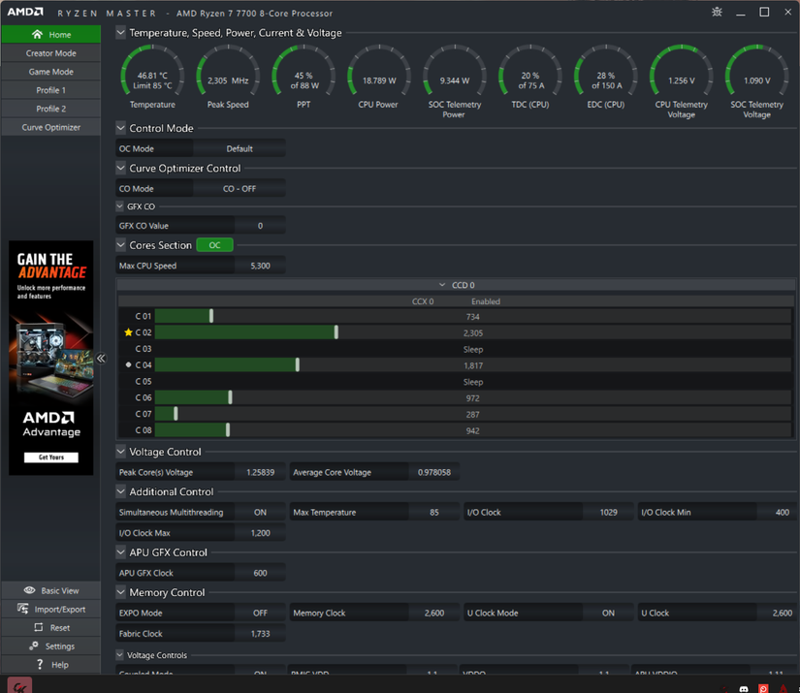
Overclocking always comes with risks regarding temperature and durability. Here's a safe roadmap for you:
- Step 1: Use Basic Mode. This is a simplified interface that only displays the most important parameters, helping you avoid accidentally clicking on dangerous settings.
- Step 2: Experiment with Curve Optimizer. This feature helps the CPU run faster while consuming less power (undervolting), resulting in a noticeably cooler system.
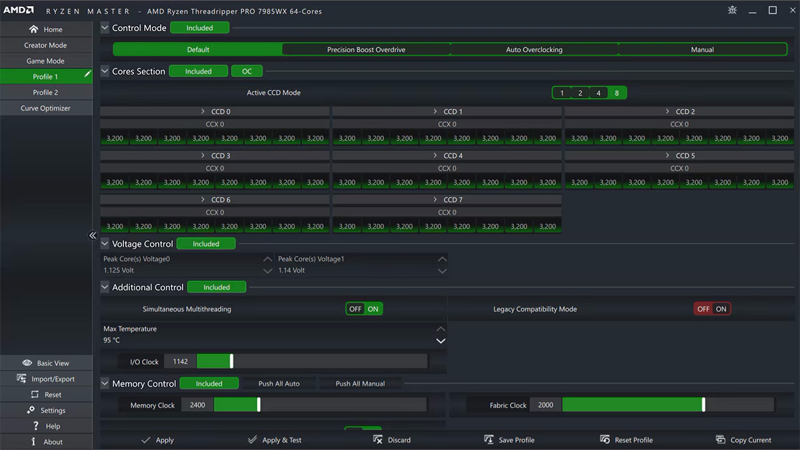
- Step 3: Save the configuration (Profiles). You can create up to 4 Profiles. Create one Profile for "Gaming" and one Profile for "Default" to revert to the original state at any time.
5. FAQ (FAQ)
Question: Will using Ryzen Master void my warranty?
- Answer: According to AMD's policy, overclocking (even using official software) can void the warranty if it causes physical damage. However, if you only use automatic features like PBO, the risk is extremely low.
Question: Why can't the clock speed be changed?
- Answer: Make sure you are running the software with administrator privileges and check if your BIOS is locked for overclocking (OC).
Question: Does Ryzen Master support laptop CPUs?
- Answer: Currently, Ryzen Master primarily supports desktop CPUs. Some laptop versions may have limited support, and not all features will be available as with PCs.
AMD Ryzen Master is more than just an overclocking tool; it's a comprehensive power and performance management system. If you want your computer to run faster, smoother, and cooler, this is the first software you should install after purchasing it.
Download the latest 2025 version now to experience the true power of Zen architecture!
Final Thoughts
Understanding amd ryzen master -- hardware support makes it easier to evaluate the information and apply the most relevant recommendations. Focus on the key points above and verify details that may change over time.
Related Articles
 AMD: Complete Guide and Key Details4 minutes read
 How to Overclock RAM Easily with AMD Ryzen Master: Practical Guide6 minutes read
 AMD Changed Its Mind, Continuing to Support Ryzen 4000 CPUs on B450 and5 minutes read
 Amd Ryzen 5 3600x Review: Great Multi-threaded Support10 minutes read
 Amd Launches Ryzen 9: 12-core CPU, Pcie 4.0, for $$ 4992 minutes read
 The Difference Between AMD Ryzen U, H, HS and HX Laptop Cpus7 minutes read
Reader Comments 0
Sign in with email or Google to join the discussion.