Program
Excel Number Formats: Dates, Percentages, Currency, and Text
Learn how Excel number formats affect the display of dates, percentages, currency, decimals, and identifiers while preserving the underlying cell value.
Browse more Learn programming through practical tutorials, code examples and clear guides covering languages, databases, web development and core concepts.
Learn how Excel number formats affect the display of dates, percentages, currency, decimals, and identifiers while preserving the underlying cell value.
Format Excel cells with readable fonts, colors, borders, alignment, cell styles, and Format Painter while keeping the worksheet clear and consistent.
Manage Excel rows, columns, and cells with AutoFit, insert and delete controls, hiding, text wrapping, merging, and the safer Center Across Selection option.
Learn the essentials of Excel cells and ranges, including addresses, data entry, clearing, deleting, copying, moving, paste options, and the fill handle.
Save Excel workbooks safely, create copies with Save As, recover unsaved changes, export PDF or CSV files, and share cloud-based workbooks with permissions.
Create a blank Excel workbook, open or pin an existing file, start from a template, and convert older files while checking compatibility.
Learn the main parts of the Excel window, including the Ribbon, formula bar, Name Box, worksheet tabs, Quick Access Toolbar, views, and Backstage options.

Export a PowerPoint presentation as a video with narration and timings, then choose a current sharing method for live or on-demand viewing.
Get familiar with the PowerPoint 2016 interface, including the Ribbon, Quick Access Toolbar, alignment guides, slide views, zoom controls, and Backstage view.

Create a Photoshop pop-out effect by combining a frame and subject image with selections, clipping masks, layer masks, careful scaling, and a subtle shadow.

Create an adjustable photo border in Photoshop with Canvas Size and a Solid Color layer, then add and customize a nondestructive Drop Shadow layer style.

Create an editable pencil-sketch effect in Photoshop with Color Dodge, Gaussian Blur, Levels, and optional original-color, solid-color, or gradient treatments.

Create a working standup-formatting skill, understand its metadata and supporting files, test its behavior and prepare it for safe sharing.
Create a test email-classification workflow, validate model labels before routing, and connect Gmail only after checking fields, permissions and error handling.

Configure a research agent in n8n, connect appropriate tools, write clear instructions, and test its sources, tool calls, limits and failure behavior.
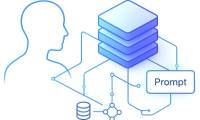
Connect chat memory to an n8n agent, choose Simple Memory, Postgres or Redis, isolate conversations safely and troubleshoot missing context.

Set up document ingestion and question answering with n8n and Supabase, then test chunking, retrieval, citations, updates and document permissions.

Combine document retrieval, web search, calculations and chat memory in n8n, then add tested error handling and an authenticated MCP connection.

Learn how to use Kaggle datasets, notebooks, courses, competitions, and community tools to build practical data science skills and a credible project portfolio.

Learn how to enhance learning with school technology (and still keep it real) with practical instructions, useful tips, and troubleshooting guidance…