Home
Home
 Wifi Tips
 Fix Computer
 Windows 10
 Windows 11
 Artificial Intelligence
 Space Science
 Strange story
vpn connection
-
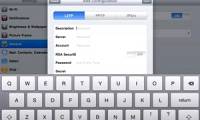
 How to set up a VPN on your iPhone or iPad
a virtual private network (vpn) provides secure internet access to private networks. on iphones and ipads, apple has made setting up a vpn relatively easy. here's how to do it.
How to set up a VPN on your iPhone or iPad
a virtual private network (vpn) provides secure internet access to private networks. on iphones and ipads, apple has made setting up a vpn relatively easy. here's how to do it.
-
You may have problems if you buy these 7 things when connecting to a VPN!
using a vpn to buy cheaper items may seem like a good idea, but many companies are getting smarter and realizing how many people are already doing it.
-
Fix the error that cannot delete the VPN connection
either way, sometimes certain vpn events can interfere with your ability to enjoy this type of service. for example, you might discover that you can't remove the vpn connection from your pc.
-
How to automatically connect VPN to specific apps on Windows 10
with windows 10 powershell (cmdlets), you can easily add applications to automatically activate vpn connections when they launch.
-
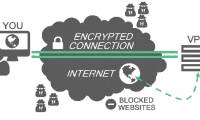
How to check if your VPN connection is actually encrypted
try testing by transferring some packets when not connected to the vpn and do the same when connecting, then compare. it is easy to realize that the data being transferred is actually encrypted when they are sent to the vpn
-
VPN connection from iPad device
ipad devices also support ssl vpns, using the same ssl protocol that websites use whenever they want to secure the connection so you can send important data to them without having to worry about anyone. it can sniff data and steal them for their own purposes.
-
Invite to download the application set to create a VPN connection worth over VND 2.5 million from The VPN Company, which is free
the developer the vpn company currently has a promotion program that allows users to download free vpn connection applications with a total value of more than vnd 2.5 million on google play until the end of august 10, 2018.