Article on the subject of "tabs"
-

How to make Chrome consume less RAM on PC, laptop
chrome is the most popular browser today with many advantages, easy to use. its only disadvantage is that it consumes a lot of ram. so how to make it consume less ram?
-
How to Close Tabs
this wikihow teaches you how to close individual tabs in a browser on both mobile devices and computers. open a browser. tap the app icon of the browser that you want to open. you can close tabs on chrome and firefox for both iphone and...
-
How to Reopen a Tab
reopening a browser tab is useful when you've either accidentally closed a tab you meant to keep open, or if you recently closed a tab and cannot remember the url. most web browsers make it easy to reopen your last closed tab, as well as...
-
5 changes on Firefox 15
the latest version of mozilla's browser, firefox 15, adds a few new features and is committed to providing faster boot speeds and reduced memory consumption.
-
Let Microsoft Office become more perfect
microsoft office is still the most used office toolkit today. but this product is not perfect and convenient for users ...
-
How to pin tabs on Chrome Android
if you often miss important pages among the countless open tabs, the pinned tab feature on chrome android will be extremely useful.
-
How to automatically close old Safari tabs - Choose when to close all tabs
safari has a feature that automatically closes all old open tabs after a specific period of time, reducing the amount of space safari uses.
-
How to use vertical tabs on Microsoft Edge
vertical tabs on microsoft edge brings a more organized tab management interface, managing and viewing tabs on the left side of the screen interface.
-
How to group tabs with web pages on Chrome
if you want to group tabs with a chrome web address for easy access, you can install the infinite tabs manager utility.
-
How to select and close multiple Chrome or Firefox tabs at the same time
closing each tab on the browser is really a repressive task. chrome and firefox allow you to select the tabs in the address bar and quickly close those tabs with a shortcut or mouse.
-
How to use Switch Workstation to manage tabs on Chrome
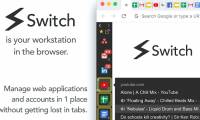
switch workstation utility possesses many interesting features for us to manage tabs on the browser. it is similar to chrome's tab groups feature and also to opera's workspace feature.
-
How to copy URL of all open tabs in Safari
whether you have a bunch of tabs open in safari and want to add them to a document, you can simplify the process by copying all the open website addresses at once.
-
How to Use Chrome's New Split Tabs Feature for Better Multitasking
have you ever felt frustrated switching between tabs? chrome's split tabs feature will help you solve this problem.
-
How to prevent Microsoft Edge from opening new tabs
microsoft edge can sometimes open too many new tabs, which can be annoying. in this guide, you'll learn how to stop edge from automatically opening tabs.
-
How to select and move multiple tabs simultaneously on Chrome
there will be times when you want to move multiple tabs at once, this tutorial will show you how to do that.
-
How to hide Firefox private tabs with fingerprint
the newly updated firefox app on android adds the ability to hide private tabs using fingerprint or faceid, depending on the security method on your phone.
-
How to manage open tabs on Chrome with Tabs of our Lives
tabs of our lives extension on chrome will manage closed or open tabs on chrome browser.
-
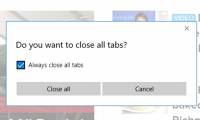
Turn on / off the prompt 'Do you want to close all tabs?' in Microsoft Edge on Windows 10
when closing microsoft edge when opening multiple tabs, you will be asked 'do you want to close all tabs?' by default. this tutorial will show you how to turn on or off the 'do you want to close all tabs?' in microsoft edge for accounts on windows 10.
-
How to reopen many tabs on Google Chrome
tab keeper utility will reopen a series of tabs that have been turned off on chrome.
-
How to Close Tabs
this wikihow teaches you how to close individual tabs in a browser on both mobile devices and computers. open a browser. tap the app icon of the browser that you want to open. you can close tabs on chrome and firefox for both iphone and...
-
How to quickly freeze tabs on Microsoft Edge
when opening tabs on the microsoft edge browser that users do not need to use, they can quickly freeze tabs, saving browser ram.
-
How to quickly find open tabs on Chrome
the search all tabs extension on chrome helps us quickly find any open tabs via shortcuts.
-
Why is Vivaldi the browser built for people who never close tabs?
sometimes closing all your open tabs feels like erasing a part of your brain. if you like keeping tabs open, this is the browser for you.
-
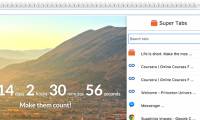
Instructions for organizing hundreds of open tabs in Chrome follow a separate column for quick access and management
when you open too many tabs, the icons represented on each tab disappear, making it difficult for you to quickly access any open web page. to solve this problem, you can use supertabs extension application to arrange hundreds of open tabs in chrome in a separate column to make management and access
-
How to use Chrome profiles to organize tabs
chrome profiles keep everything separate—different tabs, bookmarks, extensions for work and personal. when you're working, you can choose the profile that's right for you and stay focused.
 Home
Home Tech info
 Technology
 Science
 Life
Life Application
 Electric
 Program
 Mobile
 System