Article on the subject of "start screen"
-
6 ways to customize the Start Screen screen in Windows 8
start screen - the current start menu on windows 8, with many changes has created a lot of excitement for users. if on the start menu of previous windows versions you don't have many options to personalize it, then with windows 8 start sreen, you can completely change your personal preferences.
-
Create Start button on Windows 8
the disappearance of the start button on the windows 8 desktop makes many users unhappy and a little confused when using. therefore, there are quite a number of start button initialization applications that we introduced below to help users feel comfortable using this operating system.
-
Install Ubuntu on Windows 8
this article will guide users to install the windows 8-based ubuntu operating system with the built-in hyper-v virtual machine software built into windows 8.
-
Instructions to change your avatar on Windows 8
changing account picture on windows 8 is extremely easy. this is also a good option to help users personalize their windows 8. the article will guide users to do this.
-
The latest additions to Windows 8
as of the time of the official windows 8 release (october 26), users have had the opportunity to experience new features through two consumer preview and release preview versions, most recently the rtm version. 'leak' on many technology forums.
-
Windows 8: Bold changes
microsoft has made changes to the root in windows 8, with a completely innovative interface, more functions, and support for new generation mobile devices.
-
6 ways to customize the Start Screen screen in Windows 8
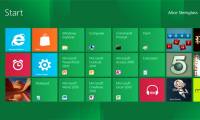
start screen - the current start menu on windows 8, with many changes has created a lot of excitement for users. if on the start menu of previous windows versions you don't have many options to personalize it, then with windows 8 start sreen, you can completely change your personal preferences.
-
Turn off the Start Screen screen in Office 2013
when opening an application in microsoft office 2013, the start screen screen will appear first, allowing you to quickly browse through the text templates provided by the program, the left column of the interface is a list of documents. that you opened earlier.
-
How to turn off Start Screen on Office 15 for Mac fastest
by default, when you open word, excel or powerpoint on office 15 for mac, you will see the start screen showing a list of document templates. if you want to skip this step and access the main interface directly, turn off the start screen according to the instructions below.
-
How to enable / disable the Start menu full screen in Windows 10
while in desktop mode, windows 10 allows you to use the start menu in full screen mode (like the start menu in tablet mode) or in the traditional way, only partially covering the screen. here's how to change the way the start menu works.
-
How to bring the traditional Start and Start Menu back on Windows 8?
since windows 8 was released, microsoft has committed to users using the start screen screen instead of using the start button and start menu on previous windows versions. although the start button is still displayed in the lower left corner, however, the usage is slightly different on previous
-
How to Change Windows Logon Screen
this wikihow teaches you how to change the image that displays on the windows start-up screen. open the start menu. do this either by clicking the windows logo in the bottom-left corner of the screen, or by pressing your computer's key.
-
Set up Desktop wallpaper as a Start Screen screen background image on Windows 8.1
microsoft has added an interesting new feature in windows 8.1 start screen that allows you to set desktop wallpaper as a start screen screen background image. this helps users feel less bored every time they access the windows 8.1 startsreen screen.
-
How to Add or Delete Items and Categories in the All Apps Screen of the Windows 8 Start Menu
in previous versions of windows, you were able to edit the items and folders in the all programs/all apps screen. the new windows 8 start menu lacks this ability. you can still pin and unpin custom items to the main screen of the start...
-
How to remove the Windows boot screen on Windows 10
windows 10 boot time can be reduced by turning off or disabling splash screen in windows 10, using the system configuration dialog box. after disabling splash screen, windows 10 will boot faster.
-
How to clean your laptop screen correctly from the start
how to properly clean a laptop screen not only brings durability but also increases your experience when using your laptop. check out this article for tips on how to clean your screen right from the start.
-
Create Start button on Windows 8
the disappearance of the start button on the windows 8 desktop makes many users unhappy and a little confused when using. therefore, there are quite a number of start button initialization applications that we introduced below to help users feel comfortable using this operating system.
-
How to Use the Windows 10 Start Menu
the windows 10 start menu is a hybrid of the windows 7 start menu and the windows 8 start screen, as windows 8 introduced tiles. the start menu allows you to open and uninstall apps, access device power options, sign out of windows, get...
-
How to fix Pin to Start error on Windows 10
to pin any file to the start menu bar, you'll use the pin to start option. thus, we can access files and programs on the computer faster. but, what if i lost pin to start?
-
18 start-up mistakes from Y Combinator founder (part 2)
choose the wrong platform, launch the product at the wrong time and the irrational spending is the startup killing cause given in this section.
-
18 start-up killing mistakes from founder Y Combinator (part 1)
you can read start-up tips from anywhere but y combinator will be the name that needs no proof.
-
18 mistakes killing start-ups from founder Y Combinator (the last part)
the last part of the series lists the common causes of startup failures that bring about six causes. all 18 reasons given in this series are things you can fully control.
-
Microsoft explains the reason for leaving the Start button on Windows 8
removing the start button at the corner of the screen will help users use more than the taskbar, other shortcuts and the new metro menu of the start menu.
-
The failure of 19 startups in Asia in 2015 and the start-up lessons 'bloody'
starting a career is a marathon, not a sprint.
-
How to pin a Task Manager onto the Taskbar and Start Windows 8 screen
task manager in the windows operating system is an extremely useful tool for allowing users to view and manage active applications and devices.
-
How to Fix stuck pixels on LCD screen
just a small blemish on your computer screen will make you crazy! if the lcd screen has stuck pixels (always bright or always dark), you still have a chance to overcome this drawback. start reading step 1 to fix stuck pixels on your lcd screen yourself.