Article on the subject of "operating system installation for raspberry pi"
-

10 operating systems you can run with Raspberry Pi
there are many other operating systems that can run on a raspberry pi. just make sure you have the screen, mouse and keyboard in hand before booting!
-
How to install an operating system for Raspberry Pi
the article will show you how to install and run your new operating system on pi, as well as how to copy your perfect settings to fix errors quickly.
-
10 operating systems you can run with Raspberry Pi
there are many other operating systems that can run on a raspberry pi. just make sure you have the screen, mouse and keyboard in hand before booting!
-
How to install an operating system for Raspberry Pi
the article will show you how to install and run your new operating system on pi, as well as how to copy your perfect settings to fix errors quickly.
-
8 best lightweight operating systems for Raspberry Pi
the operating system for the pi must be compact, so many of the features commonly found in the linux desktop are not required on the raspberry pi.
-
What can be done with the 64-bit version of Raspberry Pi OS?
the 64-bit version of the raspberry pi os (formerly known as raspbian) is now available for installation using the standard raspberry pi imager tool. but why should you choose to use this version instead of the standard 32-bit operating system?
-
What is the Raspberry Pi and how is the Raspberry Pi used?
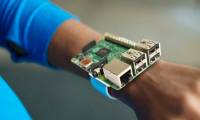
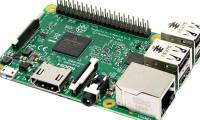
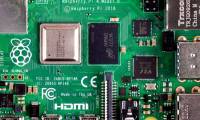
you can use the raspberry pi as a computer because everything needed has been built in. its broadcom bcm2835 soc processor includes cpu, gpu, ram, microsd card slot, wi-fi, bluetooth and 4 usb 2.0 ports.
-
How to upgrade Raspberry Pi to Raspbian Buster
thanks to the framework already from debian, upgrading the operating system of raspberry pi is very simple. in addition, if you want to use the existing raspbian installation on the new raspberry pi 4, you can do it once it is upgraded to buster.
-
Should I install or upgrade the operating system?
normally when installing windows operating system, we have two options: install completely new or upgrade. most computer experts recommend that you choose a completely new installation because the new installation will make the operating system much more stable than upgrading, while avoiding
-
How to install Android on a Raspberry Pi
although there are many operating systems available for the raspberry pi, you may prefer to stick with a linux-based operating system. but what about the lack of touch screen support? perhaps the best solution is to install android on a raspberry pi.
-
Raspberry Pi OS finally has a 64-bit version
the raspberry pi foundation (rpf) has finally officially announced that the raspberry pi operating system is now available in 64-bit format.
-
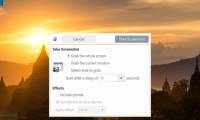
How to take a screenshot on the Raspberry Pi
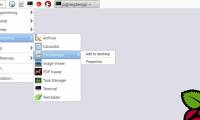
it's easy to take screenshots on any raspberry pi model, at least if you use raspbian, the official pi operating system. the following instructions are performed on the raspberry pi 4 running the latest version of the operating system, raspbian buster.
-
What's New in Raspberry Pi OS 11?
about every two years, debian releases a new stable version of its operating system. since the raspberry pi os is based on debian, the developers release a new version every time debian receives an lts release. the latest update is full of useful changes.
-
How to install Minecraft on Raspberry Pi
minecraft gives players the experience of building buildings by structural cubes according to the simulator of the 3d world and many other interesting features.
-
3 ways to edit file boot / config.txt on Raspberry Pi
what is the fastest way to access the file config.txt in the / boot directory / when raspberry is still running? if you have to turn off to get back the microsd card, how will it be edited?
-
How to install FydeOS on a Raspberry Pi
fydeos is a cloud-based operating system aimed at the chinese market. in today's article, readers will learn how to install fydeos on a raspberry pi and have a quick experience of this operating system.
-
How to update your Raspberry Pi to the latest Raspbian operating system
you need to update your raspberry pi to the latest raspbian version, but can't find a way to do it? here are four ways to get the latest raspbian version on your device!
-
How to use the advanced options of Raspberry Pi Imager
the official raspberry pi imager tool makes it extremely easy to burn the operating system to a microsd card for use with the raspberry pi. in addition, imager has a few advanced options hidden underneath that can sometimes be quite useful.
-
How to install Java on a Raspberry Pi
there are two different java implementations, oracle java and openjdk. this tutorial explains how to install java (openjdk) on a raspberry pi with the latest raspbian operating system running on it.
-
Create your own wireless printer with Raspberry Pi
wireless technology is probably the best improvement for printing for years. fewer, more flexible cables about where you can put your printer, it's great (unless you have an old printer).
-
Compare 4 current TV operating systems
up to now, you only pay attention to the operating system on the phone and the computer but forget the operating system on the tv. refer to our article for more information, the advantages and disadvantages of the 4 current tv operating systems!
-
How does the Raspberry Pi file system work?
where are your files? why are there so many folders and subfolders? the goal of today's article is to give you an overview of the file system on your raspberry pi (as well as on any linux device).
 Home
Home Tech info
 Technology
 Science
 Life
Life Application
 Electric
 Program
 Mobile
 System