Table of Contents
This guide organizes the entries in "Why Linux Mint Is the Best Distro to Start Migrating from Windows 11" and explains what each option, idea, or example offers. It also highlights practical details that matter when comparing the choices.
7. Significantly better performance and battery life
The first difference you'll notice when switching to Linux Mint is much better performance, at least when navigating the operating system. Linux Mint runs faster than Windows in almost every way; the significantly lower system hardware overhead means you have more space to run resource-intensive programs, resulting in an overall performance boost.
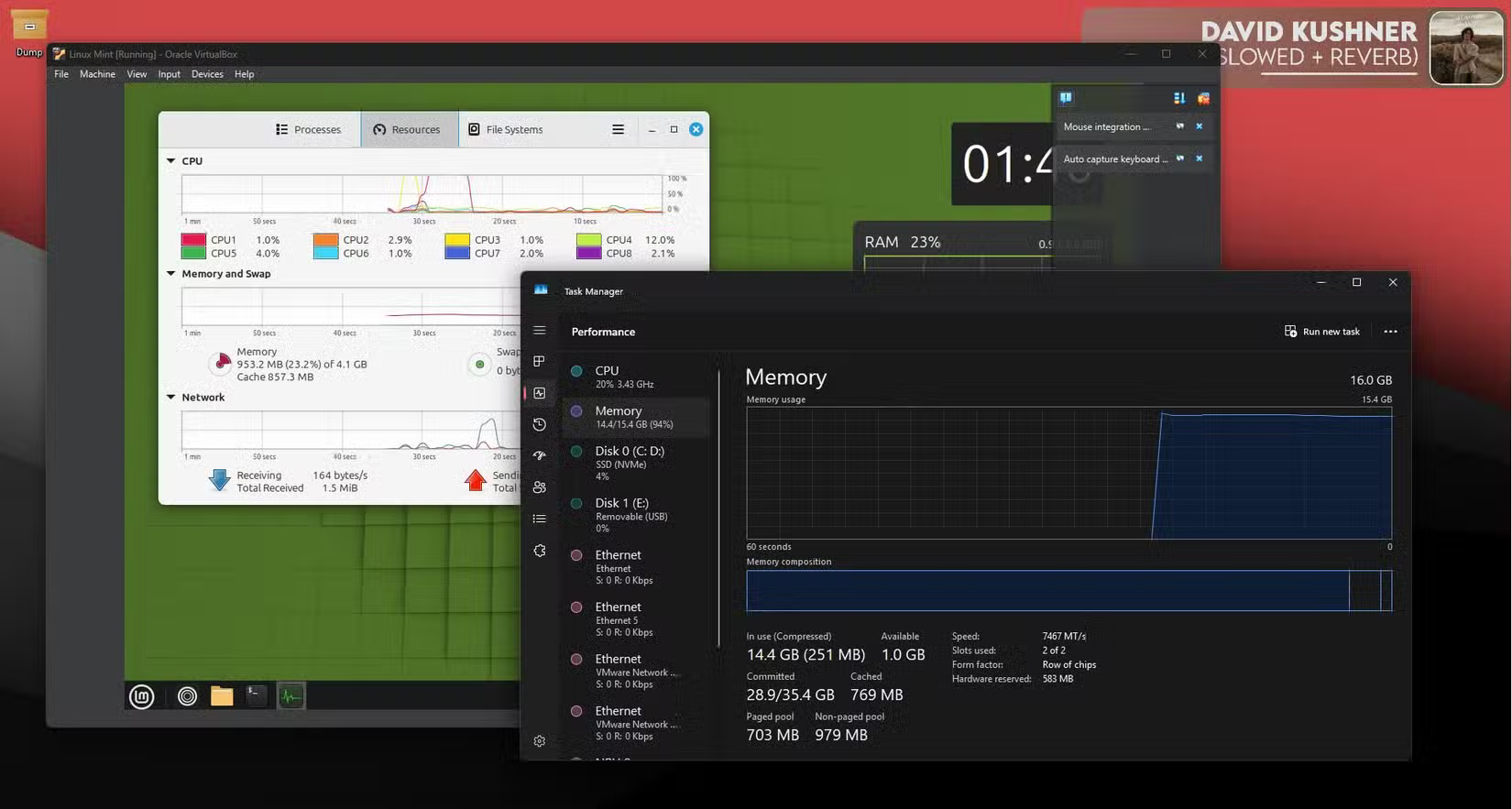
Since Mint isn't constantly hogging power in the background, you'll also get better battery life. However, depending on the size and age of your laptop's battery, the increase in battery life may not be as significant as the difference in performance.
6. Similar interface
One of the biggest problems when long-time Windows users try to switch to Linux is getting used to the interface. While many Linux distributions have great user interfaces, it can still take some getting used to.
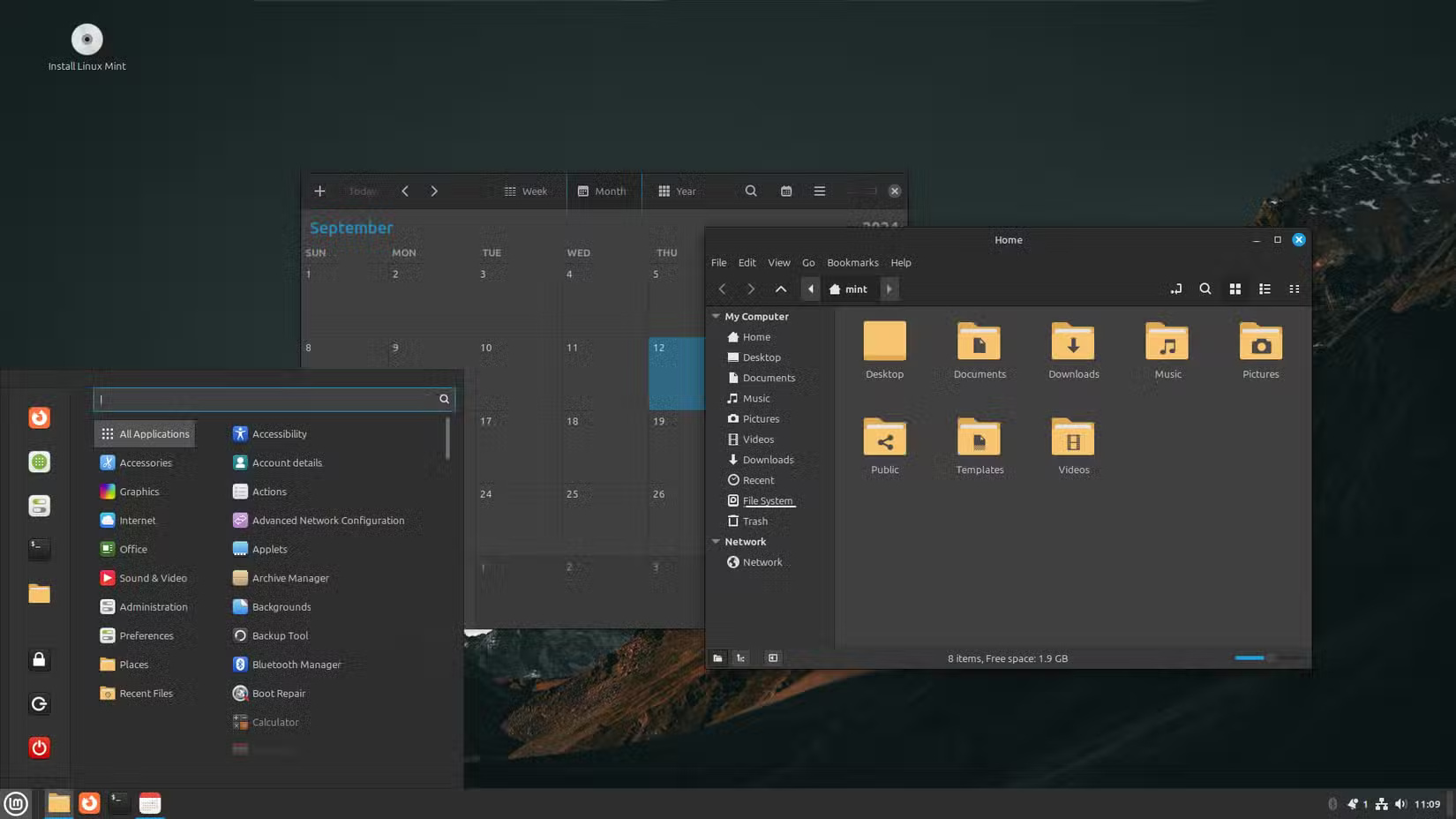
Linux Mint gets around this by using a desktop interface that is very similar to Windows. It's not an exact copy, but all the controls and settings are in familiar places. It has a Taskbar, Start menu, system tray, and clickable icons just like Windows.
5. Much better system utilities
One of the biggest reasons why Windows can be slow right out of the box is because there's too much bloatware. You can use a tool like Windows 11 Debloater to remove any unnecessary features from Windows, but it's still extra work on top of the nightmare of setting up Windows the first time around.
Linux Mint, on the other hand, comes with a robust set of pre-installed system utilities that can do everything you need. The platform is ready to use after installation, meaning you won't have to hunt for codecs or tools to play your files.
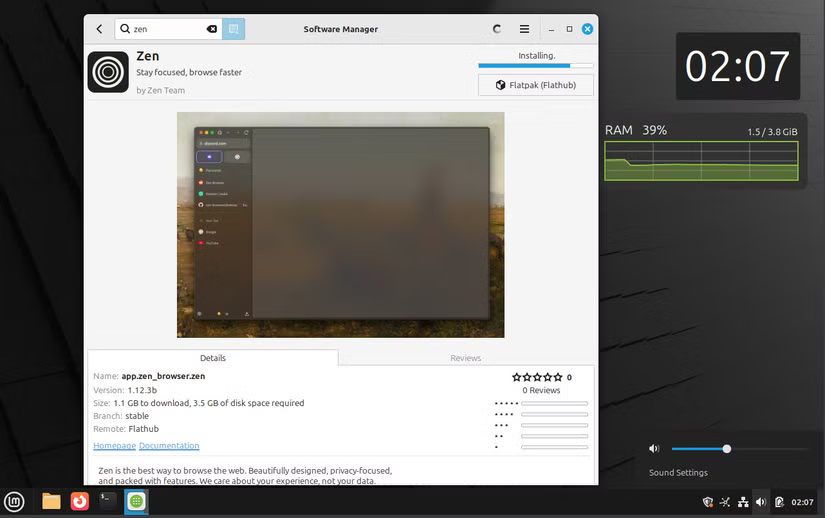
Additionally, tools like Software Manager and Update Manager are also significantly better than their Windows counterparts – Microsoft Store and Windows Update. Program installation on Windows is still sporadic, with programs distributed via installers from their official websites as well as Microsoft Store apps.
4. Program Availability
The lack of software and games available on Linux has been a pain for quite some time. However, now that Steam uses Proton – a compatibility layer that can run Windows games on Linux – you can download Steam from the Software Manager and start playing.
Remember that this is still an emulator, so performance won't be as good as running the original game on Windows. However, depending on your PC hardware, you may even be able to play AAA titles with similar performance.
3. Reduce the load on hardware
Installing Linux is one of the best ways to repurpose an old laptop, as the hardware requirements are usually modest. Linux Mint requires 2 GB of RAM (4 GB recommended), 20 GB of hard drive space (100 GB recommended), and a 1024 x 768 display. Almost any working PC should be able to meet those requirements.
Windows, by contrast, requires at least 4GB of RAM, 64GB of storage, UEFI Secure Boot support, TPM 2.0, and a slightly higher-resolution display (at least 720p). That's a significantly tougher set of minimum requirements, which will prevent many PCs from running Windows 11 (even if they could, thanks to the artificial requirements).
2. Updates do not break functionality
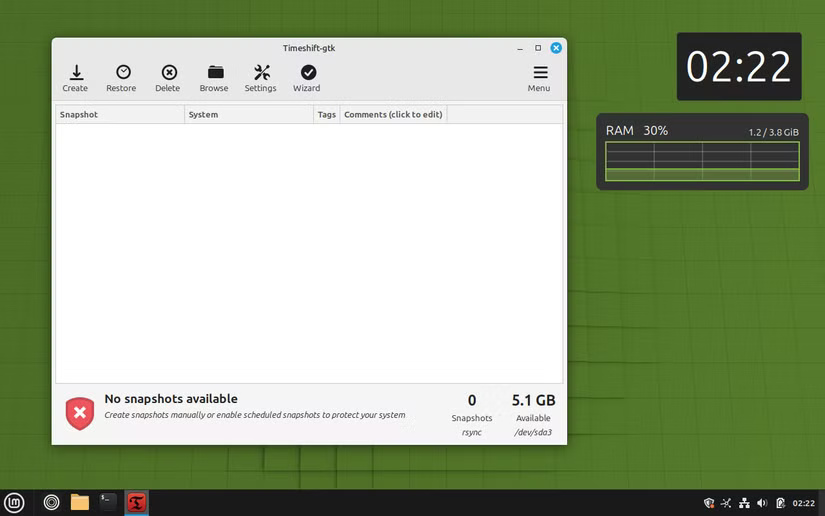
Windows updates, especially the way they're delivered, are a big deal on Microsoft's operating system. Linux Mint's approach prioritizes stability and reliability. The update system is built using Ubuntu 's long-term support (LTS) releases, meaning you'll get regular updates and security patches without many bugs every time you update your PC.
1. Much better system privacy and security
Last but not least, the biggest difference between Windows and Linux Mint (or almost any Linux version) is that the latter offers significantly better privacy and security.
First, Mint doesn't have any built-in telemetry data collection like Windows. It also doesn't send any data back to the manufacturer by default, compared to Windows or even macOS, where background analytics data is often collected in bulk. You're not tracked much (at least by the system itself) if you're using Linux Mint.
Second, Linux Mint is open source, which means the source code is regularly audited for security or privacy issues. You may not be able to read the code yourself and audit Linux Mint's security standards, but the open source code means that experts can audit it and find any issues or concerns.
FAQ
What should you know about 7. Significantly better performance and battery life?
The first difference you'll notice when switching to Linux Mint is much better performance, at least when navigating the operating system. Linux Mint runs faster than Windows in almost every way; the significantly lower system hardware overhead means you have more space to run resource-intensive programs, resulting in an.
What should you know about 6. Similar interface?
One of the biggest problems when long-time Windows users try to switch to Linux is getting used to the interface. While many Linux distributions have great user interfaces, it can still take some getting used to.
What should you know about 5. Much better system utilities?
One of the biggest reasons why Windows can be slow right out of the box is because there's too much bloatware. You can use a tool like Windows 11 Debloater to remove any unnecessary features from Windows, but it's still extra work on top of the nightmare of setting up Windows the first time around.
What should you know about 4. Program Availability?
The lack of software and games available on Linux has been a pain for quite some time. However, now that Steam uses Proton – a compatibility layer that can run Windows games on Linux – you can download Steam from the Software Manager and start playing.
Related Articles
 6 Best New Features in Linux Mint 21.2 ''victoria''6 minutes read
 Linux Distro for New, Easy to Use, Beautiful11 minutes read
 10 Reasons You Can't Not 'Love' Linux Mint4 minutes read
 How to Upgrade from Linux Mint 19.3 to Linux Mint 208 minutes read
 Linux Mint 20.2 'Uma' Released: What's Notable?5 minutes read
 Some Notable Changes on Linux Mint 203 minutes read
Reader Comments 0
Sign in with email or Google to join the discussion.