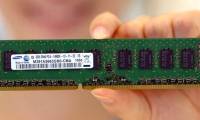
Article on the subject of "computer ram"
-
How to check computer RAM in the most detailed way
the most detailed way to check computer ram in 2022. ram (random access memory) is one of the important components of every computer.
-
4 simple ways to check Windows 10 computer RAM at home
computer ram is short-term memory used to run applications and open files. refer to 4 simple ways to check windows 10 computer ram at home!
-
What is computer RAM? Types of RAM on the market today
what is computer ram? types of ram on the market today. what is the function of ram in the operation of the device and how are the types of computer ram classified?
-
Upgrade computer RAM at home simply and quickly
upgrading your computer's ram is the most effective solution to speed up your computer. after a period of use, your computer will need to upgrade its ram.
-
How to clean computer RAM properly
computer ram plays a role in helping all activities and work run smoother. how to properly clean computer ram at home.
-
[Answer] Will replacing RAM make the computer run faster?
upgrading ram is the solution chosen by most users to improve computer speed. so does upgrading ram make the computer run faster?
-
What is RAM conflict? Causes and ways to fix RAM Conflict
some of you have problems with ram conflicts that make your windows computer or pc run slow or receive insufficient amount of inherent ram. click now to find out what a ram conflict is, its causes and how to fix it!
-
Compare DDR3 and DDR4
ddr3 is one of the most common types of computer memory for a long time. however, it was gradually replaced by ddr4. below is the difference between ddr3 and ddr4 and some information on why those differences are important.
-
What is VGA? How many VGA types?
what is vga, how does it play and how many types of vga. if you are concerned about these issues, the article below network administrator will provide you with useful information.
-
Instructions on how to upgrade RAM on computers and Laptops
installing more ram is the most effective way to speed up your computer. even if your computer is a new computer, after only a few years of use you will have to install more ram to ensure better machine speed. besides new operating systems also require the use of more memory. when a computer does
-
Learn about RAM technologies: DRAM, SRAM, SDRAM and newer
today, we also talk about ram but not the basic concept, but about the most common ram technologies: dram, sram, sdram as well as newer ram technologies.
-
Why aren't CPU and RAM computers packed together to increase processing speed?
why do computer designers do not put cpu and ram right on the same die to reduce the distance between them and speed up the processing speed?
-
How many GB of RAM does your computer need?
ram is also called random access memory, or simply called memory, is one of the most important parts on your computer. but how much ram is enough?
-
Find out why Chrome consumes too much RAM and how to fix it
why does chrome consume ram? is there any way to reduce or prevent chrome from eating so much ram?
-
Learn to use lesson computer 15 - Keep the computer clean
in addition to being able to cause cosmetic problems as well as health for us, dirt can potentially damage or even destroy computer components.
-
Learn to use lesson 9 computer - Set up a computer
you just bought a new computer, the first thing you have to do is set up your computer to suit your purpose.
-
Learn to use lesson computer 16 - Protect your computer
what can you do to protect your computer system as much as your important data from potential external threats?
-
Self-assembling computers, build desktop computers (P1): Choose hardware
self-assembling computers can be quite difficult for inexperienced personal users, but not impossible. you want to build your own computer to play games, save money, be curious or simply want to create a computer that suits you. whatever the purpose of building your own computer, this tutorial
-
How to set up a USB-only computer, increase safety
it will be dangerous if strange usb devices contain a virus or malicious code that is arbitrarily connected to the computer when you are not sitting in front of the computer. do not worry, we will guide you how to set up the computer to receive only the secured usb.
-
Test on computer network with answer P9
computer network is a group of computer devices connected to each other through twisted cables, electromagnetic waves ... to share data for each other. today day computer networks are widely used. in the article below, network administrator will help you find out more about this topic through
-
Things to know about a computer engineer
in the era of information technology as today, the demand for recruitment for positions in technology sector is increasing, and jobs in this field are becoming the dream of very many young people.
-
8 Ways to Clean Up Computer Junk to Speed Up Computer 2024
when using a computer for a very long time, your computer will become slow and sluggish. to make your computer run faster and smoother, you need to clean up the junk on your computer.
-
2 How to change the name displayed on the computer
during use, you may want to change your computer's display name to a new name, possibly due to a transfer of the rights to use the computer or you do not like the old name installed by the installer. but the problem is that you do not know how to change? therefore, today, tipsmake.com will guide
-
Speed up your computer - 12 steps to have a computer that always looks like new
guide to speeding up the most effective computer. share 12 tips to help your computer work as stable as new, without jerks, lag when using. sharing computer knowledge is extremely effective
-
The best computer acceleration tools
computer accelerator tool is a great way to improve the speed of computer operation without hardware upgrade.
-
How to check if the computer is running well or not?
instructions on how to do a general check to know if the computer is running well or not
-
How to Format a Computer
formatting a computer involves erasing all of the data on the computer's hard drive, and then reinstalling the operating system so that the computer is restored to factory defaults. this can be useful if your computer is malfunctioning, or...
-
Test about computer architecture P6
computer architecture is to design the basic concept and operational structure of a computer system. please join the network administrator to learn about this topic through multiple choice questions below.
-
Your computer is not as secure as you think
just because you have active antivirus software and a password doesn't mean your computer is invulnerable. you could be leaving your computer vulnerable without even realizing it!
-
How to Boot a Computer from a CD
this wikihow teaches you how to start a computer from a cd rather than from the computer's internal hard drive. this is useful if you're trying to install a different operating system on your computer. insert the cd into your computer. to...
-
7 risks can affect computer life
when using computers, in addition to performance and processing speed, users are also interested in their life. after all, to invest in a good computer, the price is not cheap. there are many factors that affect the lifespan of a computer and you can refer to the following article of tipsmake.com
-
These factors determine the speed of the computer
if you want to improve the speed of your computer system, the first thing you need to pay attention to is to arrange and select components that are reasonable so that they can interact with each other effectively. best.
-
Test about computer architecture P4
to check your knowledge, the following article network administrator will send you a series of tests on computer architecture.
-
RAM and ROM are two concepts that are easily confused
if you have used a computer, then more or less you have heard of two familiar terms: ram and rom and know they are related to computer memory. however, not everyone knows how different rom and ram are?