Article on the subject of "computer keyboard"
-
Choosing a keyboard and mouse for a computer
choosing a keyboard and mouse for a computer
-
What to do when the computer does not accept the keyboard and mouse
in the process of using or buying a new keyboard, mouse, sometimes you will get a computer error, the laptop does not accept the keyboard, and not receive the mouse. you can refer to some ways to fix below.
-
Top 5 best mechanical keyboard brands today
the keyboard is as diverse as any other computer components and accessories. here are the top 5 best mechanical keyboard brands that everyone should know.
-
Best ergonomic (Ergonomic) keyboard 2018
the keyboard has come a long way since computers dominated the world, but still uses the same basic keyboard layout decades ago. if you want a more comfortable keyboard, consider the following ergonomic keyboards.
-
Summary of the features of Fn keys on laptops
the fn key on the laptop keyboard with the full name is function. we still often call the function key. keys are often used in combination with keys f1 => f12. some new laptop lines often incorporate some other keys.
-
Using a computer for a long time, do you know the meaning of these keys?
the list of the most useless keys on the computer keyboard and what their main function is.
-
Why do the F and J keys on the computer keyboard have horizontal lines?
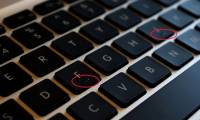
many people believe that floating edges are born to help visually impaired people interact with computers better, but this is not its original purpose.
-
Hackers can track your keyboard typing order to steal information
although using the keyboard for hours every day, not everyone knows interesting information about this qwerty keyboard.
-
Computer design trends of manufacturers in the future
in the future, laptop manufacturers will mainly focus on improving device size, processing speed, and maximum comfort for users.
-
How often should you clean the keyboard?
the truth is that not everyone knows that computer keyboards are even dirtier than toilet seats. and do not be startled by this accurate information, a normal computer desk contains 400 times more bacteria than the toilet (the toilet seats usually only have 7 bacteria per 1 cm2).
-
How to clean the most clean computer keyboard
using blowing bubbles, small air compressors, and brushes can also clean the computer keyboard, but to clean the most, consider removing all keys. cleaning the keyboard this way is not too difficult, but you need to know some notes that we will show you soon.
-
Using a computer for a long time, do you know the meaning of these keys?
the list of the most useless keys on the computer keyboard and what their main function is.
-
Best ergonomic (Ergonomic) keyboard 2018
the keyboard has come a long way since computers dominated the world, but still uses the same basic keyboard layout decades ago. if you want a more comfortable keyboard, consider the following ergonomic keyboards.
-
Disable Windows 10 keyboard in 5 simple ways
for some reason you want to disable the keyboard on your windows computer. for example, you are watching an episode and you do not want someone to accidentally press the button on the keyboard and reload from scratch or reuse it. you can then disable the keyboard on your windows computer.
-
Hackers can track your keyboard typing order to steal information
although using the keyboard for hours every day, not everyone knows interesting information about this qwerty keyboard.
-
Useful keyboard shortcuts on a computer.
when using a computer, most users frequently use the mouse to control the machine and the keyboard to type characters. however, you may not know that keyboard shortcuts can be helpful for operating and using the computer.
-
How often should you clean the keyboard?
the truth is that not everyone knows that computer keyboards are even dirtier than toilet seats. and do not be startled by this accurate information, a normal computer desk contains 400 times more bacteria than the toilet (the toilet seats usually only have 7 bacteria per 1 cm2).
-
How to use the keyboard of a computer
knowing how to use the keyboard will help you operate faster when using a computer
-
Top 5 best mechanical keyboard brands today
the keyboard is as diverse as any other computer components and accessories. here are the top 5 best mechanical keyboard brands that everyone should know.
-
How to use KeyboardTest to check the computer keyboard
keyboardtest is software to check computer keyboards and laptops to see if they work well. especially when buying an old laptop, checking the keyboard is necessary.
-
Top best wireless keyboard for Mac and PC
a wireless keyboard with an integrated touchpad is called an all-in-one keyboard. it is the ideal solution for anyone who wants to use a remote computer. this article will introduce you to the 11 best all-in-one wireless keyboards for pc and mac.
-
What to do when the computer does not accept the keyboard and mouse
in the process of using or buying a new keyboard, mouse, sometimes you will get a computer error, the laptop does not accept the keyboard, and not receive the mouse. you can refer to some ways to fix below.
-
6 ways to open virtual keyboard on Windows 10
virtual keyboard is a useful and necessary feature in some cases with windows users, such as certain keystroke, computer virus infection or keylogger ...
-
How to Reset the Keyboard
is your keyboard having problems? this article shows how to solve any keyboard-related problems by resetting the keyboard of your windows or mac computer. there are many ways to reset the keyboard, and the process will vary depending on whether you use windows or macos. but don't worry - it's all
-
Test keyboard online, test key online with the following 5 websites
when using the computer you may experience keyboard malfunction, unable to type one or more keys. to determine whether the problem is hardware or software you will have to resort to keyboard test applications.
-
How to lock the laptop keyboard to use the removable USB keyboard
to use your keyboard, you should turn off the keyboard on the computer in case of a mistake. the laptop keyboard is compact, but it makes us experience the feeling of typing not as fast and hands-free as when using the removable key.
-
Instructions for handling when the laptop keyboard key is broken
keyboard is the main device that helps users communicate and control computer systems, creating letters, numbers, characters and some other functions. the keyboard is a very useful device on computers and laptops. but if unfortunately the keyboard fails, what will you have to do to fix the error.
-
How to use Windows keyboard on Mac
if you don't own an apple keyboard, or you're using some kind of keyboard for a windows computer, the keyboard is probably compatible with the device.
-
What is QMK? Can you use it on your keyboard?
qmk is firmware - a set of instructions built into the keyboard memory. firmware is how your computer knows which button to do, depending on how it's programmed.
-
Summary of several ways to open virtual keyboard on Windows XP / 7/8 / 8.1 / 10
virtual keyboard is a necessary and useful feature when a broken keyboard or computer is infected with viruses and keyloggers. here's how to open the virtual keyboard on windows quickly and simply for you when needed.