Article on the subject of "chrome flags"
-
5 Browser Extensions That Make Every Website More Useful
your browser is packed with shortcuts and settings you never even notice, but it's extensions that really determine how you experience the web.
-
How to create tab groups in Chrome on Android with Chrome Flags
the following chrome flags will help you group your tabs by subject and be more comfortable when switching from tab to tab.
-
How to hide The article for you when opening a new Chrome tab on Android
when opening a new tab on your phone's google chrome, in addition to recent bookmarks, chrome browser will provide you with news suggestions in the article section for you (article for you). if you want a neat new chrome tab, you can turn the feature off to hide the article section for you or you
-
9 Chrome Flags you should activate to have a better browsing experience
google chrome has all the features that users cannot tell. one of the lesser known areas of chrome's feature set is chrome flags. this is where you can find a database of experimental features, although it's not fully functional, but you can speed up the browser the way you never expected.
-
Top 7 most useful Chrome extensions you should try
let's tipsmake.com find out the top 7 most useful chrome extensions you should try in this article!

-
8 Best Chrome Flags You Should Use
let's experience the new chrome features through customizing the following 8 chrome flags. before knowing any of the flags in this list, you need to know how to access them first.
-
12 Chrome Flags useful you should activate on Android
by using chrome flags, you can easily activate hidden features to enhance your android browsing experience.
-
Meaning of strange flags in the world
learn interesting things around some strange symbols on the flags of countries and special flags in the world.
-
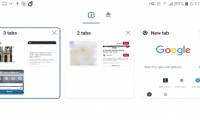
How to create tab groups in Chrome on Android with Chrome Flags
the following chrome flags will help you group your tabs by subject and be more comfortable when switching from tab to tab.
-
9 Chrome Flags you should activate to have a better browsing experience
google chrome has all the features that users cannot tell. one of the lesser known areas of chrome's feature set is chrome flags. this is where you can find a database of experimental features, although it's not fully functional, but you can speed up the browser the way you never expected.
-
How does Google Chrome run faster?
your google chrome is lagging, running slowly when opening multiple tabs? you can't watch videos, play games on chrome because you hang up? don't worry, read the following article of tipsmake.com, follow and gradually overcome the problem.
-
How to use the menu menu to speed up Microsoft Edge browser
most chrome users are familiar with the flags of the chrome browser, but many people are unaware that microsoft edge also has a menu of flags, which improves the user's browsing experience.
-
Chrome flags that can actually reduce RAM usage
luckily, you can fix chrome's memory-hogging tendencies by enabling or disabling some hidden features, called flags. these are experimental features that are still in development, but google has made them available for anyone to use.
-
Has Google solved the 'gluttonous' RAM problem of Chrome browser?
after many updates, it seems that google has finally found an answer to limit chrome eating the system ram.
-
Top 7 most useful Chrome extensions you should try
let's tipsmake.com find out the top 7 most useful chrome extensions you should try in this article!
-
5 Browser Extensions That Make Every Website More Useful
your browser is packed with shortcuts and settings you never even notice, but it's extensions that really determine how you experience the web.
-
How to disable the about: flags page on Edge browser
edge is the newly built default browser on windows 10. to improve some features and use a smoother browser, users can access about: flags page to enable some options and settings. however, if you want to disable access to about: flags page because your computer is shared with many users, you can
-
How to hide The article for you when opening a new Chrome tab on Android
when opening a new tab on your phone's google chrome, in addition to recent bookmarks, chrome browser will provide you with news suggestions in the article section for you (article for you). if you want a neat new chrome tab, you can turn the feature off to hide the article section for you or you
-
How to Use a Flash Pass at Six Flags
using a flash pass at six flags is a convenient way to enjoy more rides during a trip to the amusement park. a flash pass usually comes in the form of a q-bot that you are supposed to make reservations on and keep with you as you enjoy the...
-
Many ways to celebrate the victory of fans when U23 Vietnam reached the final
at 15:00 this afternoon, the asian u23 semi-final between vietnam and qatar takes place in china. in vietnam, millions of fans wear yellow starred red flags, hold flags, beat drums, and throbbing gongs to cheer the country's players.
-
How to add IDM to Chrome, install IDM for Chrome
installing idm into chrome makes downloading easier when chrome does not automatically download files. here are the steps to add idm to chrome in detail, please refer to dentist.
-
To speed up Chrome browser, apply these tricks
like other browsers, after a long time of use, the chrome browser will become more and more slow because there must be everything, utilities, plugins, even viruses .... with the speed of day such a slowdown, during use sometimes makes users feel uncomfortable and frustrating.
-
These are the reasons why you should use a 64-bit Chrome browser
the 64-bit version of chrome is more appreciated for security, stability, and speed than the 32-bit version.
-
How to replace the new tab wallpaper on Chrome
chrome 69 now has the option to download personal images as wallpapers for new tabs, instead of the default white background.
-
Learn about Chrome: // Chrome page
in the previous article, we introduced you to some of the technical features of firefox's about page, and this time we will continue to learn about chrome's similar page system, which is chrome: //