How to Use the Shape Builder Tool in Illustrator
Merge, extract and erase overlapping vector regions with Illustrator's Shape Builder tool, including Gap Detection and color options.
Fix Windows problems, troubleshoot devices, understand AI, secure your accounts and get more from your technology with tested step-by-step guides.
Merge, extract and erase overlapping vector regions with Illustrator's Shape Builder tool, including Gap Detection and color options.
Create smooth curves, corner points, open and closed paths with Illustrator's Curvature tool, then refine points and fix common path problems.
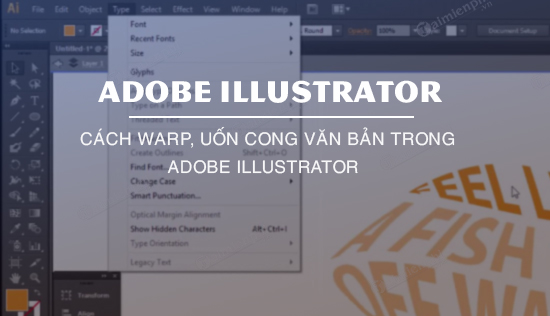
Bend editable Illustrator text with Arc, Bulge and distortion settings, revise the live envelope, and expand only when final path editing is needed.
Use Illustrator's Stroke panel to control color, weight, alignment, variable-width profiles, dashed lines, caps, joins and arrowheads.
Create linear, radial and freeform Illustrator gradients, edit color stops, midpoints and opacity, and save reusable gradient swatches.

Color Illustrator artwork with fills, strokes, swatches, Live Paint and Blob Brush, then manage repeated colors with Appearance and Select Same.

Learn how to change the Default Background Color in Illustrator with clear steps, practical tips, and troubleshooting guidance for common issues.

Recolor clothing and other objects in Photoshop with Replace Color or a masked Hue/Saturation layer while preserving texture and clean edges.

Learn how to create Professional Shadow Effects in Photoshop with clear steps, practical tips, and troubleshooting guidance for common issues.

Brighten an underexposed photo with Shadows/Highlights, Curves and Levels while protecting highlights and controlling shadow noise.

Add, format and position editable text in Photoshop, then improve readability with spacing, contrast and a subtle background shape.

Insert editable color emojis in Photoshop with a supported emoji font and the Glyphs panel, then resize, position and export them correctly.

Install a legitimately licensed Photoshop CS6 copy from trusted media, understand modern compatibility limits, and troubleshoot activation safely.

Create motion-blurred type or blur text embedded in a photo, with editable Photoshop workflows and safer guidance for sensitive information.
Export Photoshop documents as PNG or JPEG, choose the right format, preserve transparency when needed, and keep an editable master file.

Sharpen photos with Unsharp Mask or High Pass, understand the key controls, avoid halos and noise, and keep the adjustment editable.

Learn how to change the Color of Shirts and Pants using Photoshop with clear steps, practical tips, and troubleshooting guidance for common issues.

Compare five current logo design apps for templates, brand materials and vector editing, with platform details and commercial-use checks.

Speed up Lightroom Desktop with current Windows and macOS shortcuts for navigation, editing, culling, import and export.

Understand Pikbest's current free plan and trial prompts, check renewal terms, and choose the right personal or business license safely.