Table of Contents
This updated guide examines Learn About Ufs 3.0 and organizes the essential facts, background, and practical takeaways in clear American English.
Fortunately, this important component performance is also improving, similar to charging techniques. Today, high-end smartphone models have run Universal Flash Storage (UFS) standard.
So what is UFS? What is the latest version of UFS? What are the benefits of UFS 3.0? The following article will explain why this standard is important, how it can significantly increase battery life and improve speed in the future.
What is UFS?
UFS is a storage standard designed to provide ultra-fast read and write speeds for smartphones and digital cameras, consuming less power in the process. You can feel the benefits of UFS when you take photos, record videos or access data on your device's internal memory, as you will enjoy fairly fast speed and longer battery life.

Finally, UFS seeks to replace the eMMC flash memory (embedded MultiMedia Card) available in many cameras, smartphones and tablets. UFS is much faster than eMMC memory, in part because of the way information is exchanged with the main device.
Conventional embedded flash solutions and flash-based memory cards handle each instruction, limiting random read / write access performance. However, UFS has a faster read / write speed and faster sequence because it accepts SCSI Architecture Model and SCSI Tagged Queuing, so it can send multiple requests simultaneously to the storage.
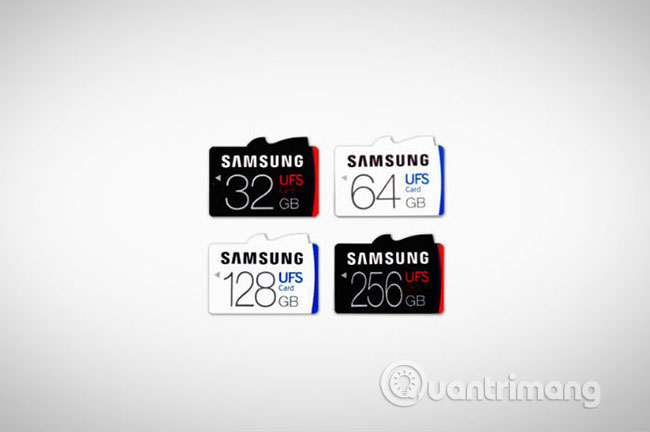
UFS has variants like removable cards that are similar to microSD or eUFS memory cards. The second type, eUFS, was first applied by Samsung Galaxy S6 and can be found on many Android flagship, as well as many of Samsung's later high-end devices.
What is UFS 3.0?
In January 2018, JEDEC disclosed UFS 3.0 standards to increase bandwidth and double the transfer rate, while minimizing energy demand on the system. More than a year later, this new storage standard really resonates with the release of OnePlus 7 Pro.
UFS 3.0 is like SSD technology for phones and digital cameras, not listed with other specifications but can greatly affect device performance. UFS 3.0 is much faster than UFS 2.1 and very much compared to other memory standards like eMMC. UFS 3.0 allows super speeds as many as 23.2Gbps, while reducing power consumption. This means that you can even shoot 4K or 8K videos at a higher frame rate without having a problem with your handset.
Benefits of UFS 3.0
UFS 3.0 offers several benefits including:
- Read / write speed is faster, significantly improves multitasking
- Lower power consumption
- Longer battery life
- Improve the user experience
Although UFS 3.0 provides flexible read and write speeds, what this means depends on what you do with your smartphone. Everyone likes apps, as well as their games are saved and loaded quickly. Similarly, with 4K video recording becoming more popular and 8K also beginning to appear, UFS 3.0 will prove useful, although you may not need it at the moment.
So far, very few flagship phones like Samsung Galaxy Fold, One Plus 7 and OnePlus 7 Pro support UFS 3.0. It will take some time for UFS 3.0 to be popular on mid-range phones. Hopefully the great potential of UFS 3.0 will be seen when smartphones grow stronger, the network becomes more reliable and fast.
FAQ
What is Learn About Ufs 3.0 about?
It provides a structured overview of UFS 3.0, explains the main context, and highlights practical takeaways for readers.
Why does this topic matter?
Understanding the main concepts helps readers evaluate the issue, avoid common mistakes, and make better-informed decisions.
How should readers use this information?
Use the guidance as a practical starting point, confirm details that may have changed, and follow current product, safety, or security recommendations.
Related Articles
 7 Simple Tips to Help You Learn New Languages in Just One Week8 minutes read
 Stop Copying and Pasting Content from AI8 minutes read
 The Secret to Effective Language Learning from a 35-year-old Man17 minutes read
 How to Learn English for Free with Vndoc, from Basic to Advanced6 minutes read
 How to Use Learn Step by Step in Perplexity11 minutes read
 7 Best Websites to Help Kids Learn About AI and Machine Learning9 minutes read
Reader Comments 0
Sign in with email or Google to join the discussion.