TipsMake.com
  • Tips Make home page Home
  • Tech info Tech info
  • Technology Technology
  • Science Science
  • Life Life
  • Application Application
  • Electric Electric
  • Program Program
  • Mobile Mobile
  • system System
  1. Home
  2. Mac OS X
  3. Mac hardware

Mac hardware

  • Instructions on how to find the serial number of the Mac

    Instructions on how to find the serial number of the Mac
    Each Mac has its own serial number to distinguish between different machines. When bringing the device to a Service Center, we also need to provide the exact serial number of the
  • Upgrade MacBook with SSD

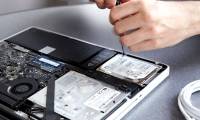
    Upgrade MacBook with SSD
    All MacBooks and most newer notebooks sold today use SSD. They are energy efficient, reliable and quieter than magnetic drives and rotating discs.
  • Option keys on Mac that you don't know

    Option keys on Mac that you don't know
    The Option key on the Mac is rarely used until it is mistaken for not many functions. However, the Option has more features than you think and they are very useful in the process
  • 6 methods to read Mac drives in Windows

    6 methods to read Mac drives in Windows
    Need to read Mac drive on Windows? Today's article will tell you everything you need to know to make Mac drives work on Windows.
  • How to fix Read-only of external hard drive on Mac

    How to fix Read-only of external hard drive on Mac
    Sometimes when connecting an external hard drive to a Mac, users will find that it is read-only. This happens because the drive is formatted (formatted) with Microsoft's NTFS file
  • How to fix an external hard drive error is not displayed on the Mac

    How to fix an external hard drive error is not displayed on the Mac
    Most of us use external hard drives and USB. Users can also use iCloud or buy a MacBook with larger storage capacity to reduce dependence on external drives, but they are still a
  • How to 'lock' the camera and microphone on a Mac

    How to 'lock' the camera and microphone on a Mac
    Anyone who is online often should care about privacy. Protecting digital data is a very important thing. However, there is a big flaw you didn't expect. That is the webcam.
  • Prev
  • 1
  • ...
  • 2
  • 3

Top keyword suggestions

mac macbook macbook pro apple magic mouse docking station for macbook pro macos sierra upgrade computer tricks how to read mac drives in windows macbook error repair laptop mac tips macbook air gaming controller how to connect gopro to mac gopro quik image capture hot macbook why magic trackpad is better than magic mouse cooling fan
Most viewed
  • How to fix MacBook keyboard error can't type numbers How to fix MacBook keyboard error can't type numbers
  • Ways to use the Eject button on the Macbook Ways to use the Eject button on the Macbook
  • How to control your Mac using Apple TV Siri Remote How to control your Mac using Apple TV Siri Remote
  • 6 methods to read Mac drives in Windows 6 methods to read Mac drives in Windows
  • How to fix camera error on Mac does not work How to fix camera error on Mac does not work
  • 7 Docking Station for the best MacBook Pro 7 Docking Station for the best MacBook Pro
  • Install Snow Leopard: Things you need to know Install Snow Leopard: Things you need to know
  • How to 'lock' the camera and microphone on a Mac How to 'lock' the camera and microphone on a Mac
  • System System
  • Mac OS X Mac OS X
  • Hardware Hardware
  • Game Game
  • Tech info Tech info
  • Technology Technology
  • Science Science
  •  Life Life
  • Application Application
  • Electric Electric
  • Program Program
  • Mobile Mobile
Home | About | Terms | Privacy | Contact
© 2019 TipsMake.com