Table of Contents
This guide organizes the entries in "6 Interesting Metrics You Didn't Know Your Apple Watch Was Tracking" and explains what each option, idea, or example offers. It also highlights practical details that matter when comparing the choices.
6. Heart rate variability
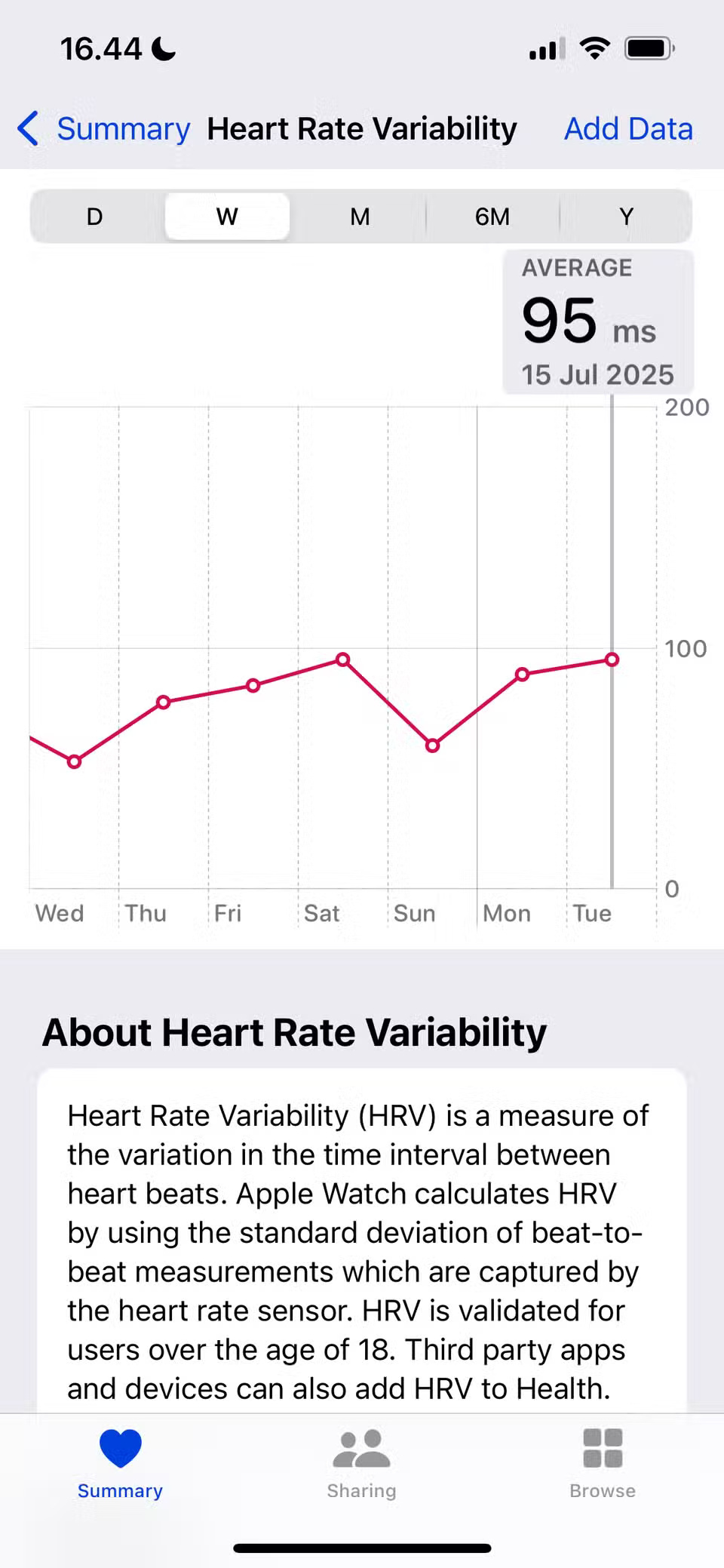
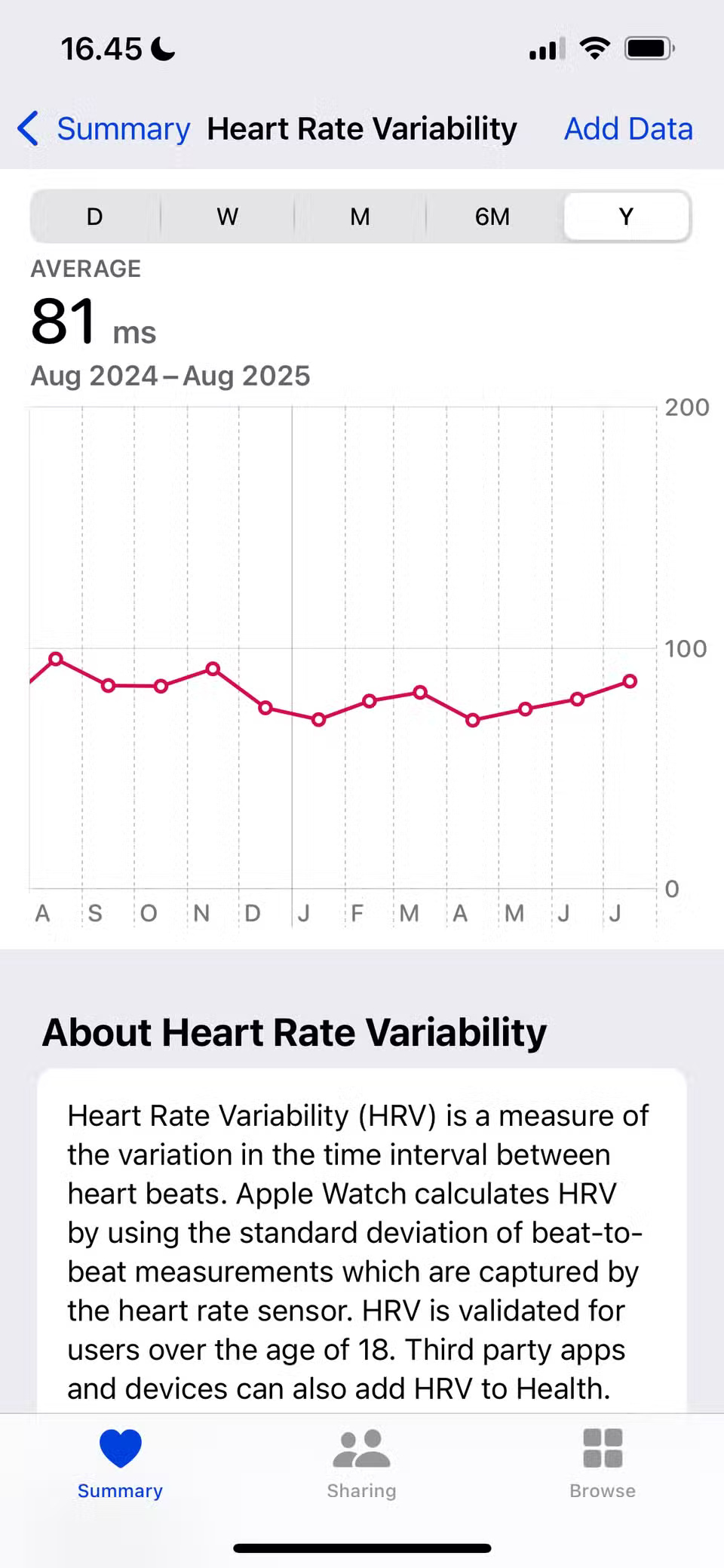
Heart rate variability (HRV) is different from your typical heart rate. While heart rate is the number of times your heart beats per minute, HRV is the average time between each heartbeat. It can be a good indicator of heart health, although healthy ranges will vary depending on age and other factors.
The Apple Watch can measure heart rate variability relatively easily. You can view these stats in the Health app (under Browse > Heart ) and then compare them to your resting heart rate to get a more complete picture of your overall health. HRV can be used to determine if you're experiencing too much stress in your life, and the results are pretty accurate.
5. Walking + Running Distance
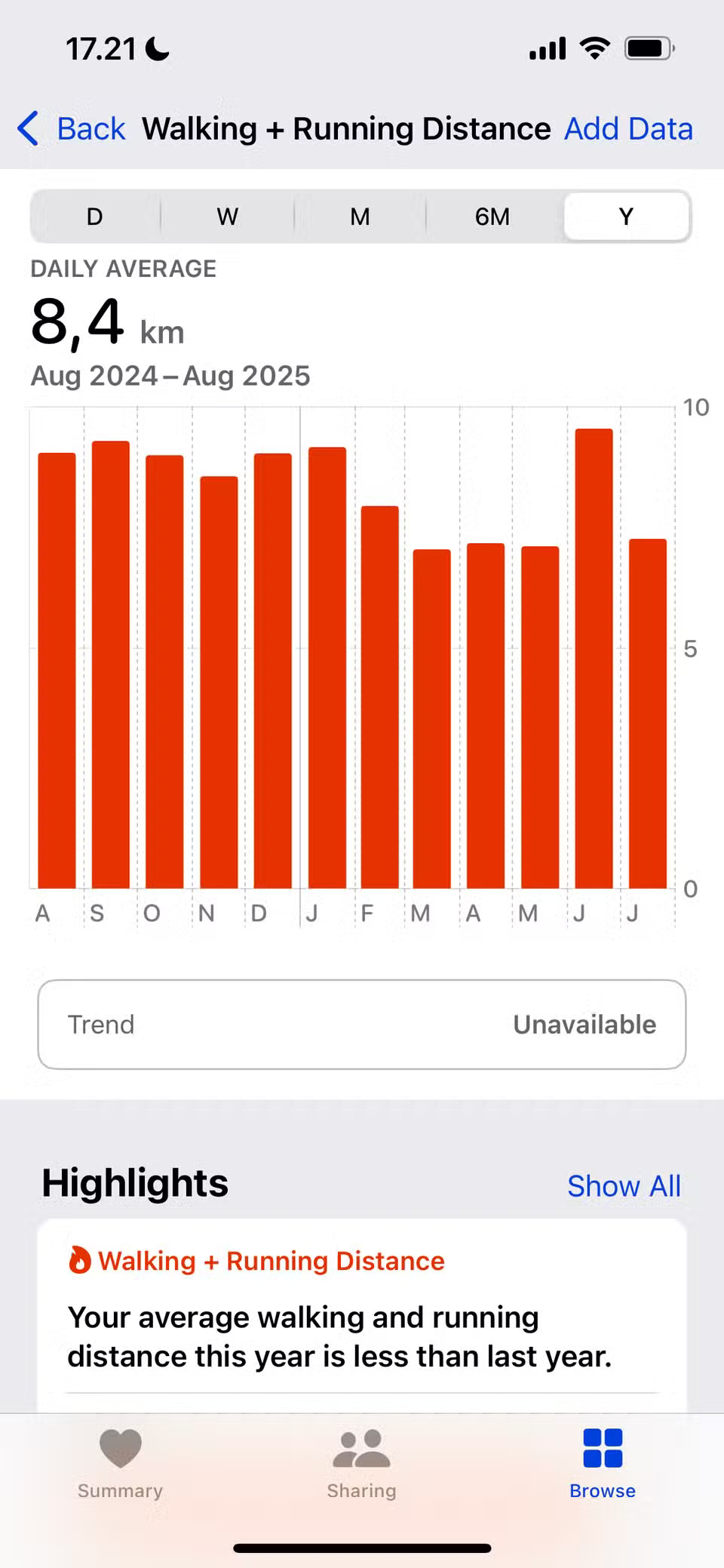
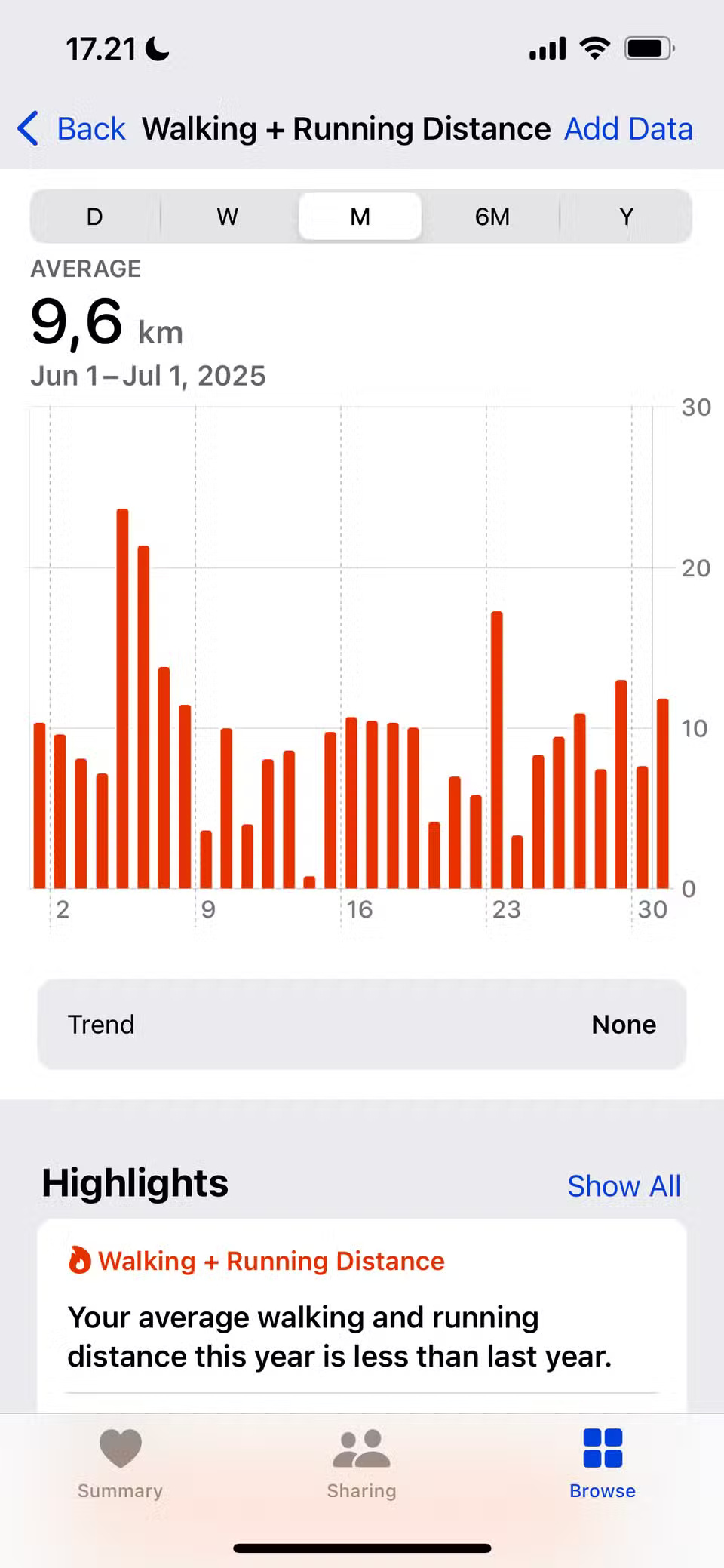
Many people enjoy running at least once a week along with other fitness and physical activities, and also try to walk at least 10,000 steps a day. Having an Apple Watch has helped them maintain both of these activities, allowing them to better enjoy the different ways they can use their watch to move more each day.
The Walk + Run mileage information (located in the Health app, under Browse > Activity ) is an easy way to see how many total miles you've walked each day. As a general rule, 5-6 miles (8-10 km) per day seems like a good amount, but you can try increasing it to 9 miles (15 km) in the future.
4. VO2 Max
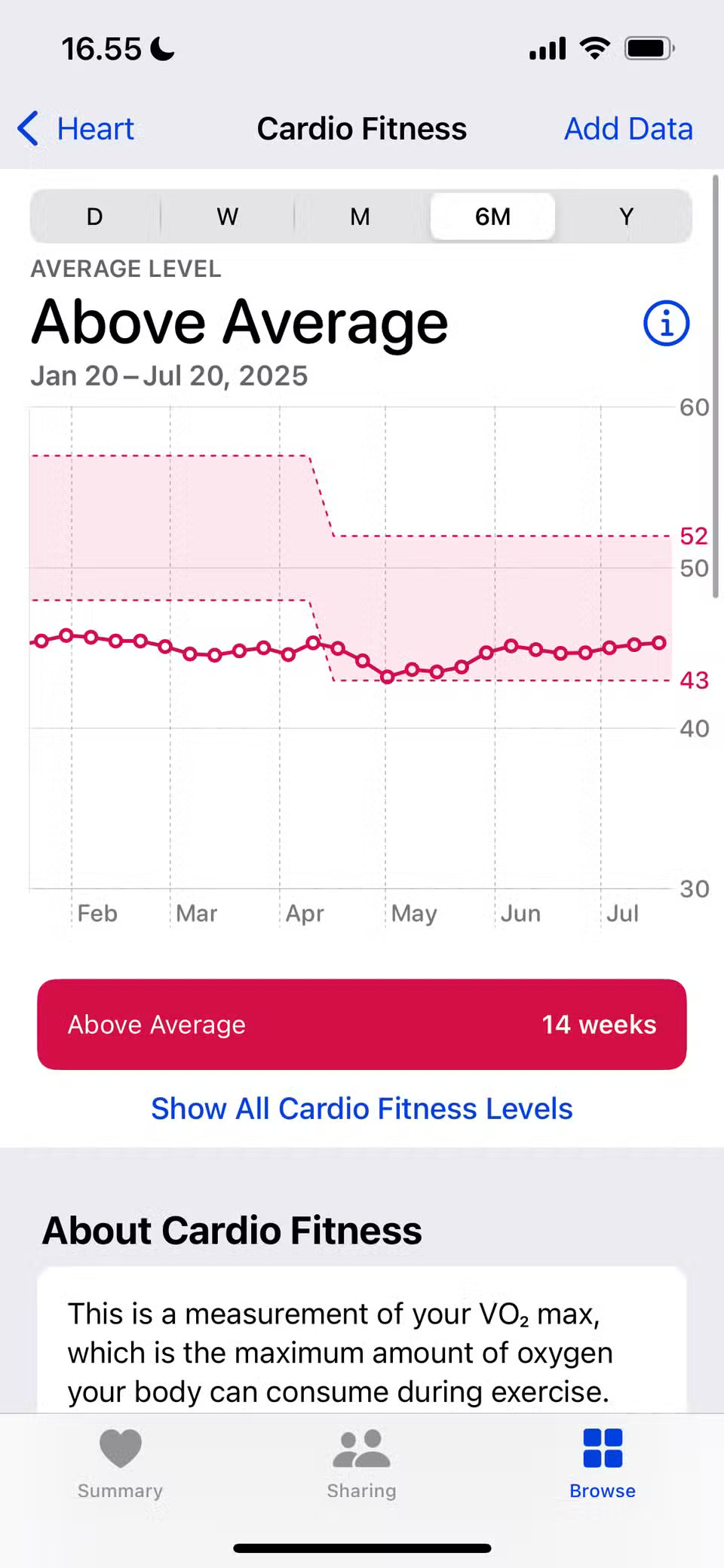
VO2 Max is a fairly specialized metric that you'll track more closely if you're doing high-intensity forms of exercise, like HYROX and HIIT. You use it to determine how much air your lungs can process during exercise, which can help identify areas where you need to optimize your performance (like improving your breathing efficiency).
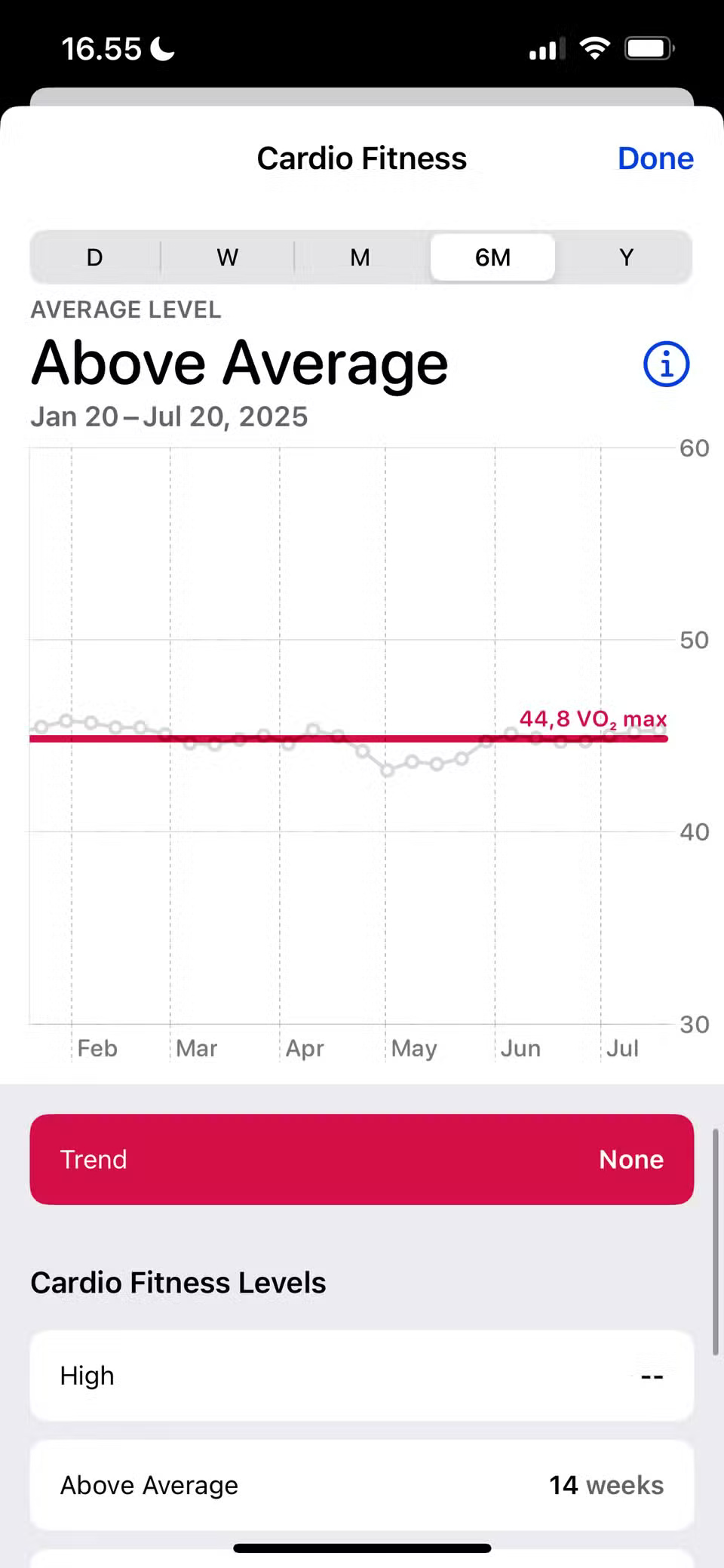
Once your Apple Watch measures your VO2 Max (which you can find in Health > Heart > Cardio Fitness ), you can get a bunch of useful data, like whether your cardiovascular fitness level is above average, so you can decide if you need to change your weekly workout routine.
3. Mobility statistics
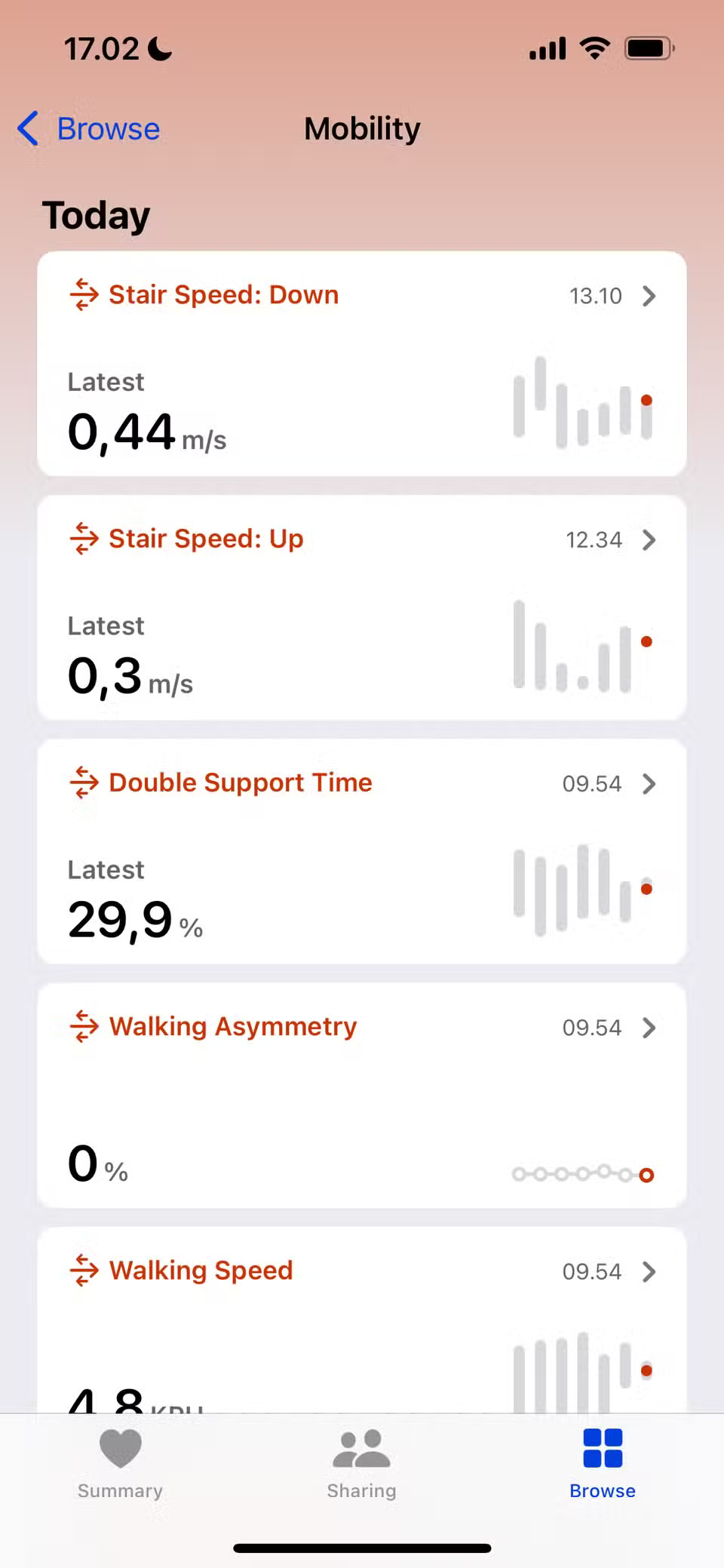
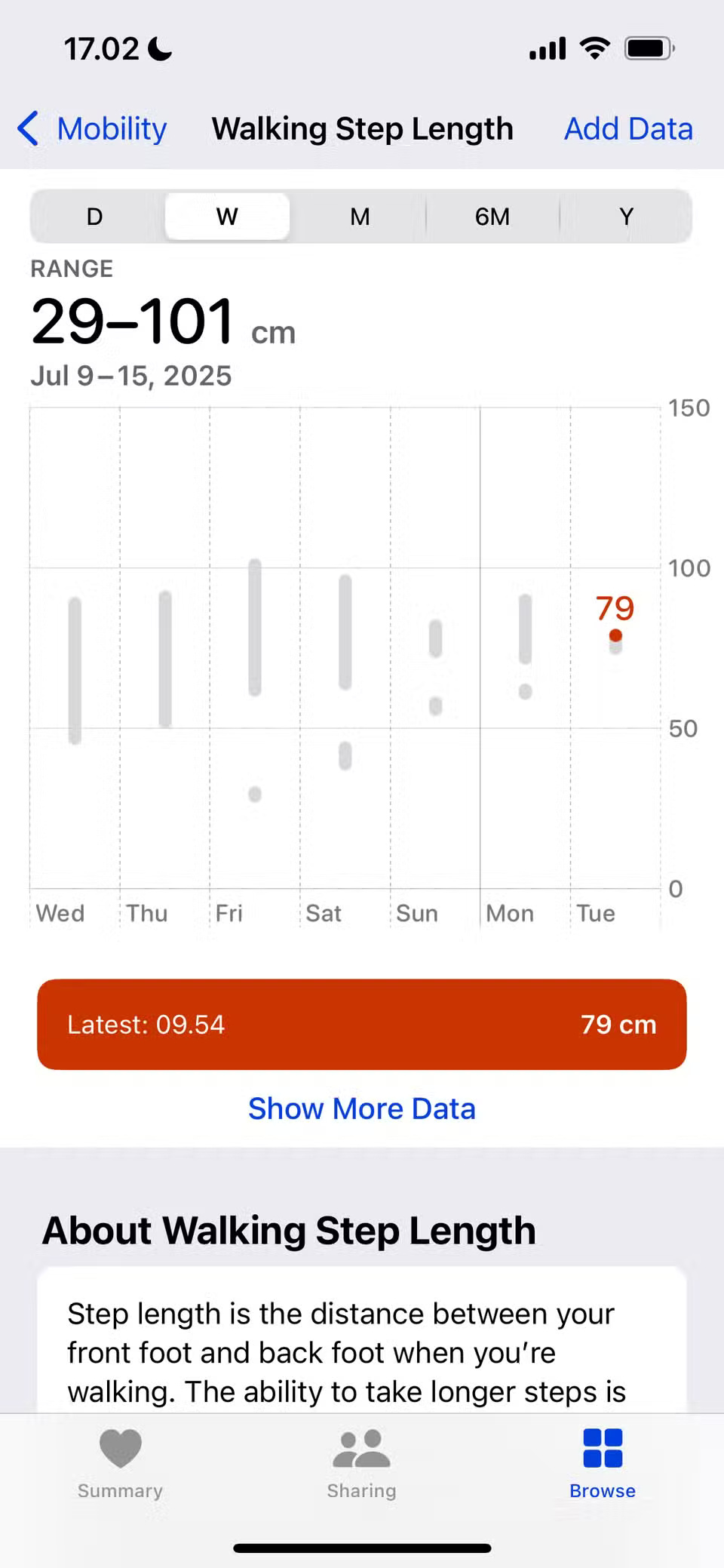
Turning 30 will definitely make you think about more aspects of your health. One area to work on in particular is your mobility; although it still needs more work (you may be pleased with your progress since you started). With Apple Watch, you can track a variety of mobility stats in the Health app, under Browse > Mobility , such as:
- Average time to walk 500 meters
- Stride length when walking
- Stride length when running
- Double support time
2. Respiratory rate
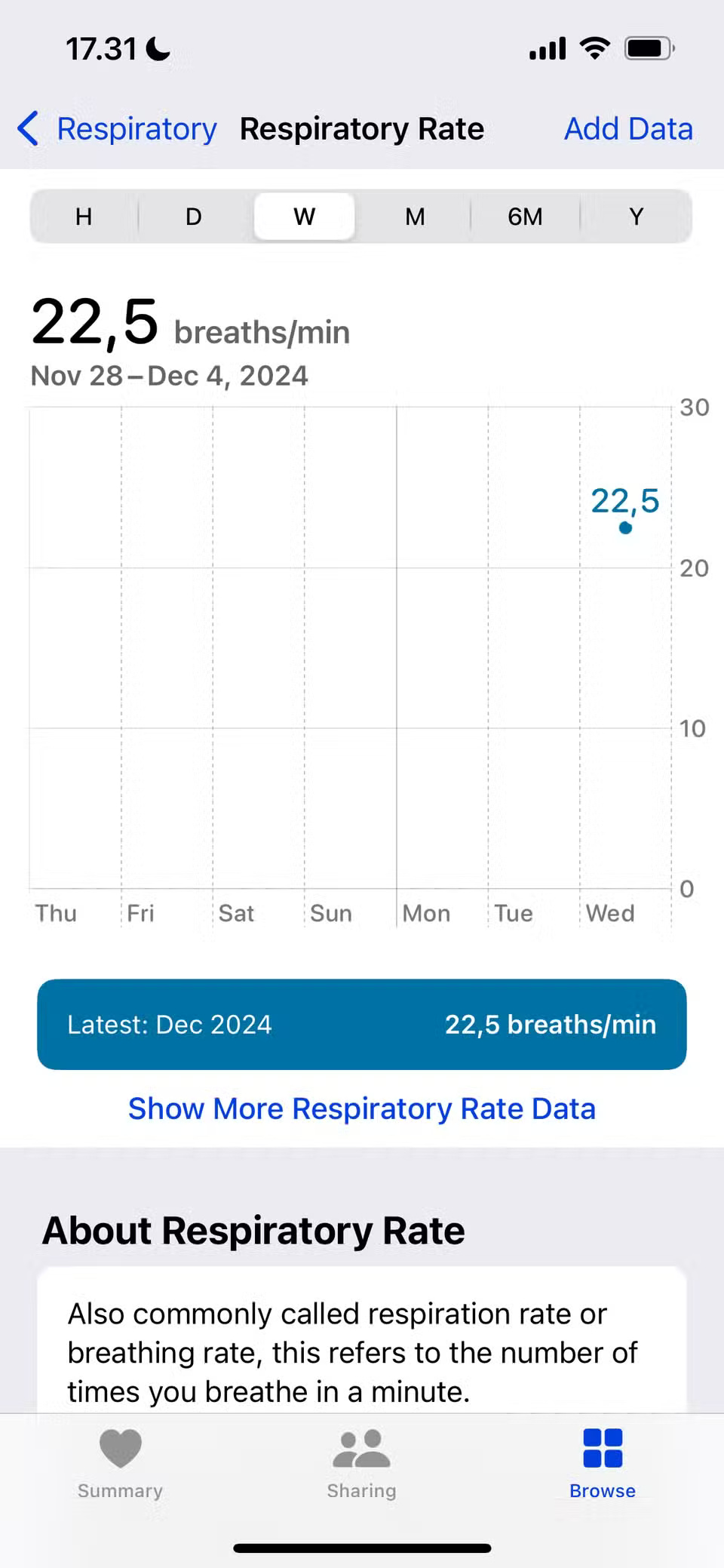
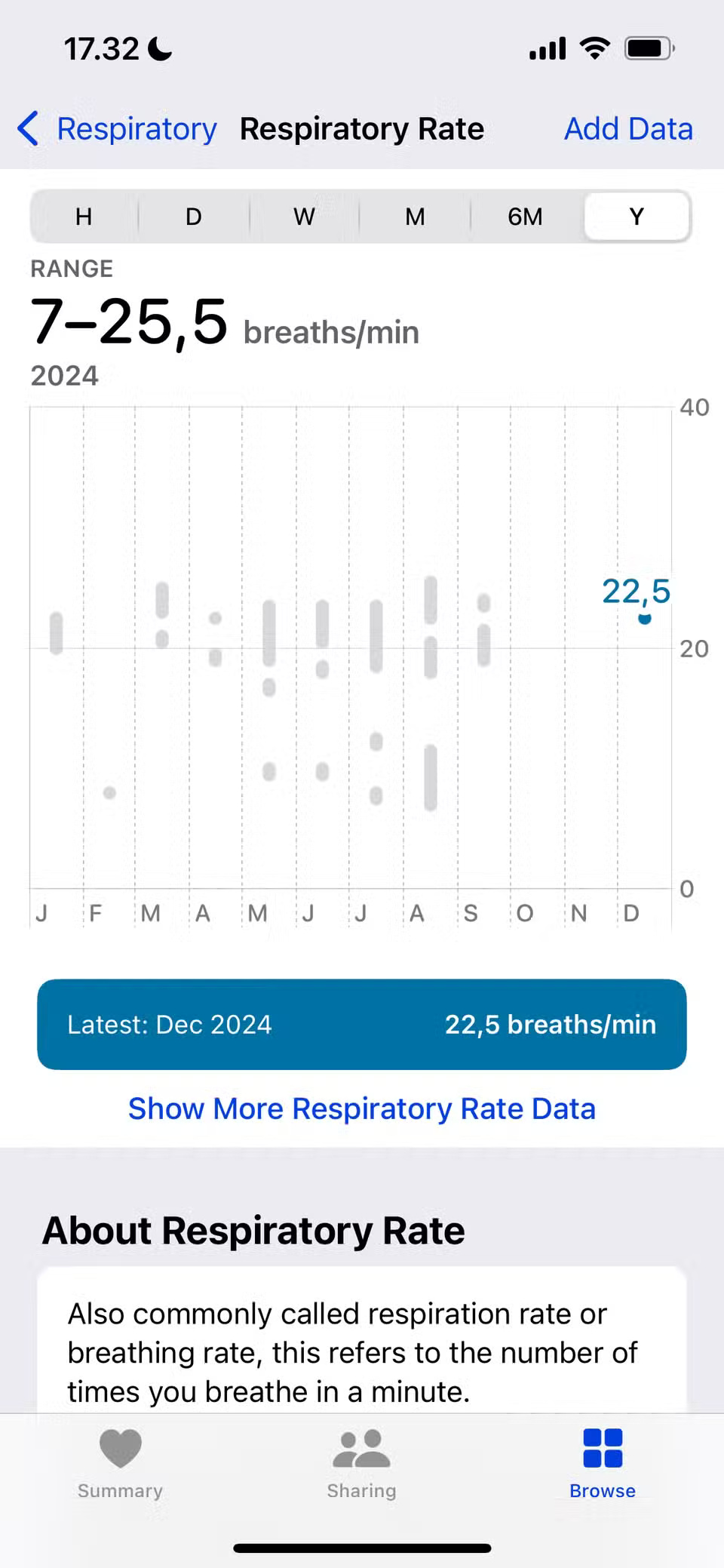
In addition to tracking VO2 max, you can also view your average respiration rate on your Apple Watch. This tells you how many breaths you take per minute, which is especially useful for checking your breathing rate at rest. However, it's less reliable during exercise, since you'll need to breathe more.
Look in the Health app, under Browser > Respiratory . Like other health metrics, you can see historical data from a whole year. To see how you breathe in different situations, you can even see how your breathing rate changes hour by hour.
1. Time in Daylight
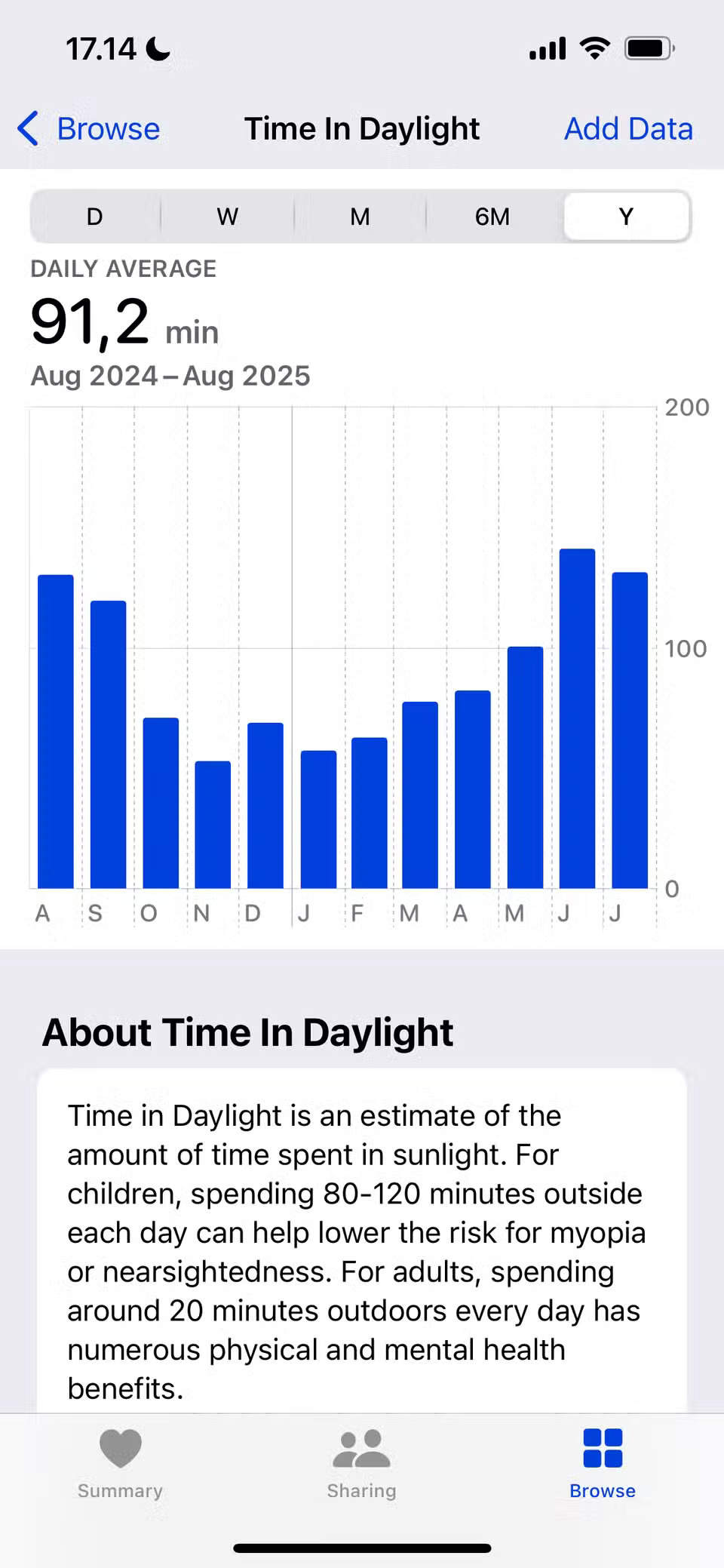
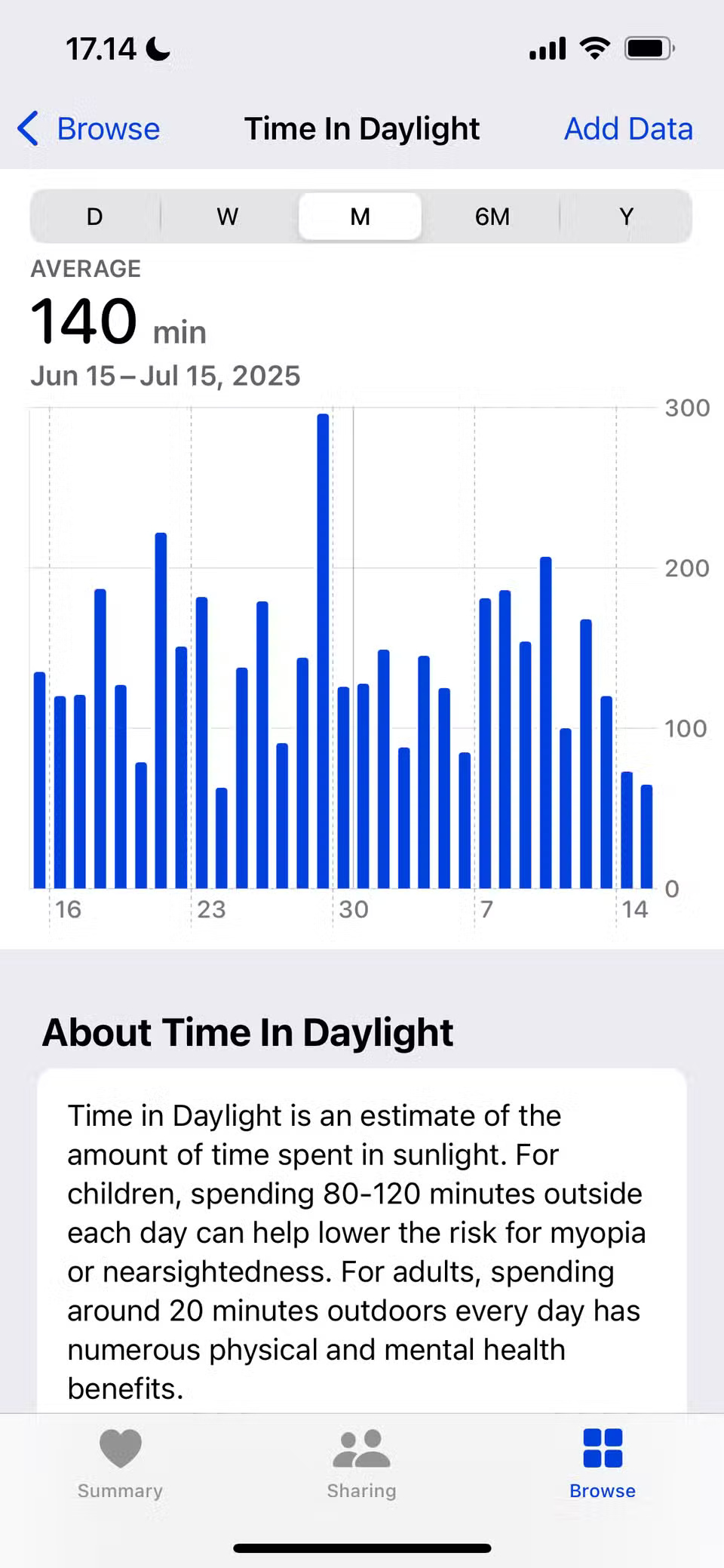
Since you started spending more time outdoors, your mental health has improved significantly. Looking at how much time you spend in fresh air can help you understand what situations you function best in.
This feature is on by default and is pretty accurate based on personal experience. You can track it in the Browse > Mental Wellbeing section of the Health app.
FAQ
What should you know about 6. Heart rate variability?
Heart rate variability (HRV) is different from your typical heart rate. While heart rate is the number of times your heart beats per minute, HRV is the average time between each heartbeat. It can be a good indicator of heart health, although healthy ranges will vary depending on age and other factors.
What should you know about 5. Walking + Running Distance?
Many people enjoy running at least once a week along with other fitness and physical activities, and also try to walk at least 10,000 steps a day. Having an Apple Watch has helped them maintain both of these activities, allowing them to better enjoy the different ways they can use their watch to move more each day.
What should you know about 4. VO2 Max?
VO2 Max is a fairly specialized metric that you'll track more closely if you're doing high-intensity forms of exercise, like HYROX and HIIT. You use it to determine how much air your lungs can process during exercise, which can help identify areas where you need to optimize your performance (like improving your breathing.
What should you know about 3. Mobility statistics?
Turning 30 will definitely make you think about more aspects of your health. One area to work on in particular is your mobility; although it still needs more work (you may be pleased with your progress since you started). With Apple Watch, you can track a variety of mobility stats in the Health app, under Browse > Mobility.
Related Articles
 How to Calibrate Your Apple Watch to Improve Workout Tracking4 minutes read
 The Apple Watch Has an Extra Sleep Tracking Feature3 minutes read
 How to Customize Training Stats on Apple Watch4 minutes read
 Learn New Features in WatchOS 77 minutes read
 Apple Watch 6 Rumors: Sleep Tracking, Blood Oxygen Levels9 minutes read
 Apple Watch 6 Rumors: Sleep Tracking, Blood Oxygen Levels9 minutes read
Reader Comments 0
Sign in with email or Google to join the discussion.