Table of Contents
This guide covers the loop technique in python with practical context and easy-to-follow details. Use it to understand the subject and apply the information confidently.
Python programming language provides 2 types of loops, for loops and while loops. Use these loops together with loop control statements likebreakAndcontinueYou can create different types of loops. We'll learn about these Python loops below.
It is possible to create infinite loops in Python using while. When thewhileLoop condition alwaysTrue, you get an infinite loop.
To get rid of an infinite loop in Python, use Ctrl + C.
Example of while using infinite loop:
The Python program below requires the user to enter a number and print 3 times the number of that number. The loop is infinite because there are no stopping conditions.
while True:num = int(input("Nhập một số: "))print("Gấp ba của",num,"là",3 * num)
The result when running the above code is:
Nhập một số: 3Gấp ba của 3 là 9Nhập một số: 5Gấp ba của 5 là 15Nhập một số: 7Gấp ba của 7 là 21Nhập một số: 9Gấp ba của 9 là 27Nhập một số: 10Gấp ba của 10 là 30Nhập một số: Traceback (most recent call last):
You just enter Enter will continue to enter the new number and the program will run until you press Ctrl + C.
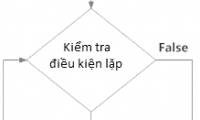
This is a regular repeat, without abreakStatement. ThewhileLoop condition appears at the beginning and end of the loop when this condition isFalse.
Python loop diagram provided at the beginning:
Example of a loop with the condition at the beginning:
 # Try different numbers by assigning numbers to n
 n = 15

 # Use the following command if you want users to enter numbers
 #n = int (input ("Enter number n:"))

 # Initializing and counting variables i
 tong = 0
 i = 1

 while i <= n:
 tong = tong + i
 i = i + 1 # update count
 # Code by TipsMake.com
 # in total
 print ("Sum of numbers from 1 to", n, "is", tong)
The above program repeats the numbers until the given numbern, sums those numbers and prints them to the screen. After running the program, we get the result:
Tổng các số từ 1 đến 15 là 120This type of loop can be done using an infinite loop associated with thebreakStatement in the loop block.
Python loop diagram with conditions in between:
Example of a loop with the middle condition:
# Nhận đầu vào từ người dùng cho đến khi họ nhập một nguyên âm nguyenAm = "aeiouAEIOU" # vòng lặp vô hạn while True : m = input ( "Nhập một nguyên âm: " ) # Điều kiện ở giữa khối lệnh if m in nguyenAm : break print ( "Đây không phải là nguyên âm. Hãy thử lại!" ) # Code by TipsMake.com print ( "Chuẩn rồi, cảm ơn bạn!" )The above program requires the user to enter a vowel, accompanied by a test command to force the user to enter until correct. As long as the user data entered is not vowel until then the loop continues.
After running the program, we get the following results:
This type of loop ensures that the block is executed at least once. It can be done using an infinite loop along with thebreakCommand at the end. This is quite similar to thedo.whileLoop in C.
Python loop diagram provided at the end:
Example of Python loop with the end condition:
Below we will create a dice program, giving random results to users using awhileLoop. The loop will continue until the user chooses to stop.
# Tung xúc xắc cho đến khi người dùng chọn thoátimport random while True : input ( "Nhấn Enter để tung xúc xắc" ) # nhận số mặt xúc xắc bất kỳ từ 1 đến 6 num = random . randint ( 1 , 6 ) print ( "Bạn tung được mặt" , num ) option = input ( "Bạn có muốn tung lại không?(y/n) " ) # điều kiện if option == 'n' : break
When running the program, we get the following result:
Nhấn Enter để tung xúc xắcBạn tung được mặt 1Bạn có muốn tung lại không?(y/n) yNhấn Enter để tung xúc xắcBạn tung được mặt 4Bạn có muốn tung lại không?(y/n) n>>>
So you already know the basic iteration techniques in Python, don't forget to do Python exercises to practice your repetition techniques.
In the next lesson, you will learn about Python functions, syntax and how they work. Do not miss it!
Next lesson: Python functions
Previous post: Pass command in python
FAQ
What should I check before following these steps?
Confirm device and software compatibility, save important data, and make sure you have the required permissions, files, and account access.
Why might the process not work?
Common causes include outdated software, missing permissions, incompatible hardware, an unstable connection, or completing a step in the wrong order.
Can I undo the changes if necessary?
That depends on the tool or setting. Use built-in restore options when available, keep a backup, and record the original configuration first.
Related Articles
 While Loop in Python8 minutes read
 For in Python Loop9 minutes read
 Programming Python on Android Device16 minutes read
 Multiple Choice Test on If Else and Loops in Python: Explained4 minutes read
 WHILE Loop in SQL Server: Explained1 minutes read
 While Loop in SQL Server: FOR Loop in SQL Server3 minutes read
Reader Comments 0
Sign in with email or Google to join the discussion.