Article on the subject of "windows.old folder"
-

Delete these temporary Windows folders to reclaim precious storage space
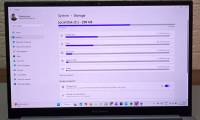
windows creates temporary files in the background to keep things running smoothly. but over time, these hidden files silently accumulate in system folders, slowly taking up all the space you have.
-
How to delete the Windows.old folder in Windows 11
windows will automatically delete windows.old 30 days after its creation. but if you need that storage right now, you can try any of these methods to remove the folder from your pc.
-
What is the Windows.old folder? How to delete the Windows.old folder
the article provides information about the windows.old folder, how to downgrade to the old version of windows, and how to delete the windows.old folder extremely simply and in detail. let's see it now!
-
Microsoft confirmed the error could not delete the Windows.old folder on Windows 10
an annoying bug is back on windows 10 and prevents users from deleting the 'windows.old' folder that takes up a lot of memory on the computer.
-
What is the Windows.old folder and how do you delete it?
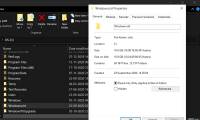
when upgrading to the new version from the old windows, you will have the windows.old folder on your computer, and it takes up a large amount of space. you can delete this folder but the way to delete will be different from the normal folder.
-
How to set the default name of a newly created folder according to the current date on Windows 10
by default, when you create a new folder in windows 10, that folder is automatically named 'new folder'. there is absolutely no problem with this name, but you do not like it and want to use the current date itself as the folder name for easy management, just follow these steps.
-
What does the red 'X' on Windows folders mean?
do you see a red circle with a white cross to the left of your windows files, folders, or drives? if so, it means onedrive isn't syncing and the folders affected by this issue aren't syncing properly.
-
How to change the download folder Windows Update in Windows 10
by default, the windows 10 update is downloaded to the softwaredistribution folder on drive c and hidden in windows 10. moving the folder will not be as simple as usual and need to be logged on as an administrator. the new folder used in this tutorial is newupdatefolder located in drive d. you can
-
Instructions to delete Windows.old folder on Windows 7/8 / 8.1?
usually after you reinstall windows without deleting the old partition, windows 7/8 / 8.1 will appear a new folder in drive c with the name windows.old. what is that? that is the folder containing all the system files of the old windows version, when not deleted, the system will automatically
-
How to activate the Sharing folder tab on Windows 10
tab sharing in folder properties helps users to share folders and drives on windows 10 with those who use lan and share data. however, how to get back the sharing tab when disappearing in folder properties.
-
How to Zip Folder on Windows
this wikihow teaches you how to create a zip file from a folder using either the built-in windows zip tool or a third-party app like winzip. navigate to the folder you want to zip. no need to open the folder, just bring it onto the screen....
-
Steps to turn off Folder Options on Windows 10
folder options on windows 10 is used to change the files and folders currently on the computer, customize the interface to your liking and some other functions. the following article will guide you to turn off folder options on windows 10.
-
Tips to change the default name of the newly created folder on Windows 10
when you create a new folder in windows 10, the folder name will automatically be 'new folder'.
-
How to Set Password for Folder and File in Windows
you have some important documents in an important folder or file that you don't want others to see. the following article will show you how to encrypt or create a password to protect a folder or file to ensure that no one will be able to open it but you and the recipient.
-
How to change the default name 'New Folder' of a newly created folder in Windows 10
by default, when you create a new folder in windows 10, that folder is automatically named 'new folder'.
-
How to Add an Archive Folder in Windows 11
recent windows updates allow adding or removing repositories, integrating version control, providing version control details directly in file explorer.
-
What is WinSxS? How to clean the WinSxS folder on Windows 10
the winsxs folder contains system repositories and is an important part of the windows environment. over time, this folder keeps expanding without any limit and can take up a lot of unnecessary space on the hard drive.
-
How to delete the Windows.old folder in Windows 11
windows will automatically delete windows.old 30 days after its creation. but if you need that storage right now, you can try any of these methods to remove the folder from your pc.
-
Use CMD to create an 'undeleted' folder on Windows
have you ever thought that you could create an inviolable folder, no one can delete that folder or not? don't think not because of this you can completely do it. just use cmd without the support of any 3rd party software or applications.
-
How to find the Windows 10 Startup folder
whenever you start your pc, windows 10 will load a series of startup programs that open at the same time as the operating system, controlled through the startup folder on the pc. the following article will show you where to find and control what is in that directory.
-
How to display Libraries folder on Windows 11
the libraries folder in windows 11 is hidden in the file explorer interface, but you can easily show it again with just a few taps.
-
How to pin a folder to the Windows Taskbar, pin any folder
the windows taskbar is a bar that helps us quickly access applications; however, the windows taskbar doesn't allow pinning folders. in today's article, we'll solve this problem by showing you how to pin any folder to the windows taskbar.
-
Fix the problem of opening the Download folder on Windows 10 too slowly
after using for a while, your download folder can contain up to hundreds of files and programs that you download to your computer. and that is also the reason when you open the download folder but the speed is too slow.
-
How to access WindowsApps folder on Windows 10 and Windows 8?
when downloading and installing an application from the windows store, by default windows will use the windowsapps folder located in c: program files to store all the installation files of the application you install. by default the windowsapps folder is hidden and users cannot access and use it
 Home
Home Tech info
 Technology
 Science
 Life
Life Application
 Electric
 Program
 Mobile
 System