Article on the subject of "snap layout"
-
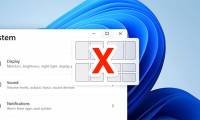
How to turn off Snap Layout in Windows 11
in windows 11, when you hover over the minimize/maximize button on an application window, you'll see different snap layout options.
-
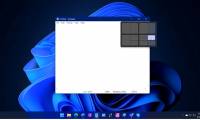
How to use Windows 11's Snap Layout on Windows 10
snap layout is one of the standout features of windows 11. when you have a bunch of windows open across different apps, windows 11 lets you arrange them all on the screen based on different layouts, then that are saved in a particular arrangement.
-
How to use Windows 11's Snap Layout on Windows 10
snap layout is one of the standout features of windows 11. when you have a bunch of windows open across different apps, windows 11 lets you arrange them all on the screen based on different layouts, then that are saved in a particular arrangement.
-
How to turn off Snap Layout in Windows 11
in windows 11, when you hover over the minimize/maximize button on an application window, you'll see different snap layout options.
-
Smart Snap - smart window split feature, self-remembering layout coming soon on Windows 11
on schedule, microsoft will roll out a major update to windows 11 this fall that improves many features. one of them is the addition of ai to snap, a window splitter that makes splitting windows smarter and more convenient.
-
Snap.do removal guide on Chrome, Firefox and Internet Explorer
snap.do is a pup - unwanted program. it will slow down your browser, plus when you click on an ad it can navigate you to malicious websites. so the best way is to remove snap.
-
How to turn off Snap feature in Windows 10
you may not have noticed, but on windows 10 there is a pretty cool accessibility feature enabled by default called snap. basically, snap's purpose is to help users organize their desktop workspace more efficiently, thereby improving work productivity.
-
How to enable / disable the Aero Snap feature in Windows 10
the screen may get cluttered if you have many application windows open. the windows snap feature (aka aero snap) includes snap assistant and 2x2 snapping to help you organize these opened windows on your desktop.
-
How to Get Rid of Snap Do
snap do is a custom search engine and toolbar program that may have been installed at the same time you downloaded a separate third-party application to your computer, such as vshare. applications such as snap do are commonly referred to...
-
How to Create Custom Snap Layouts in Windows Using PowerToys
with powertoys, you can create custom snap layouts for your windows 10 or 11 pc and multitask with ease.
-
Design Layout - Website layout in CSS
layout can understand how we layout the main components on a web page.
-
Fix Aw Snap errors on Google Chrome in 4 ways
aw, snap is one of the common errors when accessing the web with chrome browser. this error occurs mainly because chrome cannot access a website and users usually just need to refresh again. however, if f5 is continuous, it is still not possible, then you can refer to the instructions below of
-
How to fix an awkward keyboard layout
there are plenty of tools that help you reset your keyboard and optimize its layout to suit your workflow.
-
Layout in HTML
websites often display content in the form of columns (like in newspapers or magazines).
-
5 best games on Ubuntu Snap Store
users will find a lot of software in snap store, including a large number of interesting games. to help avoid trouble when searching, tipsmake.com has gathered some of the best games in the article below.
-
How to install Snap application in Arch Linux
snap applications, or snapshots, are not dependent on the distribution, so ideally they will run the same on any system.
-
Compare 2 websites to download Linux Flathub and Snap Store applications
flathub and snap store are two websites that have developed around two separate universal package formats for linux: flakpak and snap.
-
How to fix Aw Snap error on Google Chrome
one of the common errors when accessing the web using the chrome browser is aw, snap! this error occurs mainly because chrome cannot access a certain website and users usually just need to refresh to access it again. however, if f5 continuously does not work, you can refer to the instructions below
-
How to use the Gemoo Snap utility to take a screenshot of the computer screen
the gemoo snap utility takes a screenshot of the computer screen with the option to capture the entire screen or capture an area according to the user's needs.
-
How to enable the new keyboard layout in Windows 11
windows operating system supports many languages. you can add new languages and switch between them using keyboard shortcuts or by using the taskbar. but the current keyboard layout design is a bit messy.
-
Instructions for using Snap feature on Windows 10 with shortcut
snap on windows 10 is completely different than on windows 7 and 8. with windows 10, you can flexibly move or resize open application windows throughout the screen position easily. based on new shortcut keys.
-
How to create a custom keyboard layout for Windows 10
windows 10 has a lot of keyboard layouts for different languages and you can add any keyboard layout you need to use. if you can't find the keyboard layout that suits your needs, no matter how they are, you can always create a custom keyboard layout.