Table of Contents
This guide provides a clear overview of is there no professional mode on facebook, including how it works, key details, and practical considerations that can help you use the information effectively.
Are you wondering why professional mode is not displayed on Facebook? TipsMake will answer this question right away so you can know more!
On Facebook now there is a 'professional' mode that helps users access a series of professional tools to serve their needs. Therefore, it is annoying if you want to use or have activated but encounter an error That does not show professional mode on Facebook . TipsMake Has researched and shared some solutions in the following section.
Explain Why Professional Mode Is Not Showing on Facebook
What is professional mode on Facebook? Professional mode is a new feature added in the recent version of Facebook. This mode helps your personal page become more attractive.
Specifically, when you turn on professional mode, more people will follow you. Anyone can mention you, add more information on the personal page to help increase the level of prestige. At the same time, you can control the audience that sees the content you share. Not to mention, you can make money from your content.
So should you turn on Facebook professional mode or not? Professional mode is suitable for those who are content creators on this platform. Or simply you want more people to see the useful information you want to share, you can turn on professional mode at any time.
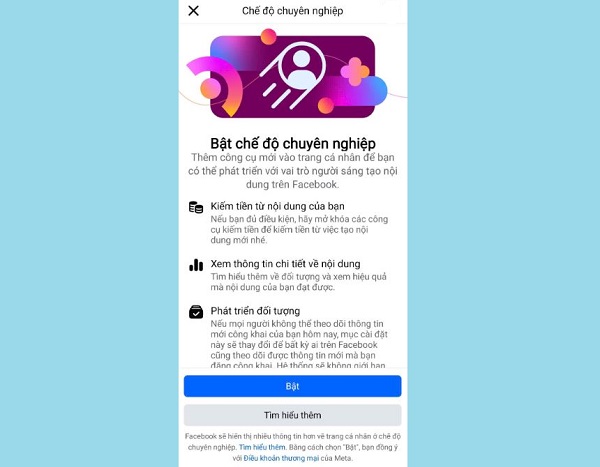
Why Is There No Pro Mode on Facebook?
Although you can turn on/off professional mode freely. But the condition to turn on professional mode on Facebook is that you must not activate the ' Profile Protection Lock ' feature. Therefore, if you see the 'turn on professional mode' feature is grayed out and cannot be activated, it is likely that you are locking your personal page.
The reason why you cannot use these two modes at the same time is because 'personal page protection lock' makes your personal page more private, without posts with public audiences. On the contrary, professional mode helps your personal page attract more attention.
Besides, it is also possible that your current version of Facebook is outdated, not updated or has problems. Therefore, you cannot activate the 'pro mode' feature as needed.
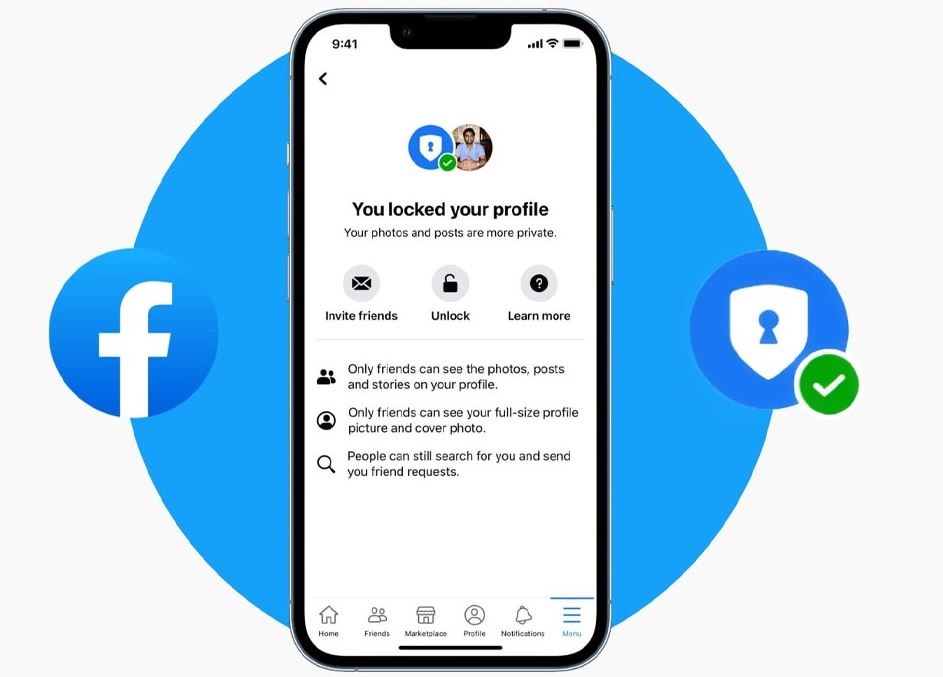
Instructions on How to Turn on Professional Mode on Facebook When It Is Not Visible
As the admin shared, the reason why 'professional mode' does not appear can only be because 'personal page protection lock' is enabled. Therefore, you need to turn this mode off first:
(Instructions are done on Facebook on mobile)
- Step 1 : Users access Facebook > Click on the small avatar in the upper right corner (for Android), or click on the 3 lines in the lower right corner (for iPhone) > Continue clicking on your Facebook name to access your personal page.
- B2 : If you see the line ' You have locked your personal page protection ', it means you have enabled this mode. To turn it off, click on the 3 dots next to the line ' Edit personal page '.
- B3 : Click on ' Unlock profile ' > Click on the Unlock icon to complete this process.
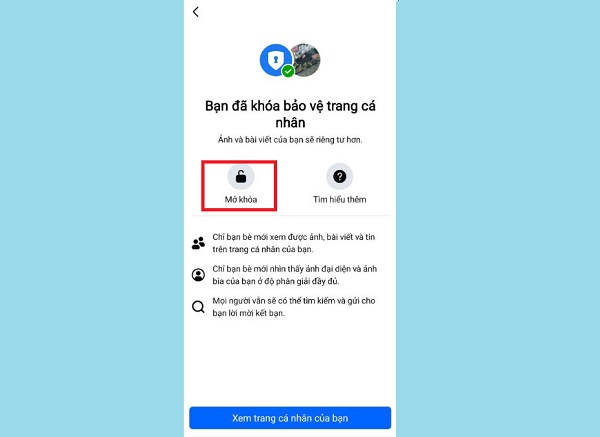
After unlocking, apply the next steps to enable professional mode!
How to Turn Back on Professional Mode on Facebook Simply
- Step 1 : You also access your personal page on Facebook as instructed in Step 1 above.
- B2 : Continue to click on the 3 dots next to the line ' Edit personal page '.
- B3 : Click on ' Enable professional mode ' > Enable .
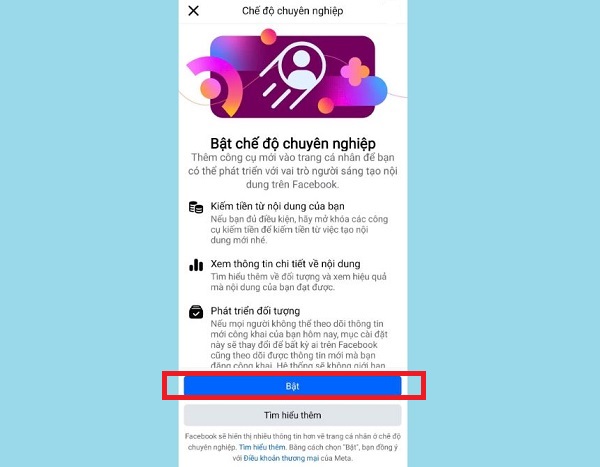
If you want to turn off professional mode on Facebook, repeat the above steps and click to turn off this mode.
: In case you have followed the instructions but still do not see the feature to enable professional mode. Please try updating the Facebook application to the latest version (if available). Or delete and download this application again!
Above is detailed information about the situation of not showing professional mode on Facebook. Wish you guys successfully overcome this situation!
- Facebook Messaging Not Showing – Check Here!
- How to change Instagram avatar without changing Facebook?
FAQ
What is mode?
It is the main topic covered in this guide, including the relevant tools, settings, features, or steps connected with is There No Professional Mode on Facebook.
Why is mode useful?
It can make is There No Professional Mode on Facebook easier to understand, compare, configure, or troubleshoot by organizing the most important information in one place.
What should I check before using this guide?
Confirm that the instructions match your device, software version, region, and intended use, then back up important data before making major changes.
Related Articles
 Facebook Testing Quiet Mode to Mute Mobile App Notifications3 minutes read
 Invite to Admire the New Interface of Facebook, Dark Mode, Focus on the Group, Has Appeared3 minutes read
 Facebook Refreshes Messenger with a Minimalist Interface, Adding Dark Mode, Running Faster4 minutes read
 How to Turn on Dark Mode for Facebook: Step-by-Step Guide3 minutes read
 Facebook Tried a New Web Interface, with Dark Mode3 minutes read
 Take Professional Portraits with Your iPhone with Portrait4 minutes read
Reader Comments 0
Sign in with email or Google to join the discussion.