Article on the subject of "registry"
-

50 Registry tricks to help you become a true Windows 7 / Vista 'hacker' (Part 1)
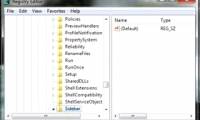
the registry is a hierarchical database that stores the values of parameters in windows and applications and services running on the windows operating system.
-
50 Registry tricks to help you become a true Windows 7 / Vista 'hacker' (Part 2)
aero shake is one of the interesting new features on windows 7. with this feature you can open the title bar window and shake it over and over to minimize everything. this is an interesting feature, but in some cases this feature makes users uncomfortable. so how to disable aero shake on windows
-
Fix Windows 7 error without receiving CD / DVD drive
in the process of using the computer, some of you may have experienced a windows 7 computer operating system that did not receive an unstable cd / dvd drive or cd / dvd drive.
-
How to fix 'dead screen black' error
updated patches sometimes cause a more annoying error. security vendor prevx announced a black screen error when windows users updated a patch from microsoft. however, the big man completely denied information from prevx.
-
Some interesting Registry tweaks for Windows XP
in this article, i will show you some tips in windows xp, making some adjustments far beyond the simple settings in control panel.
-
Backup and Restore Registry in Windows
the registry is an important database containing information about windows hardware and software or in other words it stores all the information of the computer.
-
Use the .reg file to configure the Registry in WinXP
usually when editing the registry we usually perform directly in the registry editor. but there is another way you can use to change the windows xp registry.
-
Change the Product Key for Windows XP SP1
there are two methods that people can apply to change the product key with the volume licensing media after installation.
-
Restore the system due to a corrupted Registry in Windows XP
you will have to use the steps in this article to restore the system due to a corrupted registry. when you have tried other ways such as system restore but still failed and you receive the same message as one of the following messages when you restart the computer with windows xp.
-
50 Registry tricks to help you become a true Windows 7 / Vista 'hacker' (Part 3)
windows 7 and vista also have windows + x shortcuts similar to those on other windows versions. such as windows + e to open explorer or windows + d to open desktop screen ....
-
50 Registry tricks to help you become a true Windows 7 / Vista 'hacker' (Part 4)
if you use the built-in encryption feature on windows 7 or windows vista, you can add this option to the right-click menu to easily encrypt and decrypt your files, instead of because you have to use the properties dialog of the files.
-
50 Registry tricks to help you become a true Windows 7 / Vista 'hacker' (Part 5)
in previous versions, on the windows desktop, an internet explorer icon appeared so users could easily access internet explorer. however, in windows 7, the internet explorer icon no longer appears on the desktop. however, you have a restore tab so that this icon appears on the desktop.
-
9 useful tips with the Registry in Windows 7
in this tutorial we will give you some ways to adjust the registry to get things that seem impossible to do with the windows 7 operating system.
-
Change Logon screen on Windows 7
sometimes changing screensavers, desktop backgrounds or fonts and display font sizes is quite important and necessary for some people. understanding this, microsoft allows users to easily change the theme on windows 7, but this is probably not enough.
-
Determine the Windows version on the system
do you know which version of windows you are using? although people often do not need to know exactly which version of windows you have installed, but the general information about the version of the operating system you are running is very important.
-
Unlock hidden features on Windows 10 with some Registry tricks
on windows 10, there are a number of hidden features that users cannot access these hidden features in the usual way. the only way to access these features is to use the registry editor.
-
How to speed up the launch of Desktop application on Windows 10
with just a few small settings on your computer, you can speed up the launch of desktop applications on windows 10, making your computer work faster, smoother than before.
-
8 main differences between Windows and Linux
is linux and windows the same? linux is different from windows? that is the question that many people wonder when they first come into contact with the linux operating system. in this article we will help you answer that question.
-
Fix HPQKBFILTR.SYS Keylogger error in Kaspersky
kaspersky's virus scanner identifies a component in the system of hp pavilion notebook computers as a keylogge.
-
Hackers have found a way to interfere with the Windows Phone 8 Registry
microsoft's windows phone 8 platform may no longer be absolutely safe from system intervention because now xda hackers are able to access the registry to edit.
-
Learn about the Windows Registry - Part I
about the registry: the registry is a database used to store windows specifications. it records all information when you change, edit in settings menu, control panel ....
-
36 best free registry cleaning software 2018
registry cleaning software removes unnecessary items in the windows registry. registry cleaning software is especially useful when removing registry entries that point to files that no longer exist. the article will give a list of the 36 best free registry cleaning software.
-
What is Registry Hive?
registry hive in windows registry is the name given to a main part of the registry that contains the registry key, registry subkey (registry subkey) and registry value (registry value).
-
50 Registry tricks to help you become a true Windows 7 / Vista 'hacker' (Part 1)
the registry is a hierarchical database that stores the values of parameters in windows and applications and services running on the windows operating system.
-
6 ways to clean up the Windows Registry
you may have heard that you should not damage the registry, but sometimes it is still necessary to clean the windows registry. over time, the registry will collect damaged, outdated and even missing registry keys that affect pc performance.
-
Block access to Registry Editor on Windows 10/8/7
the registry is a hierarchical database that stores the values of parameters in windows and applications and services running on the windows operating system. suppose for some reason, for example, if you don't want others to access reigstry editor to edit some settings on windows, you can disable
-
How to Get Into a Computer Registry
have you ever wondered how to get into your registry? did you just simply forget? well no worries, this will show you how to get into the windows registry in windows 7. click on start. before using the registry editor, it is always wise to...
-
Use the .reg file to configure the Registry in WinXP
usually when editing the registry we usually perform directly in the registry editor. but there is another way you can use to change the windows xp registry.
-
How to re-enable Registry backup on Windows 10
in may 2020, microsoft announced that windows 10 will no longer automatically back up the registry starting with version 1803. you can still back up the registry manually, but in many cases, the automatic backup feature very helpful.
-
How to Make and Restore a Backup of the Windows Registry
the registry is an essential part of windows. it stores settings and other system information. if the registry becomes corrupted, windows may develop serious problems. it is a good idea to regularly back up your registry, especially if...
-
How to use Wise Registry Cleaner to clean and fix registry errors
registry errors are one of the reasons that a computer is in a sluggish state, working slowly. you can use the wise registry cleaner software to clean the registry again.
-
How to Use Regedit
today's tipsmake will show you how to open and use windows registry editor, the registry editor also known as 'regedit'. registry editor allows us to view and edit system files and programs that you cannot access otherwise. if you edit the registry incorrectly, your computer can be damaged, so it's
-
How to fix a corrupted Registry on Windows 10
registry on windows 10 plays a very important role on the system, when the registry is damaged, windows 10 often appears many different errors that affect the operation of the software.
-
How to create a hacked Windows Registry file yourself
when reading the tips, you see people use hacked registry files to customize and tweak windows computers and wonder how to create them. this article will guide you through the basic steps to create your own registry hack file.
-
Backup and restore Registry on Windows
using the registry to edit the system is always one of the top choices of users and sometimes leads to situations that cause serious system failure.
-
How to Fix Registry Errors in Windows 7
your windows 7 registry contains the entire 'blueprint' of your windows installation. if your registry gets corrupted, either through a bad driver, a failed uninstallation, or a variety of other reasons, you can usually quickly fix it by...
-
How to export the Registry key in Windows
the windows registry is a centralized decentralized database used by windows to store system settings, hardware configurations, and user preferences. below, tipsmake provides two methods that you can use to export data from the windows registry.
-
How to disable Windows Registry on Windows 10
the windows registry is one of the most important tools in windows 10. since it can profoundly change the way your operating system works, allowing every user on your pc to access it isn't a big deal. good opinion.
-
Steps to fix corrupted Registry in Windows 10
there are other variations of registry errors, which often include terms like 'config', 'stop 0xc0000218' or 'hive error'. no matter what error message you get, the steps to fix a corrupted registry in windows 10 are basically the same.
-
How to avoid accidentally cluttering the Windows Registry
following the tips below will give you an idea of what to try to avoid when working with the registry.
 Home
Home Tech info
 Technology
 Science
 Life
Life Application
 Electric
 Program
 Mobile
 System