Article on the subject of "refresh feature"
-

Should I install or upgrade the operating system?
normally when installing windows operating system, we have two options: install completely new or upgrade. most computer experts recommend that you choose a completely new installation because the new installation will make the operating system much more stable than upgrading, while avoiding
-
Microsoft introduced a 'refresh' feature on Windows 8
the operating system expected in 2012 supports two refresh and reset features, allowing you to return to the initial default state or wipe the data.
-
How to change the refresh rate on Windows 11
your computer's refresh rate determines how your monitor looks, or more specifically, how smoothly your windows display renders. windows 11 is packed with many new features, of which the dynamic refresh rate feature makes your viewing experience smoother and better.
-
What is the difference between 60Hz, 144Hz and 240Hz refresh rates?
when you look to buy a new monitor, there are many factors to consider such as size, resolution or frame rate. but one factor you may have heard is refresh rate.
-
How to refresh the message board on TikTok
if you do not want to follow old tiktok video topics, we can also change the tiktok video feed very simply. then tiktok will suggest new video topics to users, improving the experience when we use this social network.
-
The fastest and simplest ways to adjust screen refresh rate today
there are many simple ways to adjust the screen refresh rate to help users experience the best screen quality. discover right here.
-
Microsoft introduced a 'refresh' feature on Windows 8
the operating system expected in 2012 supports two refresh and reset features, allowing you to return to the initial default state or wipe the data.
-
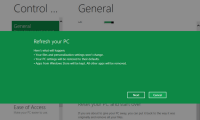
Use Refresh and Reset to reinstall Windows 8 computer
2 functions in windows 8 are refresh and reset which are very useful to fix windows errors. which feature to use depends on the degree of error of your computer.
-
Turn off Auto refresh in the browser
imagine that you are reading a news page, watching a movie or playing a flash game ... suddenly suddenly the website automatically updates and refreshes, ie you have to redo the entire process from the beginning.
-
Windows 11 is about to add a series of graphics improvements for high-frequency screens
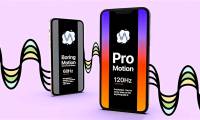
in fact, devices with high refresh rate displays and support for variable refresh rate (vrr) are now no stranger to the windows ecosystem — even some microsoft surface computers. also has a 120hz display with vrr.
-
What does the Refresh Rate parameter on the computer screen, TV mean?
in the previous article, tipsmake.com mentioned to you about the meaning of response time parameters on the computer screen, and this time we will continue with the interpretation of refresh rate numbers. this is probably one of the specifications that makes many people wonder when buying computer
-
How to refresh the location in Find My application
in the new find my app and with good signal, the location beacons on the map in the people and devices tab are designed to refresh periodically, automatically every minute or so.
-
Instructions to change Windows 11 refresh speed
drr refresh rate on windows 11 dynamically adjusts the refresh rate based on the tasks you're performing. here's how to change the windows 11 refresh rate.
-
How to Refresh a Page
this wikihow teaches you how to refresh a page in your browser. refreshing a page will cause it to update with the latest version of that page's information; you can also fix some site errors, such as the ones encountered when a page...
-
Install Windows 10 with Refresh Windows Tool from Microsoft
refreshing windows tool supports users to install windows 10 operating system without using the usb or windows installation disk as before. the tool will reset and refresh the computer completely as if we installed windows 10 with a usb or dvd.
-
Instructions for automatic website refresh on Chrome
the auto refresh utility and super auto refresh plus on chrome automatically reload the web page after your set time.
-
How to Completely Customize Your Windows Desktop Using Rainmeter
are you bored with the default windows desktop? don't worry, tipsmake.com will bring you a series of instructions to refresh and beautify your desktop.
-
Pressing F5 or Refresh continuously does not make your computer run faster, people are misunderstanding Windows
every time a computer feels sluggish and slow, most windows users often have the habit of refreshing the interface, with the shortcut key f5 wishing the device to run faster. but does this action really work or is it meaningless and misunderstood long ago?
-
HTC is about to refresh the Sense interface on Android
htc sense 6.0 interface with improved graphics, integrated virtual function keys in the same screen as sony xperia is expected to appear with the next smartphone code name m8.
-
How to check screen refresh rate on computers and laptops
check the screen refresh rate to ensure that you are using the device with optimal image quality. here is the fastest way to check the screen refresh rate on computers and laptops.
-
How to adjust the screen refresh rate of Xiaomi phones
what is screen refresh rate? how to customize the screen refresh rate on your xiaomi phone. let's find out now.
-
Refresh Excel spreadsheets with this simple trick!
people are used to staring at drab gray grids all day long - until they learn a little visual trick for microsoft excel.
 Home
Home Tech info
 Technology
 Science
 Life
Life Application
 Electric
 Program
 Mobile
 System