Article on the subject of "linux partition"
-

How to access Linux Ext4 partition from Windows
if you dual boot windows and linux, you will find it helpful to be able to access the files on your linux system's ext4 partition while you're using windows. there are several ways that users can access ext4 partitions from windows.
-
4 reasons to encrypt Linux partition
encryption home directory and other data on linux is very simple. you can do that during the installation, or whenever using the distribution.
-
4 reasons to encrypt Linux partition
encryption home directory and other data on linux is very simple. you can do that during the installation, or whenever using the distribution.
-
How to encrypt partitions on Linux with dm-crypt
hard drives and ssds can be easily removed from a laptop or desktop computer. in this case, all security measures implemented by your operating system will have no idea whatsoever.
-
How to access Linux Ext4 partition from Windows
if you dual boot windows and linux, you will find it helpful to be able to access the files on your linux system's ext4 partition while you're using windows. there are several ways that users can access ext4 partitions from windows.
-
Instructions for creating a master partition in Ubuntu
ubuntu does not use a separate master partition by default, although many linux users prefer this. use a separate master partition to allow you to reinstall ubuntu without losing personal files and settings.
-
How to mount the hard drive and partition using the Linux command line
if you want to use the linux terminal more, find out how to mount and remove your hard drive mount manually. this is a simple task to get started.
-
How to prevent and handle when Windows Update deletes Linux
windows update makes your linux partition unreadable. there is no boot selection screen, and after reviewing the problem, you find out the reason is because the linux partition has been deleted.
-
Basic file system in Unix / Linux
a file system is a logical collection of files on a partition or a disk. a partition is an information store and can be combined into a hard disk if desired.
-
How to access Windows encrypted partitions using Bitlocker from Linux
if you have a windows partition encrypted with bitlocker, you will have trouble accessing your files. this article will show you how to use dislocker to access encrypted partitions by bitlocker.
-
How to encrypt LVM partitions when installing Kali Linux
sometimes, we have sensitive data and want to encrypt using the entire drive encryption. with kali installer, you can start installing lvm partition encryption on both the hard drive or usb drive. the installation procedure is very similar to the normal kali linux installation, except to choose an
-
Paragon Partition Manager - Download the latest Paragon Partition Manager
paragon partition manager makes it easy to create, resize, reformat, and delete hard drive partitions.
-
Access Windows partition encrypted with Bitlocker on Linux
the steps to dual boot windows and linux are quite simple, however if your computer has a windows partition encrypted with bitlocker, the process will be much more complicated. in the article below tipsmake will show you how to access windows partitions encrypted with bitlocker from linux.
-
EASEUS Partition Master - Download the latest EASEUS Partition Master
disk partitioning and copying can be a complicated task, especially if you are not computer savvy. easeus partition master is an easy to use disk partitioning tool for pc.
-
This is how to delete Recovery partition and Recovery partition 450 MB on Windows 10
recovery partition (recovery partition) is a separate partition on the hard drive on your computer or ssd and used to restore or reinstall the operating system in case the system fails.
-
How to create USB Boot Live Kali Linux
the most popular and fastest way to apply kali linux is to run it from a usb drive. this method has many advantages. to do this, we first need to create a bootable usb drive from an iso image of kali linux.
-
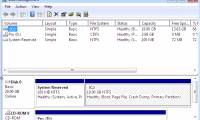
3 ways to hide recovery partition (Recovery) on Windows 10 / 8.1 / 7
on most computers, manufacturers have built a recovery partition (recovery) so that users can restore windows to a new production state. by default, this partition is hidden or does not appear in file explorer (windows explorer). when opening disk management, you can clearly see this partition.
-
4 methods to copy Linux hard drive
always having a backup plan is a good thing, especially in case something goes wrong, such as a rare linux virus that will attack your computer or you become the target of attackers. island ransomware.
-
Remove 'reserve system' partition in Windows 7
copy bootmgr from 100mb active partition or recovery partition to c: is extremely simple with easybcd. you can download easybcd here. the bootmgr will not be moved from the original location - it will only be copied to the c: partition directory. c: partition will be activated and 100mb partition
-
4 ways to quickly check the partition type on Windows 11
when setting up a new hard drive, it is essential to verify that it is using the correct partition type. partition type plays an important role in the management and formatting of the drive and affects compatibility with various system features and programs.
-
How to Install Arch Linux
this wikihow teaches you how to replace your computer's current operating system with arch linux, which is an advanced version of linux. you can install arch linux on both windows and mac computers. back up your computer to an external...
-
Instructions for Partitioning Hard Drives with Partition Wizard 100% Successful
hoang ha pc will guide you how to successfully partition your hard drive using partition wizard. let's learn how to use partition wizard in the article below!
 Home
Home Tech info
 Technology
 Science
 Life
Life Application
 Electric
 Program
 Mobile
 System