Article on the subject of "ie10"
-

Chrome browser for touch-enabled computers
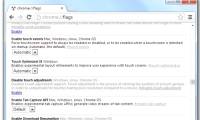
ie10 is no longer the only browser that supports finger swipe and gestures when google is testing the same feature on the new version of chrome.
-
Internet Explorer 10 is the most battery-saving browser
this is the latest research result published by fraunhofer center for sustainable energy systems in the us.
-
IE10 on Windows 8 and RT will officially support flash
from tomorrow, microsoft will fully support flash for internet explorer 10 in two environments, desktop and modern ui, in the operating system.
-
What's different with IE10 on Windows Phone 8 Windows 8?
on the occasion of the lumia 920, lumia 820, htc 8x sold in the us today (november 9), microsoft compares the difference between internet explorer 10 on these two operating systems.
-
Google stopped supporting IE8 from November 15
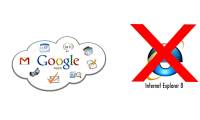
this decision will have a significant impact on windows xp - the operating system cannot run ie9 and the upcoming ie10.
-
Windows 8 allows turning off the 'Do not track' feature on IE10
users can choose to use or disable tracking blocking from advertising websites on internet explorer 10 when using windows 8 for the first time.
-
10 interesting features on Internet Explorer 10
known for its fast, flexible, fully touch-enabled capabilities, internet explorer 10 is the browser recommended for users whether business or personal. below, we will introduce some interesting features of internet explorer 10.
-
Microsoft completed IE10 for Windows 7
a report has revealed that microsoft has completed the development of internet explorer 10 (ie10) for windows 7 and is ready to release it to the user community.
-
Google stopped supporting IE8 from November 15
this decision will have a significant impact on windows xp - the operating system cannot run ie9 and the upcoming ie10.
-
Chrome browser for touch-enabled computers
ie10 is no longer the only browser that supports finger swipe and gestures when google is testing the same feature on the new version of chrome.
-
What's different with IE10 on Windows Phone 8 Windows 8?
on the occasion of the lumia 920, lumia 820, htc 8x sold in the us today (november 9), microsoft compares the difference between internet explorer 10 on these two operating systems.
-
IE10 on Windows 8 and RT will officially support flash
from tomorrow, microsoft will fully support flash for internet explorer 10 in two environments, desktop and modern ui, in the operating system.
-
Windows 8 allows turning off the 'Do not track' feature on IE10
users can choose to use or disable tracking blocking from advertising websites on internet explorer 10 when using windows 8 for the first time.
-
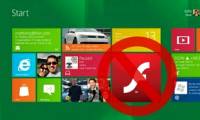
Imitating Apple, Microsoft removed Flash from Metro IE10 in Windows 8
according to microsoft expert, the company will not support browser plug-ins, including adobe's flash, in one of two versions of internet explorer in windows 8.
-
Microsoft released Flash patches in Windows 8
the flash player built into ie10 browser for windows 8 release preview and windows 8 for manufacturers (rtm version) may have been hacked by hackers for a long time.
-
10 interesting features on Internet Explorer 10
known for its fast, flexible, fully touch-enabled capabilities, internet explorer 10 is the browser recommended for users whether business or personal. below, we will introduce some interesting features of internet explorer 10.
-
Internet Explorer 10 is the most battery-saving browser
this is the latest research result published by fraunhofer center for sustainable energy systems in the us.
-
Microsoft introduced a tool to fix security holes in IE 9 and 10
microsoft has released an official security warning regarding zero-day vulnerabilities in ie10 last week and said ie 9 is also vulnerable.
-
How to remove Internet Explorer 10 in Windows 8
although internet explorer 9 and 10 have greatly improved compared to previous versions, many people still want to use another browser to replace microsoft's browser. here are the steps to remove internet explorer 10 from a windows 8 computer.
-
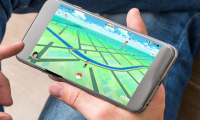
Can Pokemon Go be played on a computer? The answer is yes!
by software emulation and additional software to support positioning, we can completely play pokemon go right on the computer, comfortable catching pokemon without worrying about running out of battery when playing as on the phone.
-
Summary - How to play Pokemon GO, virtual reality game catch Pokemon on smartphone
pokemon go game (styled, raising and training virtual animals) has become popular, the online community with new movements also immediately responded to this mobile game in the direction positive direction
-
Things you didn't know about 26 types of Pokeball - Part 2
to be able to catch pokemon, players need to use pokeball. the higher the ball, the higher the success rate of pokemon
-
Stardust's effective way in Pokemon GO
pokemon go stardust is used to evolve pokemom with candy. therefore, if there is more stardust, it will make the evolution easier.
-
AZ word about eggs in Pokemon Go
there are many different pokemon eggs that can hatch into many pokemon, but to make these eggs hatch into pokemon, you will have to perform some tasks. each player begins with an egg incubator, which allows the user to incubate an egg after performing certain steps, gps and pedometer tracking on
-
Things you didn't know about 26 types of Pokéball - Part 1
pokéball is the most important item in pokémon go, allowing gamers to quickly catch pokémon back to their team. the higher the pokéball, the more effective the ability to catch pokémon.
-
10 tips to help you become a great Pokemon trainer
in the article below, tipsmake.com will introduce to you some tips to easily become a great trainer in this pokemon go game offline ...
-
How to play Pokemon GO in Landscape Mode on the iPhone
although players can play pokemon go in portrait mode. however, if you want to watch and play games on a large and eye-catching screen, players can switch to playing games in landscape mode.
 Home
Home Tech info
 Technology
 Science
 Life
Life Application
 Electric
 Program
 Mobile
 System