Article on the subject of "browse"
-

Learn about Opera page: of Opera browser
in the previous articles, we introduced you to some features of the about page in firefox browser, chrome: // chrome page, and this time we will continue with the opera: page of opera browser. . here, you can find many options to intervene, edit the specifications related to performance as well as
-
How to view the password, delete the saved password on Chrome
to see the password saved on chrome you need to access chrome's password manager, by typing chrome: // settings / passwords into the address bar on chrome or by following these steps:
-
How to distinguish real and fake gadgets in the browser
with the extension system on the browser (externsion) on google chrome and coc coc, users can take advantage of and exploit many other features, which the browser does not support. however, if you accidentally install a fake utility, it will cause the opposite effect, affecting the system as well
-
How to browse Facebook via Tor in 5 steps
facebook is not something that you usually associate with an anonymous browser. but, did you know that facebook operates the onion version of the website on the tor network?
-
Browse trees in data structures and algorithms
tree browsing is a process for accessing all the nodes of a tree and can also print the values of these nodes. because all nodes are connected via edges (or links), we always start accessing from the root node.
-
How to Enable LinkedIn Privacy Mode to Browse Anonymously
want to browse linkedin profiles without leaving a trace? linkedin's privacy mode lets you browse anonymously, so other users won't see that you've viewed their profile.
-
Browse the web anonymously with the Tor Browser
tor browser full name is tor browser bundle is a web browser similar to internet explorer, google chrome or firefox but it is different from normal web browsers that you can browse anonymously effectively.
-
How to Browse Reddit Anonymously
want to browse reddit in a way that doesn't involve apps tracking your browsing activity?
-
How to open, turn on Incognito Tab to browse privately on your computer
how to open, turn on incognito tab to browse privately on your computer. as you know, in every web browser there is a feature called incognito tab. incognito tab is a feature that helps users browse their anonymity when accessing fish
-
How to browse 2 websites at the same time on Microsoft Edge
microsoft edge browser has just added the split screen feature, split the screen to browse 2 websites at the same time.
-
How to browse files by column on iPadOS 13
application files on ipados 13 have been updated to add file browsing feature to the column.
-
How to browse the web directly from within Thunderbird
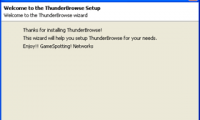
in this tutorial we will show you how to set up and use a very interesting add-on of thunderbird, thunderbrowse, this add-on will allow you to browse the web directly ...
-
Browse photos quickly in ACDSee
the photo browsing function in acdsee is great and convenient because you can preview photos as default thumbnails. however, acdsee has a problem: when you browse a folder with a lot of images, its image display speed is quite slow, affecting the old operation.
-
Browse the web faster and easier with Firefox 3.5
the newly released version of firefox 3.5 has had some success. the new version has a significantly faster web browsing process, more flexible tab control ...
-
Open multiple web pages when the browser starts
this article will be very helpful, as it will help you set that desire on many browsers, even in ie, firefox, chrome and even opera easily. you can use the built-in options in the browser or you can choose from additional add-ons.
-
Instructions on how to browse the web anonymously to keep your personal information private
when surfing the web, we will face the risk of information theft if you accidentally access a website arranged by hackers, or in case someone else uses your computer for malicious purposes. to avoid the risks, each web browser provides users with an effective method: anonymous browsing.
-
5 things to do to avoid malware
staying safe and online security is simple, as long as you have the right precautions. besides installing security suites or online antivirus software, follow these steps to keep your computer safer.
-
The Instagram interface unexpectedly changes to horizontal browsing like Tinder, and it's 'error'
last night (in vietnamese time), instagram suddenly updated the new interface. accordingly, the new instagram version will browse horizontally like tinder instead of vertical scrolling as before.
-
Experience a new way to browse the web with AI Mode on Chrome.
google has upgraded its ai mode on chrome, allowing users to browse and ask ai questions simultaneously, enabling smarter searches without switching tabs.
-
ProtonVPN - free VPN service that allows you to encrypt your Internet connection
a handy vpn when you need to browse the web without leaving a trace or browse restricted content without any barriers - protonvpn. this is a simple but extremely secure vpn application. let's find out more about this service!
-
3 easy ways to traverse a list in Python
iterating through a list is a task that you often have to do when programming on languages in general and python in particular.
-
Want to browse the Web quickly, don't be foolish to clear the browser cache
do you regularly clean your browser data using the ccleaner tool or any other temporary file deletion tool? if so, stop this habit if you want to browse the web quickly.
-
This extension will help you know the feeling of web surfing when color blindness
web developer andrew vanness has developed an extension called colorblindy for chrome that allows users to browse through the eyes of colorblind people.
 Home
Home Tech info
 Technology
 Science
 Life
Life Application
 Electric
 Program
 Mobile
 System