Table of Contents
Online virus scanners are useful for checking a suspicious file or link with multiple detection engines, or for running a second-opinion scan on a Windows PC. They do not provide continuous protection, and a clean result does not prove that a file or website is safe. Keep the operating system and real-time security software enabled.

Privacy warning: Uploading a file sends a copy to a third-party service. Do not submit documents, source code, archives, photos, database files, email exports, or any other material that contains confidential, personal, financial, medical, or proprietary information. When possible, search for the file's cryptographic hash instead of uploading the file itself.
Choose the right type of scanner
- File, URL, domain, or hash scanner: Checks one item and reports what several security engines or reputation sources detect. It does not clean the computer.
- On-demand system scanner: Downloads a small utility and scans local files and running components. It may quarantine or remove detected threats but offers no ongoing real-time protection.
- Installed antivirus: Monitors files, downloads, processes, and other activity continuously. This remains the main protection layer.
1. VirusTotal
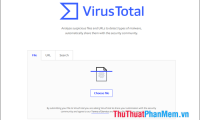
VirusTotal analyzes files, URLs, domains, IP addresses, and file hashes with many security and reputation sources. It is especially useful when one antivirus product flags a download and you want a second opinion.
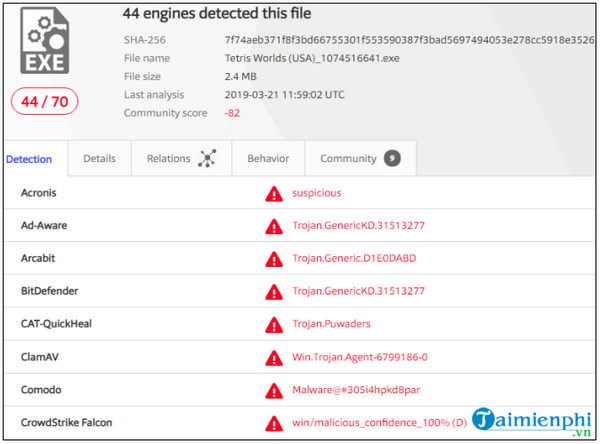
- Open the File, URL, or Search tab that matches the item you want to check.
- Prefer a hash search for a file that may already be known to the service.
- If you upload a non-sensitive file, wait for the analysis and review the detection names, file details, signatures, behavior information, and community notes.
Do not decide from the detection ratio alone. One generic or heuristic alert can be a false positive, while zero detections can occur with a new or evasive threat. Compare the file's publisher, digital signature, download source, age, and observed behavior.
2. MetaDefender Cloud
MetaDefender Cloud provides multi-engine analysis for files and can also check URLs, domains, IP addresses, and hashes. It is a useful alternative when you want to compare the result with another aggregation service.
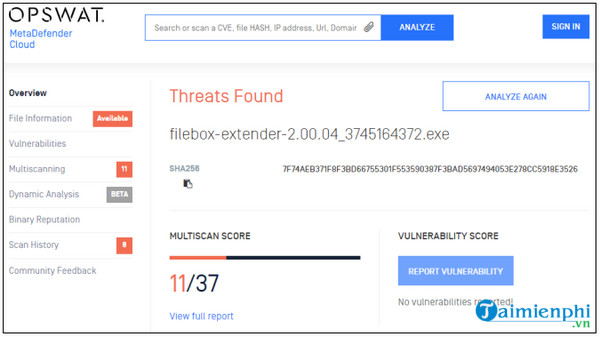
Review the service's current privacy and retention options before uploading anything. A private-scanning feature, when available for the account or plan being used, is different from a standard public submission. Never assume that a default upload is confidential.
3. ESET Online Scanner
ESET Online Scanner is a downloadable, on-demand Windows scanner. Unlike a website that checks one uploaded file, it can examine the local system and help remove detected threats. It is designed as a second-opinion scan, not permanent real-time protection.
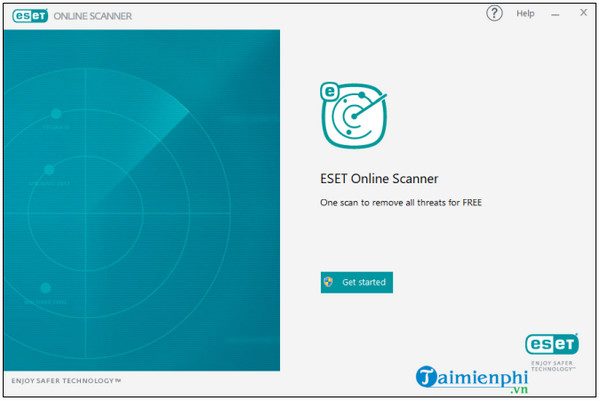
- Download the scanner only from ESET's official site and verify the publisher before running it.
- Read the detection and data settings shown during setup.
- Select the scan type and allow the threat definitions to update.
- Review every detection before removal, especially if the item is a specialist administration or development tool that could trigger a heuristic alert.
4. Microsoft Safety Scanner
Microsoft Safety Scanner is another on-demand Windows tool. Microsoft recommends downloading a fresh copy before a scan because the utility expires 10 days after download. It scans only when you run it and does not replace Microsoft Defender or another real-time antivirus product.
Choose the correct 32-bit or 64-bit download, run the file with appropriate permissions, select a scan type, and review the final result and log. Back up important data before remediation because removing an infected file can result in data loss.
Chrome Cleanup is no longer an option
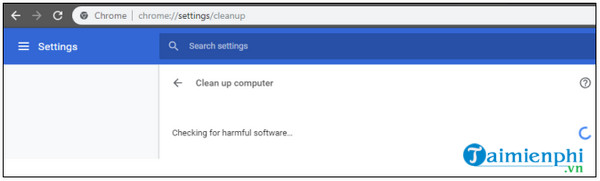
Older guides may direct Windows users to chrome://settings/cleanup and a Find button. Google retired the Chrome Cleanup Tool beginning with Chrome 111, so this screen is no longer a current system-scanning method.
How to interpret a scan result
- One detection: Investigate the engine name and detection type; do not assume either malware or a false positive.
- Many consistent detections: Treat the item as unsafe and avoid opening it.
- No detections: This lowers suspicion but is not a guarantee. New malware may not be recognized yet.
- Password-protected archive: A scanner may be unable to inspect the contents. Do not disable protection just to open it.
- Suspicious URL: Do not visit it to “test” the result. Close the page and verify the address through an independent trusted source.
For additional choices, compare TipsMake's list of online file and URL scanners. If you need a local second-opinion tool, see these portable and on-demand virus scanners.
What to do after a positive result
Disconnect the PC from untrusted networks if you suspect an active infection. Let the installed antivirus quarantine the item, or use a reputable on-demand scanner. Change important passwords from a different, known-clean device if credential theft is possible, and enable multi-factor authentication. If malware returns after removal or the system handles sensitive work, restore from a known-good backup or seek qualified support instead of downloading random cleanup utilities.
Related Articles
 Checking Domain Names: Instructions on How to Check Website Life2 minutes read
 How to Scan Virus Files Downloaded on Chrome4 minutes read
 People Chat Again Because of the 'Internal' Virus of Funniym1 minutes read
 5 Best Best Online Virus Scanning Software 20204 minutes read
 10 Effective SEO Content Checking Tools4 minutes read
 4 Effective Ways to Boost Your Online Presence6 minutes read
Reader Comments 0
Sign in with email or Google to join the discussion.