Table of Contents
Bkav Pro should normally download program and threat-detection updates automatically when Windows is online and the product is activated. If the displayed version or protection data is old, use Bkav's built-in update command first, then check the license, network, system clock, and official support options.
Check the current Bkav status
- Open Bkav Pro from the Start menu or its notification-area icon.
- Look for the current product version, activation or subscription status, last update time, and protection status. Depending on the release, these details may appear under License, About, Copyright, or an update section.
- Confirm that Windows has the correct date, time, and time zone and that the computer can reach normal websites.
Run a manual update
- Close other installers and save your work.
- In Bkav, select the command labeled Check for updates, Find new version, or its equivalent in the installed edition.
- If Bkav offers a signed update, choose Download or Install.
- Keep the computer connected and do not shut it down while files are being replaced.
- Restart Windows if prompted, reopen Bkav, and verify that the last-update time or version changed.
Menu labels can differ between Bkav Pro Internet Security AI, endpoint editions, and older versions. Use the current interface and release documentation rather than assuming the legacy screens below will match.
What the legacy screenshots show
These images document an older Bkav Pro workflow: opening the program, viewing the Copyright tab, registering license information, selecting Find new version, and downloading the update.
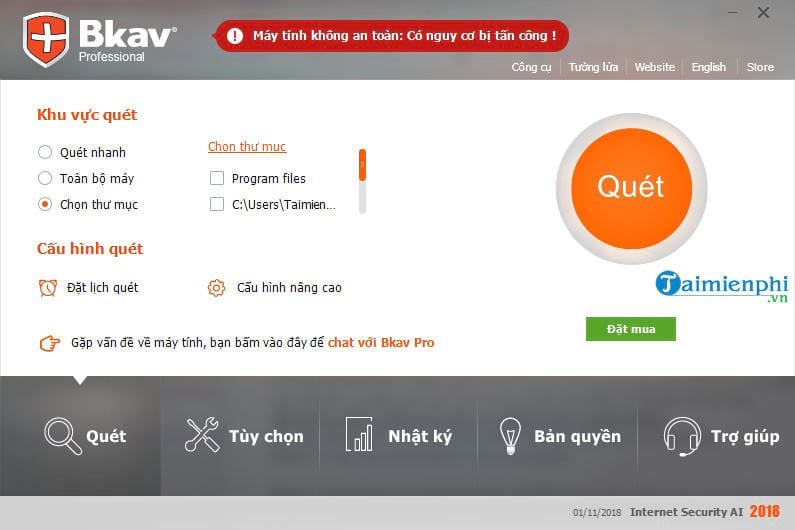
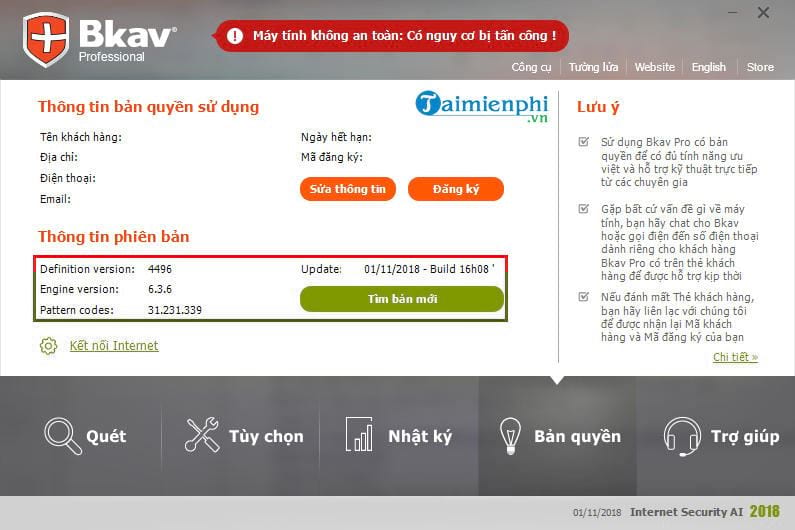
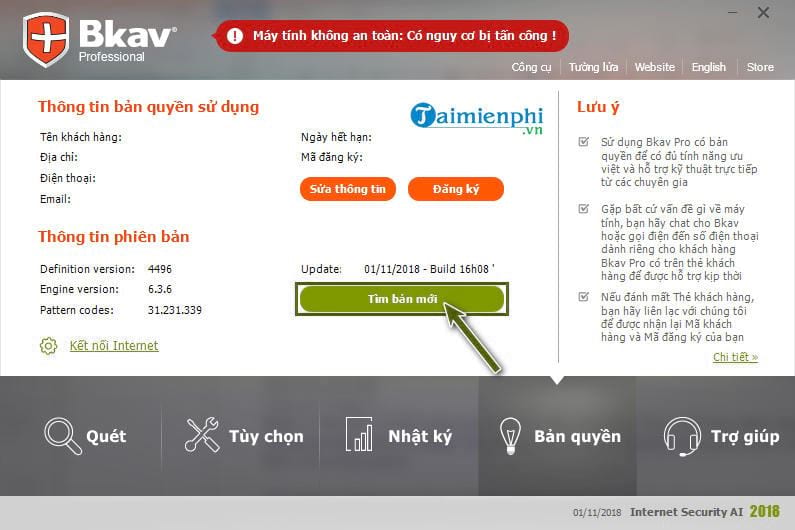
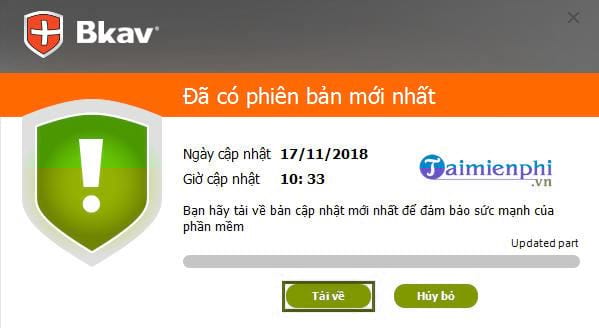
They remain useful for recognizing an old installation, but an unregistered or unsupported build may not receive the same updates as a current licensed product. Do not download a “latest Bkav” installer from an unofficial mirror to make an old screen match the tutorial.
If Bkav will not update
- Restart and retry: A pending Windows or Bkav update may be holding files open.
- Check activation: Correct an expired, unrecognized, or mistyped license through Bkav's official account or support process.
- Check the network: A proxy, VPN, captive portal, DNS filter, or organizational firewall may block the update service. Ask the network administrator before changing managed settings.
- Check disk space: Free sufficient space on the Windows system drive and retry.
- Avoid competing real-time antivirus products: Two full real-time suites can conflict. Follow both vendors' migration guidance rather than disabling protection indefinitely.
- Use official support: If the installed build is too old to update itself, obtain the current installer or migration instructions from Bkav customer support.
Do not weaken security to force an update
Do not turn off antivirus, firewall, or SmartScreen merely because an unexpected installer asks you to. Fake update prompts are a common malware technique. Download only through the installed Bkav client, its official website, or an authorized enterprise deployment system.
TipsMake's guides to avoiding malware, recognizing malicious advertising, and using Windows SmartScreen explain why unofficial “update” downloads are risky.
After the update
Confirm that real-time protection is on and that the update status is current, then run a quick scan. If Bkav reports a restart or remediation requirement, complete it before assuming the device is fully protected. Antivirus updates complement—rather than replace—Windows updates, supported software, backups, and careful handling of downloads.
Related Articles
 How to Update Itunes to the Latest Version6 minutes read
 How to Update Your iPhone to the Latest iOS Version5 minutes read
 Bkis Is About to Stop Providing Bkav Home3 minutes read
 Bkav 2014 Software Launched Soon with Anti Leak Technology3 minutes read
 How to Update Ccleaner to the Latest Version4 minutes read
 How to Update Skype to the Latest Version: Step-by-Step5 minutes read
Reader Comments 0
Sign in with email or Google to join the discussion.