Table of Contents
You cannot guarantee that a laptop will be recovered after theft, but you can make it harder to access, preserve your files, and prepare information that helps law enforcement. Before the device goes missing, enable its built-in location service, encrypt the storage, use strong account security, keep backups, and record identifying details.

1. Turn on the built-in finding service
Windows 11 and Windows 10
Sign in with a personal Microsoft account that has administrator access. In Windows 11, open Settings > Privacy & security > Find my device; in Windows 10, use Settings > Update & Security > Find my device. Turn on the feature and confirm that location services are available.
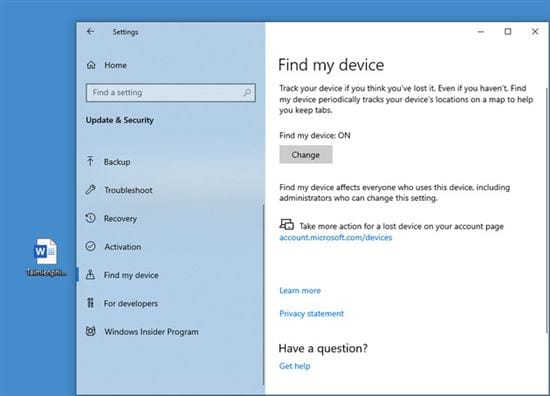
If the PC is later lost, sign in to the Microsoft account's devices page from another trusted device to view an available location and request a remote lock. Location depends on the laptop being powered, connected, and able to report; it is not guaranteed to be current or exact.
Mac
Open System Settings, select your name, choose iCloud > See All, and turn on Find My Mac. On supported Macs, keeping Find My enabled also enables Activation Lock, which requires the Apple Account credentials or device passcode for key ownership actions.
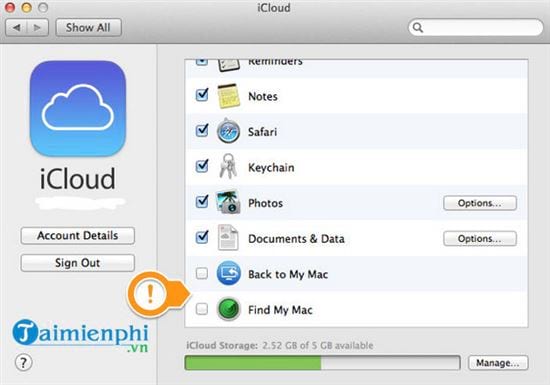
Confirm that you can see the Mac in the Find My app before relying on the feature. Account requirements, regional availability, power, and connectivity affect what Find My can report.
2. Encrypt the internal storage
A login password alone may not stop someone from removing an unencrypted drive and reading it elsewhere. Turn on Device encryption or BitLocker in Windows where available, or FileVault on a Mac. Store the recovery key separately and verify it before traveling.
The TipsMake guide to protecting a personal laptop explains why encryption, multi-factor authentication, and physical care work together. Windows users can also review the recommended Windows security settings.
3. Secure accounts and the lock screen
- Use a strong Windows or macOS sign-in password and a short automatic screen-lock timeout.
- Enable multi-factor authentication for the Microsoft or Apple Account and for the primary email account.
- Do not store recovery codes only on the laptop.
- Remove unused administrator accounts and keep the operating system updated.
4. Back up important files
Keep at least one backup that is not permanently attached to the laptop. Test that several files can be restored. Cloud synchronization can preserve copies of selected folders, but it is not automatically a complete system backup and can also synchronize unwanted deletions.
5. Record ownership and use physical safeguards
Save the model, serial number, purchase receipt, and clear photos in a secure account or document that you can reach from another device. Use a lock cable where appropriate, avoid leaving a laptop visible in a parked vehicle, and keep it in carry-on luggage rather than checked baggage.
For public use, the guide to keeping a MacBook safe in public includes additional physical and account precautions that also apply to other laptops.
About older third-party tracking tools
The original article recommended LockItTight, LAlarm, and Prey. These retained screenshots show the tools discussed at the time.
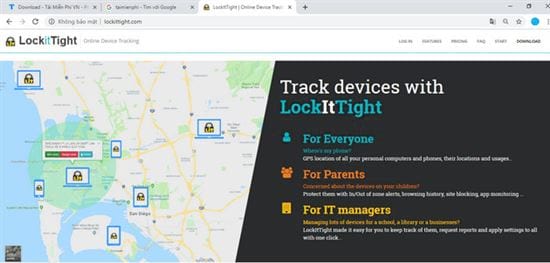
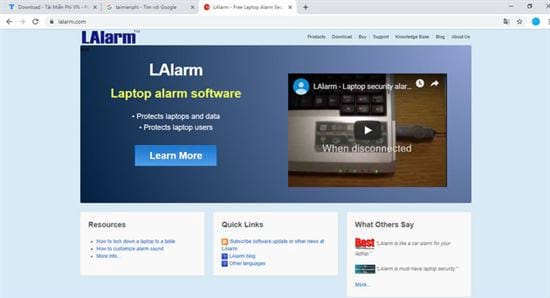
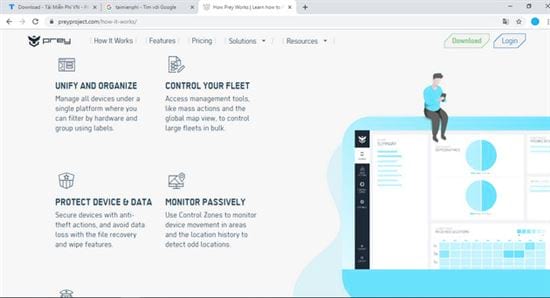
Before installing any current tracking product, verify that the developer still supports your operating system, read its privacy policy, confirm how location and camera data are handled, and test how to uninstall it. Do not assume that an old download, webcam capture, automatic deletion, or “stealth” feature is legal, reliable, or secure in your jurisdiction. Built-in Windows and Apple services are the clearer starting point.
If the laptop is stolen
- Report the theft to local law enforcement and provide the serial number, receipt, and any location information. Do not confront a suspected thief.
- Use the official Find My service to mark or lock the device where available. Take screenshots of useful status information.
- Change the primary email, Microsoft or Apple Account, password-manager, work, and financial passwords from a clean device. Revoke active sessions where the service supports it.
- Tell the employer or school immediately if the laptop contains organizational data.
- Consider remote erase only after weighing data protection against the possibility of further location reporting, and follow the platform's current instructions.
Tracking is helpful evidence, not a recovery guarantee. Encryption and tested backups provide the dependable protection: they limit exposure and keep your work available even when the hardware is not recovered.
Related Articles
 How to Turn on iPhone Protection When Stolen: Step-by-Step Guide5 minutes read
 Protect Your Laptop5 minutes read
 How Is ATM Card Information Stolen? How to Protect Your ATM Card?6 minutes read
 Stolen iPhone? Don't Delete It from Your Apple Account!5 minutes read
 New Features on iOS 17.3 Beta Make iPhone Thieves 'Cry': Main Insights5 minutes read
 Learn to Use Lesson Computer 16 - Protect Your Computer8 minutes read
Reader Comments 0
Sign in with email or Google to join the discussion.