Table of Contents
To follow a YouTube channel, sign in and select Subscribe below a video or on the channel page. Select Subscribed again to unfollow it. Subscribing adds new uploads to your Subscriptions feed; it does not automatically guarantee a notification for every video.
Subscribe on a computer
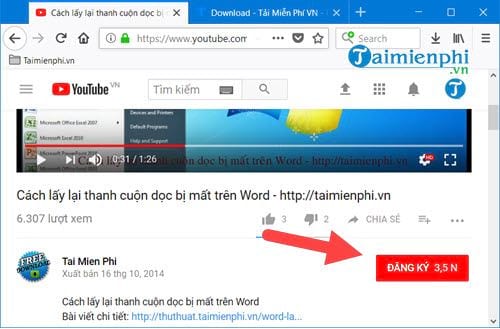
- Open YouTube, sign in, and find a video or channel you want to follow.
- Select Subscribe below the video or on the channel page.
- Select the bell beside Subscribed if you want to choose a notification level.
Unsubscribe on a computer
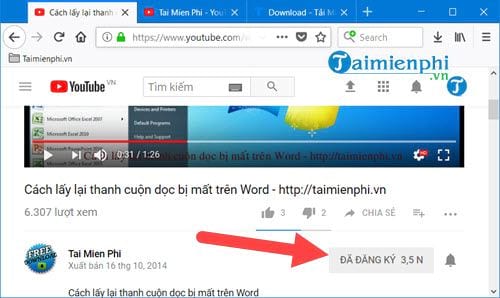
- Open a video from the channel or visit its channel page.
- Select Subscribed.
- Choose Unsubscribe and confirm if YouTube asks.
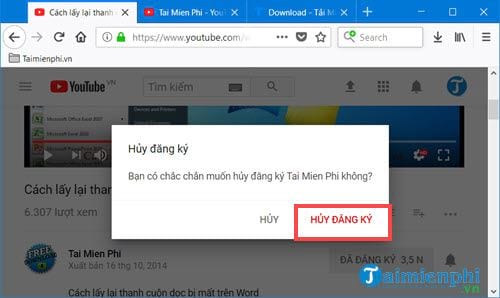
Unsubscribing removes future uploads from your Subscriptions feed. It does not erase videos you previously liked, comments you posted, or items you saved to playlists.
Subscribe or unsubscribe in the mobile app
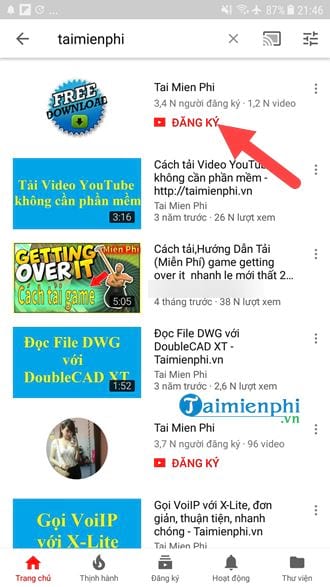
- Open the YouTube app on Android, iPhone, or iPad and sign in.
- Find the channel through Search, the channel page, or one of its videos.
- Tap Subscribe.
- To stop following the channel later, tap Subscribed > Unsubscribe.
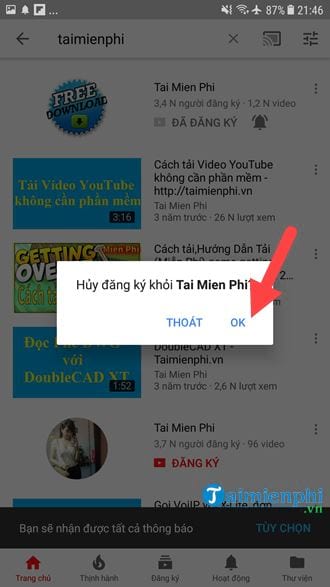
Choose All, Personalized, or None notifications
After subscribing, select the bell icon beside the channel name. The available choices normally mean:
- All: YouTube attempts to notify you about every eligible upload and live stream.
- Personalized: YouTube chooses alerts based on signals such as your viewing activity and notification behavior.
- None: You stay subscribed and see uploads in the Subscriptions feed, but channel notifications are disabled.
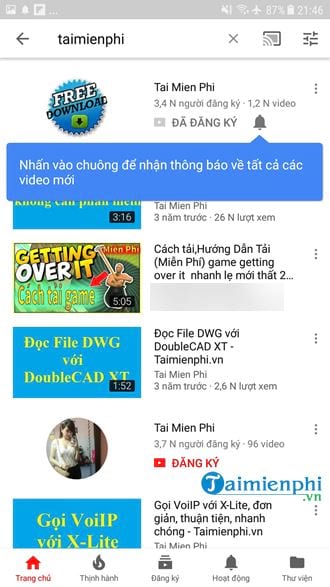
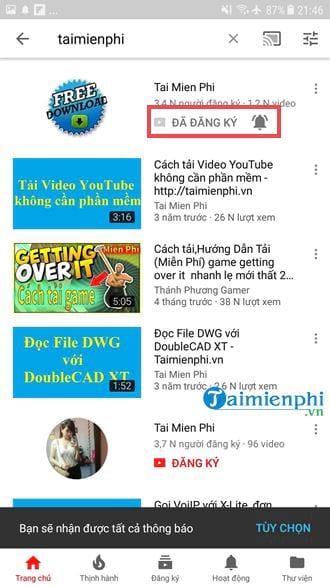
“All” is still subject to the YouTube app’s notification settings and the phone or browser’s permission settings. Channels marked as made for kids have additional notification restrictions. Google explains the current bell behavior in Manage YouTube notifications.
Manage many channel subscriptions
On a computer
- Select Subscriptions in YouTube’s left menu.
- Select Manage near the top of the feed.
- Use each channel’s Subscribed control to change notifications or unsubscribe.
On a phone or tablet
- Open the Subscriptions tab.
- Tap All to display the channel list.
- Tap the bell beside a channel to change its notification level, or open the channel and tap Subscribed to unfollow it.
YouTube does not normally offer a one-click “unsubscribe from every channel” control. Avoid browser extensions or scripts that promise bulk changes: Google warns that some third-party extensions can subscribe or unsubscribe accounts without permission.
If you are rebuilding a useful feed, this list of YouTube channels for learners can be a starting point. Review channels periodically and keep the ones you actively use.
Keep your subscriptions private or make them public
YouTube subscriptions are private by default for many accounts, but you can verify the setting on a computer:
- Select your profile picture > Settings.
- Select Privacy.
- Turn Keep all my subscriptions private on or off.
When subscriptions are private, other users cannot see the complete list of channels you follow, and your account may not appear in a creator’s public subscriber list. Changing this setting does not unsubscribe you.
If channel notifications do not arrive
- Open the channel and confirm that the bell is set to All.
- In YouTube, go to Settings > Notifications and make sure subscription alerts are enabled.
- Allow notifications for YouTube in Android or iOS system settings.
- On a computer, allow notifications for
youtube.comin the browser’s site permissions. - Check Focus, Do Not Disturb, battery optimization, and notification-summary settings.
- If you unsubscribed and then subscribed again, recheck the bell because the previous notification choice may have reset.
Subscriptions influence what appears in your feed, but they are not parental controls. For child or family accounts, use the options in our YouTube content-control guide.
For interface changes and platform-specific details, see YouTube’s official subscription instructions.
Related Articles
 What Is Subscribe on YouTube, Facebook?: What Are Subscriptions5 minutes read
 Here's How to Change Your YouTube Channel Name and URL4 minutes read
 7 Things to Note When Starting YouTube Channel9 minutes read
 20 Best Youtube Channels for Business Lovers9 minutes read
 Pockettube Chrome: Group Youtube Channel Managers4 minutes read
 How to Create a New Channel on YouTube?: Create New YouTube Channel3 minutes read
Reader Comments 0
Sign in with email or Google to join the discussion.