Table of Contents
To create an MP3 from a YouTube video legally and safely, first download a video you own or have permission to use, then convert the file locally with a reputable tool such as VLC or FFmpeg. YouTube does not provide an MP3 export button for arbitrary videos, and a streaming link is not permission to copy a song or reuse it in another video.
This workflow is useful for your own interviews, lectures, podcasts, voice recordings, and original music. For commercial songs or another creator’s work, use an authorized music service or obtain a license instead.
What you need
- a video file that you created, downloaded with the owner’s permission, or are otherwise allowed to convert;
- enough storage for the original video and the MP3 output;
- VLC Media Player for a graphical workflow or FFmpeg for a command-line workflow; and
- the original recording when quality matters, because YouTube has already compressed uploaded audio.
Do not assume that “personal use” automatically permits downloading any copyrighted track. Rules vary by country, and YouTube’s terms generally restrict downloading unless the service provides a Download control or the rights holder permits it.
Step 1: Download your own YouTube upload
From YouTube Studio
- Sign in to YouTube Studio on a computer.
- Select Content.
- Open the options menu beside your video and select Download.
- Save the MP4 file in a folder you can find again.
YouTube says individual uploads can be downloaded as MP4 in 720p or 360p, depending on the video size. If you need the best available source, use your original production file. Google Takeout can also export all videos uploaded to an account.
See YouTube’s official instructions for downloading your uploads or our guide to downloading YouTube videos in the best available quality.
Step 2: Convert the video to MP3 with VLC
Download VLC only from the official VideoLAN website. Avoid search advertisements and third-party “VLC download” pages.
- Open VLC and select Media > Convert / Save.
- On the File tab, select Add and choose the authorized video file.
- Select Convert / Save.
- Under Profile, choose an audio profile that outputs MP3. The exact label can differ by VLC version.
- Select Browse, choose the destination, and give the output filename an
.mp3extension. - Select Start. VLC’s playback progress indicates the conversion status.
- Open the finished MP3 in a media player and check the beginning, middle, and end.
If VLC creates a file with no audio, confirm that the source video itself has a working audio track and that the selected profile uses an MP3 audio codec. Try a short local video before processing a long recording.
Convert with FFmpeg
FFmpeg is suitable for repeatable conversions and does not require uploading the video to a website. Install it from ffmpeg.org or your operating system’s trusted package source.
ffmpeg -i input.mp4 -vn -c:a libmp3lame -q:a 2 output.mp3Replace input.mp4 and output.mp3 with your filenames. The options mean:
-i input.mp4selects the source file;-vnomits the video stream;-c:a libmp3lameencodes MP3 audio; and-q:a 2requests a high variable-bitrate quality setting.
For speech, a lower quality setting or mono output may reduce file size without materially affecting intelligibility. Keep the original file until you have verified the conversion.
Choose a practical MP3 quality
| Content | Practical setting | Why |
|---|---|---|
| Voice notes or lectures | 96–128 kbps, often mono | Small file with clear speech |
| Podcasts and interviews | 128–192 kbps | Balances clarity and size |
| Music from an authorized source | 192–320 kbps or high-quality VBR | Reduces additional audible loss |
| Archival editing master | Keep WAV/FLAC or the original source | MP3 is lossy and is not an ideal master format |
Converting a YouTube stream to 320 kbps does not create detail that was absent from the compressed source. It only encodes that source into a higher-bitrate MP3. If you own the project, export audio from the original editor or lossless master instead.
Add audio to another video without copyright problems
Owning the MP3 file does not necessarily mean you own the music rights. Before using audio in YouTube, TikTok, advertising, or client work, confirm that the license permits synchronization, editing, commercial use, and redistribution as needed.
Good sources include:
- music and recordings you created yourself;
- YouTube Audio Library tracks used according to their license terms;
- properly licensed stock music; and
- public-domain or Creative Commons material whose exact license permits the intended use and whose attribution requirements you follow.
For legal music sources and an explanation of “lossless” quality, see where to download high-quality music legally.
Why online YouTube-to-MP3 sites are not recommended
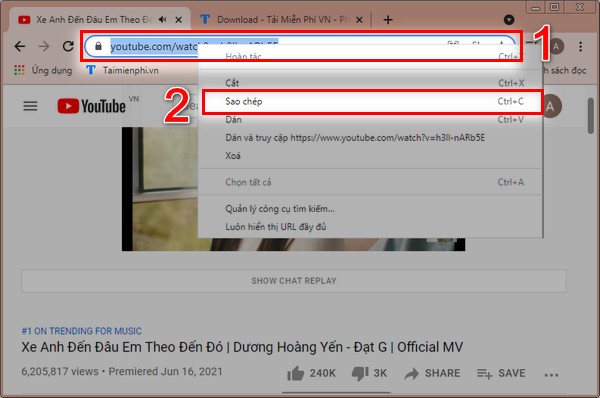
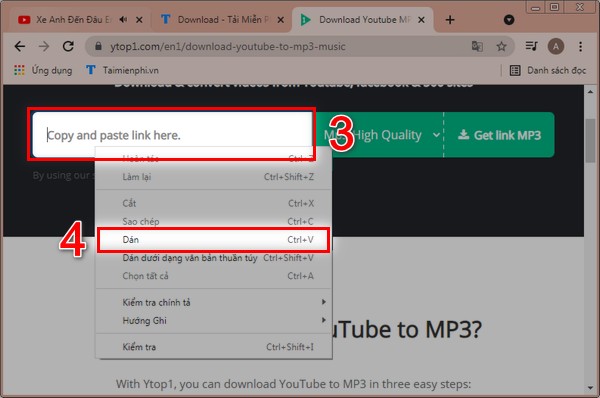
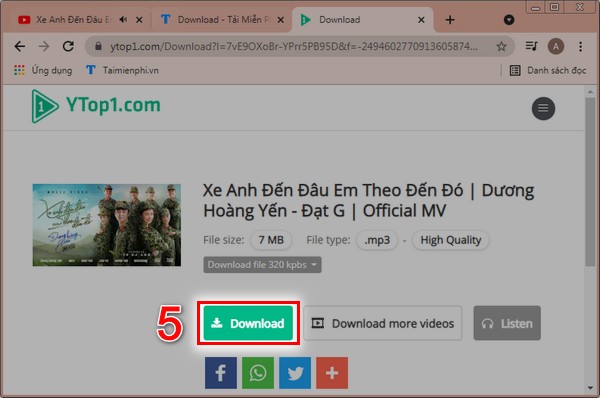
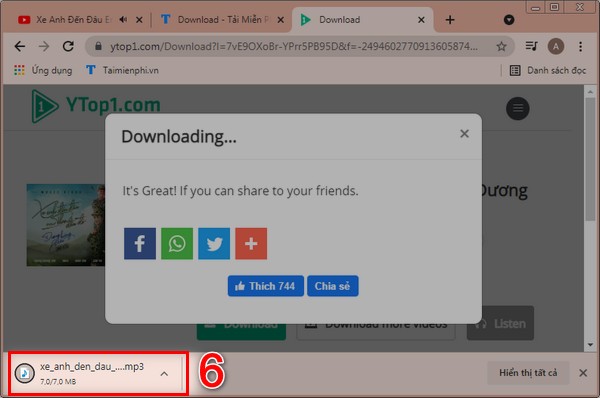
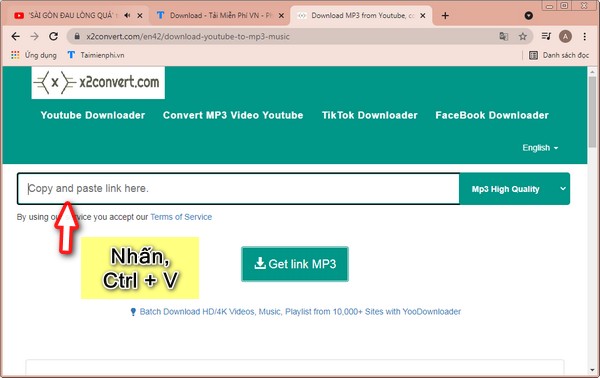
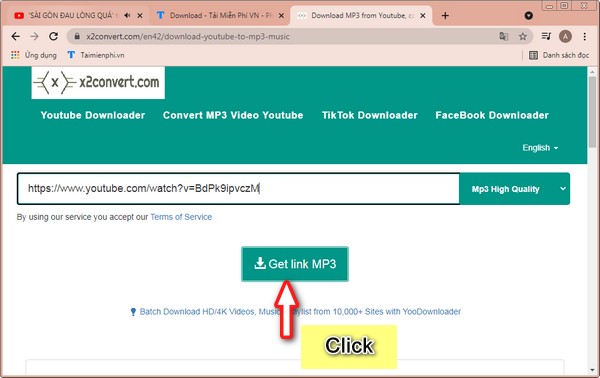
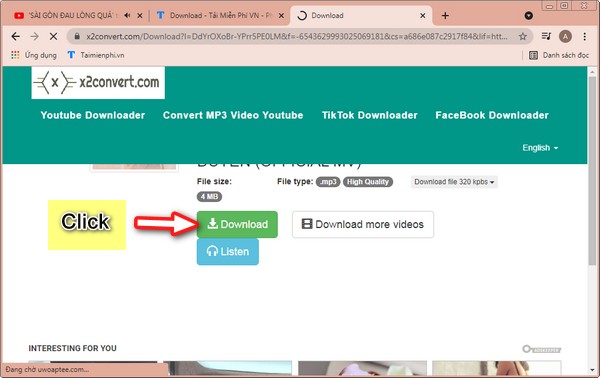
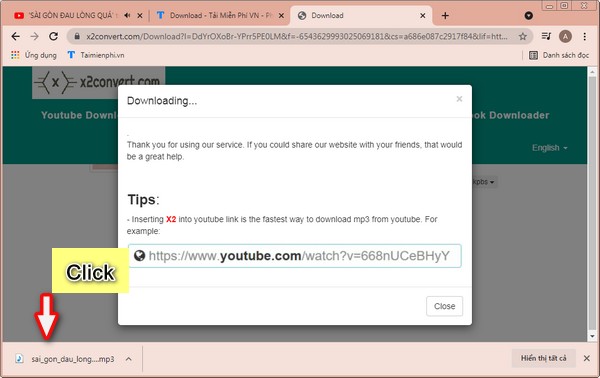
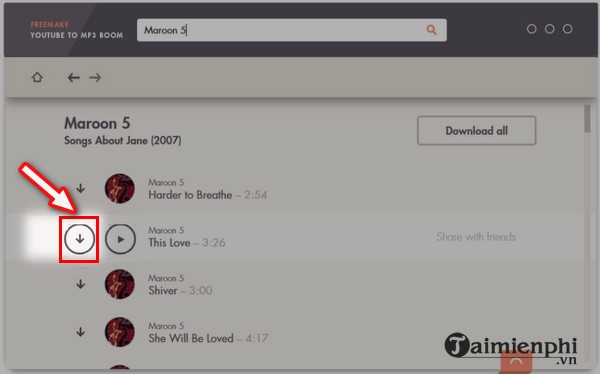
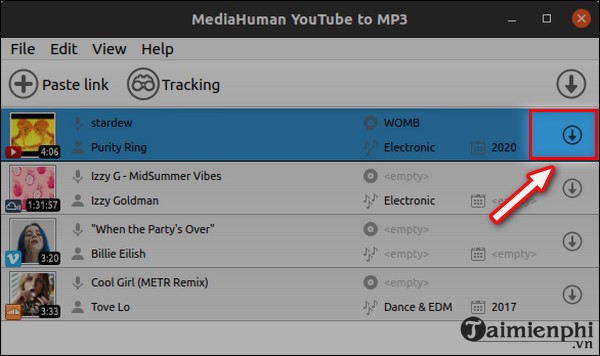
The previous article recommended YTop1, X2Convert, Freemake YouTube to MP3 Boom, MediaHuman, and several other services without a current security or licensing assessment. Their ownership, domains, installers, advertising, and privacy practices can change. Some claims in the old article were also incorrect: a service cannot download a YouTube video without an internet connection unless the source file is already on the device.
Online converters can expose the video URL and device information to a third party, display fake Download buttons, request notification permissions, or push unrelated installers. A local conversion also protects private recordings from being uploaded to an unknown server.
If you must evaluate a tool for content you are authorized to convert, read our downloader safety checklist. Never enter Google credentials, paste a private video link, install an unsolicited extension, or open a supposed MP3 ending in .exe, .msi, .apk, or a script extension.
Legacy screenshots from the old converter instructions
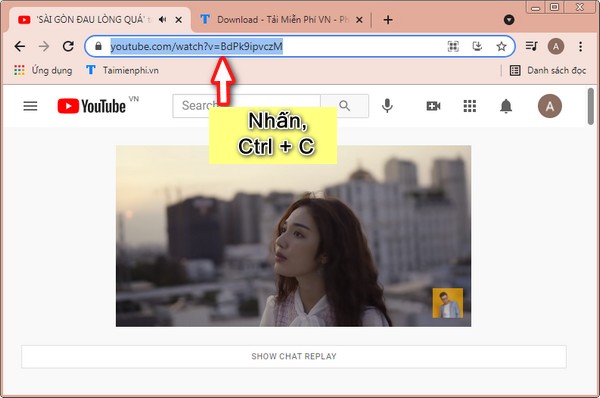
These images are retained to identify the older tools discussed in the source article. They are not current endorsements, and the sites or interfaces may have changed.
Former YTop1 workflow
Former X2Convert workflow
Former desktop converter interfaces
Related Articles
 Instructions for Downloading Mp3 Music YouTube Does Not Need8 minutes read
 Convert YouTube MP3 Files: What You Need to Know9 minutes read
 Rip Music from YouTube Videos, Download Mp3s, Download Music from5 minutes read
 How to Downloading Music on YouTube, Downloading MP3 Files of YouTube Videos4 minutes read
 How to Download 320Kbps MP3 Music from YouTube3 minutes read
 Download Youtube Music, 13 Ways to Download MP3 From YouTube28 minutes read
Reader Comments 0
Sign in with email or Google to join the discussion.