Table of Contents
This updated guide examines How to Learn Online on Aic Education Application and organizes the essential facts, background, and practical takeaways in clear American English.
Online learning guide on AIC Education
Step 1:
Users download the AIC Education app for Android, iOS by following the link below.
- Download the AIC Education Android app
- Download the AIC Education iOS app
At the interface to create and join an online classroom, we will click on Teaching & Learning online . Next enter the name of the teacher or student , rename the classroom, and then select Join room .
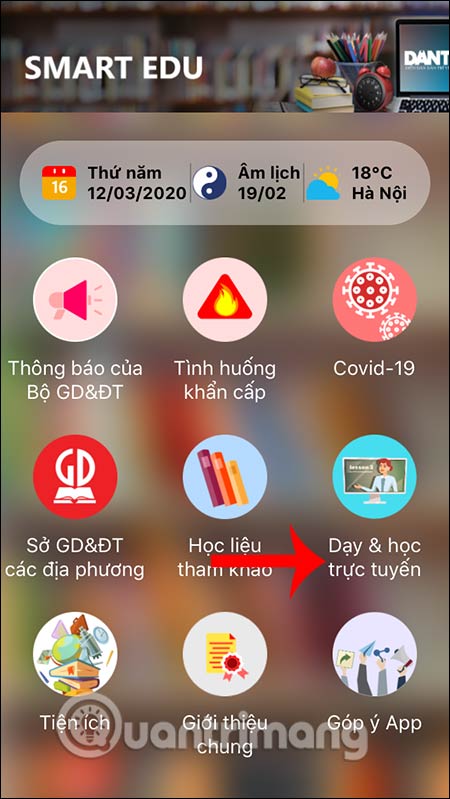
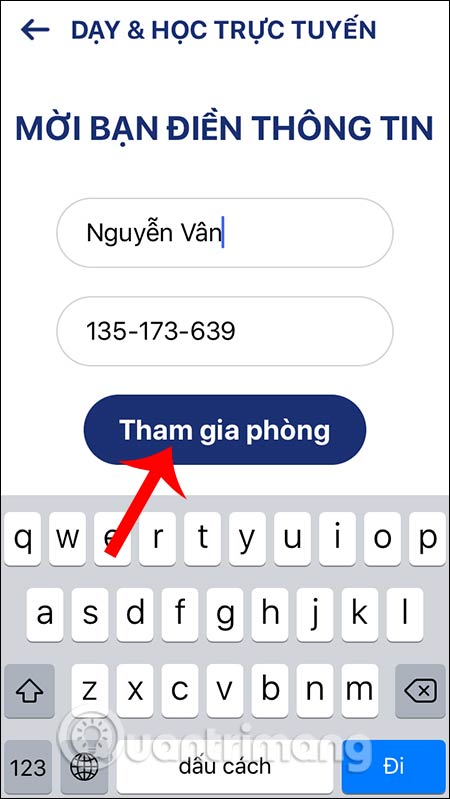
Step 2:
Then press I'm a teacher to create an online classroom. Users then enter the full account information provided by the school including teacher code and password to login . So you've created the classroom successfully. Each classroom will have a link to share with the participating students. Online classrooms ensure communication between members via microphone and video.
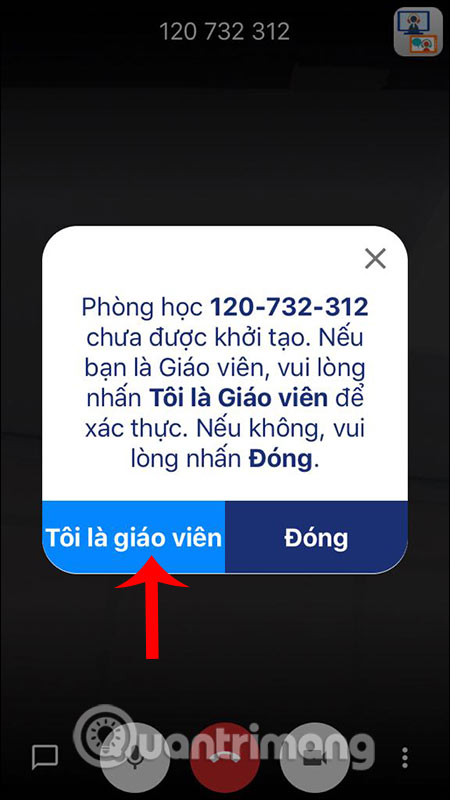
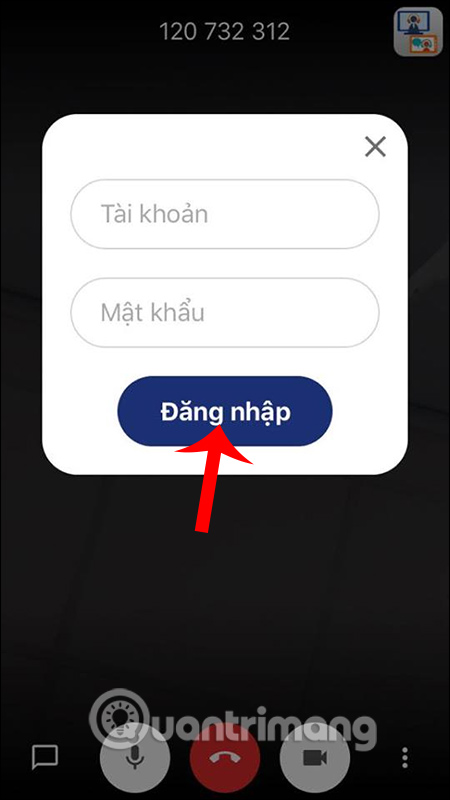
Step 3:
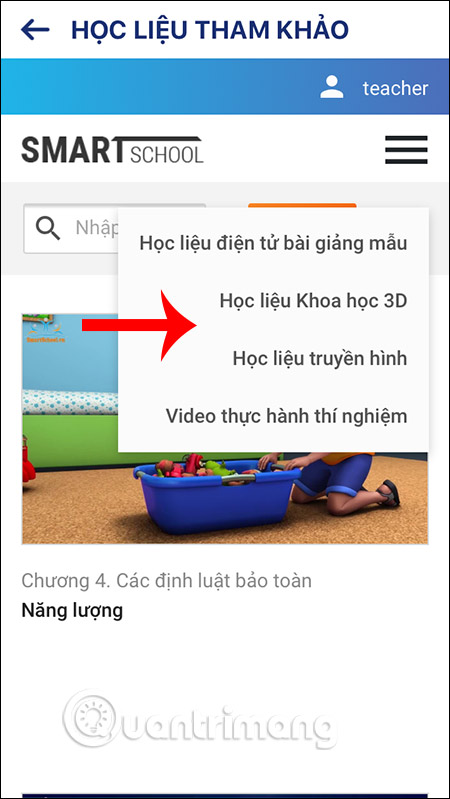
In addition to teaching online learning, the application also provides reference materials, click Reference Materials . Continue clicking Start to enter the lesson. In the interface you click the icon 3 dashes to select the material you want to reference. The next thing is that you choose subjects to refer.


Step 4:
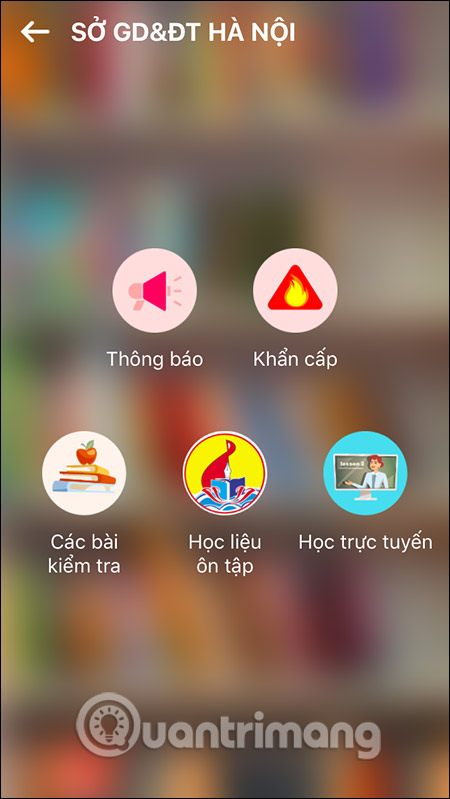
In addition, users can also view more information such as the announcement of the Ministry of Education and Training, select the Department of Education and Training by each province to track information in that province.
Note that some features are still in the process of finalizing the content.


FAQ
What is How to Learn Online on Aic Education Application about?
It provides a structured overview of AIC Education, explains the main context, and highlights practical takeaways for readers.
Why does this topic matter?
Understanding the main concepts helps readers evaluate the issue, avoid common mistakes, and make better-informed decisions.
How should readers use this information?
Use the guidance as a practical starting point, confirm details that may have changed, and follow current product, safety, or security recommendations.
Related Articles
 Covid-19 Is Opening the Future for Digital Education5 minutes read
 Top 7 Online Education Support Websites Are Completely Free7 minutes read
 39 Examples of AI Applications in Education18 minutes read
 Effective Application of AI in Education Requires a National Strategy: Lessons from Shanghai7 minutes read
 Windows 10 Education Explained4 minutes read
 Vietnam Education Network Vnedu: A Practical Guide7 minutes read
Reader Comments 0
Sign in with email or Google to join the discussion.