Table of Contents
Explore fishing battle game guide for beginners, including the key concepts, practical examples, important considerations, and useful guidance.
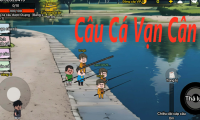
1. Interesting similarities between The Great Fishing Battle and The Thousand Pounds Fishing
Although they are two independent games, players can easily see the commonalities that make Fishing War feel familiar to each other:
- Core gameplay: Both focus on the realistic feeling of "catching fish." The element of skill in timing the bite and a bit of luck when encountering rare fish creates an irresistible appeal.
- Entertainment value: No complicated operation required, suitable for stress relief anytime, anywhere.
- Economic system: Fishing – Selling fish – Upgrading fishing rods. This is a psychological loop that keeps players motivated and motivated to strive for goals.
2. Explore the interface and key metrics
When you first enter the game, you need to familiarize yourself with the information displayed in the upper left corner of the screen to optimize your gameplay:
- Level: Determines whether new maps are unlocked.
- Stamina: Each cast of the rod will consume stamina. Manage your stamina well to avoid interruptions to your enjoyment.
- Total weight: This indicator confirms your status as a "heavy angler of immense weight."
3. Detailed instructions on how to play Fishing Battle for beginners
Step 1: Prepare your equipment in the main lobby
Before setting sail, pay attention to these 3 tactical upgrades:
- Characters: This is where you upgrade your power stats or buy new characters to increase your ability to control big fish.
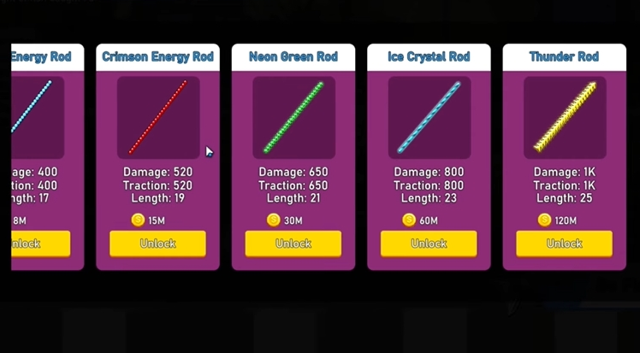
- Fishing rods: Don't skimp on upgrading your rod. A good rod will help you cope with the strong thrashing of the sea monster.
- Fish Shop: Where you can exchange your loot for gold coins to reinvest in equipment.
Step 2: Choose a suitable fishing spot
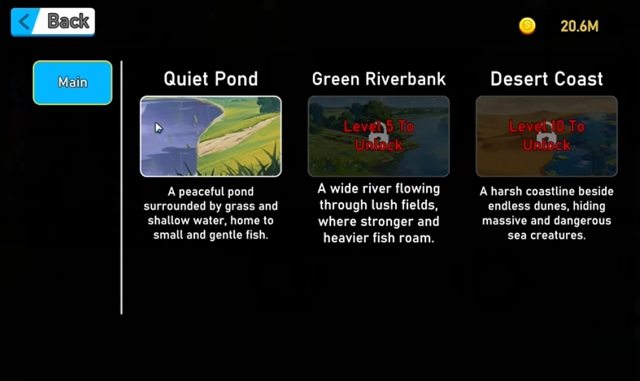
The game offers 3 maps based on your level:
- Yen Binh Pond: For beginners to get used to the pace.
- Green Riverbank (Level 5): Where larger fish species begin to appear.
- Desert Coast (Level 10): A true arena for professional anglers.
Step 3: Techniques for casting the rod and reeling in the fish
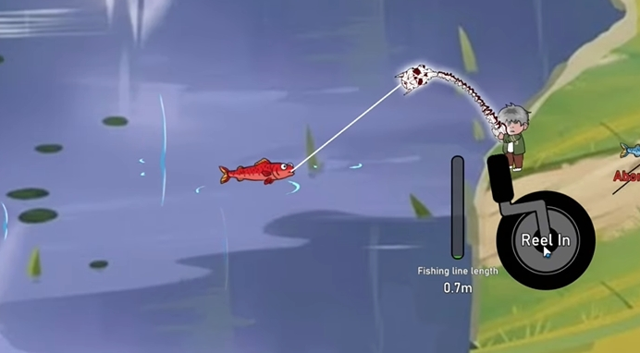
Move your character close to the water's edge and press "Drop the rod" . As soon as a fish bites, touch and hold the fishing button.
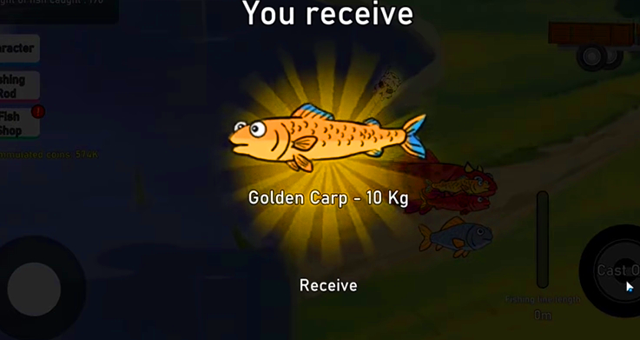
Tip: Keep an eye on the power bar to make sure the fish don't escape. When the fish are brought ashore, the system will highlight the weight and type of fish you've just caught.
4. Evaluate the advantages and disadvantages of the game
Advantage
- Lightweight: Runs smoothly on most older Android devices.
- User-friendly: Adorable 2D interface, 100% Vietnamese language support.
- Free: You can enjoy all the content without having to top up your account.
Disadvantages
- Currently, the game is only available for Android (iOS versions will need to wait longer).
- The ads appear quite frequently between each sentence.
Conclude
If you love the simple yet addictive style of "Fishing for a Thousand Pounds," then "Fishing Battle" will certainly not disappoint you. It's a great choice for entertainment during short breaks.
Are you ready to break the fish weight record today? Download the game and try your luck now!
Final Thoughts
Use this guide as a practical checklist for fishing battle game guide for beginners. Work through the steps in order, verify each result, and adjust the options to match your needs.
FAQ
What do you need before following this Fishing Battle Game Guide for Beginners guide?
Review the required tools, accounts, settings, or materials mentioned in the article. Explore fishing battle game guide for beginners, including the key concepts, practical examples, important considerations, and useful guidance.
What are the main steps for fishing battle game guide for beginners?
Follow the sections in order, especially 1. Interesting similarities between The Great Fishing Battle and The Thousand Pounds Fishing, 2. Explore the interface and key metrics, 3. Detailed instructions on how to play Fishing Battle for beginners. Complete each step before continuing and verify the result as you go.
What should you do if the process does not work as expected?
Recheck the prerequisites, update the relevant app or service, review the settings, and repeat the step that caused the issue. Use any troubleshooting notes included in the guide.





Reader Comments 0
Sign in with email or Google to join the discussion.