Table of Contents
Explore 3 hidden Linux features that will save you hours every week.
These aren't some obscure tricks for professional users. They're common Linux features that most people know the technical details of but often don't use. Once you integrate them into your workflow, the system no longer feels like a computer but begins to function as an extension of the brain. The last feature has completely changed the way many people work.
Virtual desktops help prevent your brain from becoming overloaded
Context switching without causing cognitive disruption
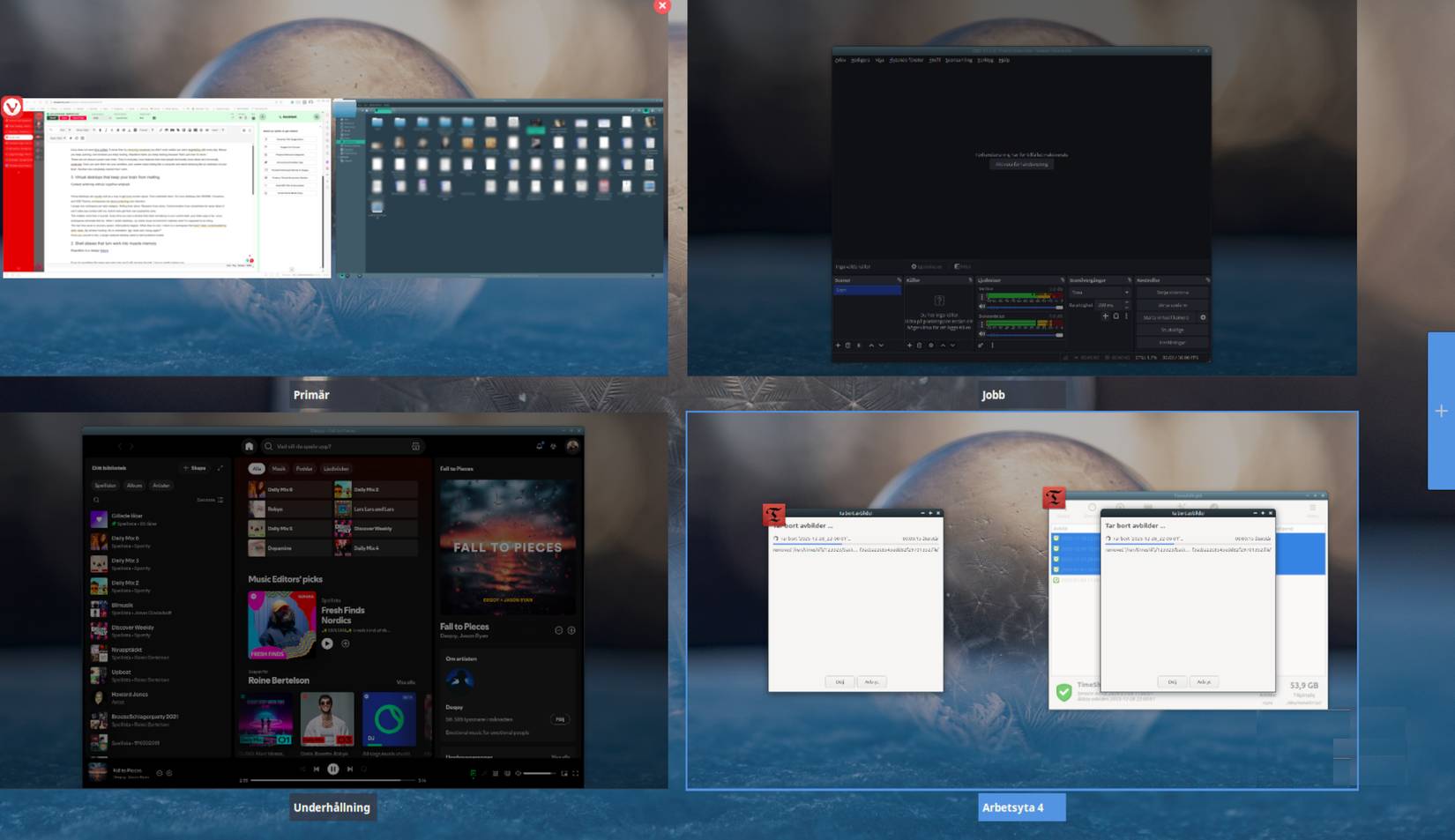
Virtual desktops are often advertised as a way to gain more screen space. That underestimates them. On Linux desktop environments like GNOME, Cinnamon, and KDE Plasma, the workspace is there to protect your focus.
Assign a workspace to each task type: Writing, research, and communication. Administering tools should have their own designated area.
This is more important than you think. Every time you see a window that isn't related to your current task, your brain pays a fee. Linux workspaces eliminate that fee. When you switch desktops, the entire visual environment is synchronized with what needs to be done, requiring virtually no adjustments.
The real time saver is the speed of recovery. Interruptions happen, like Slack notifications or incoming emails. When it's over, you're back in your workspace unaffected by other tasks. No searching for windows. No reorientation. No more "what am I doing?" spiral.
Over time, this trains your brain to associate spaces with modes. Concentration is no longer a heroic act of self-control but becomes a natural reflex. You don't fight distractions but eliminate them through design.
The system begins to take on the responsibilities that you were previously solely responsible for. Attention becomes an environmental factor, not a moral one. You no longer need to rely on discipline to focus. The workspace automatically and silently adjusts focus continuously, without you having to do anything.
Once you get used to it, a cluttered desktop will become annoying.
Shell aliases turn work into a natural reflex
Repetition is a design flaw
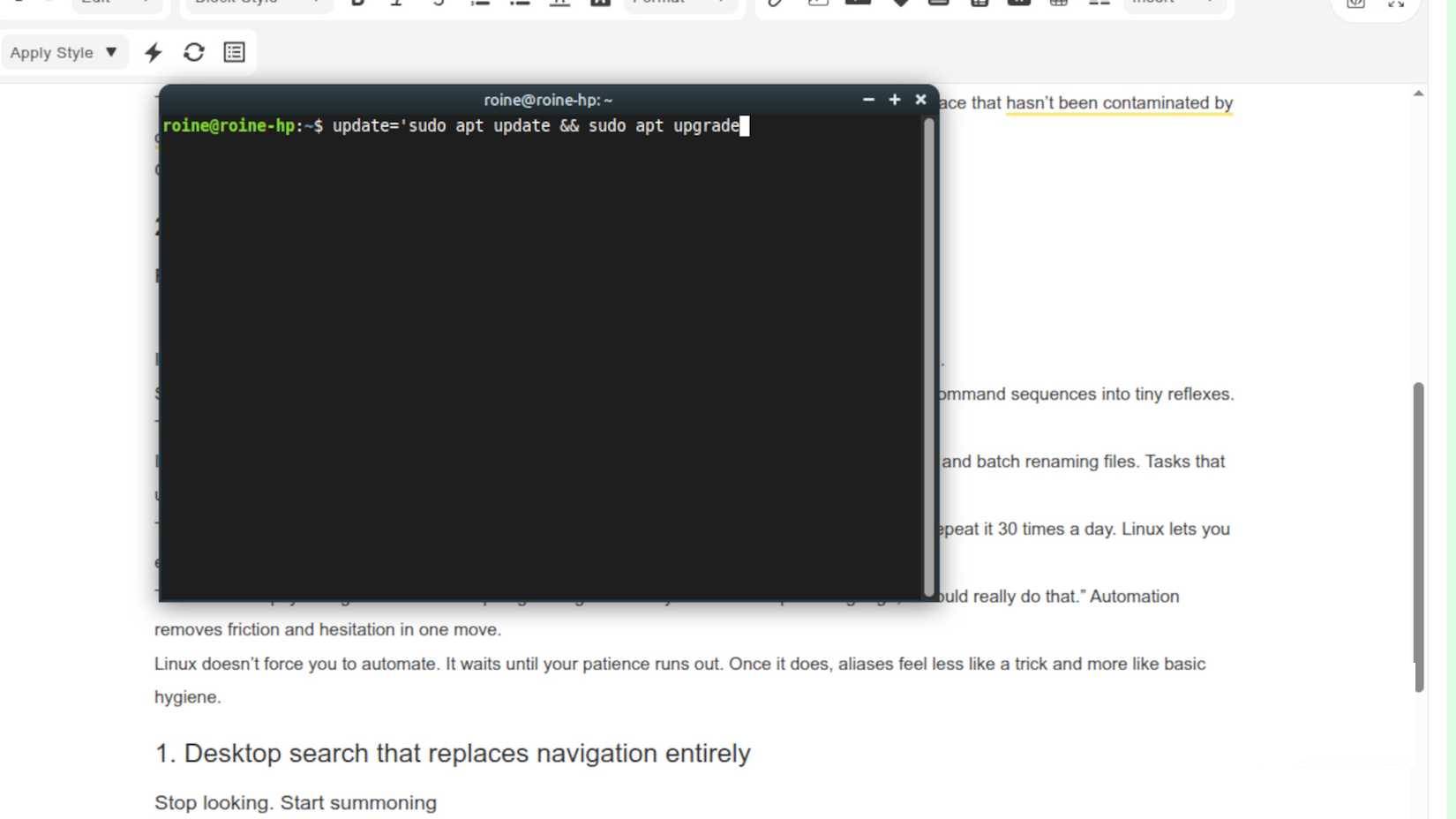
If you do the same thing in the same way every day, and it still requires thought, Linux is silently evaluating you.
Creating shell aliases is the quickest way to reclaim precious seconds. They condense long, error-prone command sequences into quick, responsive actions. Two or three characters. Press Enter. Done. No complicated operations required.
Alias can be used to synchronize projects, clean up directories, launch Docker setups, publish backups, and rename files in bulk. Tasks that once required attention can now be performed without it. Your hands move, and your brain focuses on the work.
The benefits will multiply rapidly. A task that takes 20 seconds won't feel bothersome until you repeat it 30 times a day. Linux allows you to completely eliminate that kind of wasted time instead of enduring it indefinitely.
There's also a psychological shift. You stop negotiating with the system, stop thinking, "Oh, I really should do that." Automation removes barriers and hesitation in a single, simple action.
That mental relief is crucial. Every small decision avoided preserves creative energy for truly worthwhile work. You're no longer focused on mechanical operations, but on results.
Linux doesn't force you to automate. It just waits patiently until your tolerance for inefficiency breaks down. Once that happens, the aliases no longer feel intelligent and start to feel like basic cleaning.
Desktop search completely replaces navigation
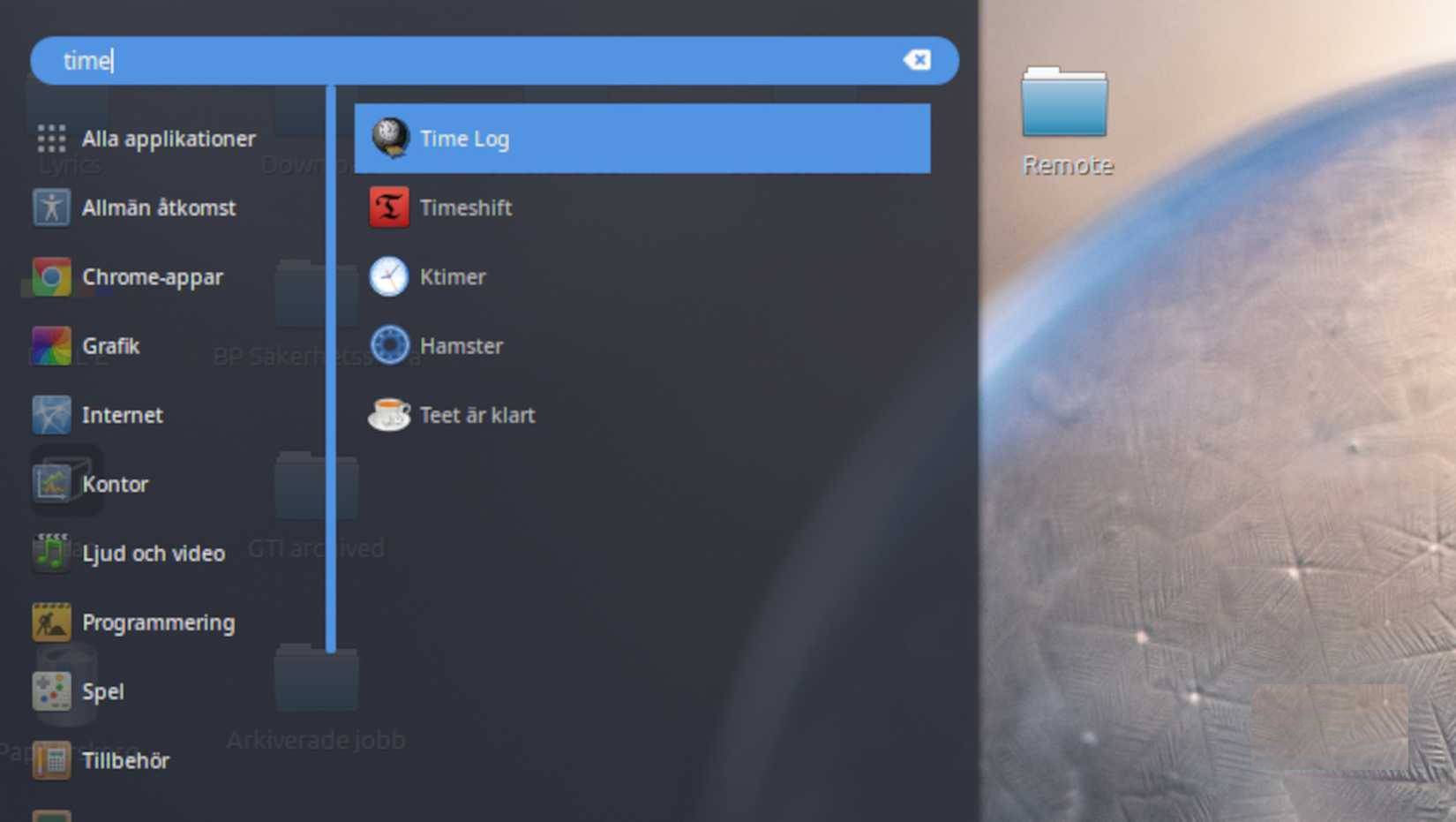
This is the feature that saves the most time each week, and it's the feature that most Linux users use the least.
Searching on the Linux desktop isn't a search box. It's a command-line class. Applications, files, settings, calculations, unit conversions, and system operations are all accessible without leaving the keyboard.
No need to browse menus. No need to open folders 'just to find something'. You just call everything, press a key, type a piece of text, and the system responds instantly. No wandering around corners. No need to search for images.
On KDE, KRunner can seem a bit difficult to use once you understand how it works. GNOME's search function is smoother but just as effective when configured correctly. The results are the same. No image scanning or context switching required.
The real time savings come from continuity. There's no shift in mindset between thinking and acting. Your hands are always on the keyboard. Your eyes are always focused on the task. Your workflow remains intact.
This is how those minor delays disappear. You'll no longer interrupt yourself dozens of times an hour. You'll no longer lose focus just to please the interface. The system responds to you at the speed of intent, not the speed of clicks.
Once you understand this, traditional desktop navigation becomes unbearably slow. It's like constantly rummaging through drawers when you can simply ask for and get what you need.
Final Thoughts
Understanding 3 hidden linux features that will save you hours every week makes it easier to evaluate the information and apply the most relevant recommendations. Focus on the key points above and verify details that may change over time.
FAQ
What is 3 hidden linux features that will save you hours every week?
Explore 3 hidden Linux features that will save you hours every week.
What key points does this article cover?
The article focuses on Virtual desktops help prevent your brain from becoming overloaded, Context switching without causing cognitive disruption, Shell aliases turn work into a natural reflex, with practical explanations and examples.
How can you use this information in practice?
Use the explanations to compare options, verify important details, and make a more informed decision. Apply the recommendations that best match your goals and situation.
Related Articles
 How to Check Hidden Files and Folders on Linux7 minutes read
 8 Great Hidden Features in iOS 269 minutes read
 Search and Activate Hidden Features in Windows 10 with Mach2 Tool9 minutes read
 4 Extremely Useful 'Hidden' Linux Commands: Explained7 minutes read
 3 Hidden Features on Android P Should Be Explored Immediately5 minutes read
 Most People Don't Use These Hidden Features in Windows Security9 minutes read
Reader Comments 0
Sign in with email or Google to join the discussion.