Article on the subject of "windows process"
-

What is Antimalware Service Executable and why is it running on the computer?
windows 10 developed a new feature windows defender, windows' integrated antivirus program. the antimalware service executable process is the background process of windows defender, it is also known as msmpeng.exe, part of the windows operating system.
-
What is WMI Provider Host (WmiPrvSE.exe) and why is it using too much CPU?
wmi provider host is an important process of windows and usually works in the background. it allows other applications on the computer to request information about the system. this process usually does not use a lot of system resources, but it can use a lot of cpu if another process on the system
-
What is 'Spooler SubSystem App' and why run on the computer?
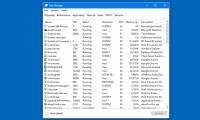
if searching around task manager, you might see a process called spooler subsystem app, print spooler or spoolsv.exe. this process is a normal part of windows and handles printing. if this process continually uses a large amount of cpu resources on your system, then that is the problem.
-
What is the Host Process for Windows Tasks and why does it run much on the computer?
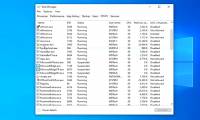
if you've ever taken the time to look into the task manager window, you'll see a process called 'host process for windows tasks'. in fact you may have seen many instances of this process running at the same time. this article will explain to you what the host process for windows tasks process is
-
How to find the Process ID of the application on Windows 10
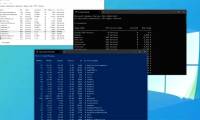
there are at least 4 methods to check process id (pid) for any active process in windows 10, using task manager, resource monitor, command prompt and powershell.
-
Learn the Windows 10 installation process
analyze the process of installing windows 10 and windows versions in general so that you have a better understanding of the windows operating system installation process
-
How to set priorities for applications in Windows 10
if a process (application) has a higher priority, it will receive more processor resources for better performance than a process with a lower priority.
-
How does Windows 10 start up?
when you press the pc power button, the windows 10 boot process starts taking place in a certain sequence.
-
To speed up the Windows 7 boot process, read this article
the process of starting a computer quickly or slowly depends on many factors. however, if you're using a windows 7 computer and the process of booting your computer lasts, even taking half an hour will make you feel annoyed and just want to smash your computer. .
-
What is 'Spooler SubSystem App' and why run on the computer?
if searching around task manager, you might see a process called spooler subsystem app, print spooler or spoolsv.exe. this process is a normal part of windows and handles printing. if this process continually uses a large amount of cpu resources on your system, then that is the problem.
-
Qprocess (query process) command in Windows
(applies to windows server (semi-annual channel), windows server 2016, windows server 2012 r2, windows server 2012)
-
What is WMI Provider Host (WmiPrvSE.exe) and why is it using too much CPU?
wmi provider host is an important process of windows and usually works in the background. it allows other applications on the computer to request information about the system. this process usually does not use a lot of system resources, but it can use a lot of cpu if another process on the system
-
How to debug a Windows application with Process Monitor
one way to get around the problem is to use a free official microsoft utility called process monitor. this tool will help you diagnose and debug any windows application errors or problems.
-
How to restart the Windows Explorer.exe process
when windows starts and the user logs on, the operating system launches the explorer.exe process, displaying the windows user environment like the desktop, the taskbar, and the start menu.
-
How to scan viruses on Windows with Process Explorer
process explorer is a tool for managing processes running on windows and scanning for processes running by the famous virustotal virus scanning service.
-
What is the Client Server Runtime Process or csrss.exe and why does it run on the computer?
if you are using a windows computer and open task manager, you will probably see one or more client server runtime process (csrss.exe) running on the computer. so what is this process, is it part of windows? and why does it run on the computer? this article will explain your questions.
-
Learn about System Idle Process
have you ever opened the task manager and found that the system idle process is using more than 90% of the cpu? contrary to what you think, it is not bad. this is what this process is doing.
-
What is Antimalware Service Executable and why is it running on the computer?
windows 10 developed a new feature windows defender, windows' integrated antivirus program. the antimalware service executable process is the background process of windows defender, it is also known as msmpeng.exe, part of the windows operating system.
-
How to Open a Folder in New Process on Windows
file explorer freezes when opening too many folders? running new process helps separate processes, reducing crashes. below are instructions to help you open folders in new processes on windows using task manager, cmd.
-
What is the YourPhone.exe process in Windows 10?
in case you are wondering yourphone.exe is not a virus, but a microsoft process through which you can basically link your phone to the pc operating system.
-
How to Make a Process Document
process documents walk readers through the logical sequence of steps that are needed to successfully complete a process. for example, wikihow articles are a type of process document. the content of a process document may be complicated or...
-
Microsoft is preparing to automate the Windows 10 update process with AI
microsoft said the feature updates will be automatically downloaded and applied to devices running windows 10 versions 1803 and earlier using the artificial intelligence-based introduction process.
-
How to find which processes stop or start Windows Services
windows services being stopped or disabled is not very common, but sometimes it can happen. the biggest problem here is that there's no way to find out which process has stopped or updated windows services on windows 10.
 Home
Home Tech info
 Technology
 Science
 Life
Life Application
 Electric
 Program
 Mobile
 System