Article on the subject of "free up android memory"
-

How to Free Up Storage on Android and iPhone
when you run out of memory, your phone slows down, the battery drains quickly, and limits what you can do. by deleting unnecessary data on your mobile phone, you will have more free memory and increase the performance of your device.
-
Free memory on Android 5.0 and older with Auto Memory Manager
one of the drawbacks of android is that all applications running in the background still use the device's memory to the maximum. this makes the android device slow and hangs. in order for the android device to work properly, you must install applications that can release internal memory.
-
Free memory on Android 5.0 and older with Auto Memory Manager
one of the drawbacks of android is that all applications running in the background still use the device's memory to the maximum. this makes the android device slow and hangs. in order for the android device to work properly, you must install applications that can release internal memory.
-
How to Free Up Storage on Android and iPhone
when you run out of memory, your phone slows down, the battery drains quickly, and limits what you can do. by deleting unnecessary data on your mobile phone, you will have more free memory and increase the performance of your device.
-
Android phone full of memory, what to do to fix?
android phones are full of memory, a phenomenon that often occurs with smartphones with low internal memory, or users who store too many applications on their mobile devices. if you do not want this situation to occur, apply 4 small tips below.
-
How to fix memory leaks on Android
if your android phone is constantly having problems, you can identify it from three potential causes: malware infection, battery drain or memory leak. this article will guide you how to troubleshoot memory leaks on android.
-
How to Transfer Pictures from Android to Memory Card
this article shows you how to transfer photos from your android device's internal memory to an sd memory card. you can do this using android's settings, or use the free es file explorer app.
-
How to free up to 6GB of internal memory for iPhone
applying a small trick in this article, you can free up to nearly 6gb of internal memory for your iphone. this number for 16gb iphone users that is indeed a dream thing.
-
How to transfer applications from internal memory to a memory card
when we use android devices, it is difficult to avoid the internal memory is full, full load due to too many applications being downloaded. however, the advantage of android phones is that it supports memory cards, so you can easily move apps to the memory card to free up your internal memory.
-
How to turn the memory card into internal memory on Android 6.0
turning the memory card into internal memory on android 6.0 will give you more space to store data and increase device memory.
-
Good tips for Android devices
sometimes cleaning android devices means you will have to delete a lot of files to free up storage space. if you want to remove the rubbish from the android device's internal memory for a more streamlined arrangement, our article will help you do it in the most consistent way.
-
Instructions to transfer applications from memory to SD memory card on Android device
android applications are installed by default on internal storage, but you can also set the sd card as the default installation location or transfer installed android apps to sd memory cards. here are a few ways to transfer installed apps on your phone to an sd card.
-
Free up storage space on your Android device with just 1 tap
on today's smart phones, manufacturers often limit memory capacity. but in fact, after a period of using the device, users download software, applications, music, videos, .... and experience the amount of memory on a day is full and not enough storage space. store.
-
5 simple ways to regain storage space on your Android device
after a while of using, downloading and installing applications, music, videos, ... the memory of your android device will be full and there is not enough storage space. for high-end devices with large internal memory you may not worry much, but low-cost devices with only a few gigabytes of
-
What to do when an error occurs 'Android cannot format SD card'?
'android unable to format an sd card' is a common error that occurs on platforms, not just android. when encountering this error most likely your data on the memory card will be lost. fortunately, however, you can format the sd memory card and continue using it.
-
Instructions for installing Android apps on SD card
by default, the android application gets into internal memory, but if your phone has a low memory capacity, you can use the memory card to install the application. here are some methods to do that.
-
Instructions to increase storage capacity for Android TV Box
after a period of use android tv box is often full of memory or data that is often partitioned. therefore, you need to know how to increase the storage capacity for these android tv models to enhance your experience.
-
Memory management tips on Android you should not ignore
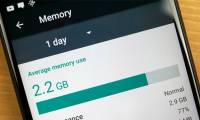
you may have memory issues on your old android phone or when playing the latest mobile games. so what to do in this case? let's take a look at some ways to manage ram on android below.
-
Useful tips to free iPhone memory
like computers, after a long time of use, the memory on the iphone will be full. meanwhile, phone operations will become sluggish. therefore, you need to release the memory for your crickets. please refer to the tips we collected below.
-
The best memory card format software for Android phones
this is the best 4 memory card fomat software for android phones, so you can recover and format the memory card quickly and efficiently with just a few simple steps.
-
Remove dead files of deleted applications to free up memory on Android
how to completely remove the dead file of deleted applications? try some ways below.
-
Free unused memory on Firefox browser
whenever you use firefox browser to play online games or browse the web ... will consume a lot of memory, causing your computer to lag. one of the simplest ways to prevent firefox browser from consuming memory is to turn off tabs that you don't use, restricting access to large graphics sites.
 Home
Home Tech info
 Technology
 Science
 Life
Life Application
 Electric
 Program
 Mobile
 System