Article on the subject of "check for updates"
-
Steps to uninstall updates on Windows 10 and Windows 11
windows updates are often a good way to keep a user's computer safe, but they can also become a nuisance when it comes to problems.
-
Windows users need to update their software immediately
recently, microsoft has officially released a new update, helping to fix 108 critical vulnerabilities.
-
Microsoft warns, clicking Check for Updates will make the new Windows 10 update unstable
we do not encourage you to click on the 'check for updates' button. this is a new advice given by microsoft to users to avoid problems when updating a new version of windows 10.

-
How to Check for Updates on Android Phone
this article explains how to check for system software updates and updates for applications installed on android devices.
-
How to Check for and Install Updates on a Mac Computer
software updates keep your computer and programs secure, fix errors, and provide new features. many apps that you install will get regular updates that can improve functionality. apple also releases system updates that keep your mac secure...
-
Instructions for adding 'Check for Updates' option to Windows Context Menu
windows 10 is gradually switching from control panel to new settings application. in this application, you can easily check for new updates by navigating to update and security -> windows update, then clicking check for updates. however, you can do this faster by switching the check for updates
-
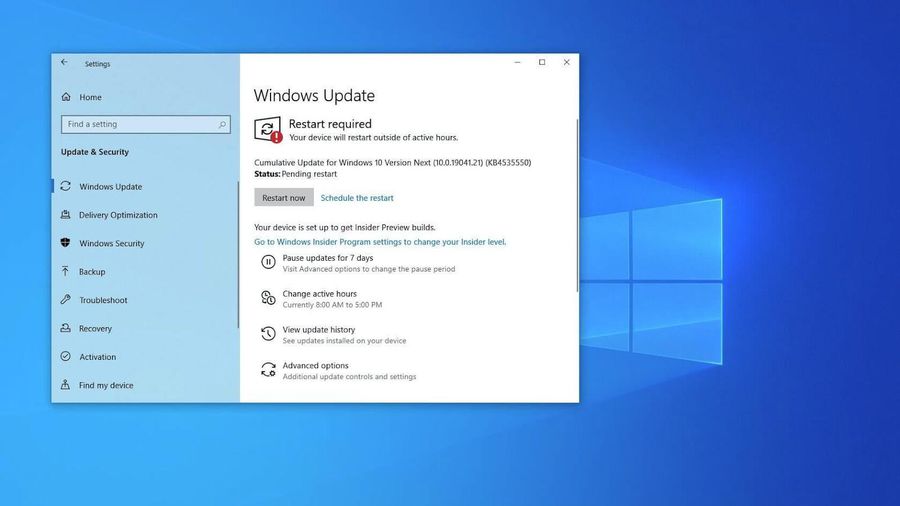
Microsoft warns, clicking Check for Updates will make the new Windows 10 update unstable
we do not encourage you to click on the 'check for updates' button. this is a new advice given by microsoft to users to avoid problems when updating a new version of windows 10.
-
Steps to fix Windows computer that randomly wakes up to check for updates
does your computer randomly wake up and pop up a window saying 'checking for updates'? usually, this is caused by the program mousocoreworker.exe - a microsoft task that helps coordinate the installation of windows updates.
-
How to Check and Install Updates on Mac
updating software helps keep computers and programs secure, fixes errors, and adds new features. many applications you install on your device are updated regularly, which can improve functionality. at the same time, apple also regularly releases system updates to help keep macs secure and operating
-
Spreading hacking tools helps Windows 7 still get updates even after Microsoft has stopped supporting
this hacking tool will basically help your device pass that initial check and can receive updates just like esu customers.
-
Steps to uninstall updates on Windows 10 and Windows 11
windows updates are often a good way to keep a user's computer safe, but they can also become a nuisance when it comes to problems.
-
How to stop Windows updates on your PC
this is how you strengthen and fine-tune your system so that updates occur according to your own schedule, not microsoft's.
-
Fixing errors Windows Update Service or BITS Service is missing on Windows Service
in many cases when malicious software (malware) attacks, it is possible that services (windows services) and other important services (services) such as bits (background intelligent transfer service) may be error or deleted from the system. in these cases windows cannot check or download new
-
Change your habit of procrastinating on software updates immediately!
updates can feel constant. we can all understand the inconvenience of the endless requests related to mobile security patches, forced windows restarts, browser updates, firmware updates, and mobile app updates.
-
How to Check if Your Intel Mac is Still Getting Any Updates
with macos 26 coming soon, more and more intel-powered macs are being discontinued, so if you're still using one, it's time to consider upgrading.
-
List of settings to check after updating Windows 10
major updates often change settings and personal preferences. this is why you need a checklist to go through some of the most common settings windows updates tend to change.
-
How to turn off automatic software updates on macOS Sierra
on macos sierra, there is the automatic software updates feature, which automatically updates the software. users will be able to immediately use the upgraded features of the applications on the computer without having to manually check and update. however, this feature sometimes causes you a lot
-
How to manually update the new Microsoft Edge
the new edge is no longer part of windows 10, so microsoft can automatically update new browsers more often. however, sometimes you want to check for manual updates to make sure you're running the latest version.
-
How to update Google Chrome to the latest version
updating chrome to the latest version will help you get new patches from the publisher as well as experience its new utilities and features. how to know if the current version of chrome is the latest and how to update it?
-
The 7 biggest iOS updates of all time
since launching the first iphone in 2007, apple has made a number of important changes to its smartphone operating system.
-
Tips to avoid faulty, problematic Windows updates
windows updates can cause errors, compatibility issues, or even slow down your system. here are some tips to avoid faulty windows updates.
-
How to disable Windows 10 updates, permanently block automatic Windows 10 updates.
every week, the system automatically downloads and updates windows 10 to the latest version, which can be frustrating for users due to slow performance, freezing, crashing, or lag. therefore, taimienphi will show you how to quickly and easily disable windows 10 updates in less than a minute.
-
How to Update Excel
this wikihow teaches you how to check for updates in microsoft excel on a windows or mac computer. if updates are available, excel will download and install them as needed. keep in mind that excel, like most microsoft office products, will...