Article on the subject of "applications for windows"
-

14 free and useful applications for Windows should be installed
14 most popular and useful applications you should install on your window.
-
7 utility applications should install for Windows
7 useful and compact applications suitable for windows installation.
-
Is Windows gone?
roger mcnamee, a well-known silicon valley investor, recently released some notable statements about microsoft's windows operating system. roger mcnamee thinks that windows is no longer profitable for microsoft ...
-
7 utility applications should install for Windows
7 useful and compact applications suitable for windows installation.
-
How to add applications to the Windows 11 Taskbar
the taskbar has long been an indispensable and irreplaceable thing on devices using windows. many of you often add a lot of frequently used applications to the taskbar for faster access on the computer.
-
How to pin applications to Windows 11 computer screen to open faster
adding applications to the home screen of a windows 11 laptop has many ways. this is how to pin applications to the windows 11 computer screen to open quickly and without affecting the interface...
-
14 free and useful applications for Windows should be installed
14 most popular and useful applications you should install on your window.
-
How to list all applications on Mac
installing the application on macos is slightly different than windows. because they are usually single .app files, you can move on the hard drive more easily. here's how to list all applications on the mac.
-
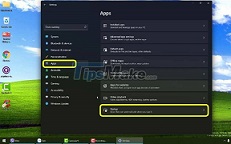
3 ways to quickly remove applications on Windows 11 from your computer
the application was unnecessary or caused a system error. the only fix is to uninstall the app. today i will show you how to uninstall applications on windows 11.
-
How to quickly minimize applications on Windows 11
windows 11 makes it easy to clear the view and return to the desktop with a simple keyboard shortcut or gesture. whether you have multiple apps or browser tabs open, simply minimize the apps and you're back on your desktop.
-
Stop installing these applications and programs on Windows 10
have you ever thought about applications that are already installed on your computer? we're not talking about applications like microsoft word or adobe photoshop, which have millions of users and are completely safe to use. here we refer to third-party applications, when performing useful tasks.
-
How to run Windows applications on Linux with Wine
there are a number of applications from windows that are needed but there are no alternatives on linux. fortunately, there is a software project that allows you to run windows applications on linux. this software is called wine. it creates a compatibility layer for windows programs to interact
-
How to disable applications that start with Windows 11
applications that start with windows are installed so that users can quickly access the programs they need every time they turn on their computers. however, some applications also take advantage of this feature to annoy users.
-
3 ways to turn off suspended applications on Windows 11
sometimes applications on windows 11 will crash, making you unable to operate. what you need to do now is force close the faulty applications.
-
How to disable applications running in the background on a Windows 10 computer
with guidance on 6 ways to turn off applications running in the background on windows 10 computers done on the computer without installing additional support software simple and effective.
-
How to prevent Windows 10 from reopening applications when booting the computer
how to completely turn off the automatic opening of windows 10 applications.
-
16 applications that help students learn more effectively
learning often makes you feel boring, difficult to concentrate and ineffective, so try the following 16 applications to make your learning more effective!
-
Ways to Turn Off Hanging Applications on Windows 11
sometimes applications on windows 11 will freeze and you cannot operate. what you need to do now is force close the faulty applications.
-
Trick to remove the default application on Windows 10
windows 10 interface is set with dozens of universal applications: calculator, calendar, mail, camera, cortana, contact support, file & tv, get started, groove music, maps, news, onenote, people, photos ... among these applications are extremely useful applications such as mail, calendar,
-
How to run applications in parallel on Windows 10
cloning, running applications in parallel on windows 10 will help you do more things at the same time and above all, you can use many other accounts in parallel.
-
Add, remove startup applications with Windows 8
every time you start windows 8 it is common to see some applications running automatically with the system. of course, there are also some applications that we use regularly, but there are also unnecessary applications that can slow down the processing speed of the computer.
-
This is the amount of space that default Windows 11 applications are taking up on your PC
like many other operating systems, microsoft provides a series of default applications for windows 11. these are pre-installed applications on the operating system that you cannot remove in the usual way.
-
On Windows 10 you should disable these features
on windows 10 by default, there are many applications running on the backround. even these applications will run in the background even if you don't open them. these applications can receive information, send notifications, download and install new versions of updates, ... and lead to the
 Home
Home Tech info
 Technology
 Science
 Life
Life Application
 Electric
 Program
 Mobile
 System