Article on the subject of "apple account security"
-
4 data security applications on iPhone that you should have
security applications on smartphones will help users to ensure all the data in the device, avoid being stolen or delete remote data.
-
Activate 2-layer verification to secure your Apple ID account
to protect users from hacker attacks, apple has integrated 2-layer security on its devices. both 2-layer verification security and 2-step verification security are available for apple id users. however, the 2-layer verification security feature and 2-step verification security feature are slightly
-
Instructions for resetting Apple ID security questions
when registering an apple account, users will need to answer security questions. these security questions will help us recover our apple account when accidentally forgetting the password. however, what if you forget the apple id security question?
-
How to protect your iCloud account from being stolen
currently the number of iphone users and other apple products is huge. comes with apple devices as icloud (apple id) account to backup and store data, in addition icloud also used to lock devices, delete data and report a loss of the device. besides, apple id account can also be linked with cards
-
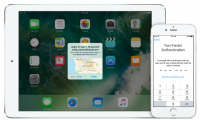
Activate 2-layer verification to secure your Apple ID account
to protect users from hacker attacks, apple has integrated 2-layer security on its devices. both 2-layer verification security and 2-step verification security are available for apple id users. however, the 2-layer verification security feature and 2-step verification security feature are slightly
-
How to delete an Apple ID account
apple launched data port and security, allowing you to request changes to the data shared with the company. it also allows you to delete apple id accounts and related data.
-
SECURITY SECURITY II: Security Policy Account for Computer Security Account Policies
in the previous section i introduced common methods to protect an organization's computer. in the next part, i will present the specific methods in order, from the process of setting up the system, operating the system based on the safety policies from basic to the advance skills that the admin
-
How to Delete an Apple ID
this wikihow teaches you how to delete your apple id account. after removing your apple id account and authorizations from your different mobile devices and computers, you can request that the account is deleted by apple's customer...
-
How to fix Apple Account login error on the web
the apple account web interface on your browser lets you view your personal information, change settings, manage subscriptions, and more. but sometimes you can't sign in for a variety of reasons.
-
Instructions for registering an Apple account do not need to enter a Visa card
normally when you register for an apple account, you need to enter the visa card number to make it easy to pay when installing paid apps, which also means a lot when you don't want to pay the fee but accidentally click on the ok button. agree to pay for it. for this reason, the following article
-
Instructions for setting up an Apple ID security key
from ios 16.3 onwards, apple has set up a physical security key to enhance the security of users' apple id accounts.
-
Apple ID is enhanced with security
manufacturer of iphone, ipad forces users to log into apple id account through two layers of passwords.
-
Want to secure your Google account? Do not ignore the following!
to secure all personal information of your google account, not only do you create a password, but also pay attention to many other security tips, avoid losing your account.
-
Create an Apple ID, register an Apple ID account for less than 3 minutes
create apple id, register your apple id account from the browser, quickly right on the apple account creation page. once you have apple id, you will download games, applications and other utilities on the apple store.
-
Secure iCloud to minimize ransomware threats on Apple devices
in the past week, many apple users have felt very nervous when devices on the ios and mac platforms do not let their owners use them. most cases often require a 6-digit code or pay to restore access. the fact that the lock method comes from the user's own icloud account has caused the problem.
-
Disable the iCloud account change function on iOS
with icloud account, you can back up data, lock devices, delete data and more, can link with cards such as visa, master card to pay for buying paid apps on apple store. because of such importance, security for icloud is a vital job for ios users.
-
How to make your Tik Tok account more secure
even a lighthearted application like tik tok can cause security issues. videos can contain a lot of personal information, so be careful what you record and share.
-
10 simple steps to enhance your online account security and your computer
the 'golden rule' to protect your online accounts is always in a safe state that each account creates a random password. long passwords and randomly arranged numbers help you prevent brute-force attacks.
-
How to remove devices connected to your Apple ID account
apple id users often log in to their devices on multiple computers and phones. similarly, when you use itunes and log in to your account, that device is also connected to your apple id account. to avoid losing your account or being hacked, users should remove all devices connected to their apple id
-
How to create an Apple ID, register for an Apple ID Store iPhone account
how to create an apple id account so you can easily use services from apple such as downloading applications, games or accessing other utilities. there are many ways to register for an apple id and in this article tipsmake will also send you some ways to help you create an apple id account the
-
Instructions to change Apple ID account information
when you register for an apple id account, there will be a personal information declaration section with basic information. and that personal information can completely change to match your current information.
-
Keep your Google account secure 'safer'
menus the account settings (account settings) of google have not changed, but the interface of the installer has new things. that is adding 5 important security settings to your google account.