Table of Contents
Brother’s model suffixes and printer types matter more than an old “most affordable” ranking. Decide whether you need color, refillable ink, laser text output, scanning, an automatic document feeder (ADF), duplex printing, or network access before comparing prices.
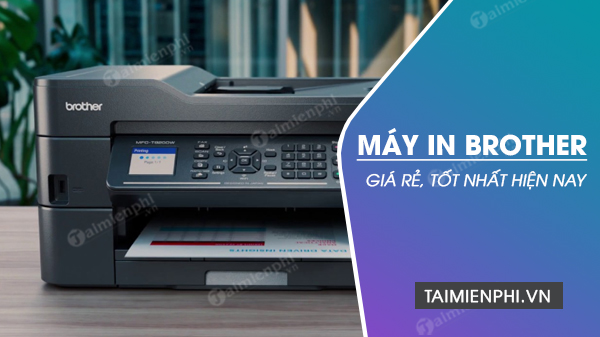
The five models below are retained from the original list as examples. Prices, inbox supplies, warranty, supported operating systems, and regional product codes change, so verify the current Brother specification and support pages for the exact model sold in your country.
Quick comparison
| Model | Type | Best fit | Key limitation to check |
|---|---|---|---|
| DCP-T220 | Color refillable ink, print/scan/copy | Regular color documents from one USB computer | No built-in Wi-Fi on this model; manual duplex |
| HL-L2361DN | Monochrome laser, print only | Shared wired-network text printing with automatic duplex | No scanning or copying; “DN” is not Wi-Fi |
| DCP-T310 | Older color refillable ink, print/scan/copy | Existing supported installations or discounted stock | Check current OS support, stock age, and replacement supplies |
| DCP-B7535DW | Monochrome laser multifunction | Busy small office needing ADF, duplex, and wireless networking | Larger cost and footprint; monochrome printing only |
| HL-L2321D | Monochrome laser, print only | One USB computer needing fast automatic duplex | No network connection, scanner, or copier |
1. Brother DCP-T220: basic color ink-tank all-in-one
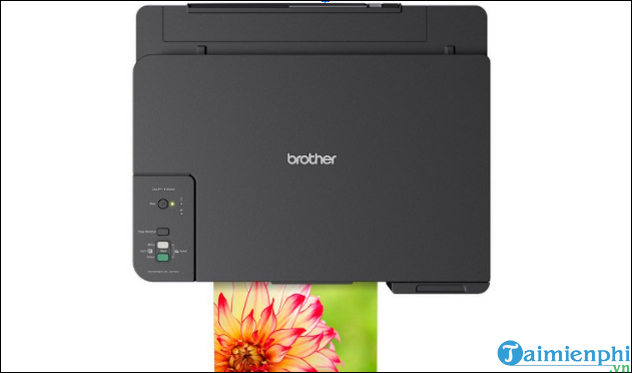
The DCP-T220 prints, scans, and copies in color and uses refillable ink tanks. Brother lists a flatbed scanner, a 150-sheet plain-paper tray, and a separate manual-feed slot for supported media. The printer connects by USB; related “W” models add wireless features, but that does not make the T220 wireless.
Choose it when: a household, student, or small office prints color regularly and wants bottle-based ink with a flatbed scanner.
Check first: bottle codes and declared yields for the region, current driver support, photo and borderless sizes, printhead warranty, and the absence of automatic duplex. ISO images-per-minute and draft pages-per-minute are different measures; compare standardized speeds rather than the largest number in an advertisement.
2. Brother HL-L2361DN: wired-network duplex laser
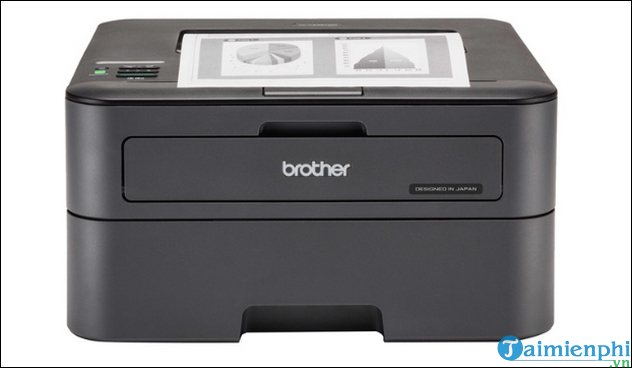
The HL-L2361DN is a print-only monochrome laser with automatic two-sided printing, USB, and wired Ethernet. Brother’s regional specifications group it with models rated up to 30 A4 pages per minute. The “N” identifies network capability; this model should not be described as Wi-Fi merely because it supports network or mobile-print protocols through a router.
Choose it when: several office computers share a reliable Ethernet connection and produce substantial black-text jobs.
Check first: current firmware, driver support, toner and separate drum cost, tray capacity, and the recommended monthly range. Google Cloud Print was discontinued and should not be a buying criterion; verify today’s supported protocols and apps instead.
3. Brother DCP-T310: older refillable color all-in-one
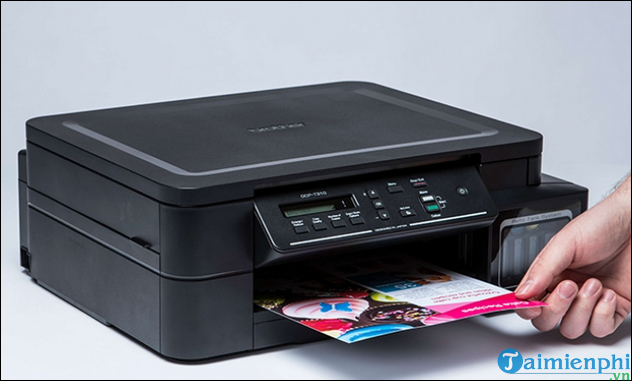
The DCP-T310 is an older color ink-tank multifunction model for printing, flatbed scanning, and copying. Its core use resembles the newer DCP-T220, so availability, age, support, and actual total cost should decide between them—not a recycled list price.
Choose it when: the exact unit has supported drivers, unused or well-maintained printheads, locally available bottles, and a meaningful price or service advantage.
Check first: manufacturing or first-use history, warranty status, nozzle test, ink-system condition, USB-only workflow, and whether a current replacement model offers better support. Old stock can be a poor value when consumables or software support are difficult to obtain.
4. Brother DCP-B7535DW: wireless laser multifunction with ADF
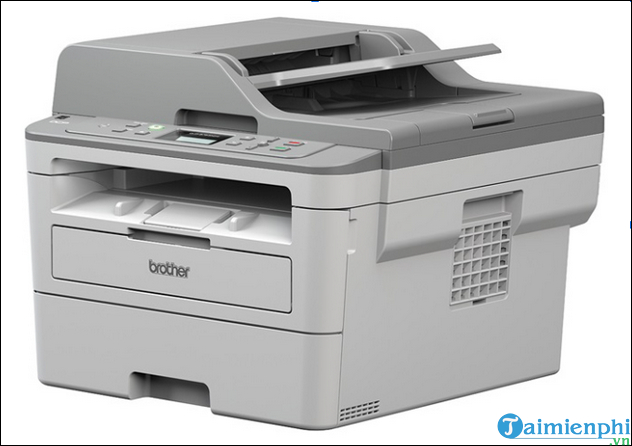
The DCP-B7535DW combines monochrome laser printing, copying, color scanning, an ADF, automatic duplex printing, and network connectivity. It suits document-heavy offices that need to scan or copy multipage originals without placing every sheet on the glass.
Choose it when: several users need wireless or wired access, two-sided printing, and routine multipage scanning or copying.
Check first: whether the ADF scans one or both sides automatically, current mobile-app support, scan-to destinations, exact toner code, drum replacement schedule, and the unit’s size. “Remote control” is not the same as unrestricted internet printing; configure only the local or cloud services your organization approves.
5. Brother HL-L2321D: USB duplex laser
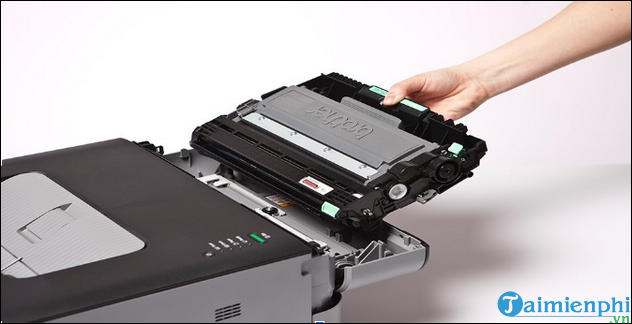
The HL-L2321D is a compact, print-only monochrome laser with automatic duplex, a 250-sheet main tray, and USB. Brother specifies up to 30 A4 pages per minute and lists a separate toner cartridge and drum unit for this regional model.
Choose it when: one nearby computer needs fast black-text printing and automatic two-sided output, with no requirement for Wi-Fi, Ethernet, scanning, or copying.
Check first: operating-system support, the country-specific inbox toner yield, high-yield toner number, drum cost, and USB cable requirements. An included “full capacity” toner claim can differ by market, so read the box and regional specification.
Ink tank or laser?
| Consideration | Ink-tank DCP models | Monochrome laser models |
|---|---|---|
| Color | Color documents and basic photos | Black-and-white output |
| Idle periods | Need periodic use and nozzle maintenance | Generally tolerant of longer gaps between jobs |
| Text speed | Varies; compare ISO figures | Often faster for black office documents |
| Supplies | Ink bottles plus printhead/maintenance considerations | Toner plus drum and possibly other maintenance parts |
| Best workload | Regular color output with low bottle cost | Sharp text and predictable office batches |
Calculate cost per page without shortcuts
- Use the local supply price and the manufacturer’s declared yield for the exact bottle or cartridge.
- Separate black and color usage and account for cleaning cycles and page coverage.
- Add the drum, printhead, waste-ink, and other service items that apply to the model.
- Check whether the inbox supply is standard, high-yield, or introductory.
- Include paper waste, automatic duplex savings, warranty, and downtime.
When a network model is installed, find its IP address in Windows for administration. For scanning faults on a DCP model, use the common scanner troubleshooting guide. If output fades, distinguish a low supply from a drum or printhead fault with low ink and toner checks.
Test before committing
Print a real two-sided document, scan a representative original, connect every required device, and check supply availability from more than one seller. For an ink-tank printer, also print a nozzle check; for a laser, confirm that the toner and drum counters are plausible. The best model is the one that completes the entire workflow reliably, not the one with the lowest recycled reference price.
Related Articles
 Top 5 Best Printers of 2026: What You Need to Know8 minutes read
 The Best Multifunction Printer 201817 minutes read
 4 Of the Best Canon Printers to Buy Right Now7 minutes read
 Which Is the Best Brand Color Printer Between: Canon, Brother and Epson?9 minutes read
 HP Printers Offer the Best Quality at Affordable Prices Today7 minutes read
 4 Of the Best Color Printers Currently Available That You Should Buy8 minutes read
Reader Comments 0
Sign in with email or Google to join the discussion.