Table of Contents
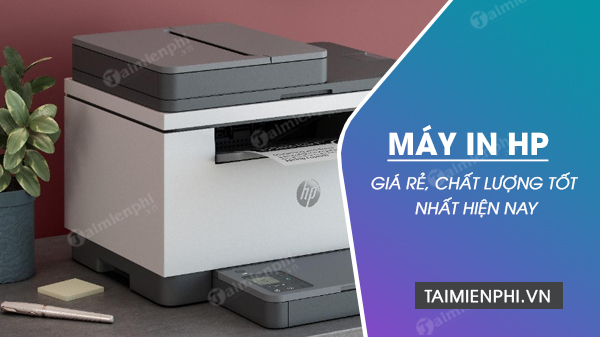
Choose an HP printer by workflow, not by an old “best price” list. The four models below cover distinct needs: fast USB duplex printing, wireless print/scan/copy, compact Wi-Fi laser printing, and refillable color ink. Prices, bundles, supplies, and operating-system support vary by country and date.
What to compare before buying
| Factor | Question to answer |
|---|---|
| Functions | Do you need only printing, or also scanning and copying? |
| Color | Is monochrome text enough, or are color charts, schoolwork, and photos part of the job? |
| Duplex | Do you need automatic two-sided output, or can you turn the stack manually? |
| Connection | Will one USB computer print, or do several computers and phones need Wi-Fi? |
| Volume | What is the realistic monthly page count and the largest batch? |
| Supplies | What do replacement toner, ink bottles, printheads, and maintenance parts cost locally? |
| Support | Does HP provide a current driver or app for the exact operating system and region? |
Do not treat maximum monthly duty cycle as the workload to print every month. Use HP’s recommended monthly page range as the practical planning figure and leave capacity for busy periods.
1. HP LaserJet M211d: USB monochrome with automatic duplex
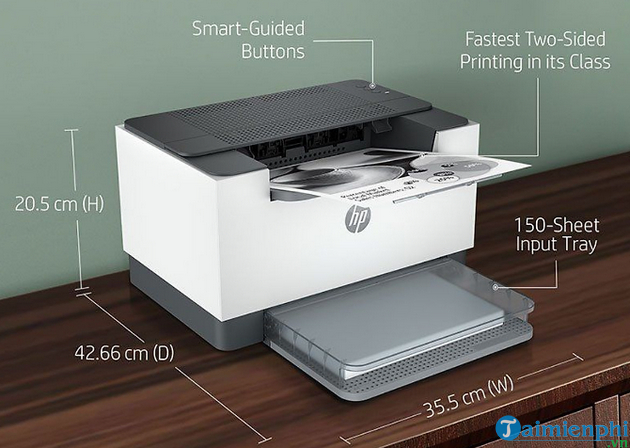
The M211d is a print-only monochrome LaserJet intended for straightforward document output. HP lists print speeds up to 29 A4 pages per minute, automatic two-sided printing, and USB connectivity for this “d” model.
Good fit: a home office or small workspace with one nearby computer, frequent black-text jobs, and a need to reduce paper use without manually flipping pages.
Trade-offs: this exact model is not the choice for scanning, copying, or built-in Wi-Fi. Check the full suffix when comparing listings; a similar model in the family can have different interfaces.
Before buying: confirm the inbox toner yield, regional toner number, driver support, tray capacity, and recommended monthly page volume. Automatic duplex saves paper but does not prevent toner smudging; print defects require separate diagnosis.
2. HP Laser MFP 135w: wireless monochrome multifunction
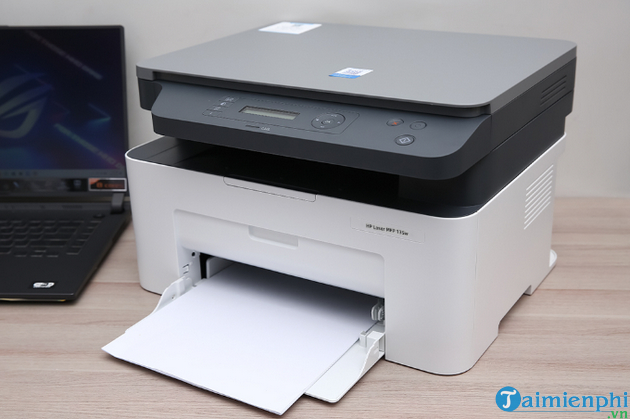
The 135w combines monochrome laser printing with flatbed scanning and copying. The “w” indicates a wireless configuration, making it more convenient for several devices than a USB-only printer.
Good fit: users who need occasional copies and scans, black-and-white office documents, and shared wireless printing in a small space.
Trade-offs: a flatbed scanner requires placing multipage originals one at a time, and this model’s two-sided printing workflow should be checked because “duplex support” may mean manual page reinsertion. Wireless printing is local network access, not an unrestricted promise to print from anywhere on the internet.
Before buying: verify mobile-print support, the exact scanner resolution and bed size, current app/driver compatibility, and whether the package includes a USB cable. If you need unattended multipage scanning, choose a model with an automatic document feeder.
3. HP Laser 107w: compact wireless print-only laser
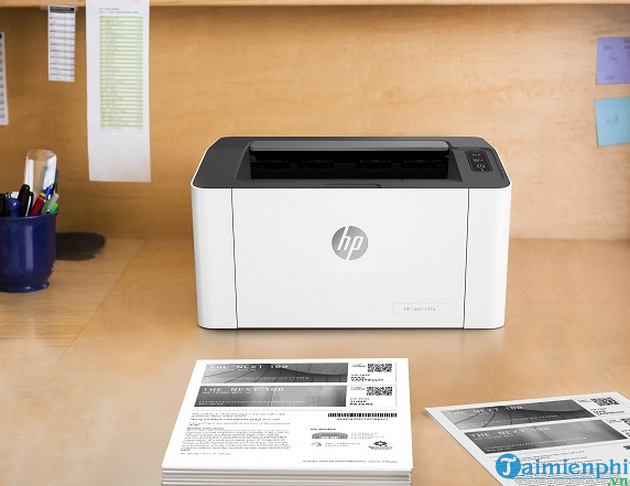
The Laser 107w is a compact, print-only monochrome model with wireless connectivity. HP lists up to 20 A4 pages per minute for the series. It is aimed at lighter personal or small-office use rather than sustained department-level volume.
Good fit: a small desk where several laptops or phones need black-text printing and scanning/copying are unnecessary.
Trade-offs: two-sided jobs require manual handling, the input tray is smaller than those on many larger office lasers, and the recommended page range is more important than the much higher maximum duty-cycle number.
Before buying: distinguish 107w from the USB-only 107a and from region-specific variants. Confirm the wireless standards, supported mobile apps, replacement cartridge yield, and whether your router and security settings are compatible.
4. HP Ink Tank Wireless 415: refillable color all-in-one
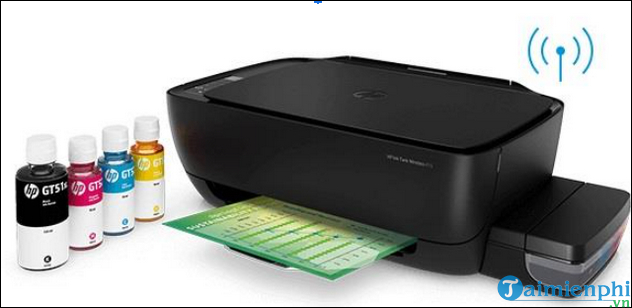
The Ink Tank Wireless 415 is a color ink-tank all-in-one with printing, flatbed scanning, copying, USB, and wireless connectivity. Refillable bottles can reduce consumable cost for regular color printing, but the workflow is different from a laser printer.
Good fit: families, schools, or small offices that print color documents regularly, value low per-page ink cost, and also need scanning and copying.
Trade-offs: it uses manual rather than automatic duplexing, printheads and ink systems need appropriate care, and long idle periods can contribute to nozzle problems. Its color and black speeds should be compared using standardized ISO figures, not draft-mode or maximum claims.
Before buying: verify the bottle set included in your region, declared yields and test basis, borderless/media support, replaceable printhead policy, Wi-Fi features, and current HP software support. Place the printer on a stable surface and transport it only as HP directs to avoid ink leakage.
Which model fits which need?
| Need | Closest match from this list | Reason |
|---|---|---|
| Fast USB text with automatic two-sided output | LaserJet M211d | Print-only laser with automatic duplex |
| Wireless black-and-white print, scan, and copy | Laser MFP 135w | Monochrome multifunction with Wi-Fi |
| Compact shared monochrome printing | Laser 107w | Small print-only wireless laser |
| Regular color documents and refillable ink | Ink Tank Wireless 415 | Color all-in-one with ink tanks |
Calculate the real cost
- Estimate monthly black and color pages separately.
- Use the local price and declared yield of the correct cartridge or bottle. Actual yield changes with page coverage, cleaning, startup, and job size.
- Check whether the box contains a full or introductory supply.
- Include printheads, drums, waste components, and replacement intervals where relevant.
- Account for automatic duplex, paper waste, warranty, and local repair access.
For a cross-brand comparison, see laser printers for home and office. Once a network model is installed, find the printer’s IP address in Windows for administration or a standard TCP/IP port. If output starts to fade, use the low ink and toner diagnostic guide before replacing supplies.
Final pre-purchase check
Print a sample of your real document, test Wi-Fi from every required device, scan a typical original, and verify the exact regional product number and warranty. A model is suitable only if it fits the entire workflow and its supplies remain available at a predictable cost.
Related Articles
 4 Of the Best Canon Printers to Buy Right Now7 minutes read
 Which Used Laptop Brands Offer Good Quality?7 minutes read
 The Best and Most Affordable Brother Printers Currently Available8 minutes read
 The Best Multifunction Printer 201817 minutes read
 4 Of the Best Color Printers Currently Available That You Should Buy8 minutes read
 Top 10 Top and Highest Quality PUBG Mobile Headphones : Expert Selection Guide19 minutes read
Reader Comments 0
Sign in with email or Google to join the discussion.