Table of Contents
The best barcode printer is the one that matches your label material, required lifespan, print volume, barcode size, software, and connection method. A low-cost direct-thermal unit can be ideal for short-lived shipping labels, while durable asset or cable labels may require thermal transfer and specialized media.
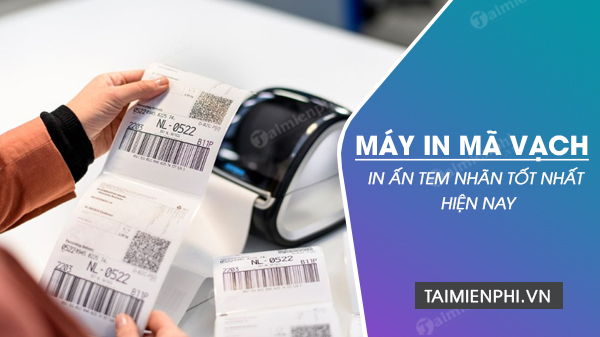
This guide replaces a time-sensitive “best today” ranking with durable selection criteria and five representative printer types from the original list. Prices, bundles, interfaces, and regional model variants change, so confirm the current specification sheet and supplies before buying.
Choose the printing technology first
| Technology | Best fit | Main trade-off |
|---|---|---|
| Direct thermal | Shipping, receipts, tickets, and other short-to-medium-life labels | No ribbon, but heat-sensitive labels can darken or fade with time, heat, sunlight, or abrasion. |
| Thermal transfer | Inventory, assets, outdoor, chemical, freezer, textile, and durable product labels | Requires a ribbon matched to the label material and adds supply-management work. |
| Handheld laminated-label system | Cables, patch panels, faceplates, shelves, and maintenance identification | Uses proprietary tape widths and is not a substitute for a high-volume shipping-label printer. |
A device described as “thermal” may support only direct thermal or may support both methods. Confirm the exact variant rather than relying on the product family name.
Seven specifications that matter
1. Label width, roll size, and media path
Start with the physical label. Record its width, length, core diameter, outside roll diameter, gap or black-mark sensing, liner type, and whether it is continuous or die-cut. For tags, wristbands, thick media, or fan-fold stock, verify support explicitly.
2. Resolution
203 dpi is common for ordinary shipping and inventory labels. Consider 300 dpi or higher for small text, compact 2D codes, electronics labels, or fine graphics. Higher resolution does not automatically improve a badly designed barcode; it must also be printed at a valid module size with adequate quiet zones.
3. Duty cycle and speed
Estimate labels per day, peak labels per hour, and the longest continuous batch. Desktop printers suit intermittent work, while industrial models use larger supplies and more robust mechanisms for sustained volume. Advertised speed is not the same as throughput with high resolution, complex graphics, peeling, cutting, or database processing enabled.
4. Connectivity
Choose USB for one nearby computer, Ethernet for a stable shared station, or Wi-Fi/Bluetooth only when the workflow requires mobility. Check whether network, serial, parallel, NFC, or wireless features are standard or optional on the exact configuration.
5. Printer language and software
Confirm that your POS, warehouse, shipping, or labeling software supports the printer language and driver. Test a real template, not just a Windows test page. If you are building labels in BarTender, see TipsMake’s BarTender barcode setup guide.
6. Consumables and total cost
Price the label stock, ribbons, printheads, platen rollers, cutters, batteries, and cleaning supplies. Check local availability and minimum order quantities. A cheaper printer can cost more if it locks you into expensive media or causes downtime.
7. Validation and support
Print samples using your real data and scan them with the actual devices used at receiving, checkout, or shipping. Regulated or safety-critical labeling may require formal verification, traceability, and approved media—not just a successful phone scan.
Representative printer types
Argox CP-2140: desktop thermal-transfer class
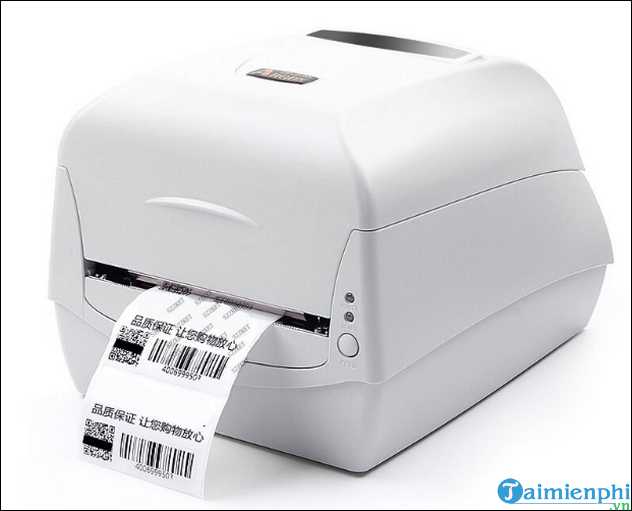
The CP-2140 family represents a compact desktop printer that can suit product, inventory, and shipping labels when thermal-transfer ribbon support is useful. Before choosing it, confirm the exact interface configuration, supported ribbon and roll dimensions, emulations, driver support, and service availability in your region.
Sapo SPL01: retail-oriented desktop class
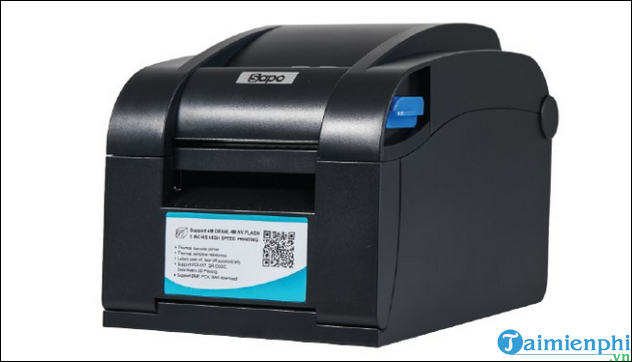
A retail-oriented desktop unit can be convenient when it integrates with the store’s POS and label templates. Verify whether the exact SPL01 package is intended for labels, receipts, or both; also test supported media width, cutter or cash-drawer functions, and compatibility with the current Sapo software. Do not rely on an unverified “labels per minute” claim, because label length changes that number dramatically.
Toshiba B-EV4T series: compact thermal-transfer class
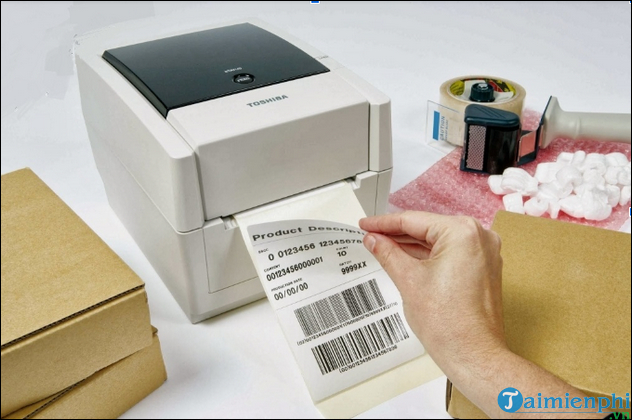
The B-EV4 family includes variants with different print methods and configurations. It can be considered for office, retail, light manufacturing, or apparel workflows when the chosen model supports the required tag or label. Check the complete suffix: a B-EV4D and a B-EV4T are not interchangeable descriptions.
Zebra ZT510: industrial printer class
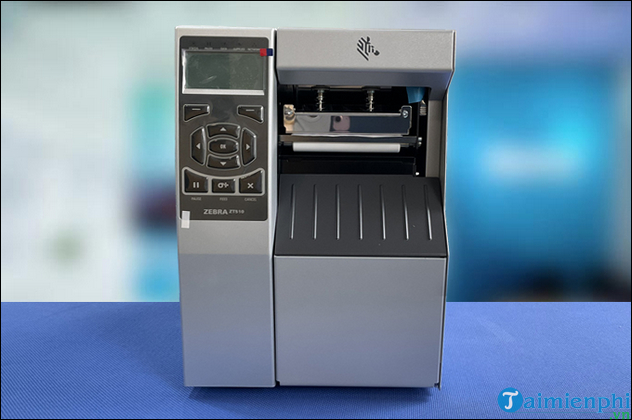
The ZT510 represents an industrial category for demanding production and logistics environments. Its value is in robust construction, larger supplies, serviceability, and integration options rather than portability. Confirm the selected resolution, interface options, media-handling accessories, environmental rating, and support contract; industrial configurations can vary substantially.
Brother PT-E110: handheld cable and electrical labeling
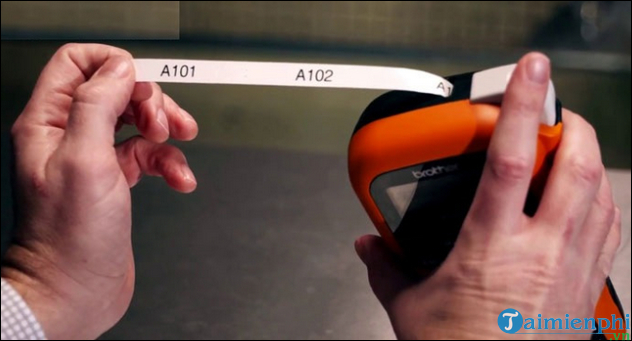
A handheld PT-E series labeler is designed for field identification such as cable wraps, flags, faceplates, and patch panels. Check supported tape widths, label materials, power options, keyboard language, symbols, and whether it can generate every barcode format your standards require. It is a different tool from a desktop roll-label printer.
Questions to answer before you buy
- What barcode symbology and smallest physical size must you print?
- How long must the label remain readable, and what heat, light, moisture, chemicals, or abrasion will it face?
- What are the daily and peak volumes?
- Will one PC, several network users, a POS terminal, or a mobile device send jobs?
- Does your application have a tested driver or native printer-language template?
- Are compatible labels, ribbons, printheads, and service available locally?
- Do you need a peeler, cutter, rewinder, linerless support, RFID encoding, or portable battery?
Test the full workflow
- Create a representative label with the longest product name and smallest barcode.
- Print it on the exact media and ribbon combination you plan to buy.
- Scan several samples at expected distance and angle using production scanners.
- Expose a sample to the expected environment and recheck it after a realistic period.
- Measure total job time, label waste, and operator steps.
To test reading on Windows, compare tools in barcode scanning software for Windows. A software decoder is useful for a basic check, but it does not replace a standards-based verifier where compliance matters.
Related Articles
 Top 15 Free Barcode Scanning Software for Windows Computers14 minutes read
 The Best Multifunction Printer 201817 minutes read
 How to Create Barcode Online, Create Barcode Online3 minutes read
 4 Best Barcode Scanning Apps for Android5 minutes read
 Gmail Supported 'Label in Label'2 minutes read
 10 Software That Strengthens the Printer18 minutes read
Reader Comments 0
Sign in with email or Google to join the discussion.