Table of Contents
Windows 10 version 1803 was officially named the April 2018 Update. It is associated with the 17134 build family. “Spring Creators Update” was a name used in early coverage, rather than the final release name.
This is a historical feature guide. Version 1803 has reached end of servicing and should not be treated as a current upgrade target. Microsoft's servicing notice documents the end of support for its remaining Enterprise and Education editions.
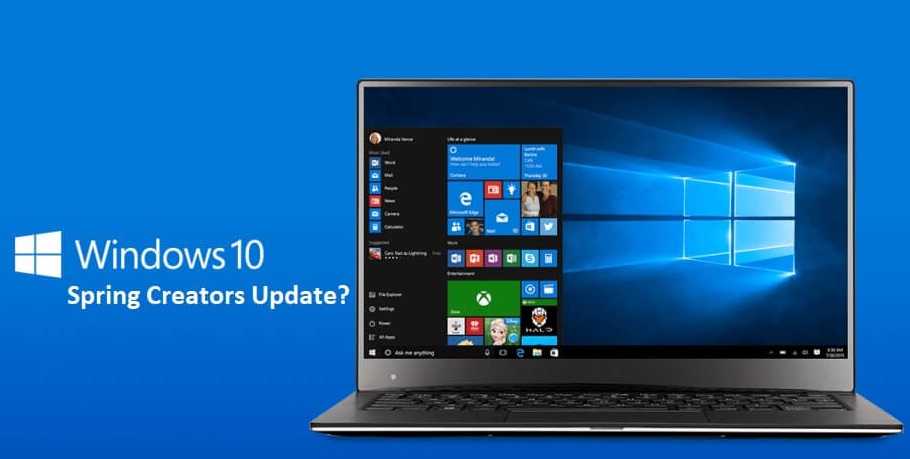
The main changes in version 1803
Timeline in Task View
Timeline presented recent activities from participating applications so users could return to earlier work. Its cross-device behavior depended on supported apps, accounts and settings. It did not transfer every open file automatically between Windows, iOS and Android applications.
Focus Assist
Focus Assist provided controls for reducing notification interruptions, including rules and exceptions. Describing it as blocking every notification hides those choices. The historical settings route was Settings → System → Focus assist.
Nearby Sharing
Nearby Sharing let compatible nearby Windows devices exchange files and links using Bluetooth or Wi-Fi. It was not a universal AirDrop replacement for arbitrary phones and computers. Users needed compatible devices and appropriate sharing settings.
Microsoft's original release overview describes these features as they were introduced.
Other changes and settings
| Area | What the release-era guide describes | Useful distinction |
|---|---|---|
| Microsoft Edge | Reading, autofill, tab-audio and InPrivate extension improvements | This refers to the original Windows 10 Edge browser, not today's Chromium-based Edge interface. |
| Fonts | A Fonts page under Personalization and Store integration | Managing fonts moved beyond the older Control Panel workflow. |
| Graphics preferences | Per-application GPU preferences in Display settings | A preference does not guarantee that an application runs without lag. |
| Touch and pen | Handwriting and touch-keyboard refinements | Availability depended on compatible hardware and input features. |
| My People | Expanded taskbar contact controls | This belongs to the feature set of that Windows generation. |
| Delivery Optimization | Controls for update-download bandwidth | Bandwidth controls existed before 1803; they were not entirely new in this release. |
The original article also discussed Cortana, HDR, startup-app settings and emoji input. These experiences changed over later Windows releases, so old screenshots and menu paths should be interpreted in their release context. See the related April 2018 feature overview for additional historical coverage.
Identify an existing installation
Press Windows + R, run winver and read the version and OS build. A 17134.x build identifies the version 1803 family; the digits after the decimal indicate its installed servicing level.
Do not confuse an Insider preview build, an initial release and a later cumulative update. A generic statement that “BitLocker bugs were fixed” is not enough to establish that a particular computer has a relevant fix; the exact update and issue would need to be identified.
Downloads and installation today
The old social-locker, Fshare and unnamed backup references are not a trustworthy current download path. Use Microsoft or your organization's authorized software source and confirm the edition, licensing and intended test purpose.
If you need an old release for compatibility testing, use an isolated test environment rather than replacing a supported everyday system. For a normal installation, choose an operating system and servicing arrangement supported for the hardware. The Windows installation-process guide explains setup concepts, but its availability does not make version 1803 a suitable current target.
Back up files before any upgrade or clean installation. Historical download instructions should not be followed merely because an article still calls the release “latest.”
Related Articles
 Instructions for delaying updating Windows 10 Spring Creators Update in 365 days
 Instructions for installing Windows 10 Spring Creators Update
 Users only need less than 30 minutes to install Windows 10 Spring Creators Update
 Windows 10 Spring Creators postponed the launch date due to trouble
 How to use Storage Sense on Windows 10 Spring Creators Update
 Experience Windows 10 Spring Creators Update
Reader Comments 0
Sign in with email or Google to join the discussion.